The best Business Suite software in India, built to help your business grow. Contact us at +91-8882435276.
[ Contact ]
Phone number
Email address
Head office
Noida office
The right team at TriostackOne will get back to you.
Positioning Assessment
Answers to 'how are we doing?' are spread across invoices, bank balances and spreadsheets. Decisions wait for someone to compile them.
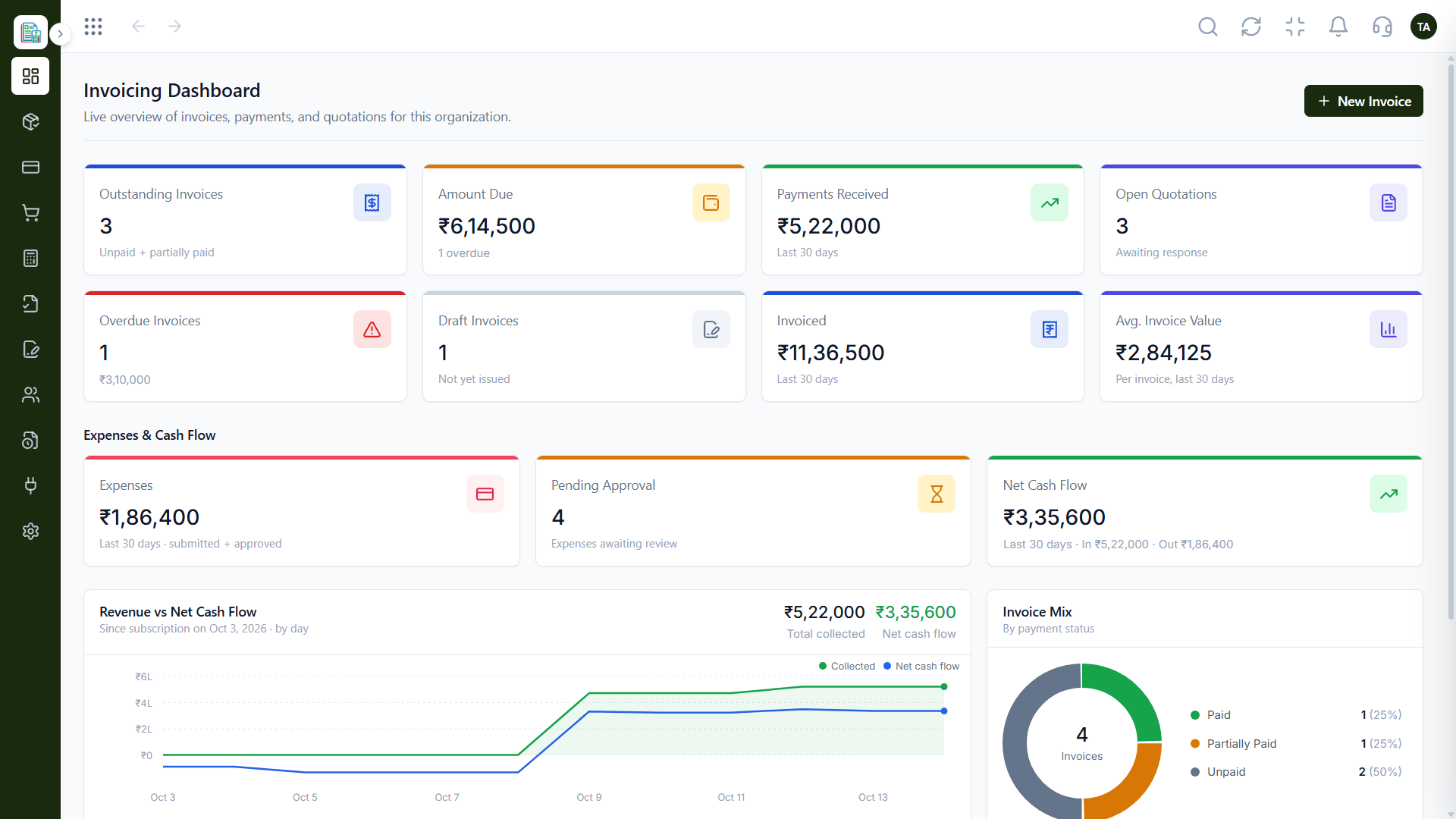
The Finance dashboard shows outstanding, overdue and draft invoices, the amount due, payments received and open quotations in one place. Expenses, pending approvals and net cash flow sit beside revenue, with an invoice mix by payment status.
“The dashboard is the first thing we open on Monday. Overdue invoices are right there.”
Sample team scenario
Illustrative example, not a customer testimonial
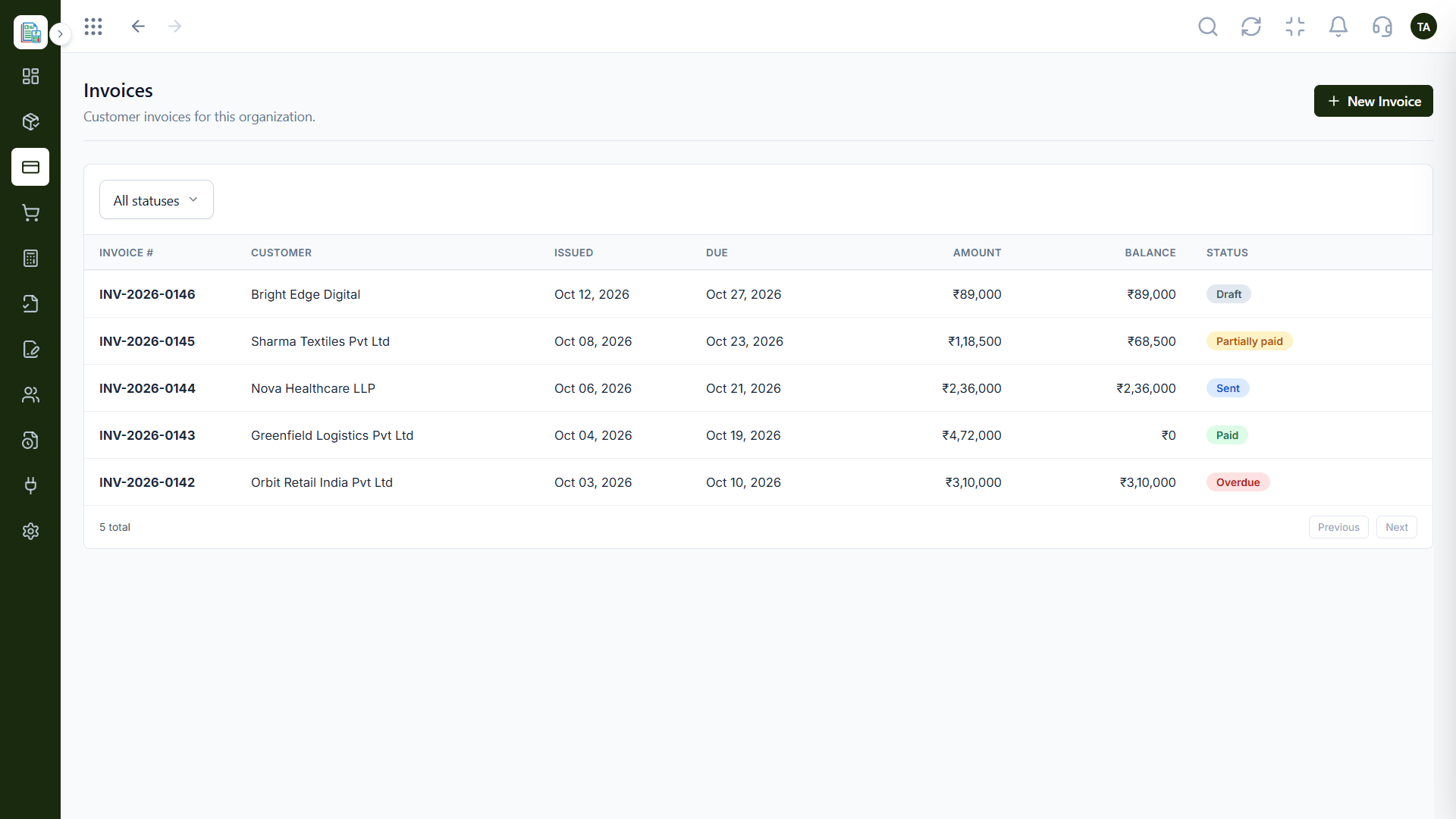
Invoices
Customer invoices filtered by status
In the Product
Picture a single panel of dials: what is owed, what is paid, what is spent and what is left.
No hopping between files.
Late invoices are easy to see.
From a number to the list behind it.
Platform Integrity
Outstanding, overdue and draft
Payments received and net cash flow
Expenses and pending approvals
Split by payment status
How It Works
What changes when the answers are on one screen.
| Dimension | Triostack Finance | Manual Compilation |
|---|---|---|
| Invoices | Outstanding, overdue and draft | Count from a list |
| Cash | Payments and net cash flow | Bank balance only |
| Spend | Expenses and approvals | Separate sheet |
| Quotes | Open quotations | Chase by memory |
| Freshness | Live | Updated when someone remembers |
Book a walkthrough and we will set up a sandbox with sample customers and invoices so you can try quotes, billing and reports before you commit.
Live Interface Tour
Real screens captured directly from the Triostack Finance workspace.
Invoicing Dashboard
Revenue, spend and cash flow together
Feature Breakdown
Captured from the Triostack Finance workspace.
The headline numbers.
How it fits the plan
Open. Start with the live dashboard.
Spot. Look for overdue and pending items.
Practical tip
Start Monday on the overdue list. It is the shortest route from a number on the dashboard to money in the bank.
Drill into the detail.
On this screen: Customer invoices filtered by status.
How it fits the plan
Spot. Look for overdue and pending items.
Drill. Open the list behind a number.
In real life
Monday check-in
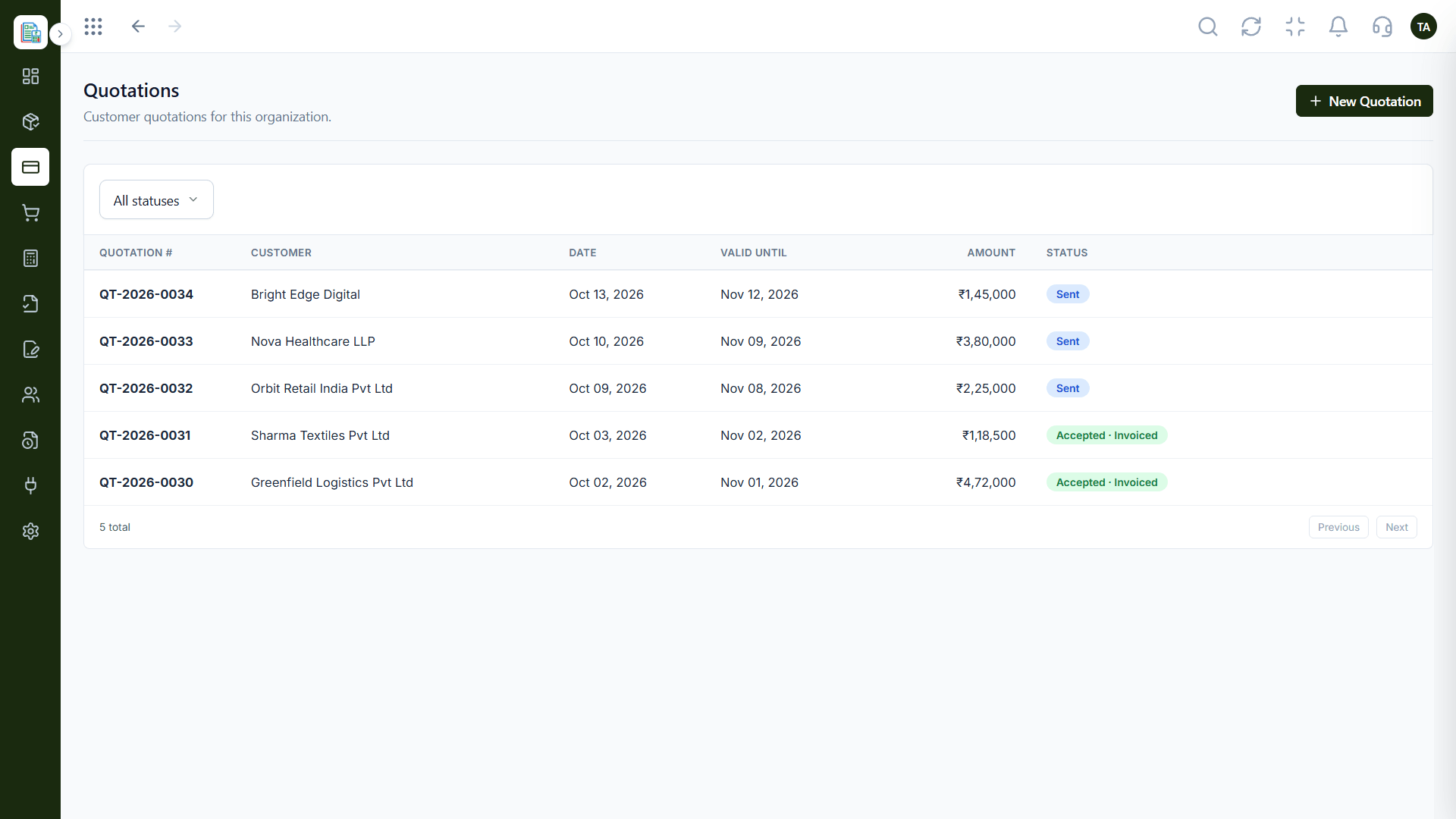
The owner scans overdue invoices and open quotes in a minute.
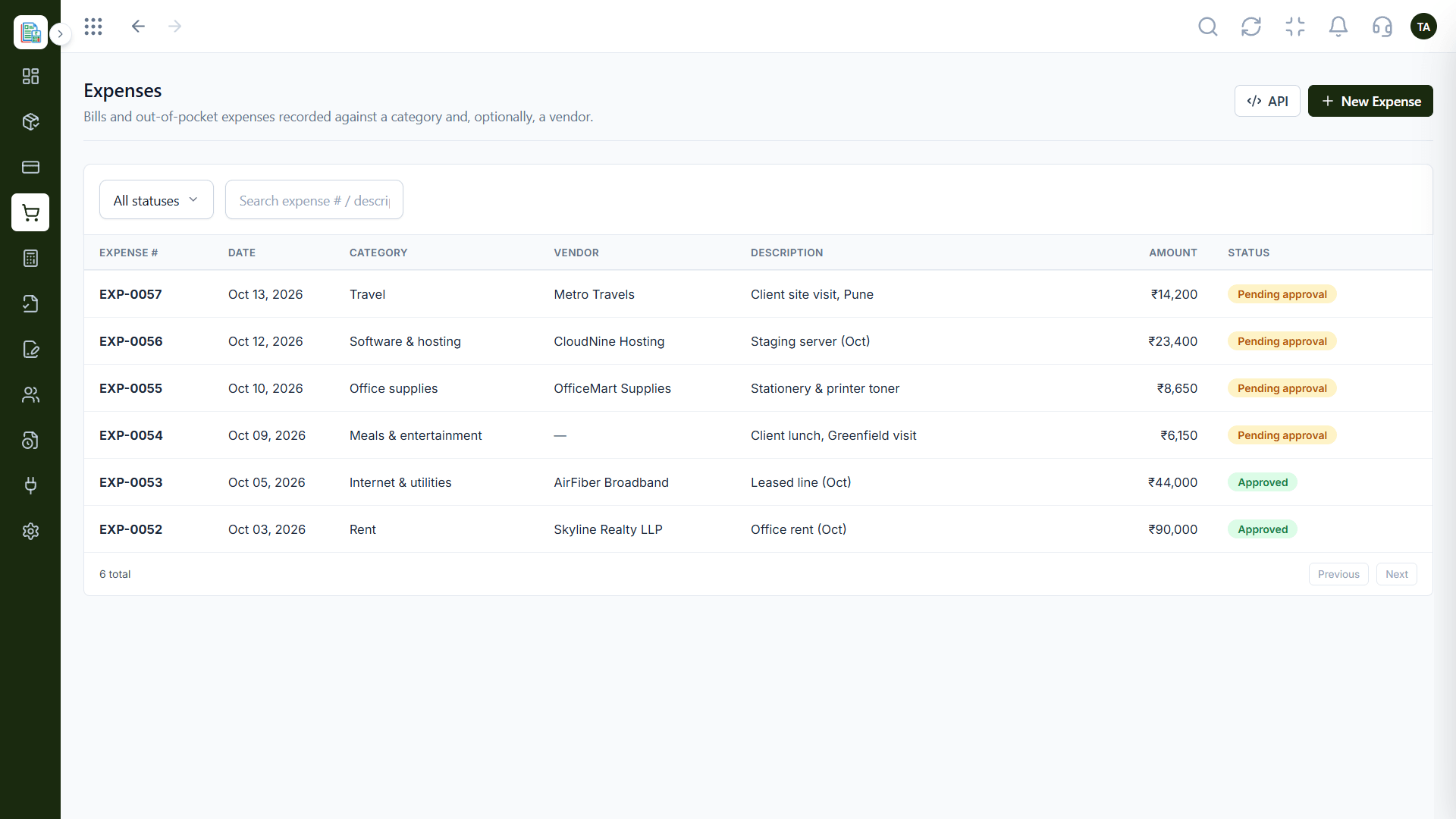
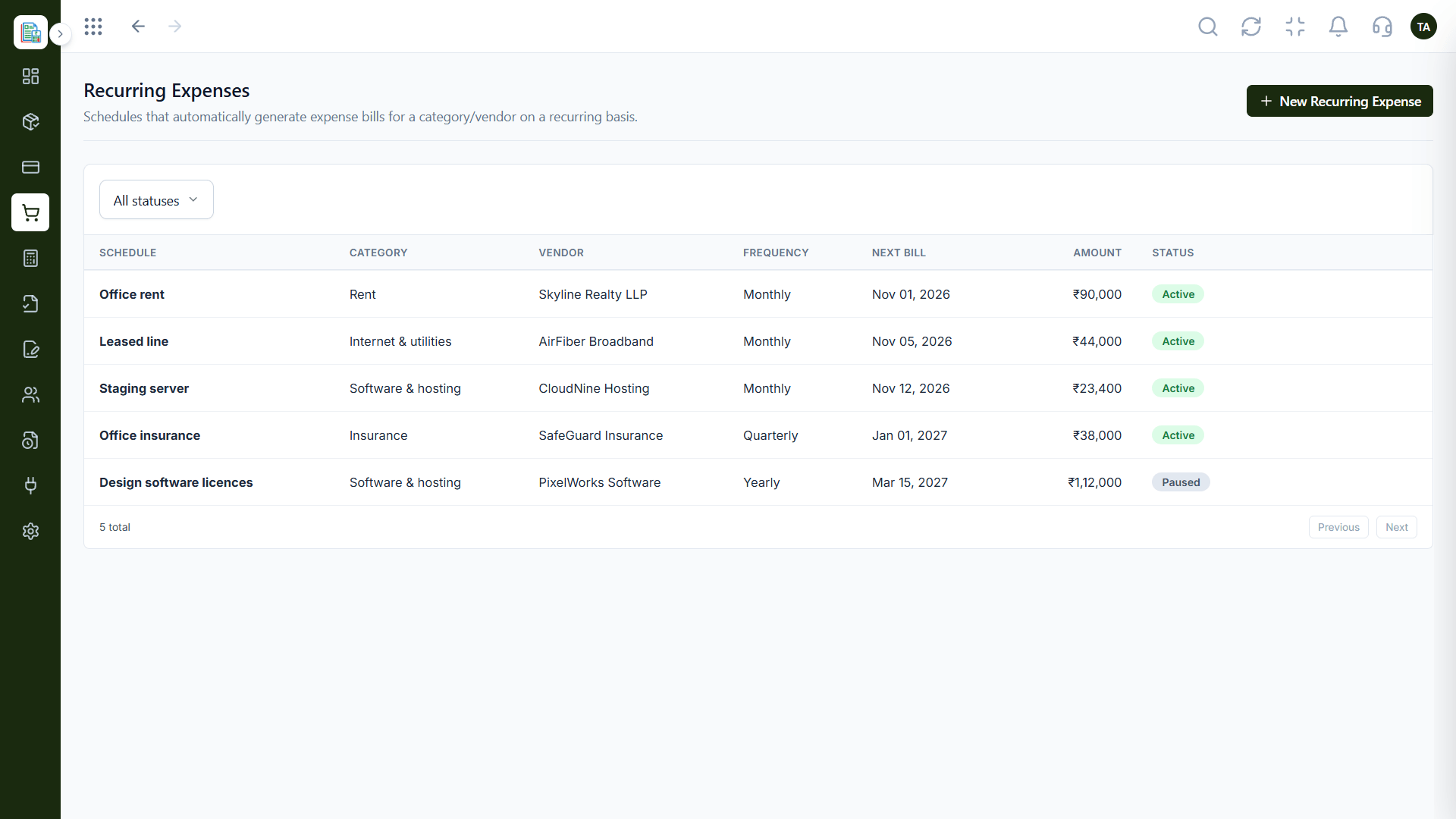
Where money went.
On this screen: Bills and expenses sent through approval.
How it fits the plan
Drill. Open the list behind a number.
Act. Send a reminder or clear an approval.
Watch out for
Treating the dashboard as a scoreboard and never opening the list behind a figure.
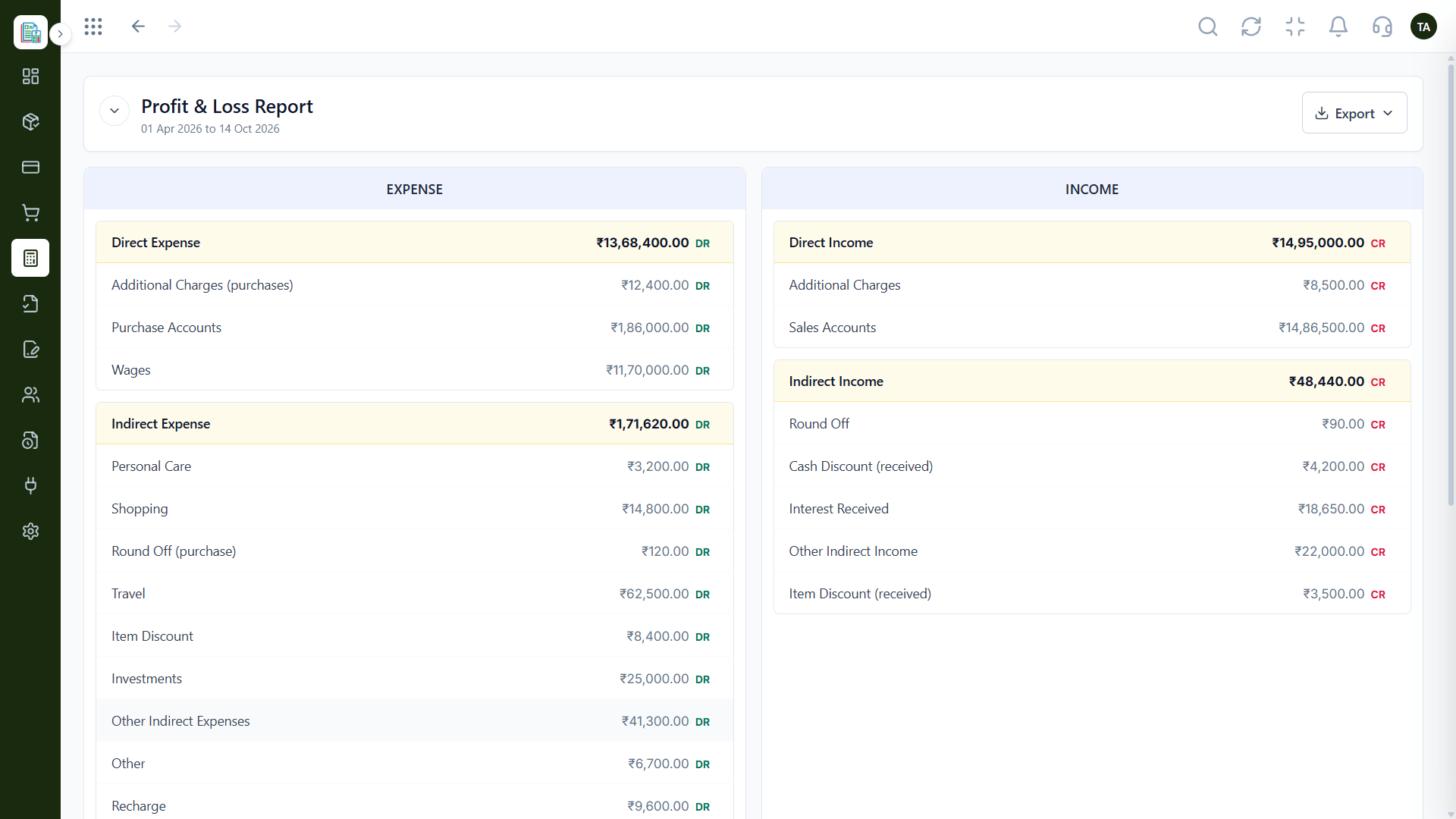
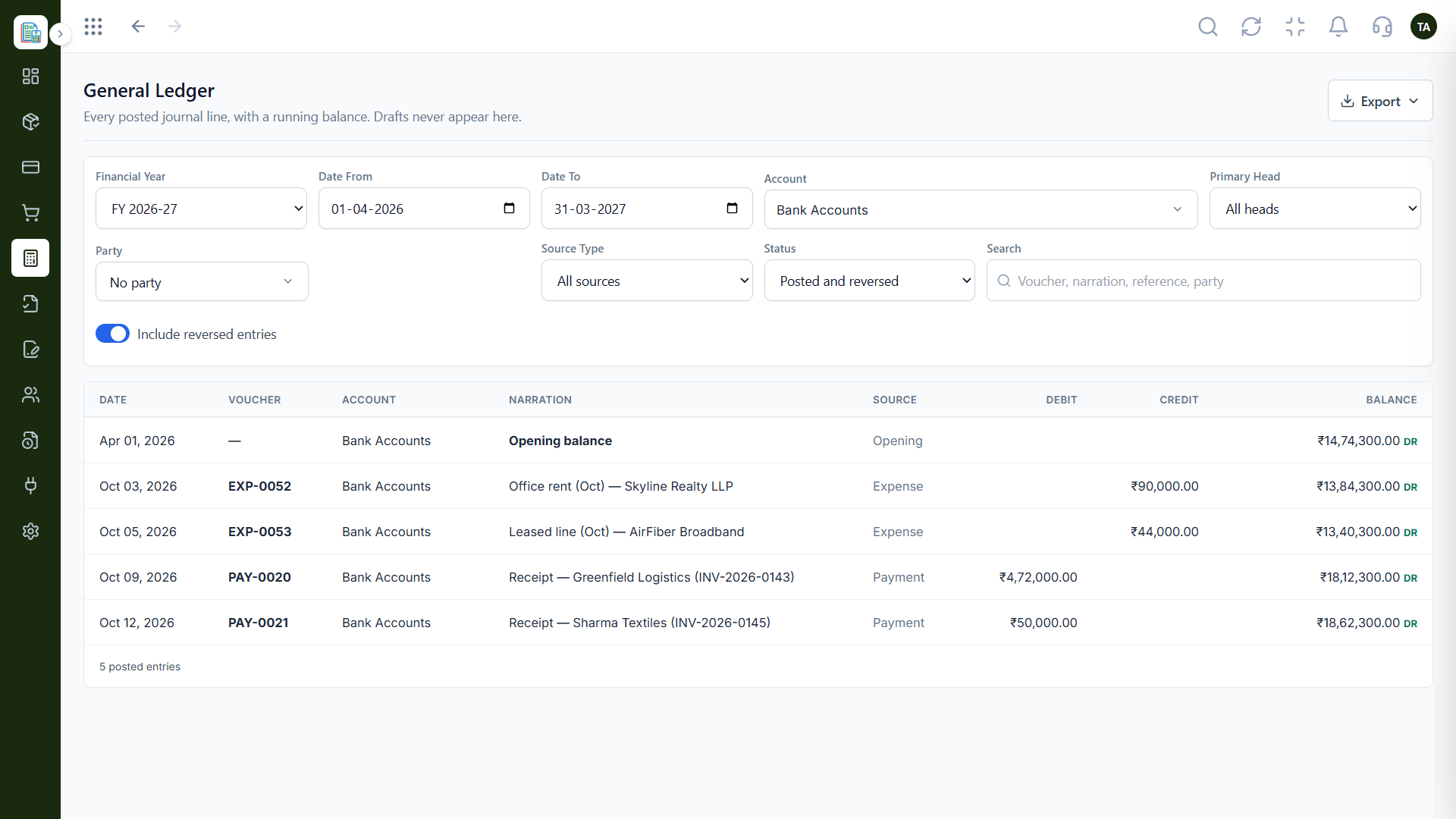
The result.
On this screen: Income and expenses side by side for any period.
How it fits the plan
Act. Send a reminder or clear an approval.
Open. Start with the live dashboard.
Before you start
Execution Plan
Start with the live dashboard.
Look for overdue and pending items.
Open the list behind a number.
Send a reminder or clear an approval.
Practical Guide
Before you start
A tip that helps
Start Monday on the overdue list. It is the shortest route from a number on the dashboard to money in the bank.
A common mistake
Treating the dashboard as a scoreboard and never opening the list behind a figure.
In Real Life
Scenario 01
The owner scans overdue invoices and open quotes in a minute.
Scenario 02
Net cash flow shows the gap early.
Scenario 03
Pending expenses are cleared before month-end.
Straight answers about Dashboards & Analytics, from setup to what happens next.
Have a question about Dashboards & Analytics?
Book a free callInvoices by status, amount due, payments received, open quotations, expenses, pending approvals and net cash flow.
Yes. It reflects the entries in your books.
Yes. Each figure leads to the underlying list.
Finance connects with CRM, Payroll and Projects. Ask us what flows into your dashboard.
See outstanding, overdue and draft invoices, amounts due, payments received, open quotations, expenses and net cash flow on one live dashboard.
It runs in 4 steps: Open, Spot, Drill and Act. Start with the live dashboard.
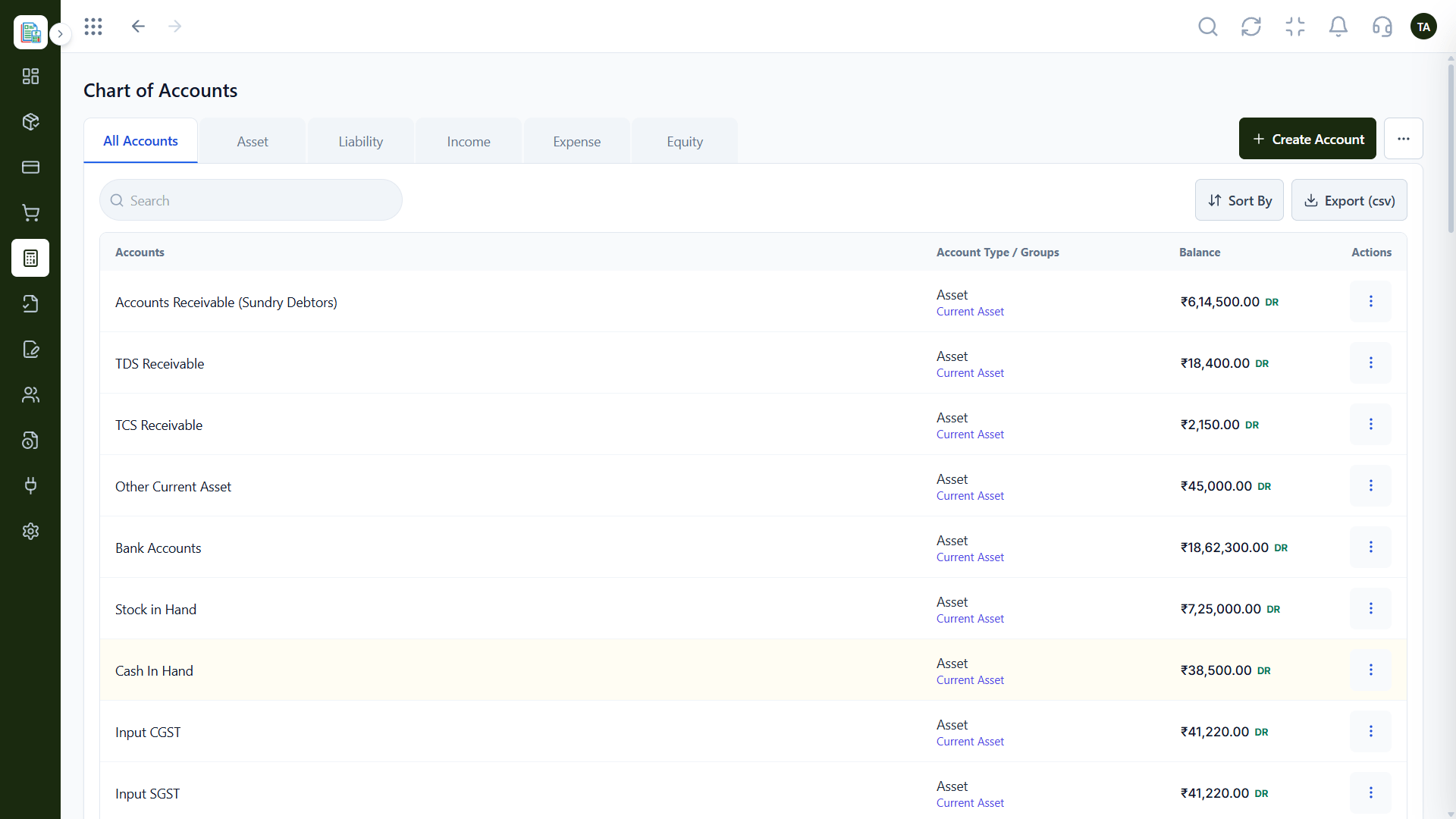
The real screens on this page include Invoices, Expenses, Profit & Loss and Invoicing Dashboard, all captured from the product.
Request a demo or start a free trial. Our team can also walk you through a guided setup, so your first session ends with something working.
Keep Exploring
Invoices, expenses, accounting and GST reconciliation in one workspace, connected to sales, payroll and delivery.