The best Business Suite software in India, built to help your business grow. Contact us at +91-8882435276.
[ Contact ]
Phone number
Email address
Head office
Noida office
The right team at TriostackOne will get back to you.
Positioning Assessment
Quotes in one file, invoices in another, payments in a bank statement. Each hand-off is another chance for a wrong amount or a forgotten follow-up.
Triostack Finance keeps quotations, invoices and payments connected. Create an invoice from a quotation, filter your list by status, send it to the customer and mark it as paid or collect payment online.
“We stopped asking 'did that invoice go out?' once every invoice had a status we could filter on.”
Sample team scenario
Illustrative example, not a customer testimonial
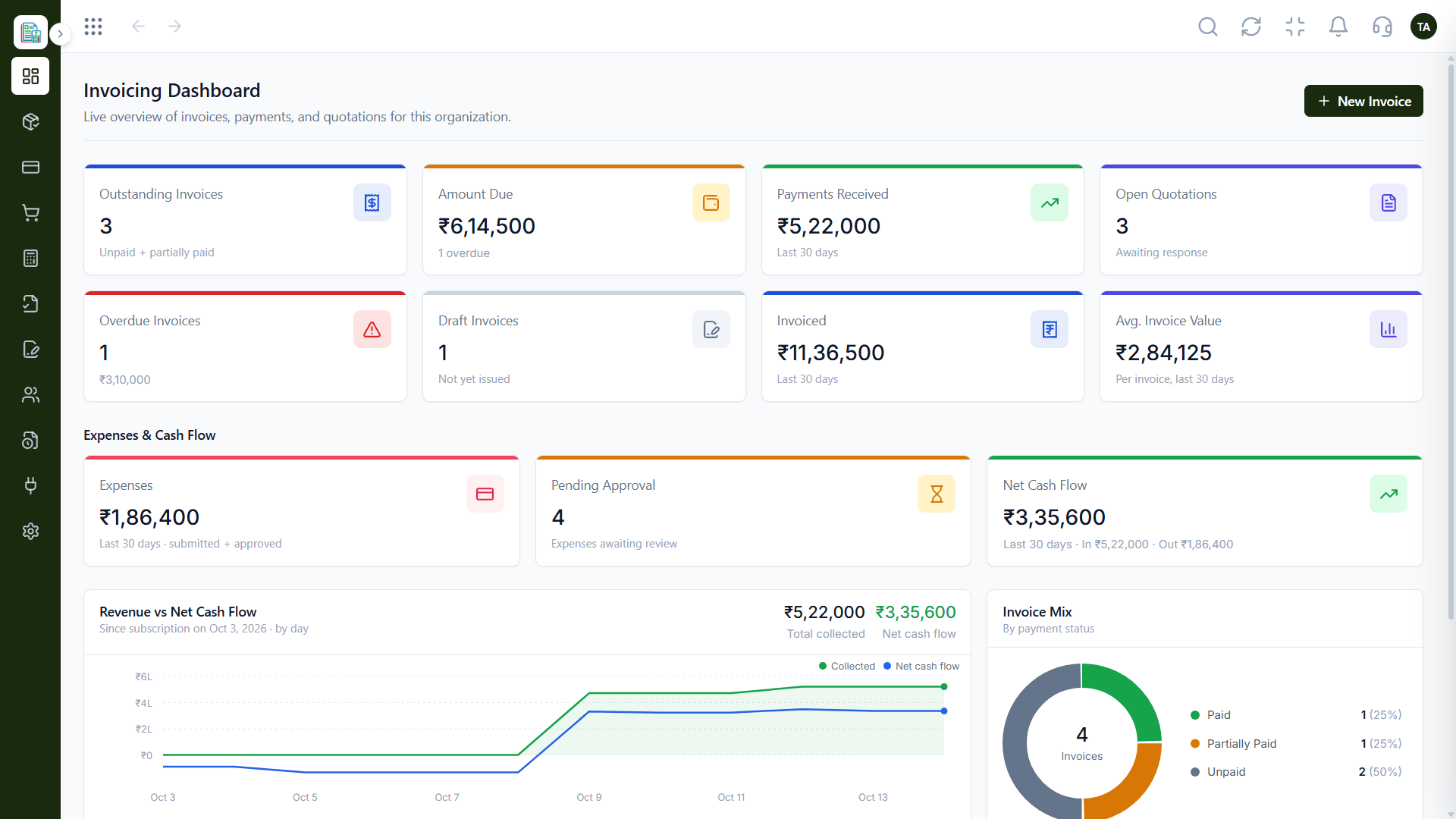
Invoicing Dashboard
Outstanding, overdue and collected at a glance
In the Product
Imagine a document that remembers the quote behind it and tells you, at any moment, whether it has been paid.
Quote, invoice and payment stay connected.
See what is open, late or paid.
Every invoice looks like it came from you.
Platform Integrity
Your logo, header and footer
Draft, sent, paid and overdue
Customers can pay online
Corrections linked to the invoice
How It Works
What changes when billing lives in one system.
| Dimension | Triostack Finance | Documents & Spreadsheets |
|---|---|---|
| Source | Invoice created from a quotation | Typed again from scratch |
| Status | Filter by draft, sent, paid | Check each file |
| Payment | Recorded against the invoice | Matched later by hand |
| Branding | Set once, applied to every invoice | Edit each template |
| Corrections | Credit notes linked to the invoice | Replacement files |
Book a walkthrough and we will set up a sandbox with sample customers and invoices so you can try quotes, billing and reports before you commit.
Live Interface Tour
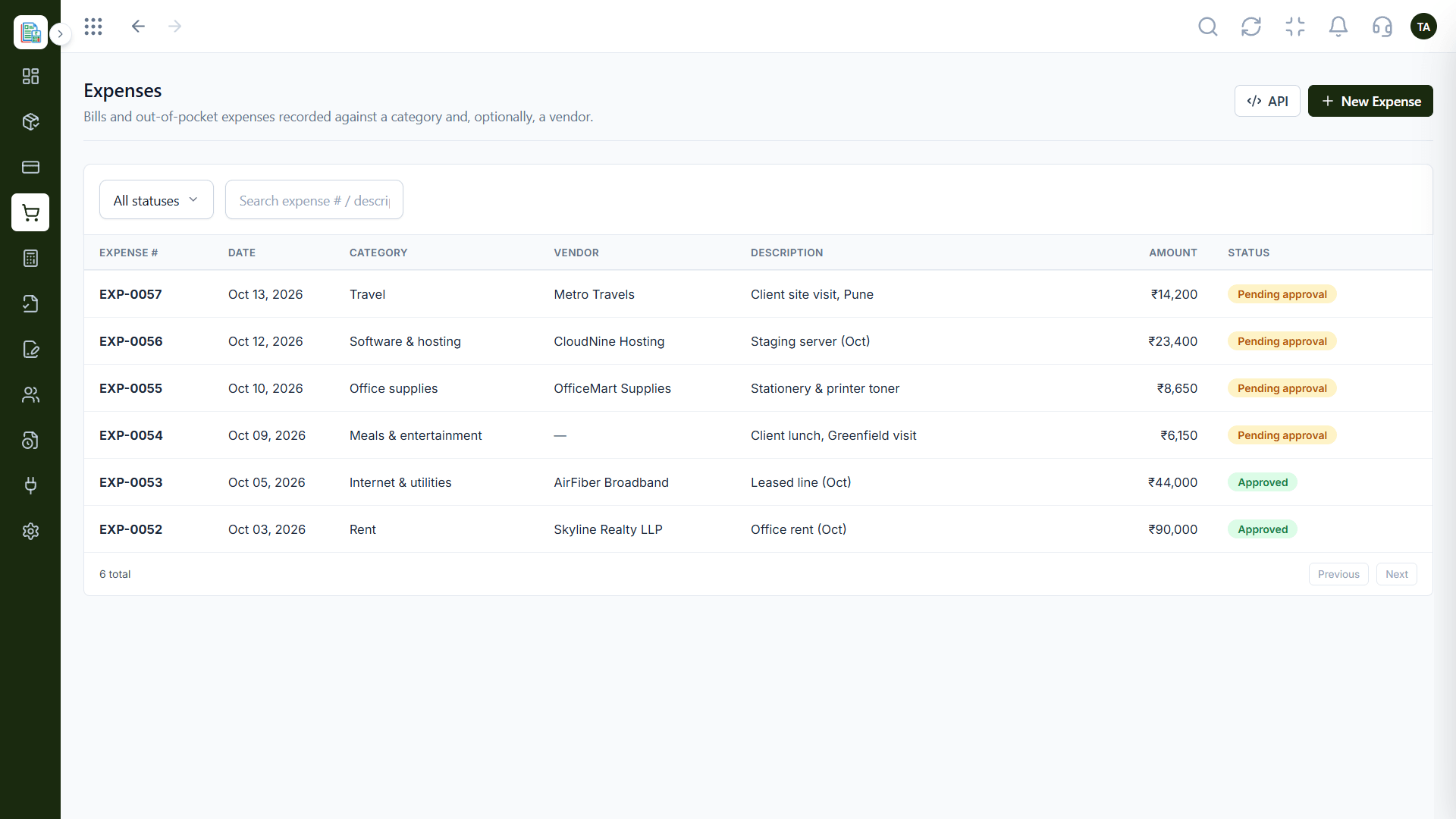
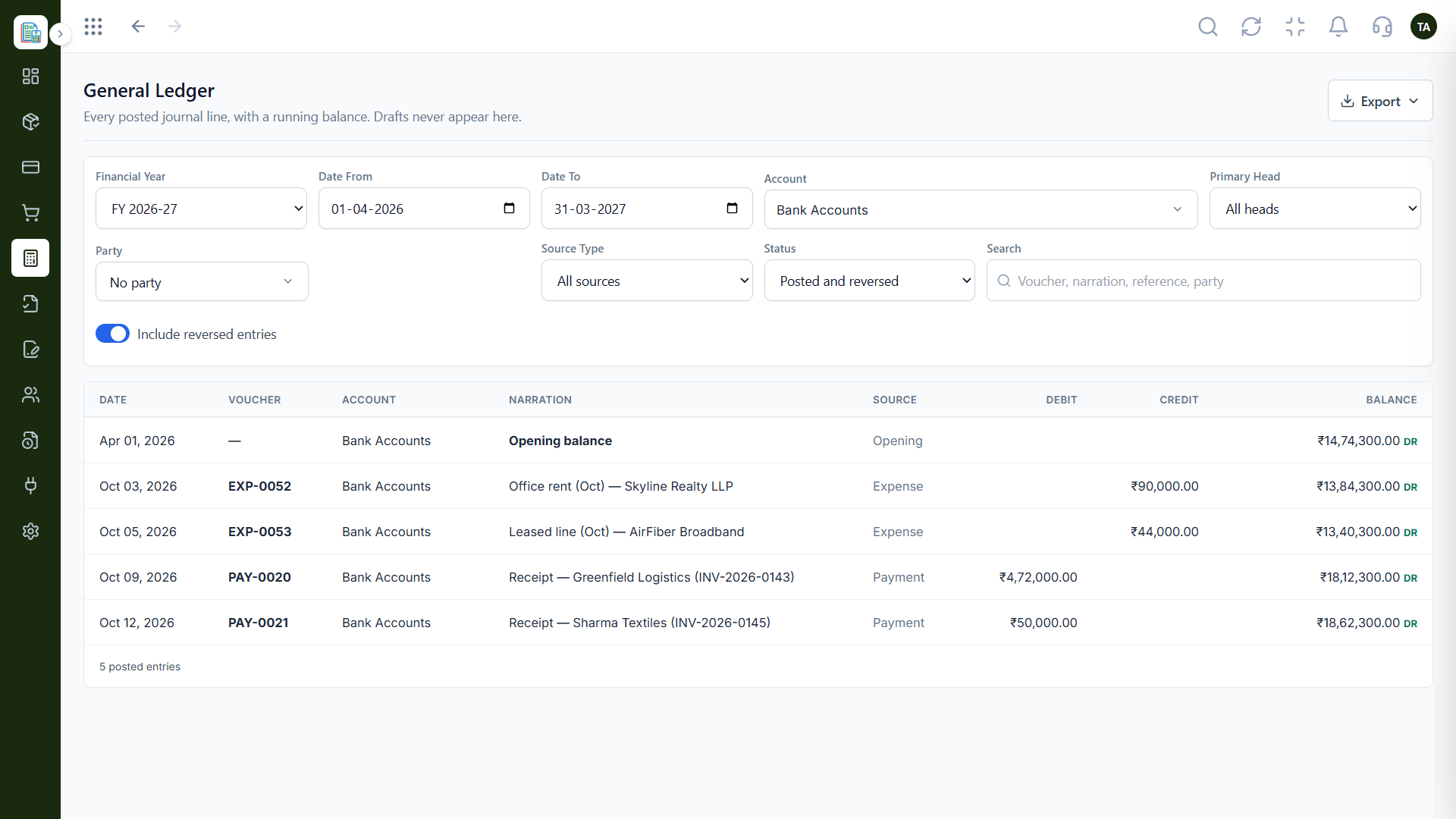
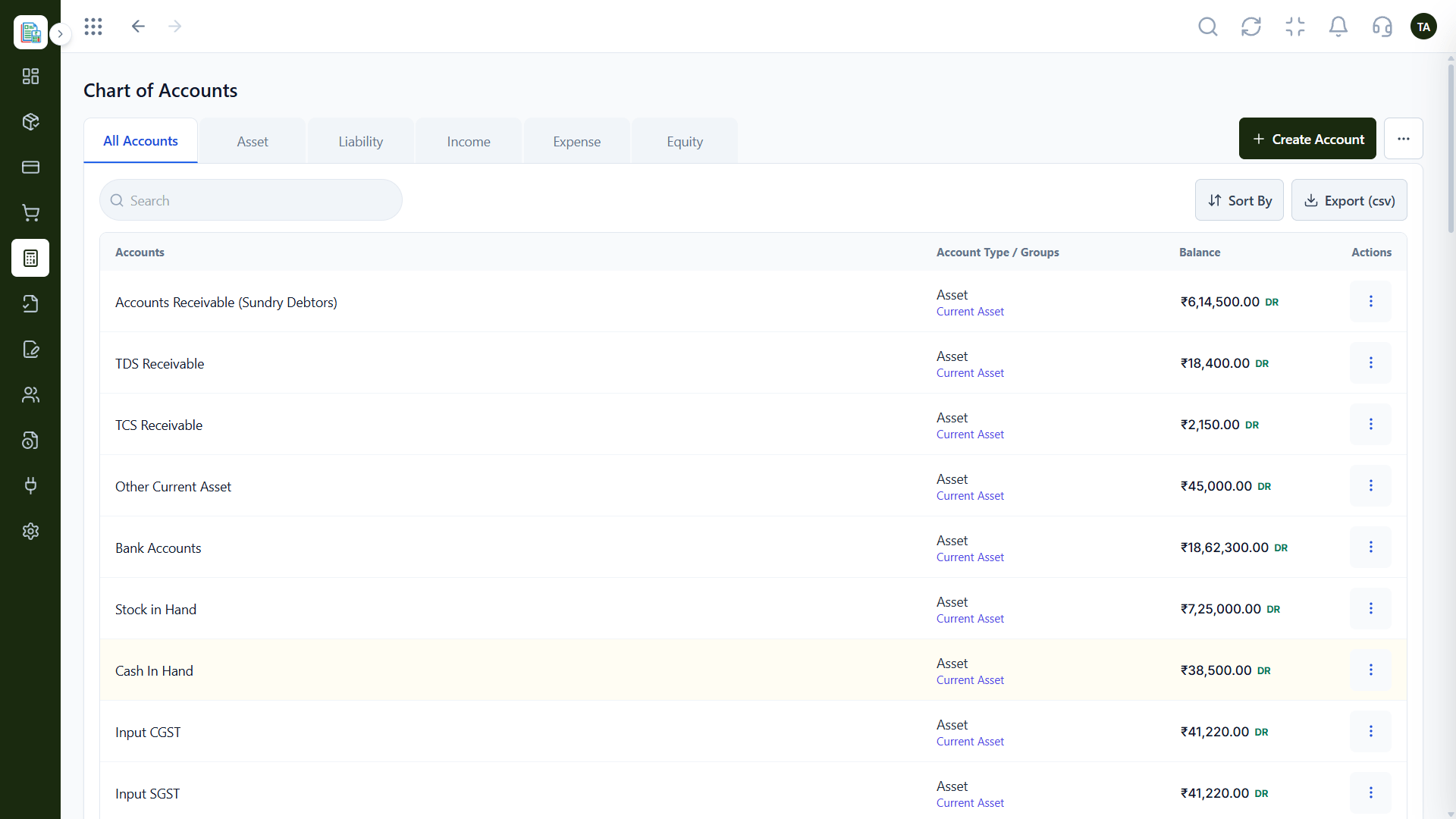
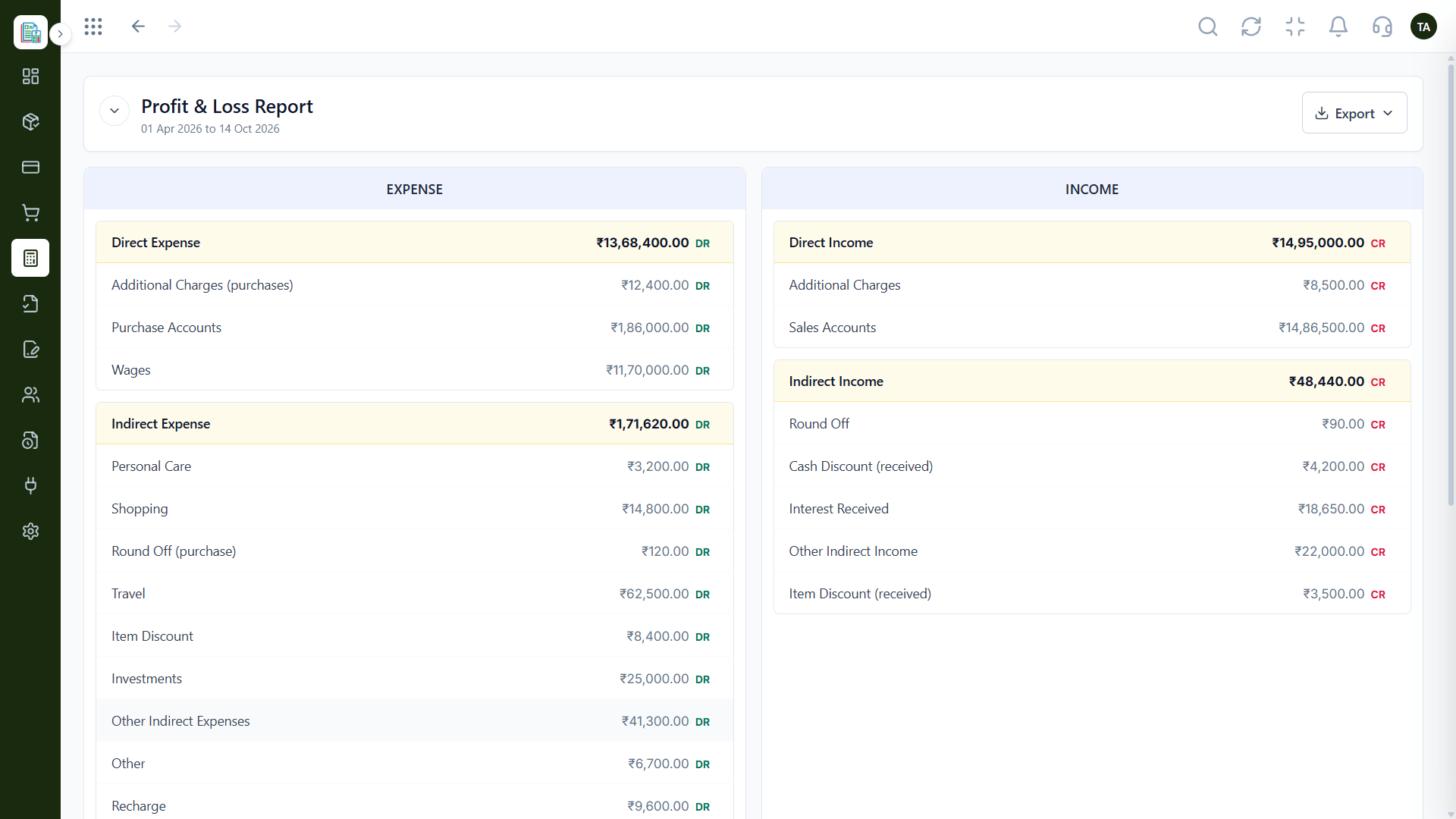
Real screens captured directly from the Triostack Finance workspace.
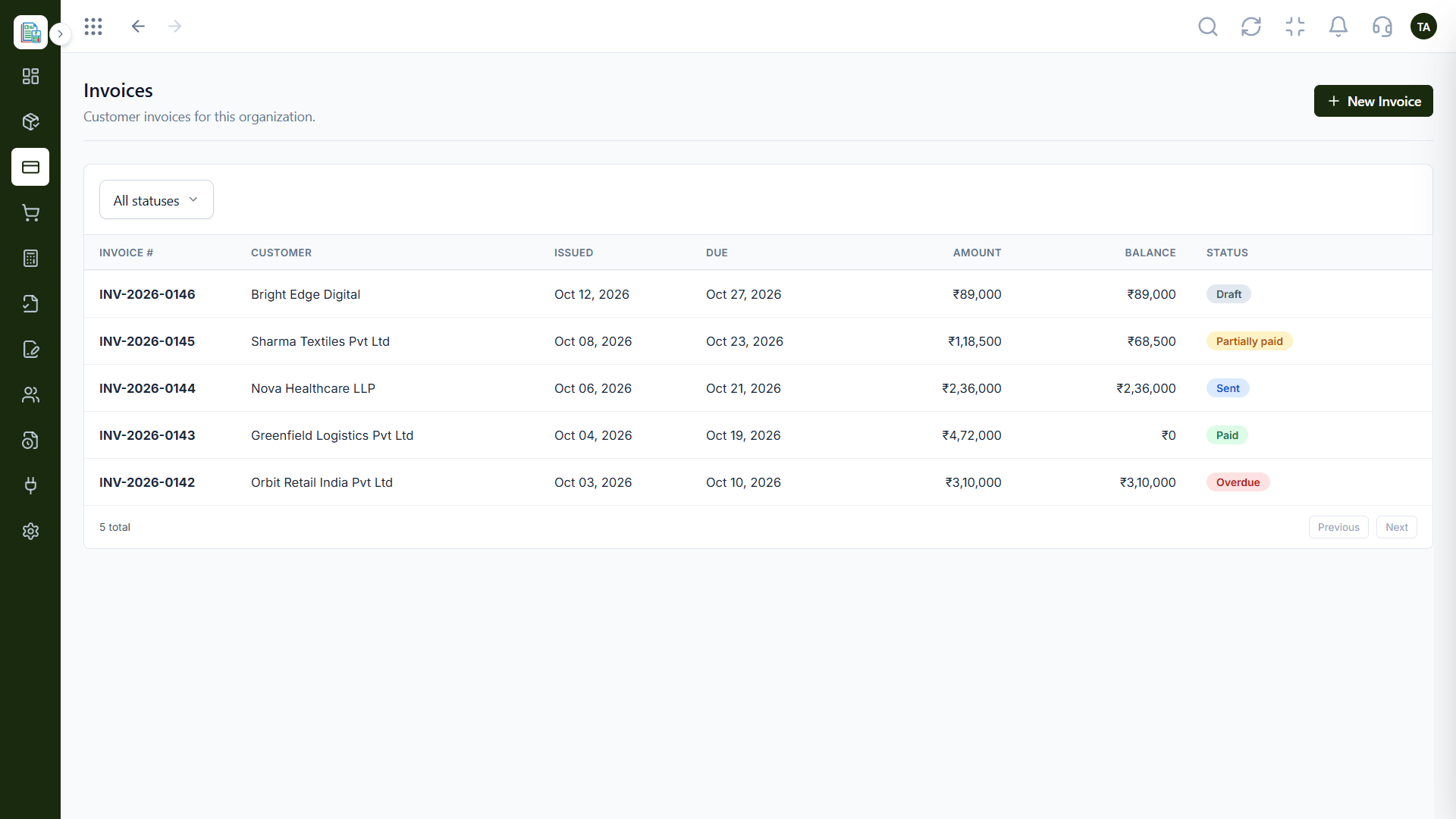
Invoices
Quotation, invoice and payment in one place
Feature Breakdown
Captured from the Triostack Finance workspace.
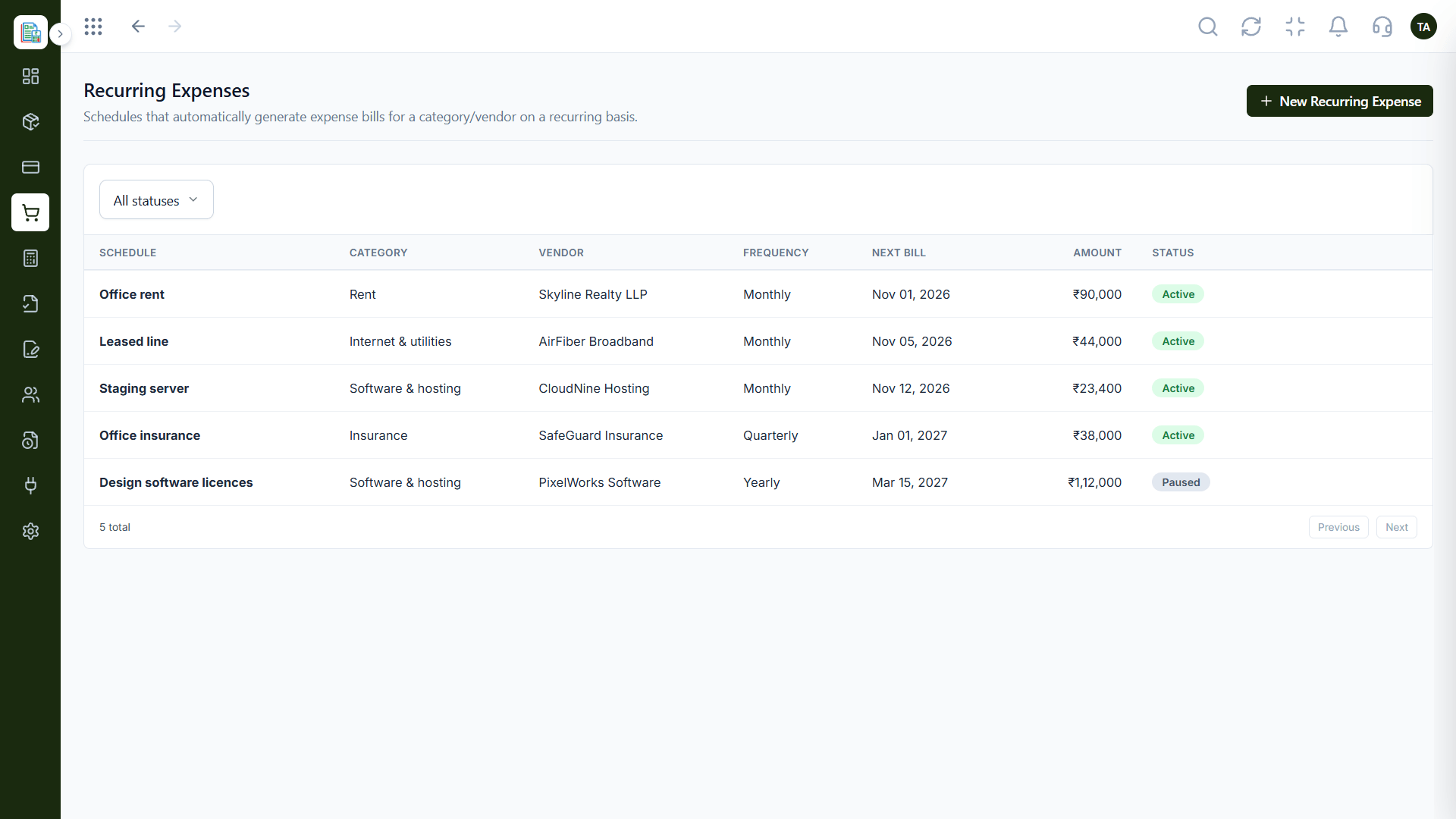
Every invoice in one list.
How it fits the plan
Quote. A quotation is sent and followed until accepted.
Invoice. The accepted quotation becomes an invoice.
Practical tip
Set your invoice branding before you send the first one. Customers remember the first invoice they ever received from you.
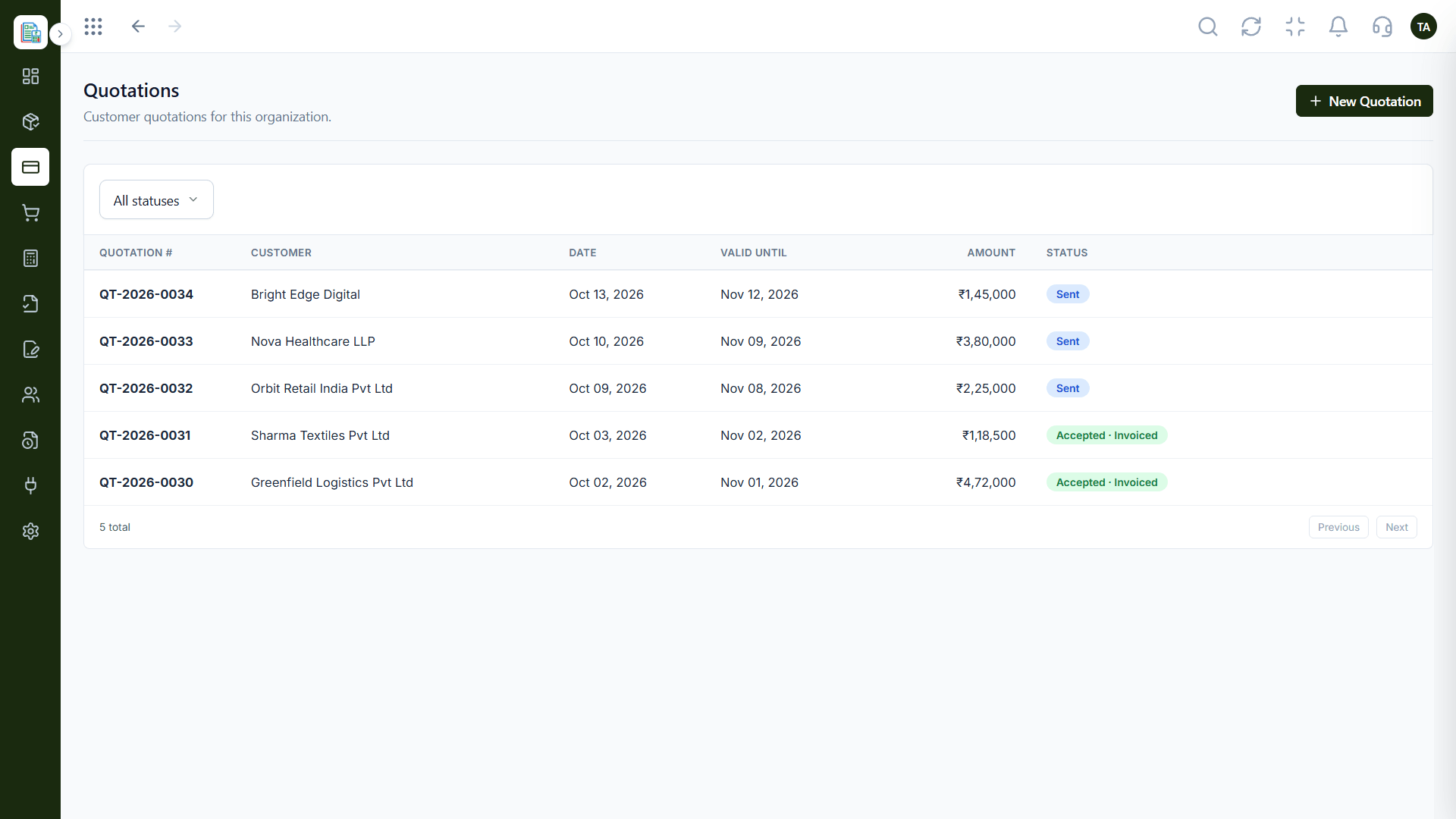
Quotes before the work starts.
How it fits the plan
Invoice. The accepted quotation becomes an invoice.
Send. The customer receives it, ready to pay.
In real life
Month-end billing
The team filters unpaid invoices and sends reminders in one sitting.
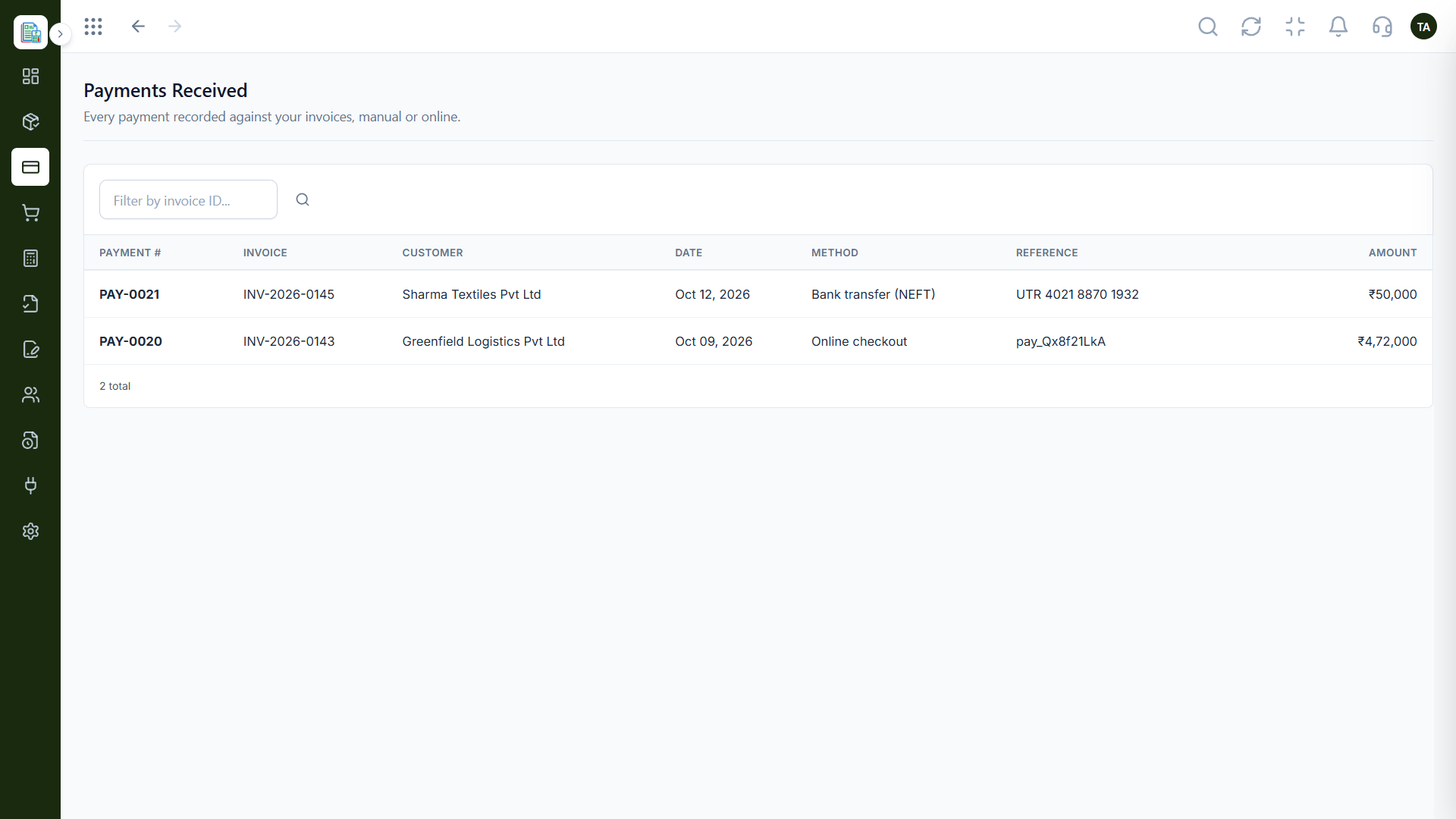
See what has come in.
How it fits the plan
Send. The customer receives it, ready to pay.
Paid. Payment is recorded and the invoice is closed.
Watch out for
Creating invoices from scratch when an accepted quotation already holds the same lines and prices.
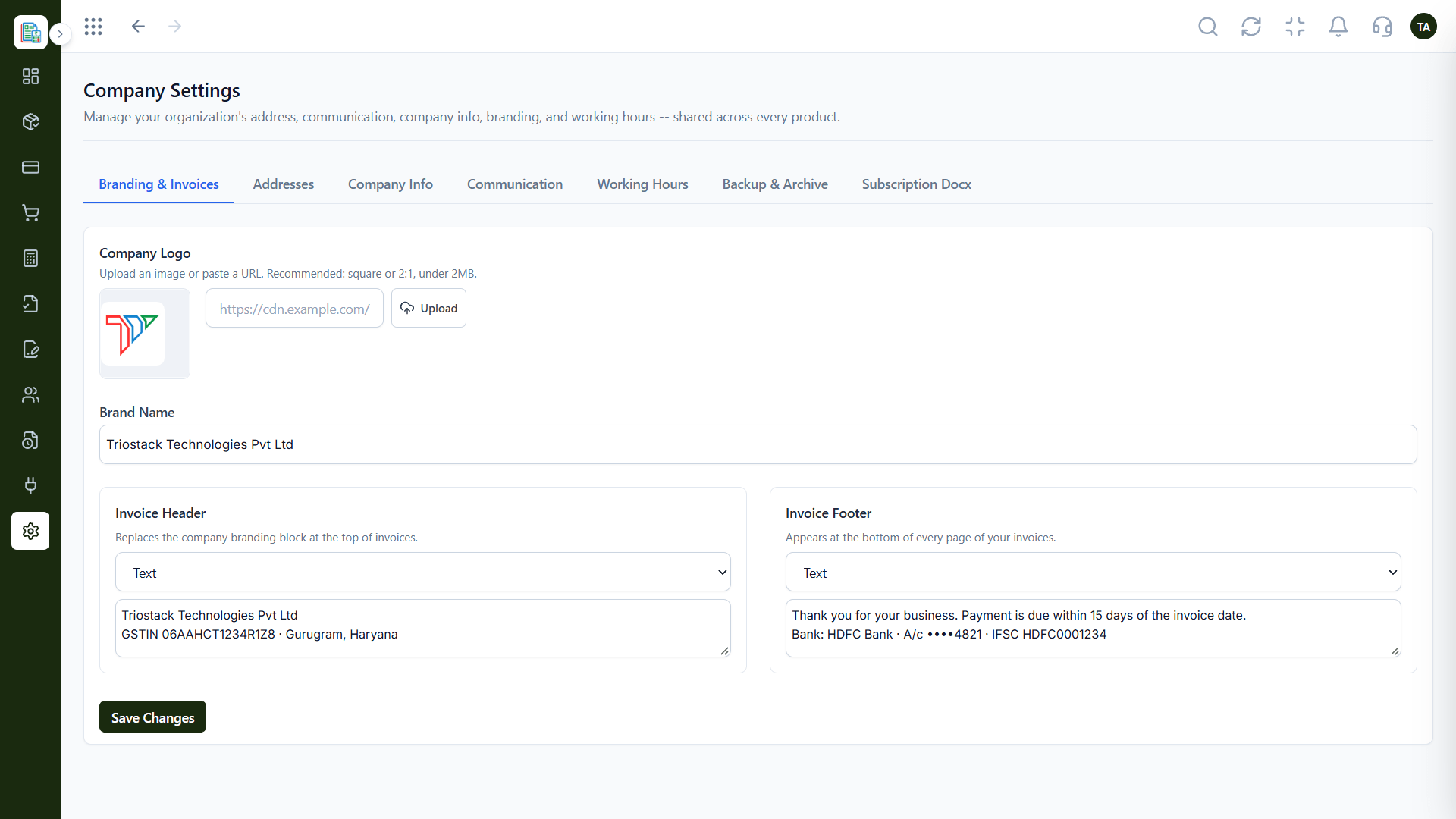
Look like your business.
How it fits the plan
Paid. Payment is recorded and the invoice is closed.
Quote. A quotation is sent and followed until accepted.
Before you start
Execution Plan
A quotation is sent and followed until accepted.
The accepted quotation becomes an invoice.
The customer receives it, ready to pay.
Payment is recorded and the invoice is closed.
Practical Guide
Before you start
A tip that helps
Set your invoice branding before you send the first one. Customers remember the first invoice they ever received from you.
A common mistake
Creating invoices from scratch when an accepted quotation already holds the same lines and prices.
In Real Life
Scenario 01
The team filters unpaid invoices and sends reminders in one sitting.
Scenario 02
A confirmed quotation becomes an invoice in a few clicks.
Scenario 03
A credit note corrects the invoice and the record stays clean.
Straight answers about Invoicing, from setup to what happens next.
Have a question about Invoicing?
Book a free callYes. Quotations are followed until accepted and can then become an invoice.
Invoices can be marked as paid or collected through online checkout. Ask us about the gateways available on your plan.
Yes. Credit notes can be linked to the invoice they correct.
Yes. Add your logo and a custom header and footer once, and they apply to every invoice.
Create branded customer invoices, send them, track status and record payments, all in the same place as your quotations and customers.
It runs in 4 steps: Quote, Invoice, Send and Paid. A quotation is sent and followed until accepted.
The real screens on this page include Invoicing Dashboard, Customers, Products & Services and Invoices, all captured from the product.
Request a demo or start a free trial. Our team can also walk you through a guided setup, so your first session ends with something working.
Keep Exploring
Invoices, expenses, accounting and GST reconciliation in one workspace, connected to sales, payroll and delivery.