The best Business Suite software in India, built to help your business grow. Contact us at +91-8882435276.
[ Contact ]
Phone number
Email address
Head office
Noida office
The right team at TriostackOne will get back to you.
Built for
Education
Bulk
Many payers billed and tracked
Positioning Assessment
Fee collection means many payers, repeated billing and a constant question of who has paid. Spreadsheets struggle under that weight.
Triostack Finance lets you import customers in bulk, bill on a recurring schedule, record payments against invoices and see who is outstanding or overdue. Ask us how it can be set up around your fee structure.
“Knowing which payers were overdue without opening a sheet saved our office hours each week.”
Sample team scenario
Illustrative example, not a customer testimonial
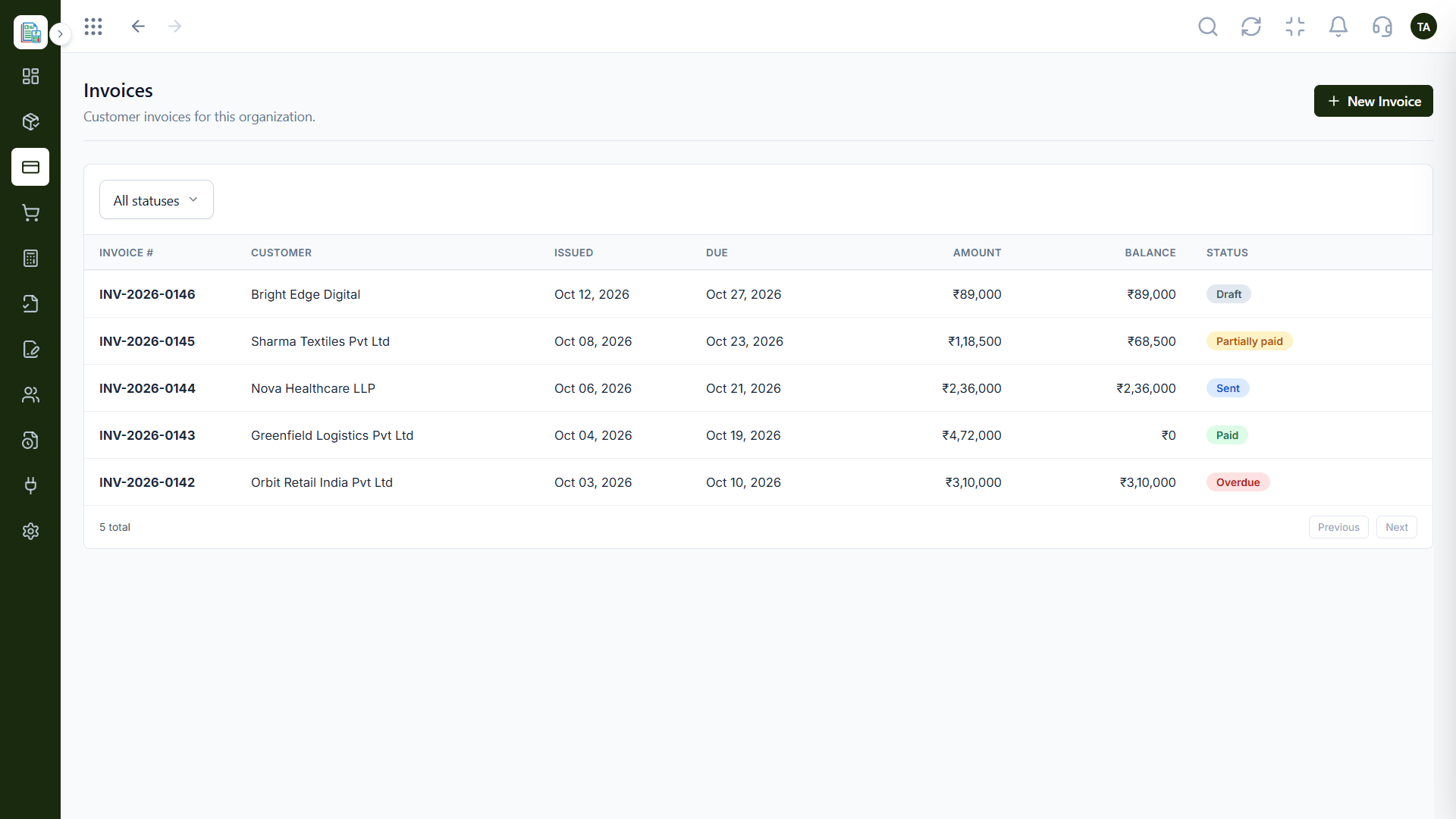
Invoices
Customer invoices filtered by status
In the Product
Picture a register where each payer's status changes the moment they pay.
Many payers, one import.
Billing follows your calendar.
Paid, due, overdue.
Platform Integrity
Add many payers
Cycle-based invoices
Paid and overdue
Income and expenses
How It Works
What changes when fees are managed in one place.
Payers
Imported in bulk
Fee Sheets: Typed in
Billing
Recurring schedule
Fee Sheets: Created each term
Tracking
Status filters
Fee Sheets: Colour coding
Receipts
Payments against invoices
Fee Sheets: Handwritten
Reports
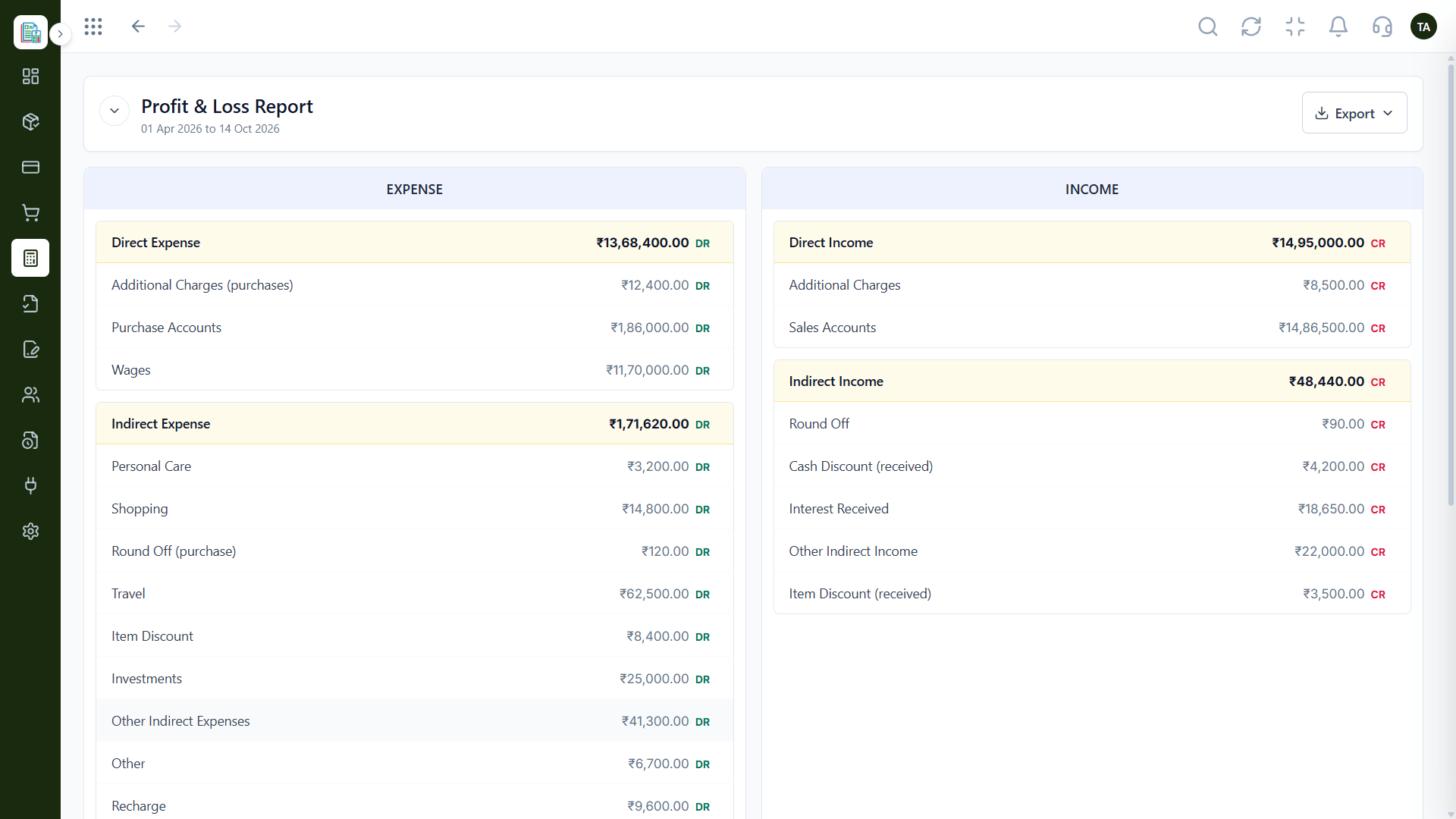
Live P&L
Fee Sheets: Rebuilt
Tell us about your business, how you bill and who looks after the books, and we will propose a setup that fits.
Live Interface Tour
Real screens captured directly from the Triostack Finance workspace.
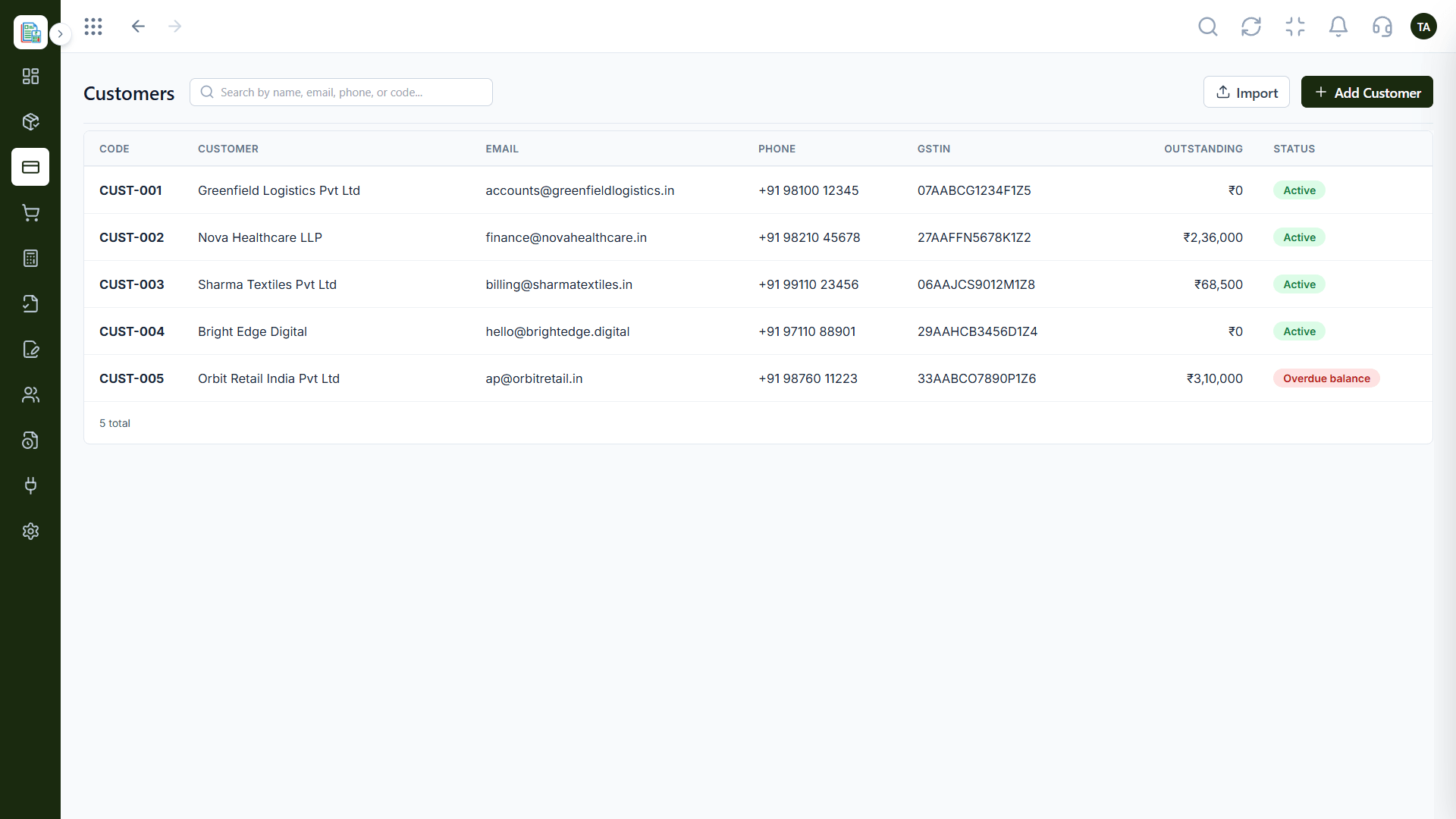
Customers
Many payers billed and tracked
Feature Breakdown
Captured from the Triostack Finance workspace.
Your payers.
How it fits the plan
Import. Bring in payers.
Invoice. Generate the cycle's invoices.
Practical tip
Import payers before the term starts, then generate the cycle's invoices in one go.
Fee invoices.
In real life
New term
Invoices for all payers are generated together.
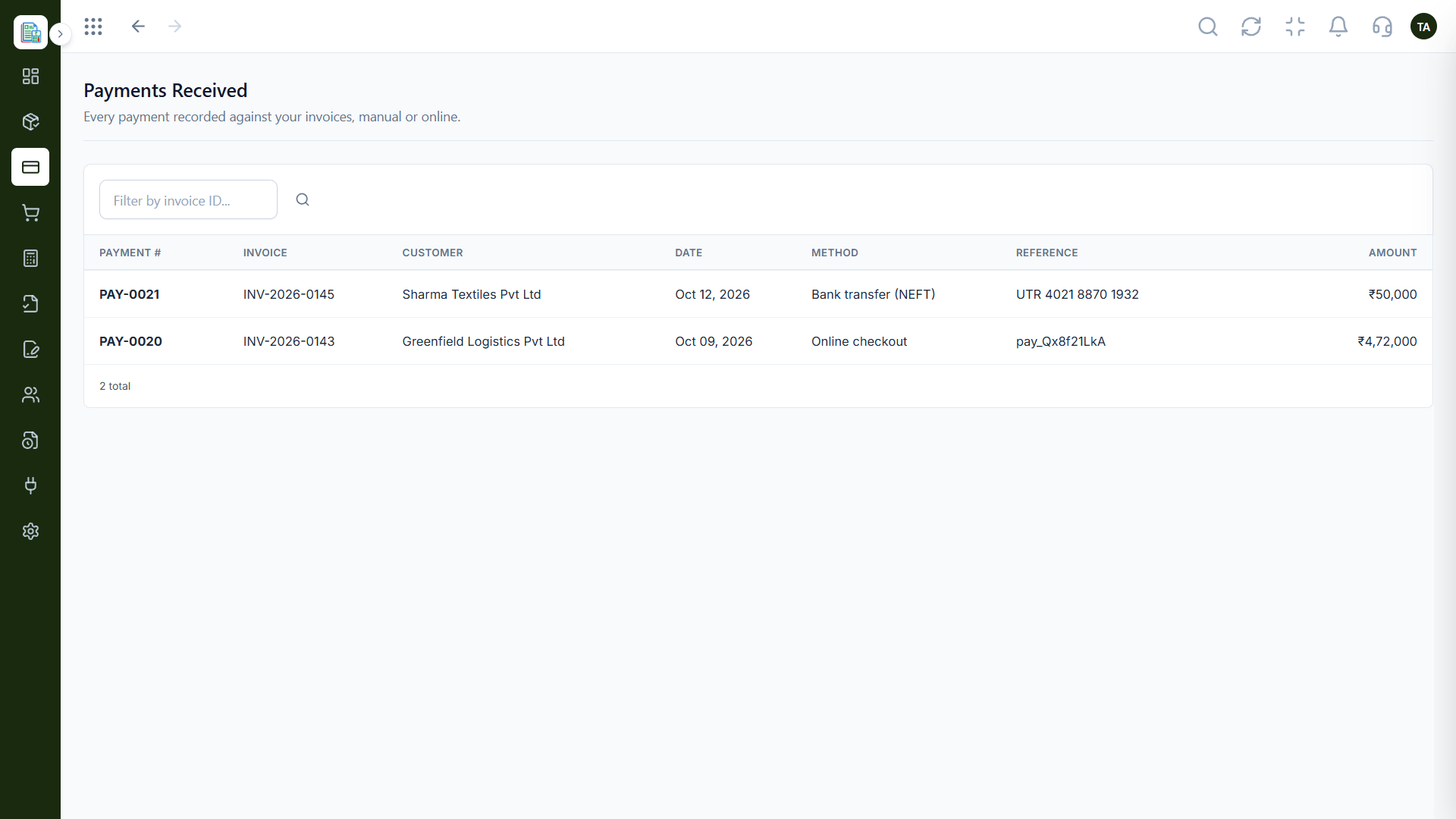
Who has paid.
Watch out for
Chasing overdue fees one by one instead of filtering overdue invoices and following up in a batch.
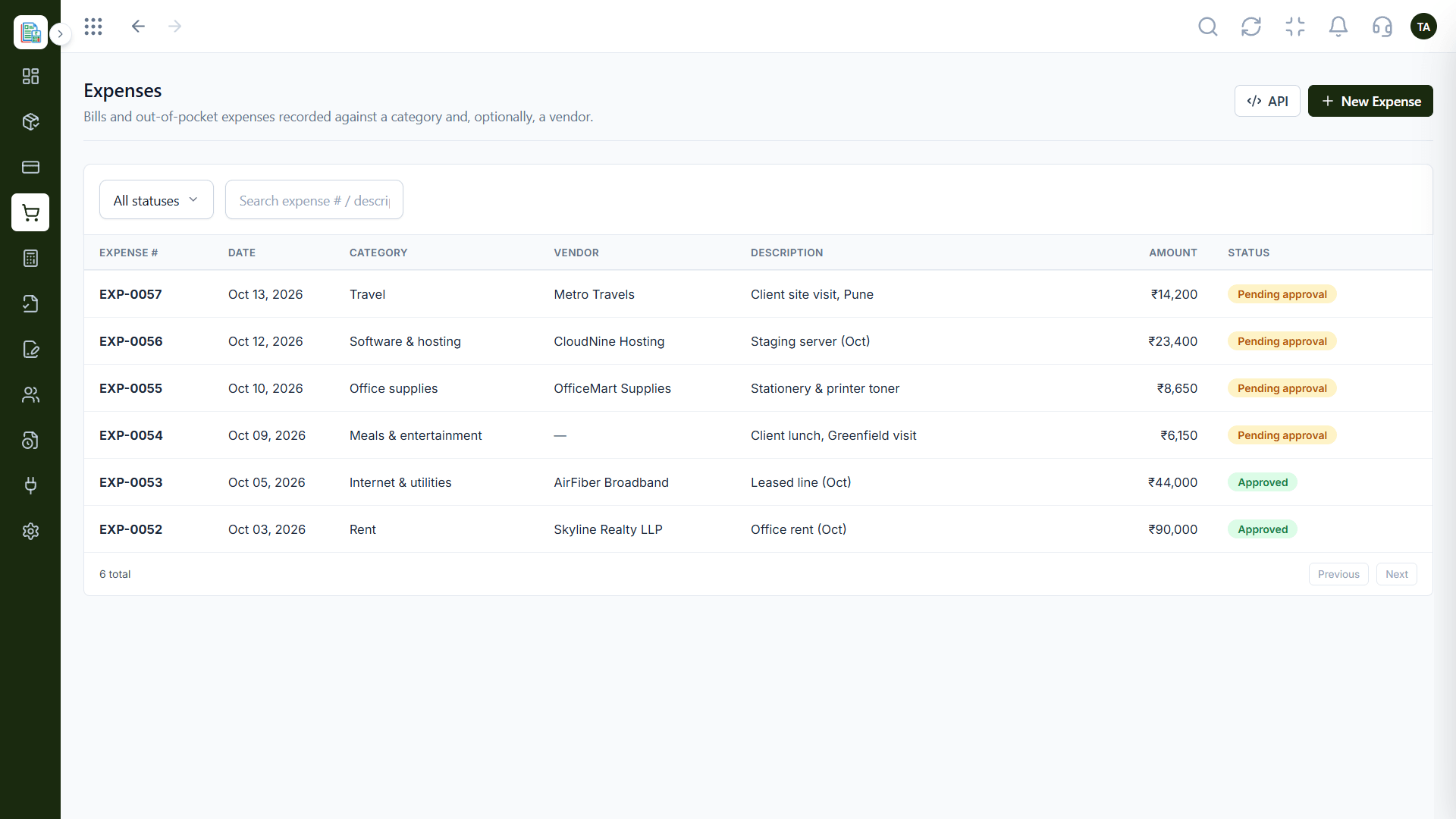
Running costs.
Before you start
Execution Plan
Bring in payers.
Generate the cycle's invoices.
Record payments.
Filter overdue and send reminders.
Practical Guide
Before you start
A tip that helps
Import payers before the term starts, then generate the cycle's invoices in one go.
A common mistake
Chasing overdue fees one by one instead of filtering overdue invoices and following up in a batch.
In Real Life
Scenario 01
Invoices for all payers are generated together.
Scenario 02
Overdue invoices are filtered and followed up.
Scenario 03
Income and expenses are reported.
Straight answers about Finance for Education, from setup to what happens next.
Have a question about Finance for Education?
Book a free callImport customers in bulk and use recurring schedules.
Yes. Filter invoices by status.
Invoices can be collected through online checkout.
Triostack LMS covers learning. Finance covers billing and accounts.
Schools, colleges and training providers can bill many customers, track payments against invoices and keep accounts organised.
It runs in 4 steps: Import, Invoice, Collect and Follow up. Bring in payers.
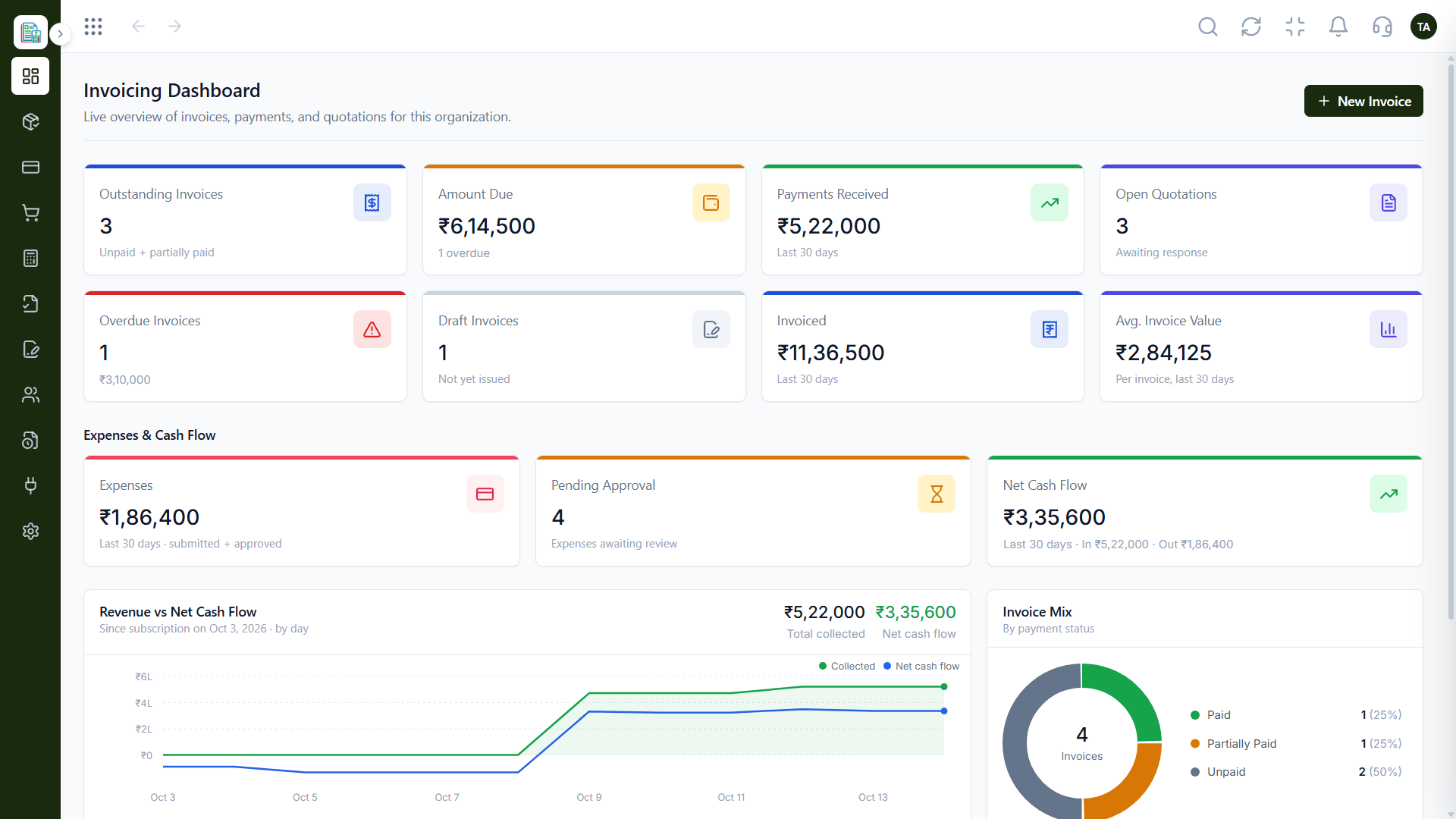
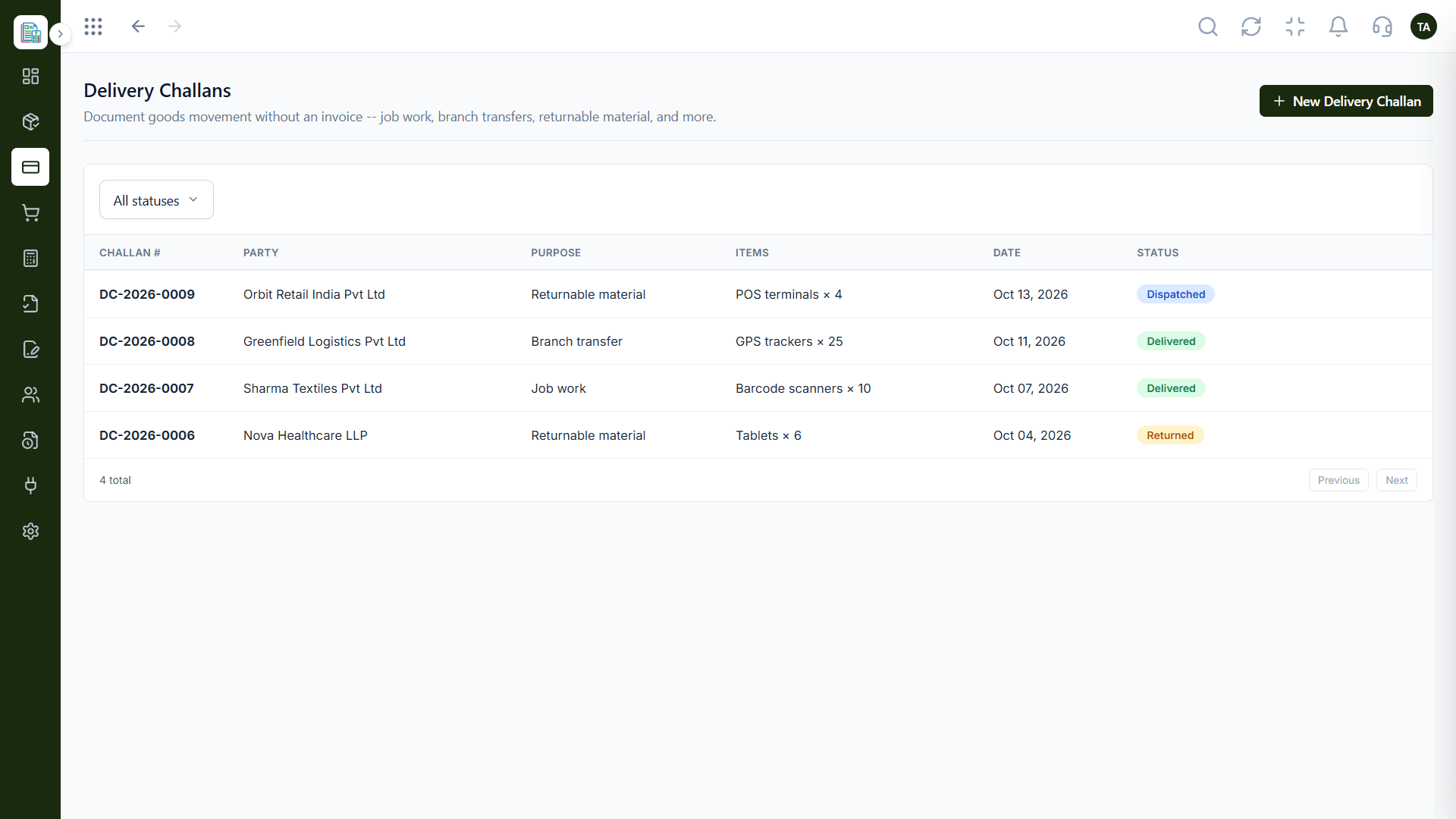
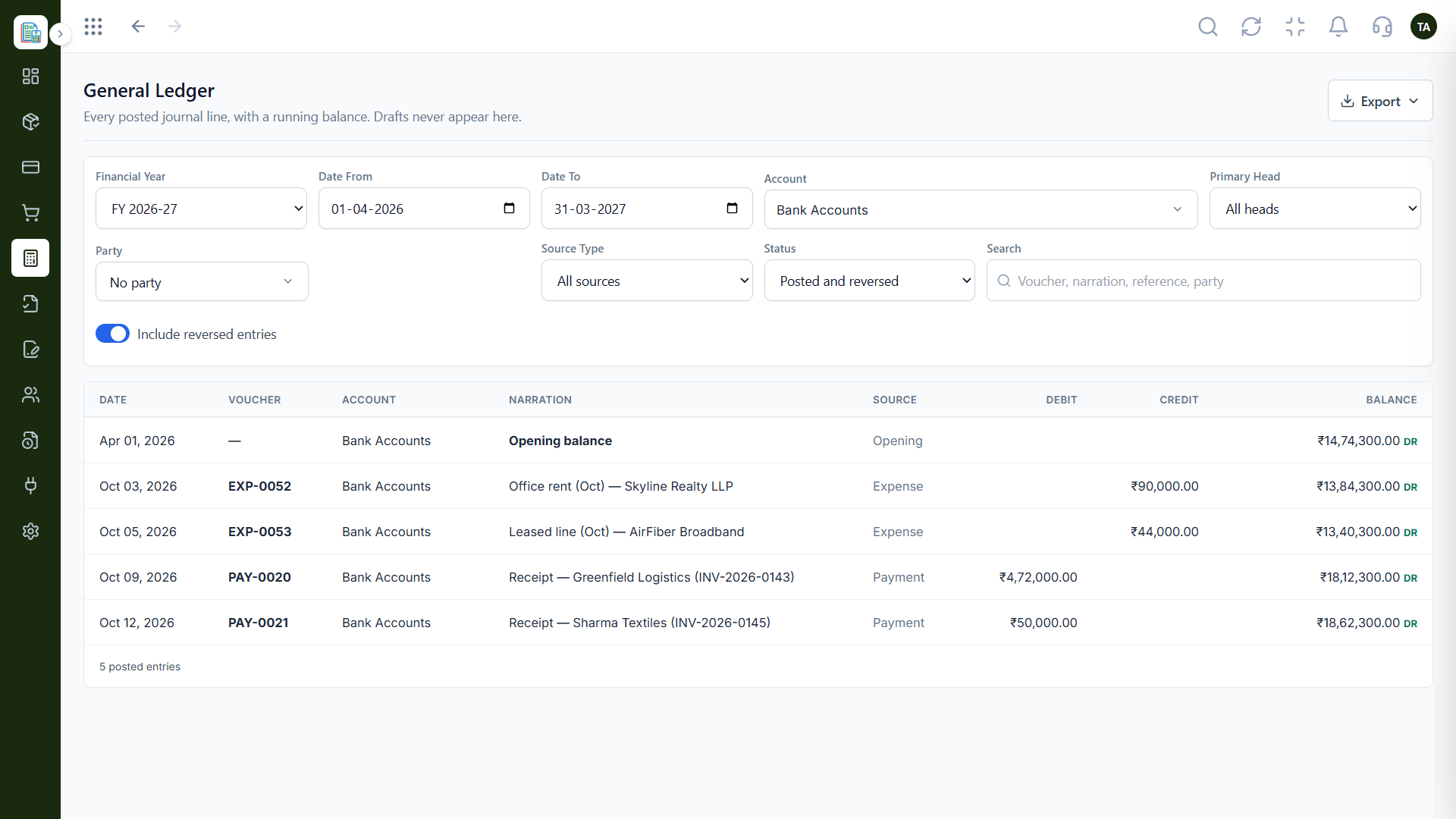
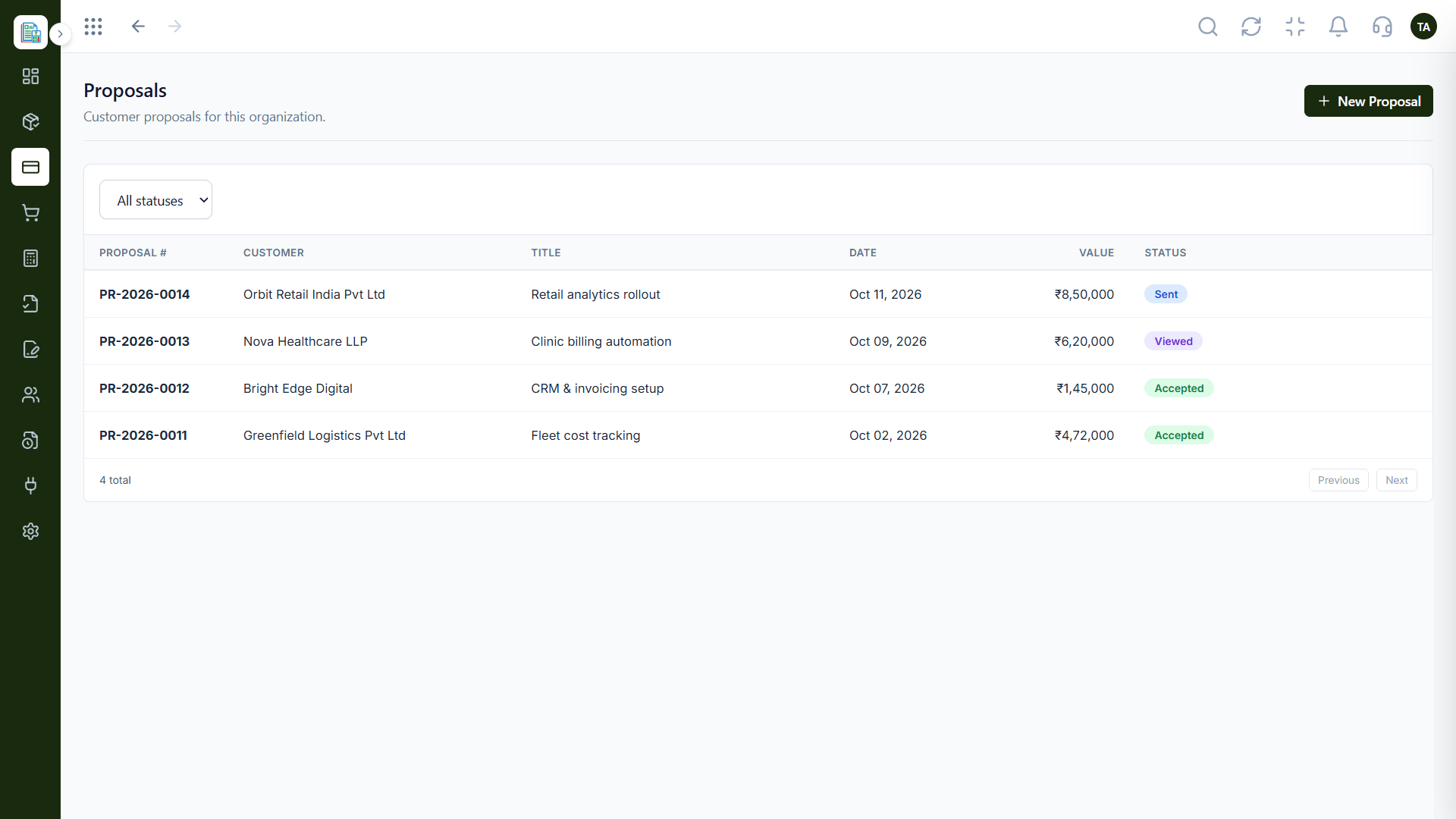
The real screens on this page include Invoices, Invoicing Dashboard, Profit & Loss and Customers, all captured from the product.
Request a demo or start a free trial. Our team can also walk you through a guided setup, so your first session ends with something working.
Keep Exploring
Invoices, expenses, accounting and GST reconciliation in one workspace, connected to sales, payroll and delivery.