The best Business Suite software in India, built to help your business grow. Contact us at +91-8882435276.
[ Contact ]
Phone number
Email address
Head office
Noida office
The right team at TriostackOne will get back to you.
Positioning Assessment
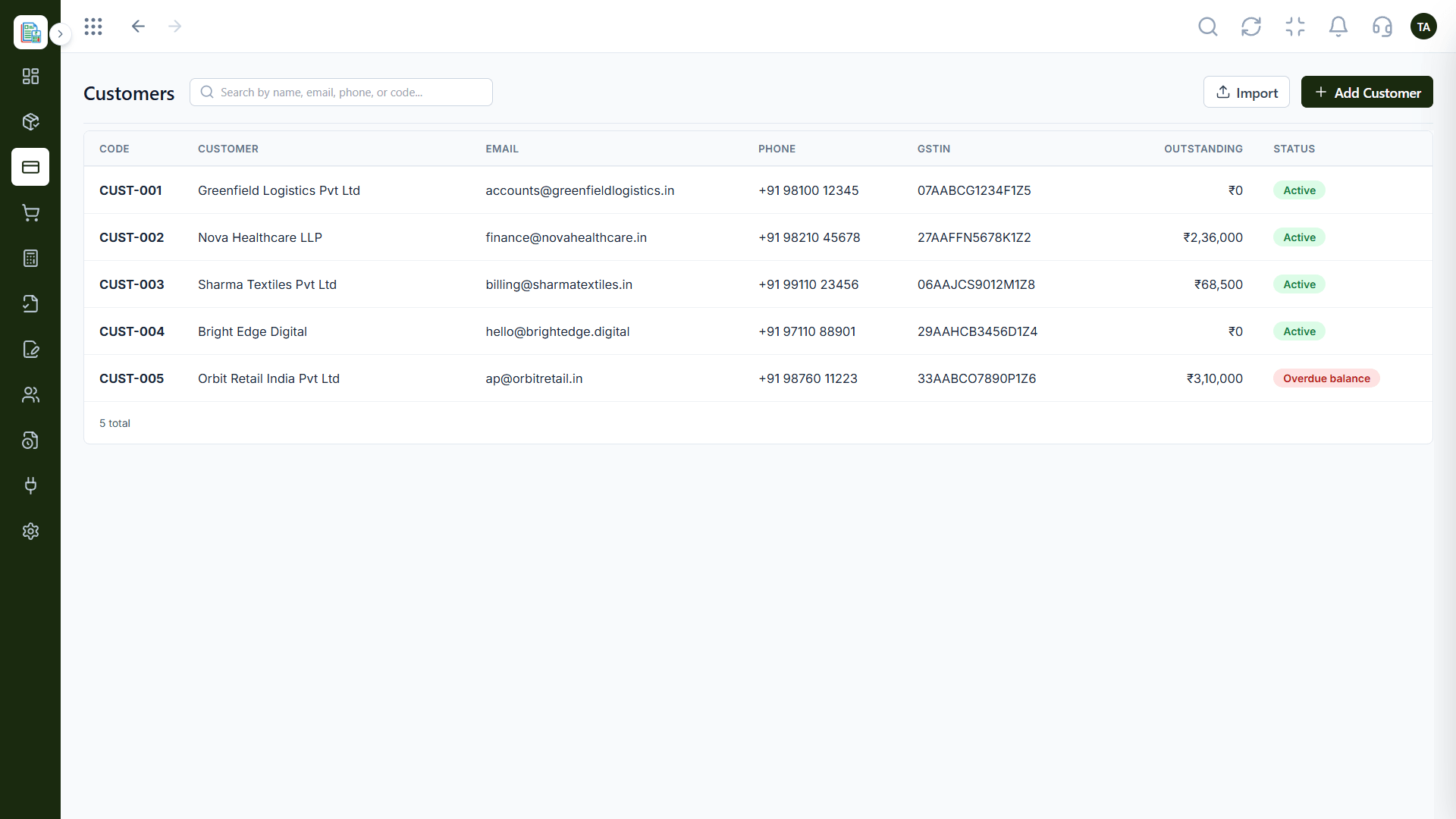
Most businesses already have customers in a spreadsheet. Re-entering hundreds of them is slow and error-prone.
Triostack Finance lets you add customers one at a time or import them in bulk, and search the directory by name, email, phone or code. Ask us about what else can be imported on your plan, such as products or opening balances.
“We imported our whole customer sheet on the first day and sent invoices the same afternoon.”
Sample team scenario
Illustrative example, not a customer testimonial
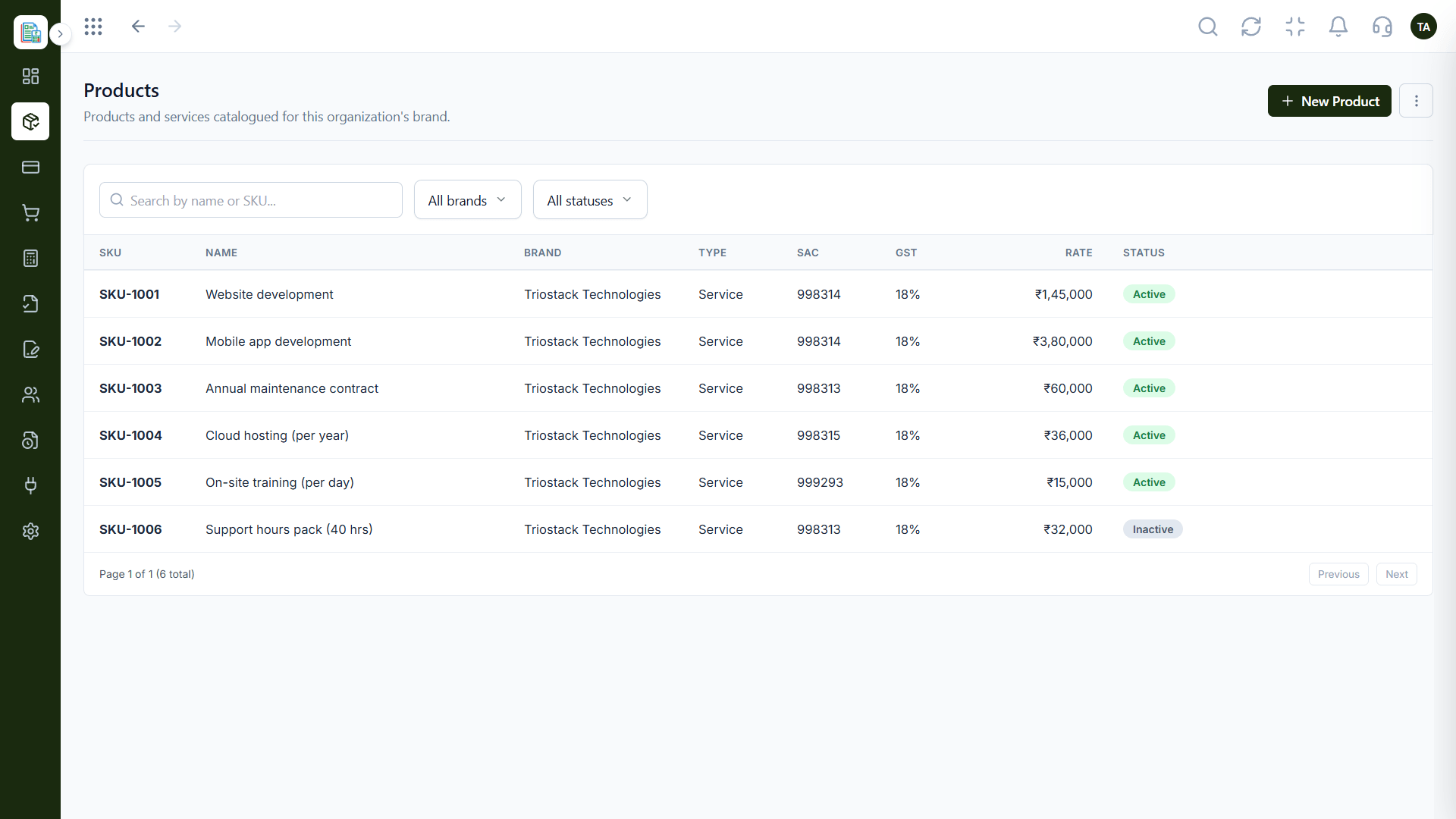
Products & Services
A catalogue that keeps invoice lines consistent
In the Product
Imagine your whole customer list arriving in one trip, already filed.
Bulk import saves days.
Find anyone by four fields.
Customers can be invoiced right away.
Platform Integrity
Add many customers at once
Name, email, phone or code
Keep invoice lines consistent
We can guide your first import
How It Works
What changes when data comes in bulk.
| Dimension | Triostack Finance | Manual Entry |
|---|---|---|
| Customers | Import in bulk | Add one at a time |
| Lookup | By name, email, phone or code | Scroll a sheet |
| Catalogue | Products and services with SKUs | Free-text lines |
| Speed | Minutes | Days |
| Help | Guided first import | Alone |
Our team can walk you through the connection, permissions and a first test so Finance fits into the tools your accountant and team already use.
Live Interface Tour
Real screens captured directly from the Triostack Finance workspace.
Customers
Add many customers at once
Feature Breakdown
Captured from the Triostack Finance workspace.
01
IntegrationsImport and search.
How it fits the plan
Prepare. Tidy your spreadsheet.
Import. Upload the customer list.
Practical tip
Clean the sheet before importing: one customer per row, one email per customer. It is the cheapest hour you will spend.
02
IntegrationsA consistent catalogue.
On this screen: A catalogue that keeps invoice lines consistent.
How it fits the plan
Import. Upload the customer list.
Check. Search a few records to confirm.
In real life
Switching tools
The customer list moves over on day one.
03
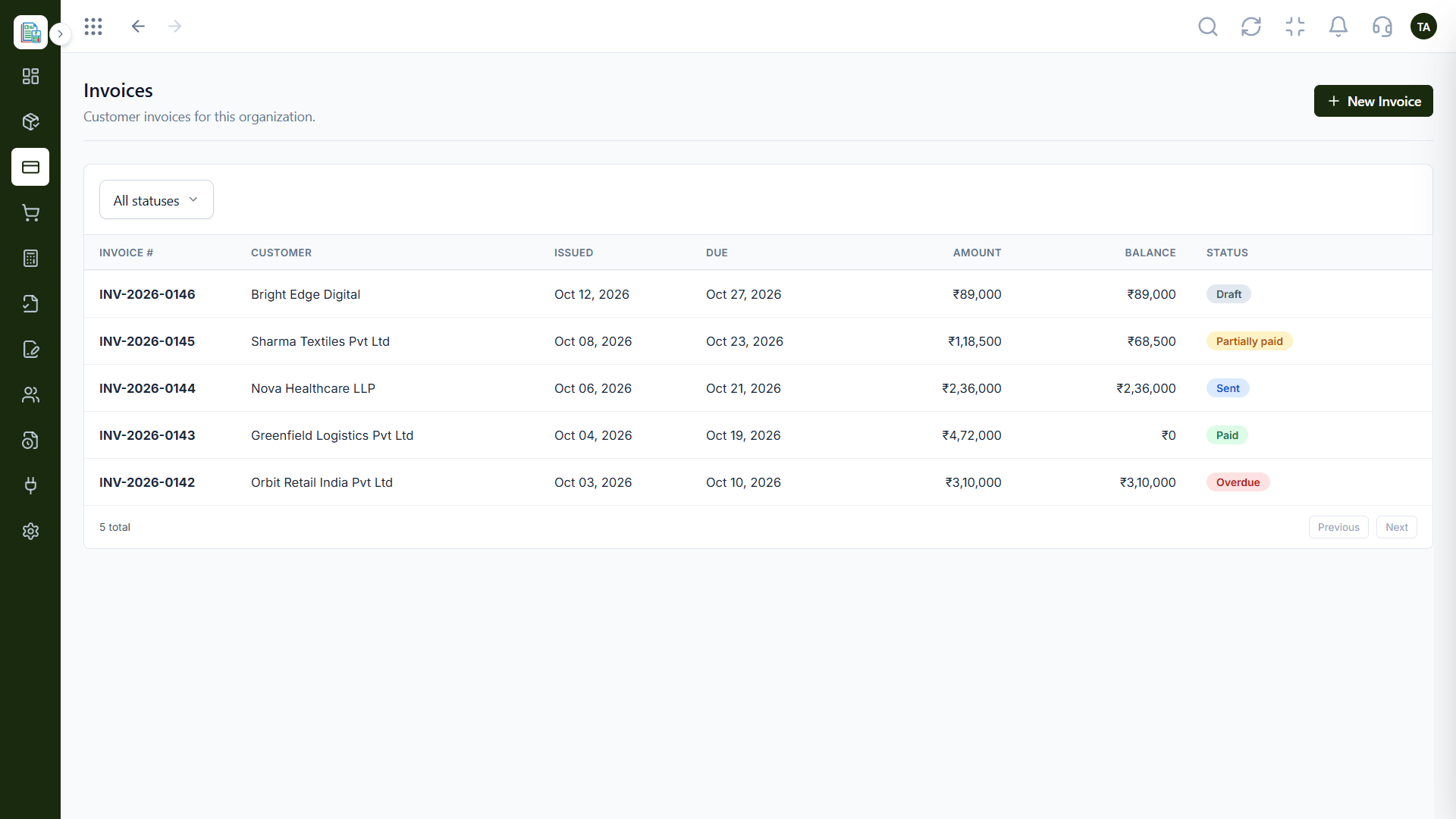
IntegrationsBill the customers you imported.
On this screen: Customer invoices filtered by status.
How it fits the plan
Check. Search a few records to confirm.
Bill. Create your first invoices.
Watch out for
Importing a messy list and spending days merging duplicates afterwards.
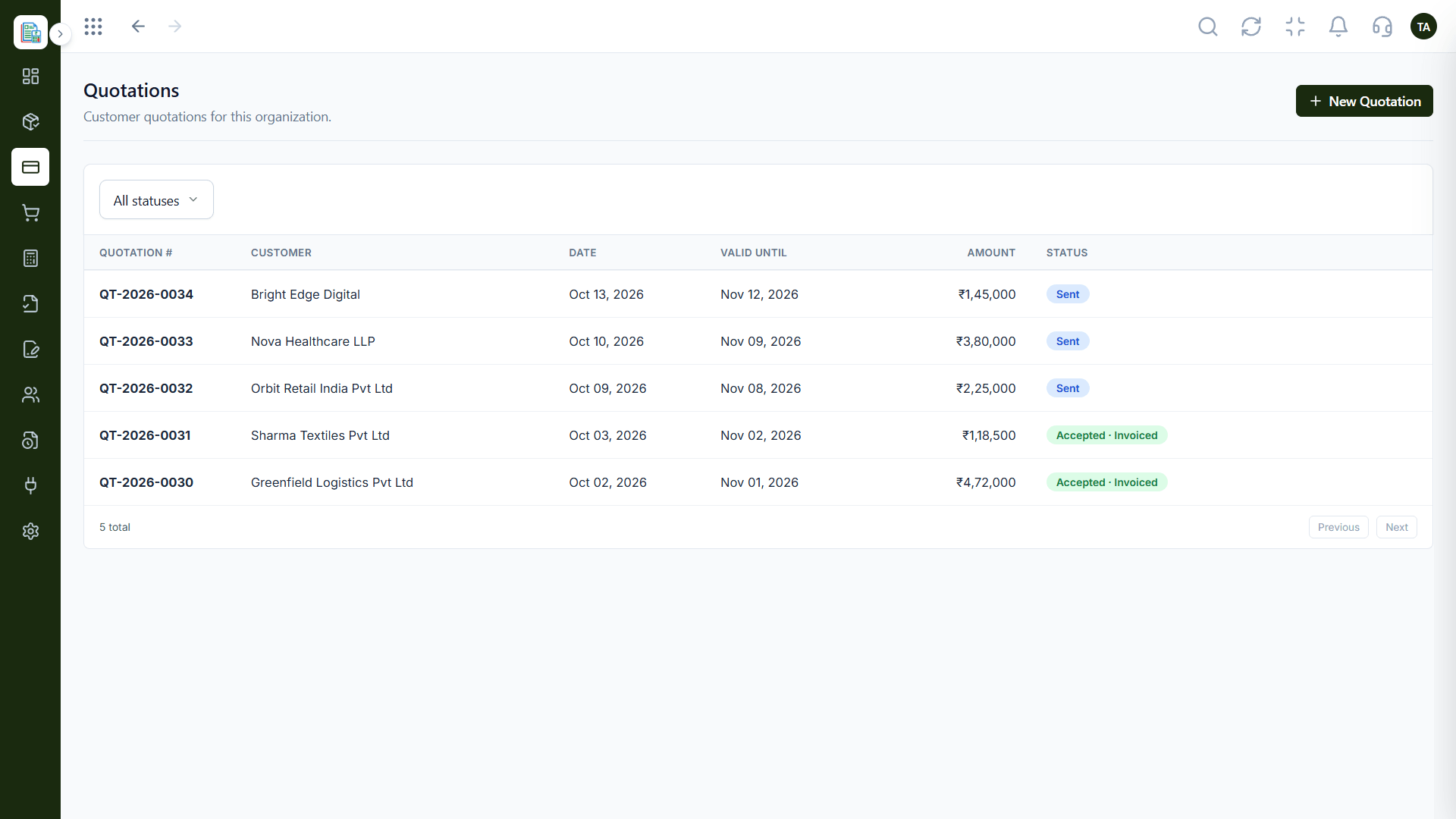
04
IntegrationsQuote before you bill.
On this screen: Quotations followed until they are accepted.
How it fits the plan
Bill. Create your first invoices.
Prepare. Tidy your spreadsheet.
Before you start
Execution Plan
Tidy your spreadsheet.
Upload the customer list.
Search a few records to confirm.
Create your first invoices.
Practical Guide
Before you start
A tip that helps
Clean the sheet before importing: one customer per row, one email per customer. It is the cheapest hour you will spend.
A common mistake
Importing a messy list and spending days merging duplicates afterwards.
In Real Life
Scenario 01
The customer list moves over on day one.
Scenario 02
Customers are added in bulk.
Scenario 03
Duplicates are found by searching.
Straight answers about Spreadsheet Import, from setup to what happens next.
Have a question about Spreadsheet Import?
Book a free callYes. The customers page has an import button as well as an add customer button.
Search by name, email, phone or code.
Ask us what else can be imported on your plan.
Yes. We can walk you through it.
Import customers in bulk from a spreadsheet, search them by name, email, phone or code, and start billing without entering each one by hand.
It runs in 4 steps: Prepare, Import, Check and Bill. Tidy your spreadsheet.
The real screens on this page include Products & Services, Quotations, Invoices and Customers, all captured from the product.
Request a demo or start a free trial. Our team can also walk you through a guided setup, so your first session ends with something working.
Keep Exploring
Invoices, expenses, accounting and GST reconciliation in one workspace, connected to sales, payroll and delivery.