The best Business Suite software in India, built to help your business grow. Contact us at +91-8882435276.
[ Contact ]
Phone number
Email address
Head office
Noida office
The right team at TriostackOne will get back to you.
Positioning Assessment
Rent, subscriptions, retainers: the same entries again and again. Typing them each month wastes time and invites mistakes.
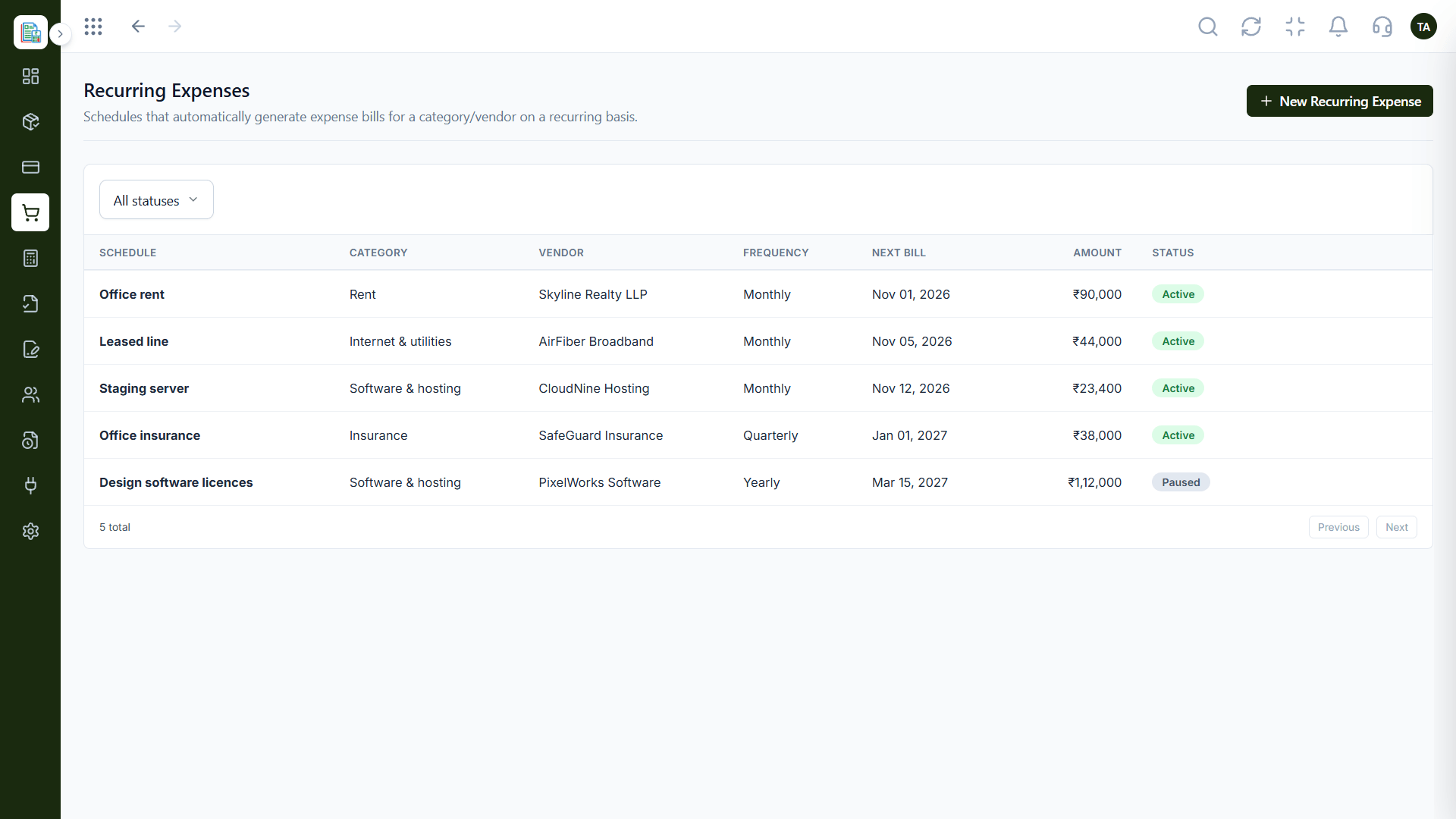
Triostack Finance lets you set up schedules that automatically generate expense bills for a category or vendor on a recurring basis, and keep a recurring schedule for customers you bill every month.
“Rent and software subscriptions now appear on their own. We only review them.”
Sample team scenario
Illustrative example, not a customer testimonial
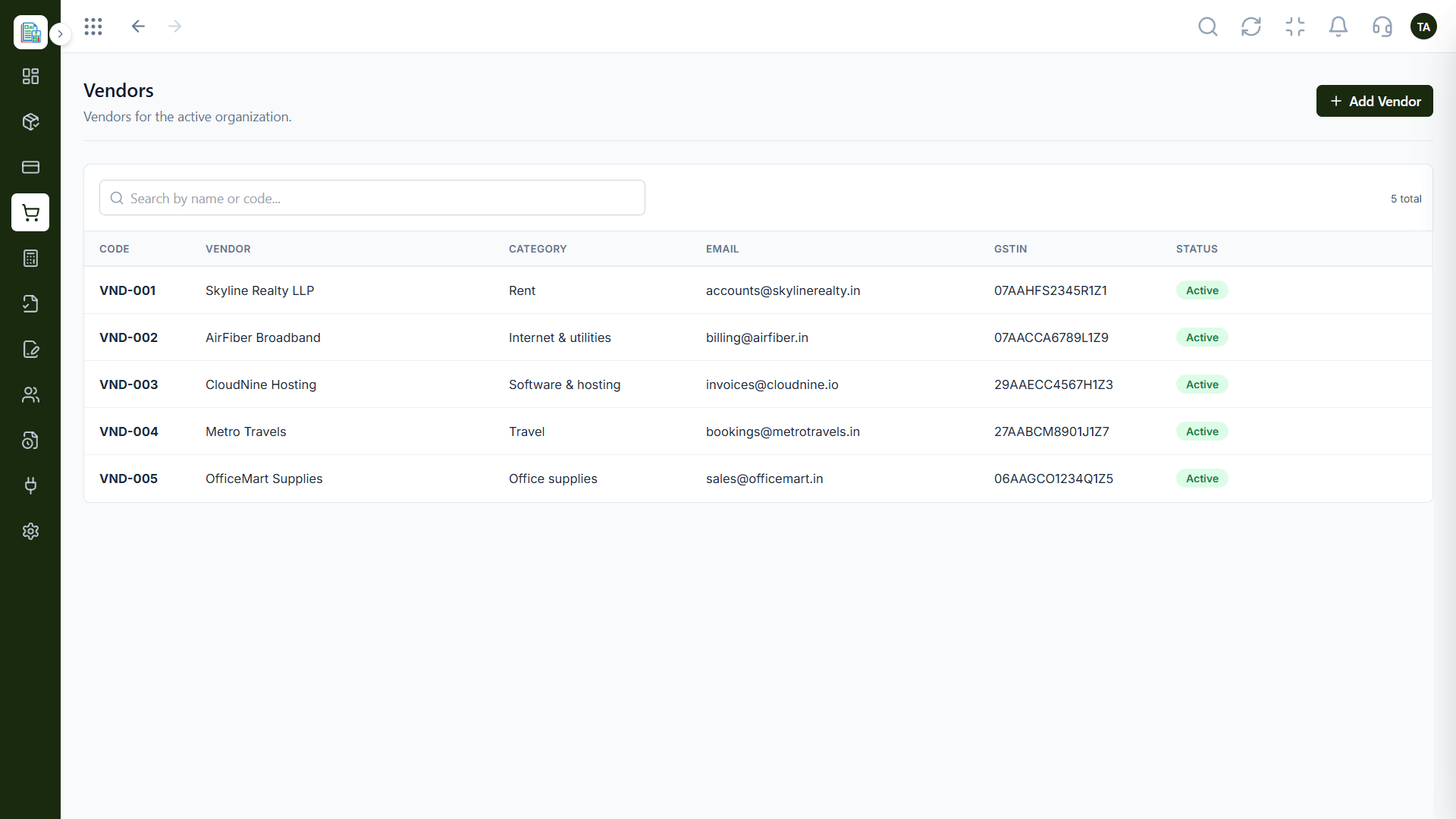
Vendors
A directory so every bill goes to the right party
In the Product
Imagine regular bills arriving on their own date, pre-filled and waiting for a nod.
The details are saved with the schedule.
Entries are created on the cycle.
Nothing bypasses your checks.
Platform Integrity
Bills generated for you
A schedule for monthly customers
Choose how it is grouped
See what is active
How It Works
What changes when repeats are automatic.
| Dimension | Triostack Finance | Manual Re-Entry |
|---|---|---|
| Setup | Create a schedule once | Retype each cycle |
| Timing | Generated on a recurring basis | When remembered |
| Accuracy | Same details every time | Typos creep in |
| Review | Filter by status | Scroll old files |
| Effort | Review only | Full entry |
Book a walkthrough and we will set up a sandbox with sample customers and invoices so you can try quotes, billing and reports before you commit.
Live Interface Tour
Real screens captured directly from the Triostack Finance workspace.
Recurring Expenses
Repeating bills created on schedule
Feature Breakdown
Captured from the Triostack Finance workspace.
Schedules for repeat bills.
How it fits the plan
Choose. Pick the category or vendor.
Schedule. Set how often it repeats.
Practical tip
Set recurring bills to need approval at first. Once you trust the schedule, relax it.
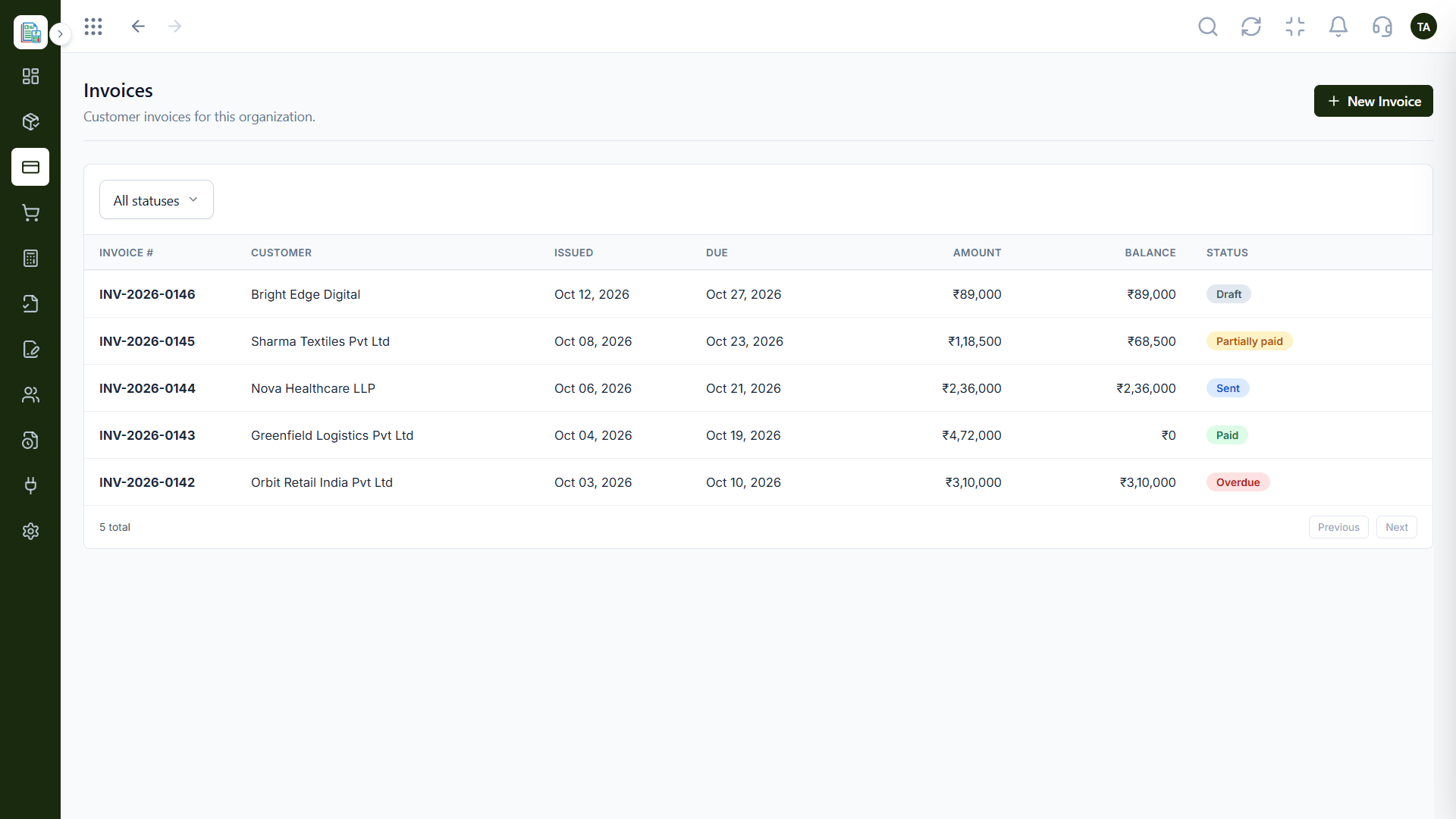
Monthly customers.
On this screen: Customer invoices filtered by status.
How it fits the plan
Schedule. Set how often it repeats.
Generate. Bills are created on the cycle.
In real life
Monthly rent
The bill appears every month without re-entry.
Who the bills belong to.
On this screen: A directory so every bill goes to the right party.
How it fits the plan
Generate. Bills are created on the cycle.
Review. Check and approve as needed.
Watch out for
Forgetting to pause a schedule when a contract ends, so a bill keeps being created for a service you cancelled.
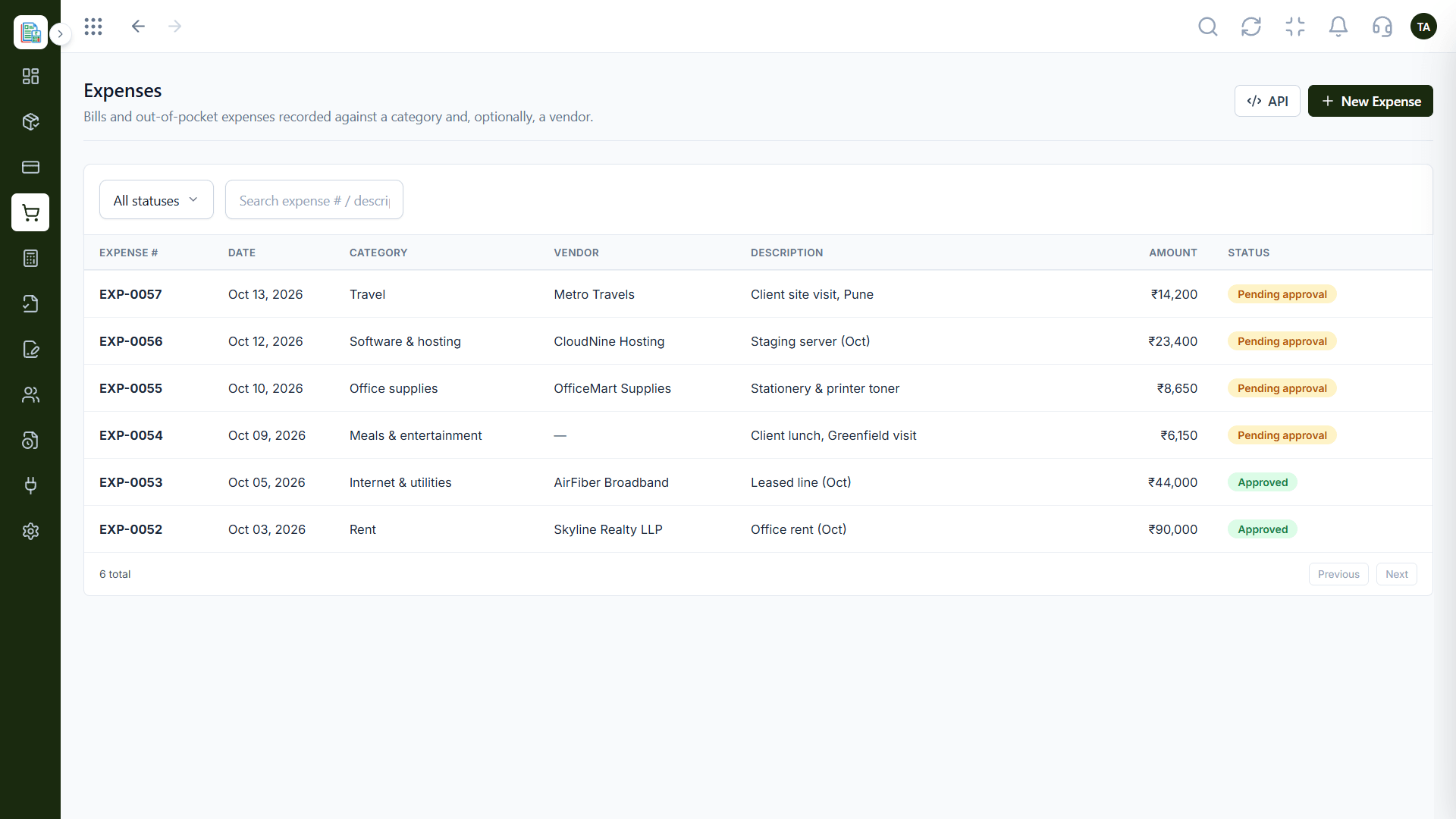
The bills created.
How it fits the plan
Review. Check and approve as needed.
Choose. Pick the category or vendor.
Before you start
Execution Plan
Pick the category or vendor.
Set how often it repeats.
Bills are created on the cycle.
Check and approve as needed.
Practical Guide
Before you start
A tip that helps
Set recurring bills to need approval at first. Once you trust the schedule, relax it.
A common mistake
Forgetting to pause a schedule when a contract ends, so a bill keeps being created for a service you cancelled.
In Real Life
Scenario 01
The bill appears every month without re-entry.
Scenario 02
Invoices follow the billing schedule.
Scenario 03
Paused schedules stop the entries.
Straight answers about Recurring Transactions, from setup to what happens next.
Have a question about Recurring Transactions?
Book a free callExpense bills for a category or vendor, and invoices for customers you bill every month.
Yes. Filter recurring expenses by status.
You can. Generated bills go through your usual approval.
Yes. Schedules have a status you can change.
Set up schedules for expenses and customer billing that repeat on a cycle, so regular amounts never need re-entering.
It runs in 4 steps: Choose, Schedule, Generate and Review. Pick the category or vendor.
The real screens on this page include Vendors, Invoices, Invoicing Dashboard and Recurring Expenses, all captured from the product.
Request a demo or start a free trial. Our team can also walk you through a guided setup, so your first session ends with something working.
Keep Exploring
Invoices, expenses, accounting and GST reconciliation in one workspace, connected to sales, payroll and delivery.