The best Business Suite software in India, built to help your business grow. Contact us at +91-8882435276.
[ Contact ]
Phone number
Email address
Head office
Noida office
The right team at TriostackOne will get back to you.
Positioning Assessment
Customers who cannot pay online wait for bank details, then someone has to match the transfer. Money arrives later and takes longer to confirm.
Triostack Finance supports payments collected through online checkout alongside manual payments, and records each against its invoice. Ask us which gateways are available on your plan.
“Customers pay from the invoice and it simply shows as paid. No chasing the transfer.”
Sample team scenario
Illustrative example, not a customer testimonial
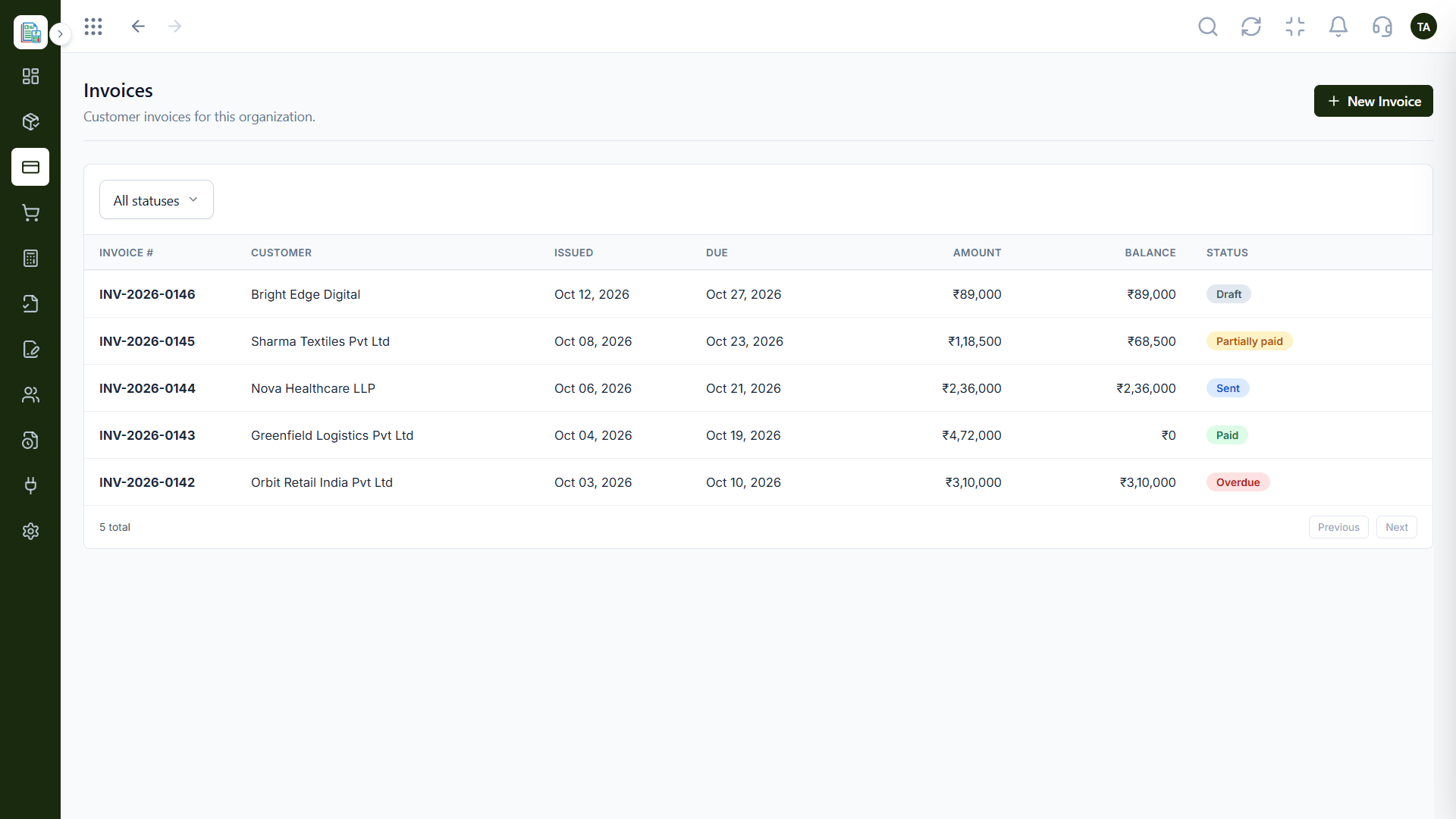
Invoices
Customer invoices filtered by status
In the Product
Picture each invoice carrying its own way to pay, so settling it takes seconds.
Customers can pay without asking.
The payment lands on the invoice.
Online and manual live side by side.
Platform Integrity
Pay from the invoice
Matched to the invoice
Mark as paid when needed
Ask what your plan includes
How It Works
What online checkout adds.
| Dimension | Triostack Finance | Bank Transfer Only |
|---|---|---|
| Payment | Pay online from the invoice | Transfer to an account |
| Recording | Saved against the invoice | Entered by hand |
| Speed | Confirmed when paid | After someone checks |
| Fallback | Manual marking still available | The only way |
| Gateways | Ask us what is available | Not applicable |
Our team can walk you through the connection, permissions and a first test so Finance fits into the tools your accountant and team already use.
Live Interface Tour
Real screens captured directly from the Triostack Finance workspace.
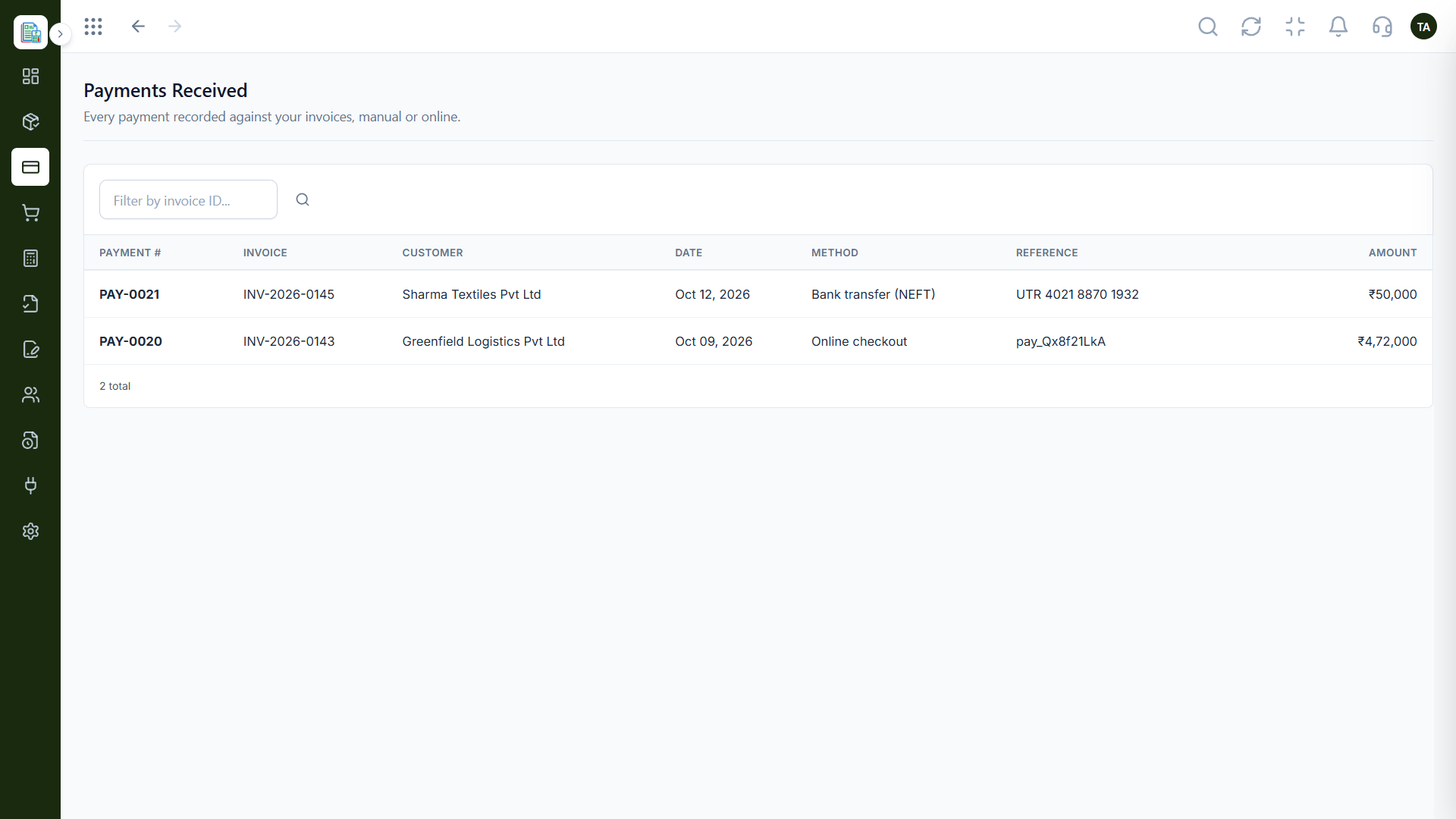
Payments Received
Customers pay; the invoice updates
Feature Breakdown
Captured from the Triostack Finance workspace.
01
IntegrationsOnline and manual together.
How it fits the plan
Send. The invoice reaches the customer.
Pay. They pay through online checkout.
Practical tip
Put the pay link in the first invoice email, not in a reminder. Most online payments happen within a day of receiving it.
02
IntegrationsWhere customers pay.
On this screen: Customer invoices filtered by status.
How it fits the plan
Pay. They pay through online checkout.
Record. The payment is saved against the invoice.
In real life
Small invoices
Customers pay immediately from the email.
03
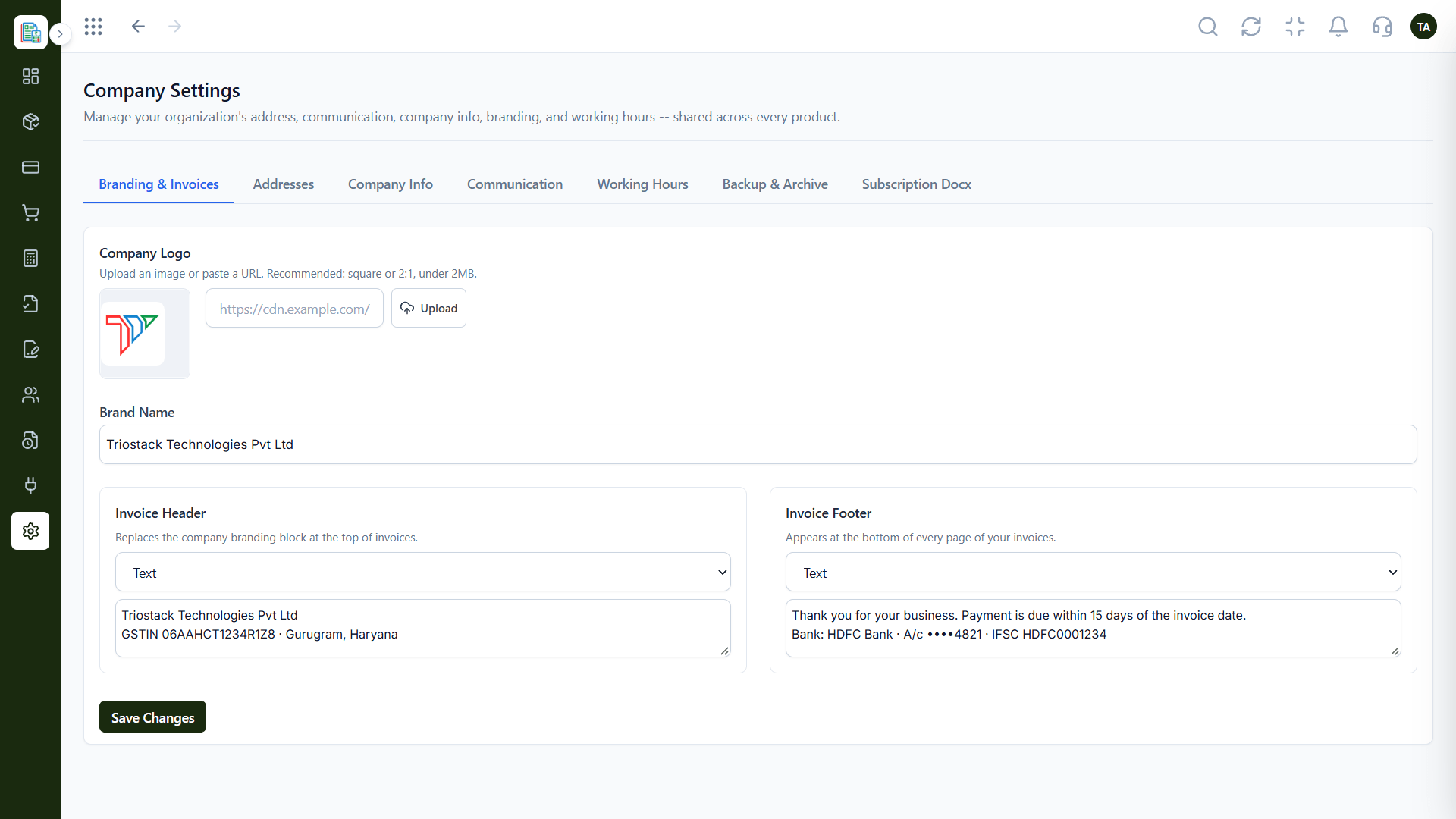
IntegrationsA trusted look.
How it fits the plan
Record. The payment is saved against the invoice.
Close. The invoice shows as paid.
Watch out for
Offering only bank details when customers would pay immediately online.
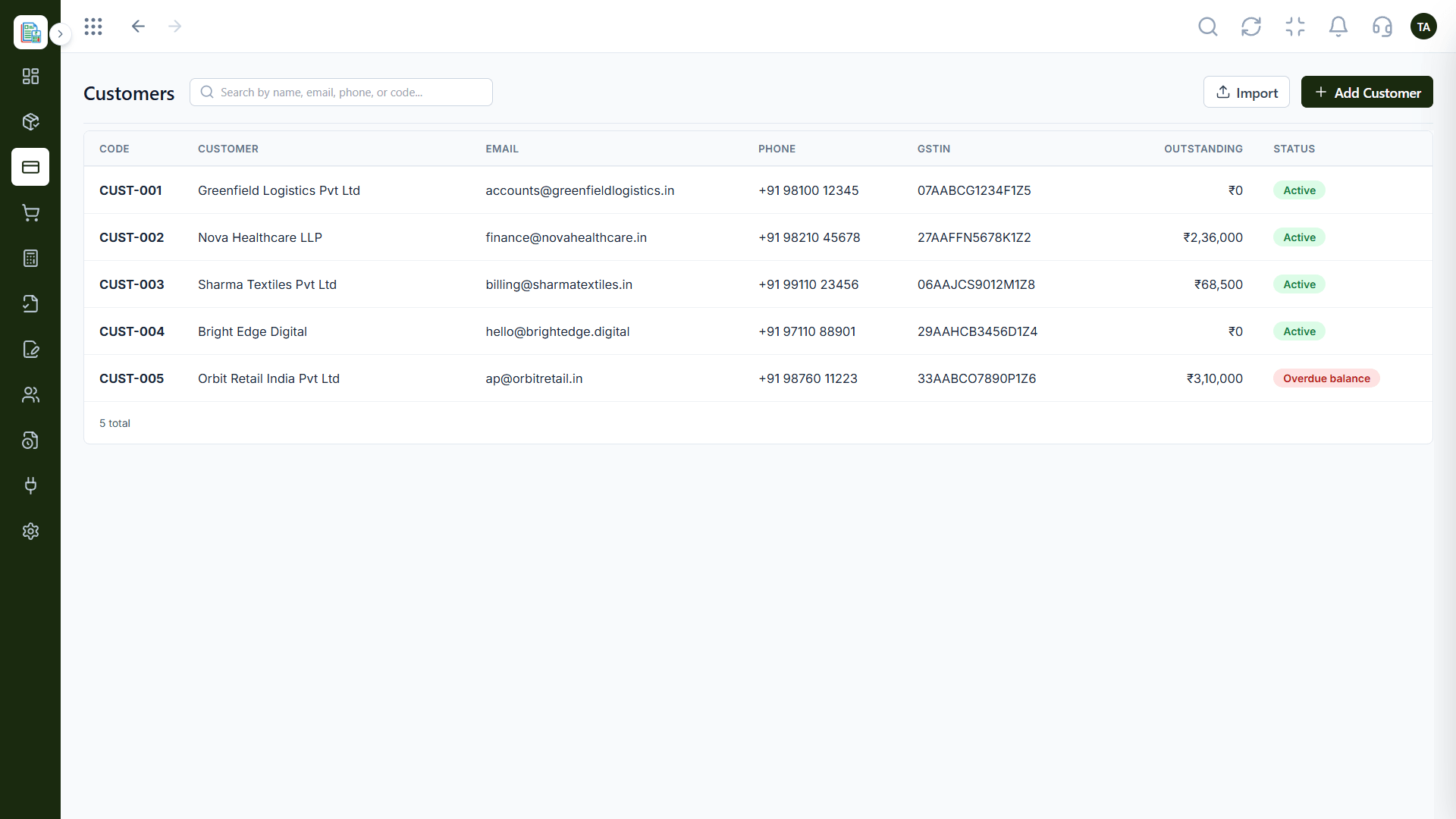
04
IntegrationsWho is paying.
How it fits the plan
Close. The invoice shows as paid.
Send. The invoice reaches the customer.
Before you start
Execution Plan
The invoice reaches the customer.
They pay through online checkout.
The payment is saved against the invoice.
The invoice shows as paid.
Practical Guide
Before you start
A tip that helps
Put the pay link in the first invoice email, not in a reminder. Most online payments happen within a day of receiving it.
A common mistake
Offering only bank details when customers would pay immediately online.
In Real Life
Scenario 01
Customers pay immediately from the email.
Scenario 02
Online checkout avoids bank-detail back-and-forth.
Scenario 03
Most payments are already recorded.
Straight answers about Payment Gateways, from setup to what happens next.
Have a question about Payment Gateways?
Book a free callYes. Invoices can be collected through online checkout.
Ask us which gateways are available on your plan.
Yes. Manual payments are recorded too.
In the payments received list, filterable by invoice ID.
Collect invoice payments through online checkout and have each one recorded against the right invoice automatically.
It runs in 4 steps: Send, Pay, Record and Close. The invoice reaches the customer.
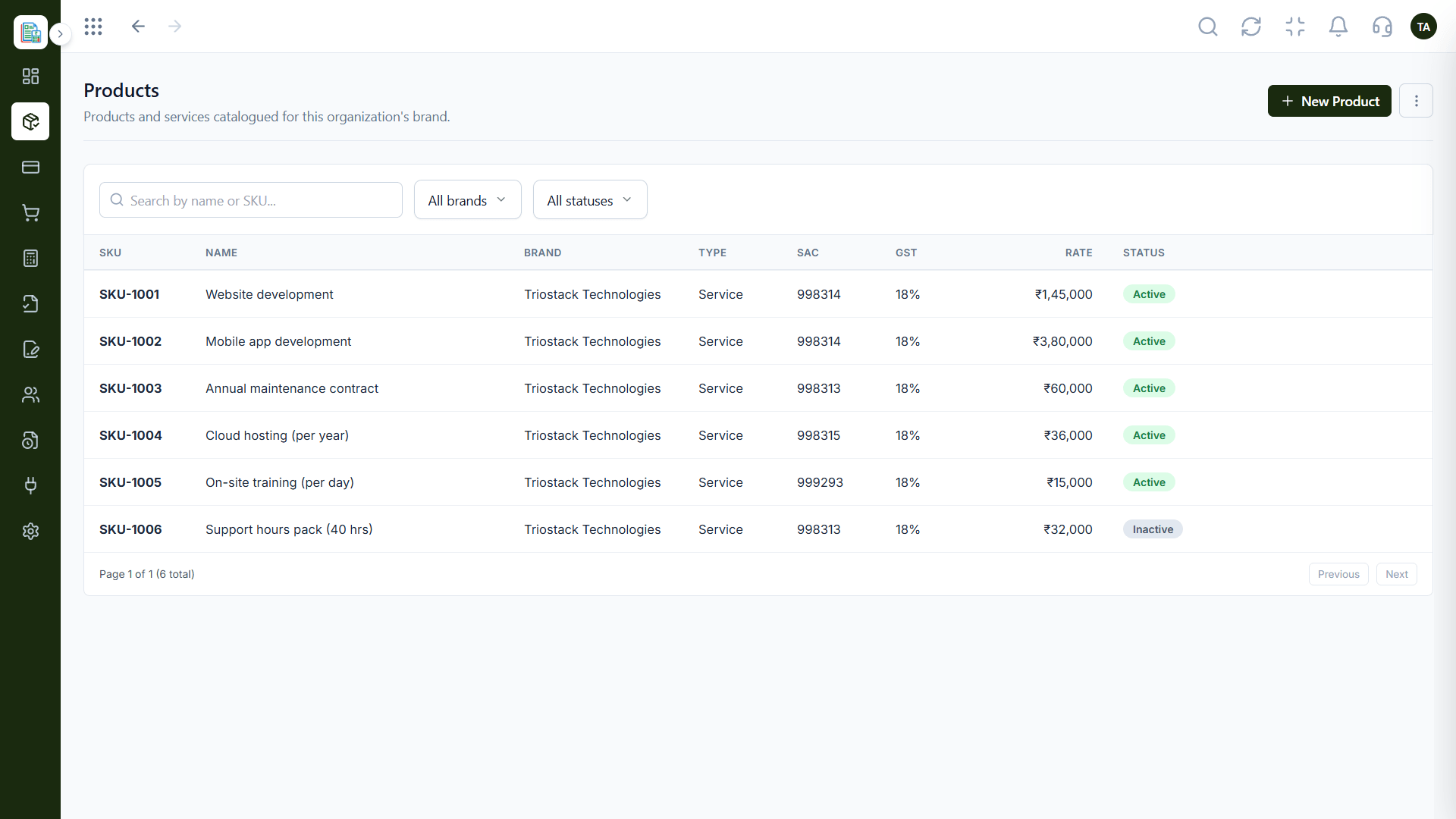
The real screens on this page include Invoices, Invoicing Dashboard, Credit Notes and Payments Received, all captured from the product.
Request a demo or start a free trial. Our team can also walk you through a guided setup, so your first session ends with something working.
Keep Exploring
Invoices, expenses, accounting and GST reconciliation in one workspace, connected to sales, payroll and delivery.