The best Business Suite software in India, built to help your business grow. Contact us at +91-8882435276.
[ Contact ]
Phone number
Email address
Head office
Noida office
The right team at TriostackOne will get back to you.
Positioning Assessment
Receipts in pockets, bills in inboxes and approvals in chat threads make it hard to know what the business really spent.
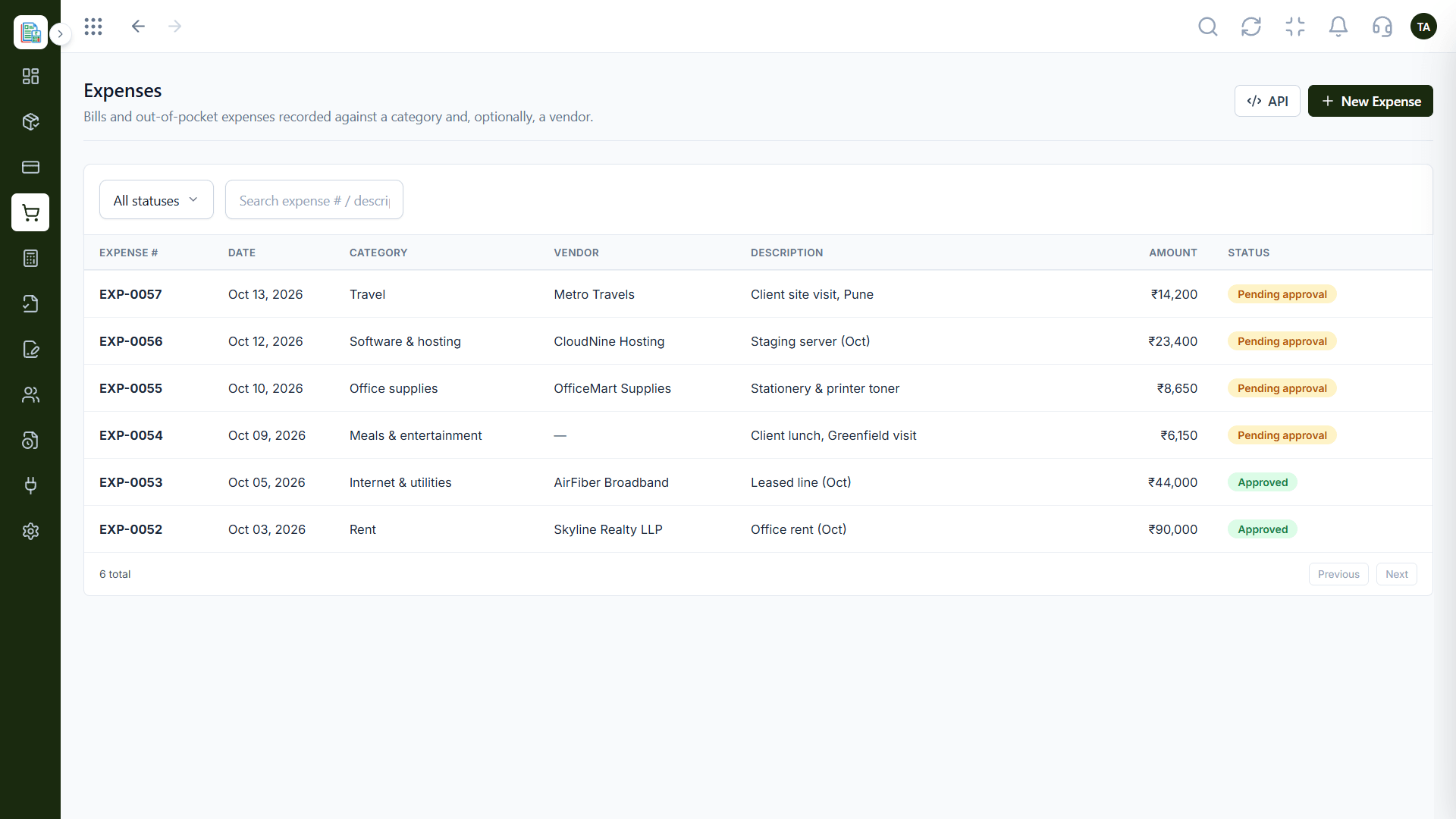
Triostack Finance lets you record bills and out-of-pocket expenses against a category and, optionally, a vendor. Search by expense number or description, filter by status and send each one through approval.
“Approvals used to happen in chat and get lost. Now an expense is either approved or it is not, and we can see which.”
Sample team scenario
Illustrative example, not a customer testimonial
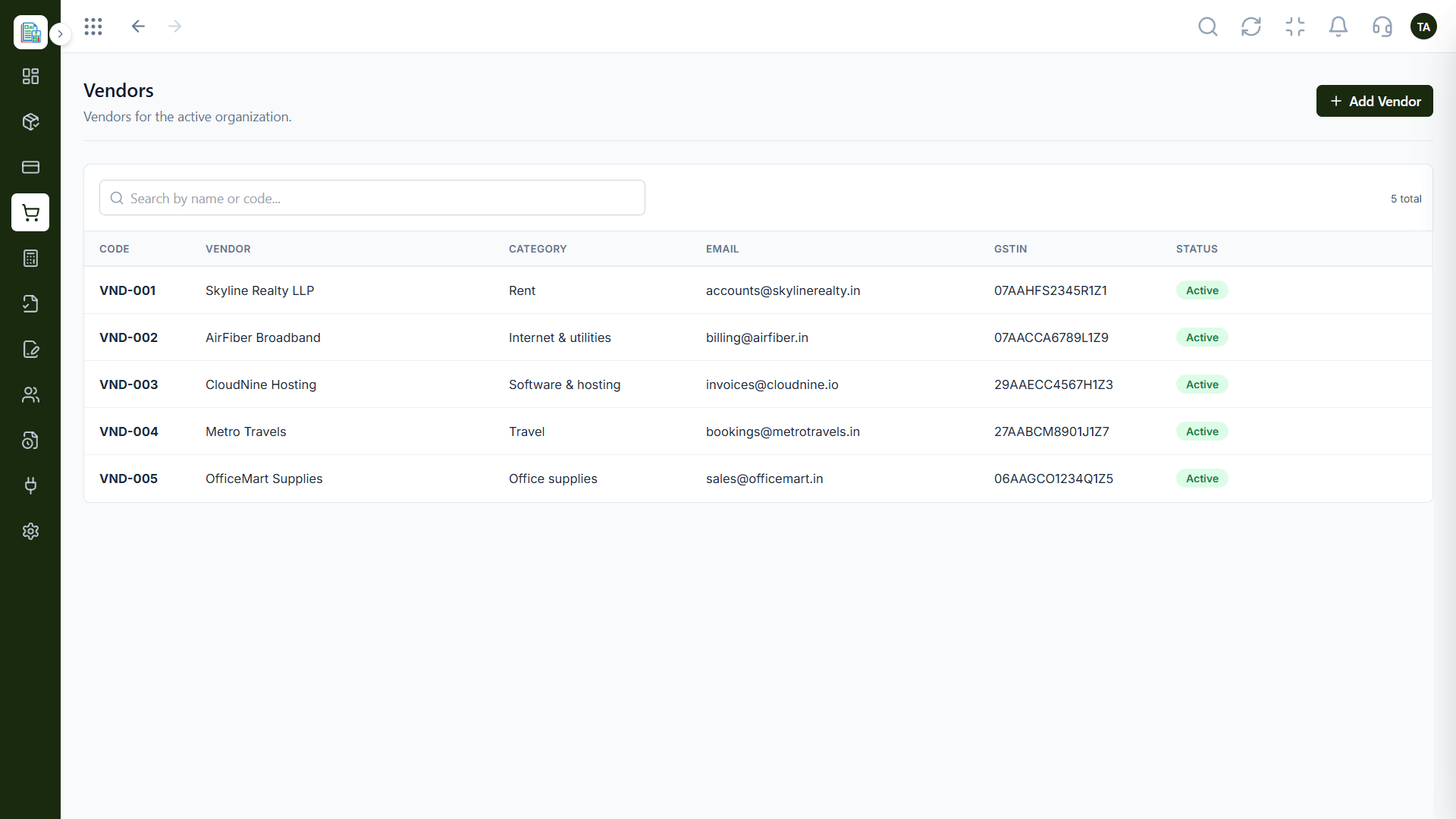
Vendors
A directory so every bill goes to the right party
In the Product
Imagine every bill dropping into a labelled tray with a name on it, waiting for a quick yes or no.
Categories and vendors keep spending organised.
Approval keeps unreviewed spend out.
Search and filters answer 'what was that?'
Platform Integrity
Group spending the way you report it
Tie each bill to a vendor
Review before it posts
Find any expense fast
How It Works
What changes when every expense has a record.
| Dimension | Triostack Finance | Receipts & Chat Threads |
|---|---|---|
| Capture | Recorded against a category | Photos and paper |
| Vendor | Linked to the vendor directory | Named in a message |
| Approval | Sent through approval | Approved in chat |
| Search | By number or description | Scroll and hope |
| Books | Posts after approval | Typed in later |
Book a walkthrough and we will set up a sandbox with sample customers and invoices so you can try quotes, billing and reports before you commit.
Live Interface Tour
Real screens captured directly from the Triostack Finance workspace.
Expenses
Every expense reviewed before it hits the books
Feature Breakdown
Captured from the Triostack Finance workspace.
Every bill and expense.
How it fits the plan
Record. A bill or out-of-pocket expense is entered.
Categorise. It is set against a category and a vendor.
Practical tip
Agree your categories with your accountant first. Renaming them after a quarter of entries is the slow way to tidy up.
Who you pay.
On this screen: A directory so every bill goes to the right party.
How it fits the plan
Categorise. It is set against a category and a vendor.
Approve. It goes through approval.
In real life
Team purchase
An expense is recorded, approved and visible in minutes.
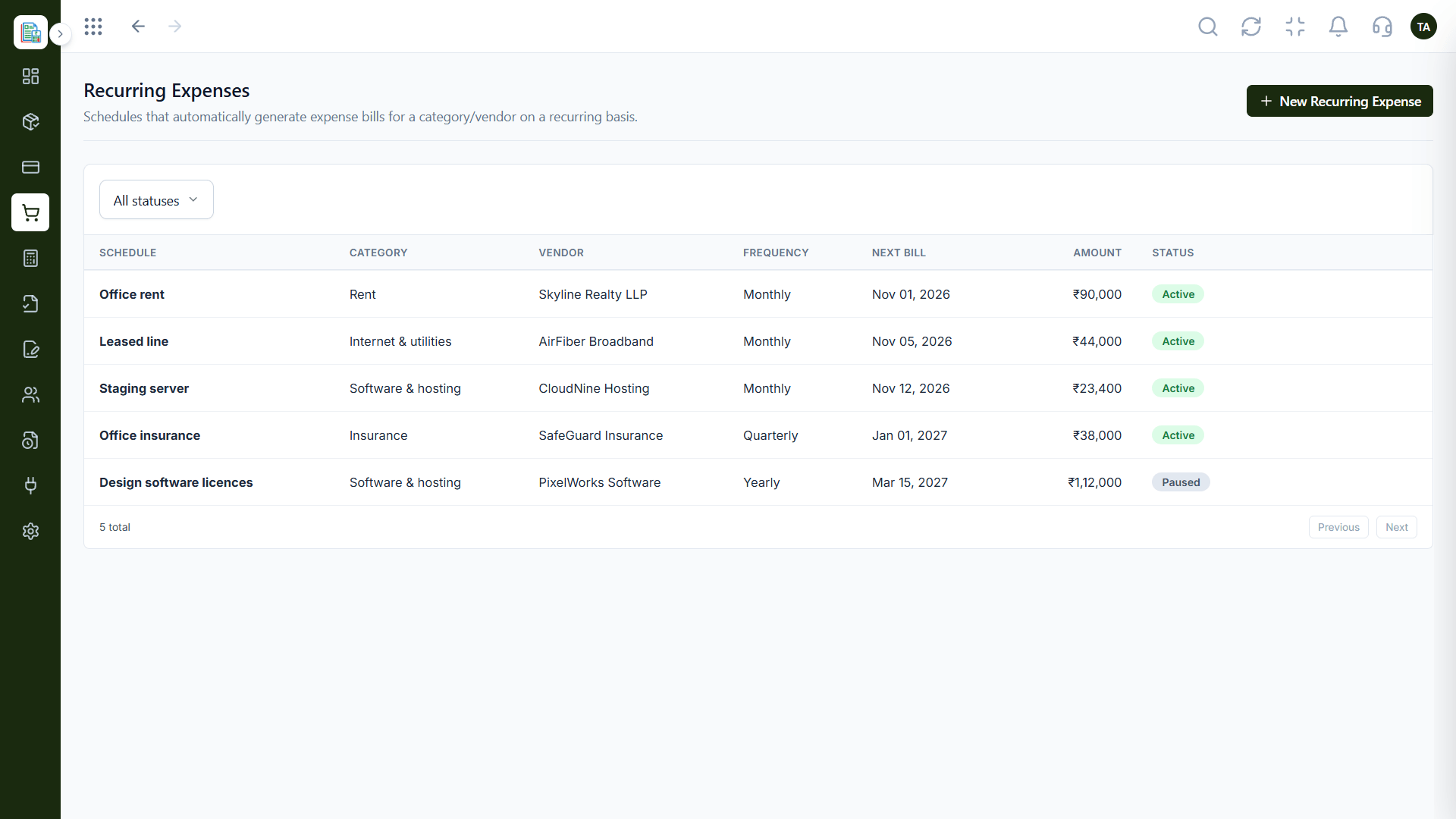
Bills that repeat.
On this screen: Schedules that generate expense bills on repeat.
How it fits the plan
Approve. It goes through approval.
Post. The approved expense reaches the books.
Watch out for
Letting expenses pile up unapproved until month-end, when nobody remembers what each one was for.
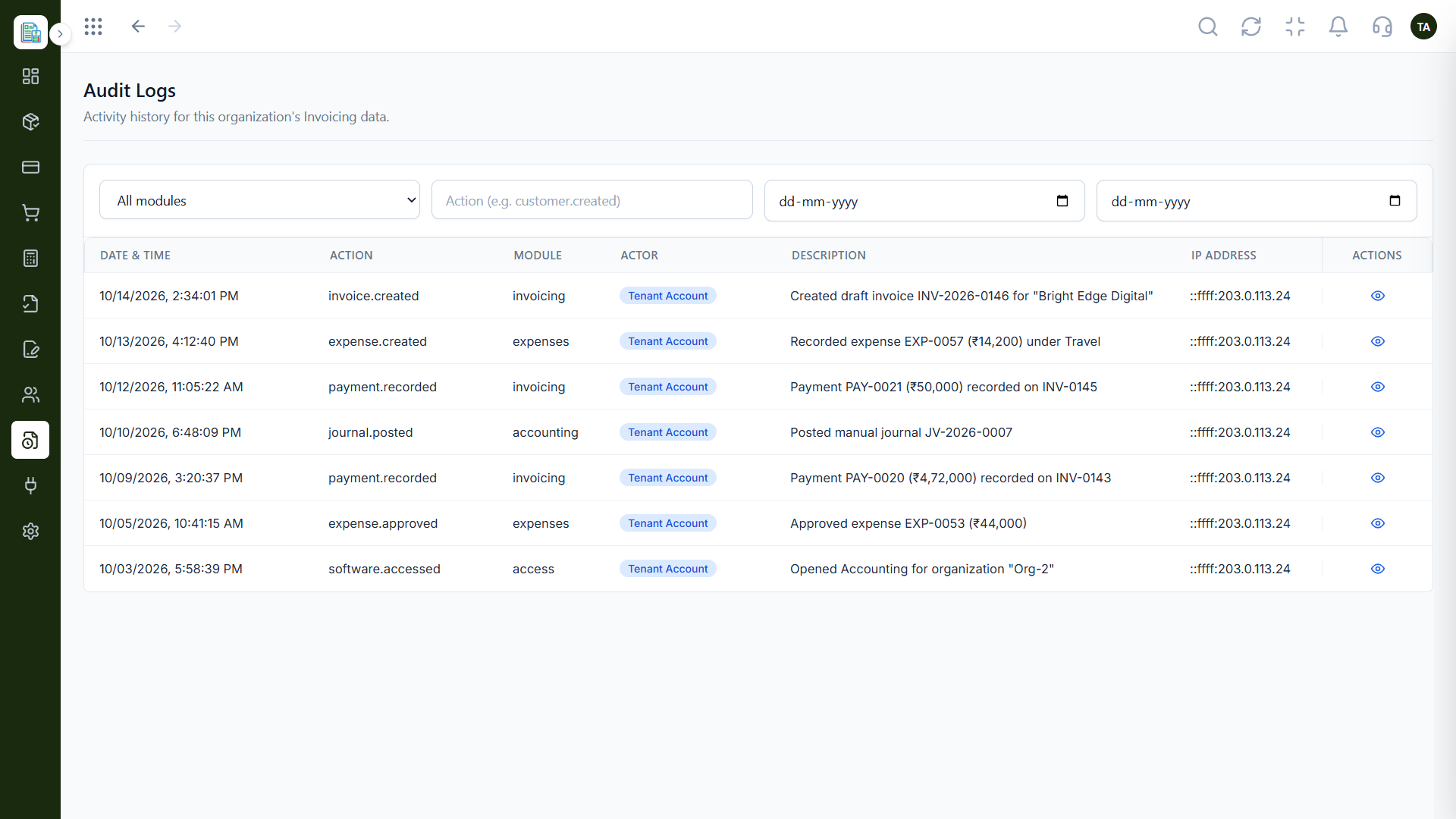
Who did what, and when.
How it fits the plan
Post. The approved expense reaches the books.
Record. A bill or out-of-pocket expense is entered.
Before you start
Execution Plan
A bill or out-of-pocket expense is entered.
It is set against a category and a vendor.
It goes through approval.
The approved expense reaches the books.
Practical Guide
Before you start
A tip that helps
Agree your categories with your accountant first. Renaming them after a quarter of entries is the slow way to tidy up.
A common mistake
Letting expenses pile up unapproved until month-end, when nobody remembers what each one was for.
In Real Life
Scenario 01
An expense is recorded, approved and visible in minutes.
Scenario 02
Finance filters pending expenses and clears the queue.
Scenario 03
The history shows who approved what, and when.
Straight answers about Expense Management, from setup to what happens next.
Have a question about Expense Management?
Book a free callYes. The vendor is optional, and a vendor directory keeps names consistent.
Yes. Each expense can be sent through approval before it hits the books.
Search by expense number or description and filter by status.
No. Recurring schedules can generate expense bills for you.
Record bills and out-of-pocket expenses against a category and vendor, send them through approval and keep every payment accounted for.
It runs in 4 steps: Record, Categorise, Approve and Post. A bill or out-of-pocket expense is entered.
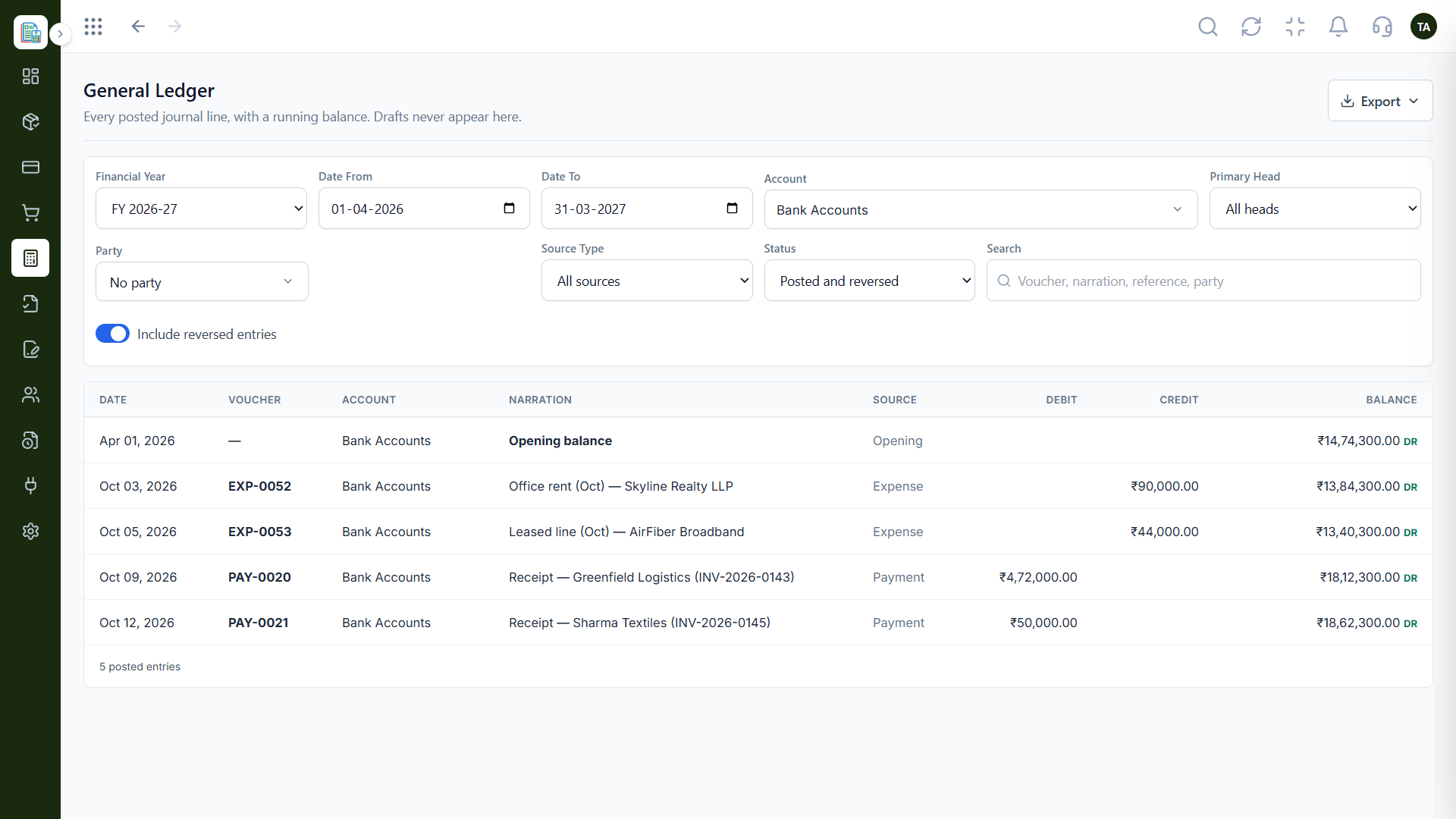
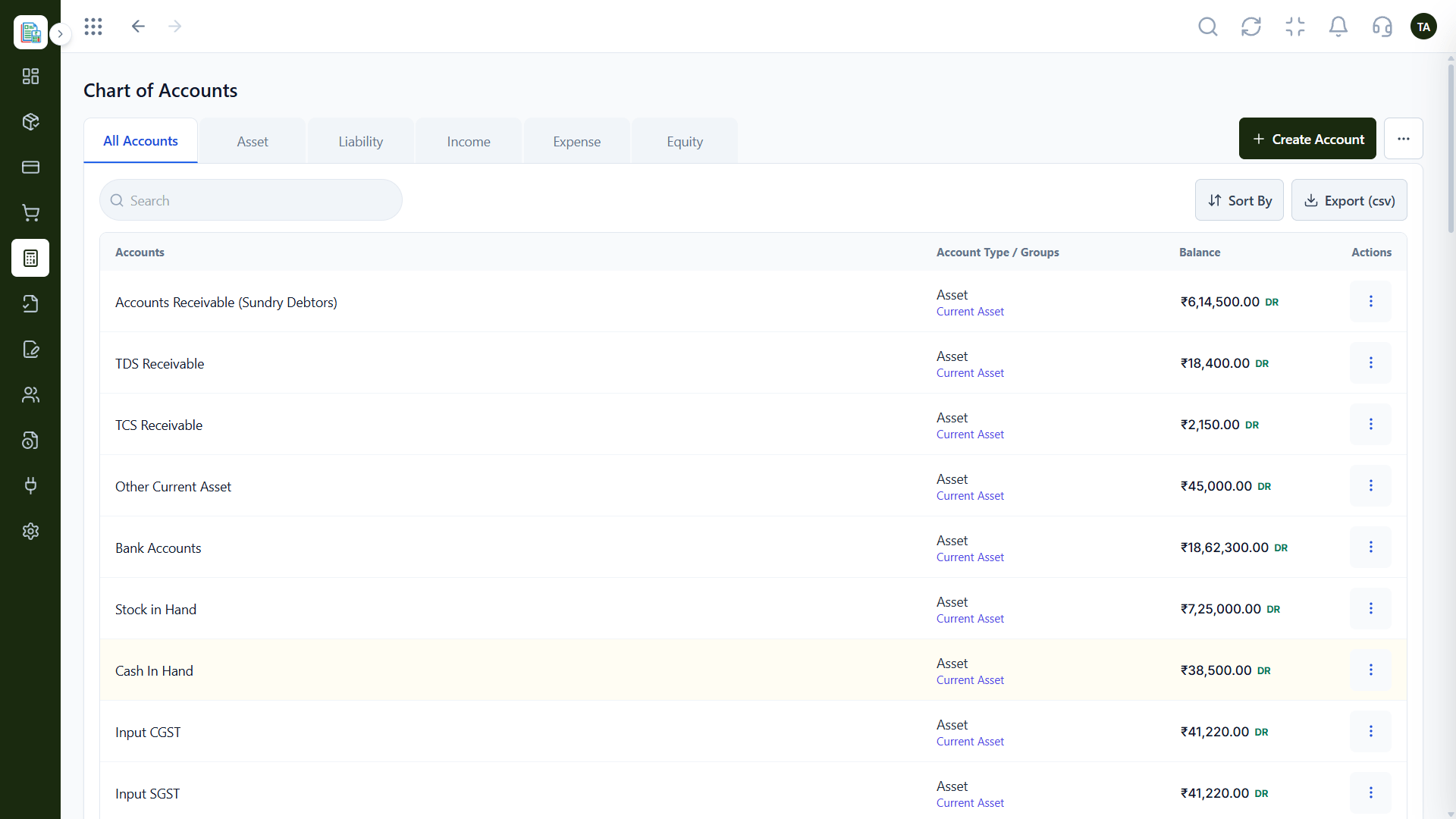
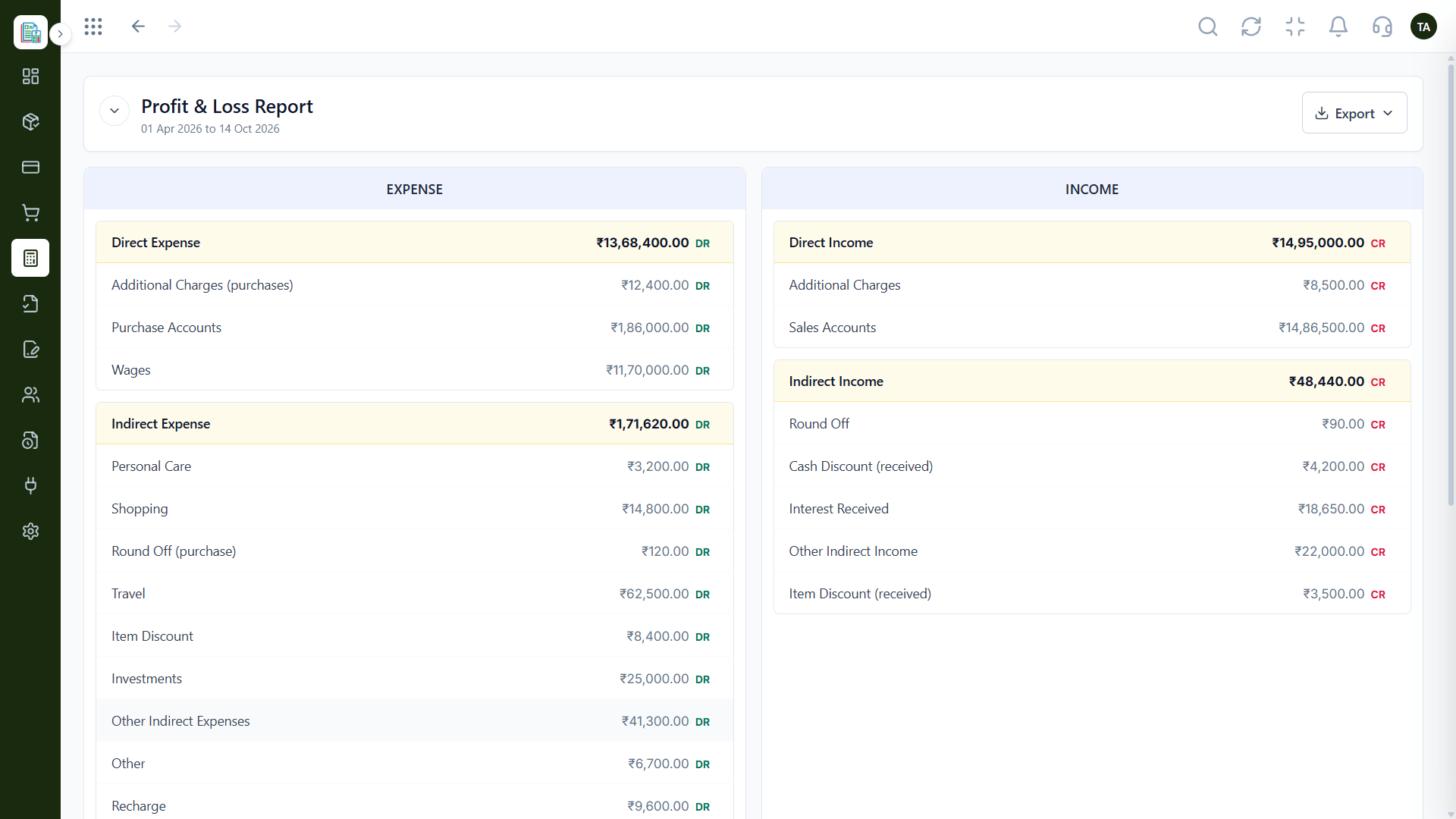
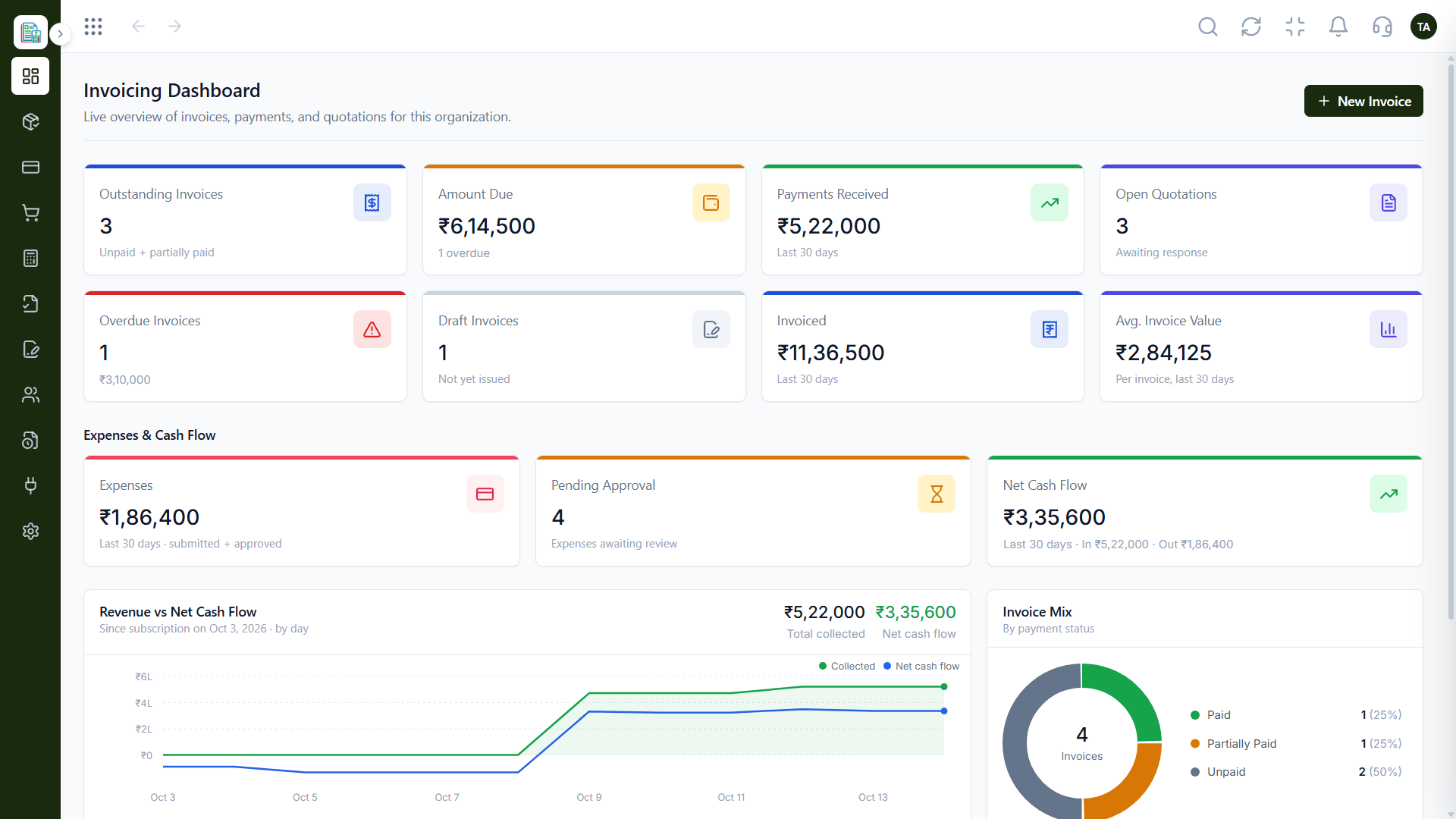
The real screens on this page include Vendors, Recurring Expenses, Profit & Loss and Expenses, all captured from the product.
Request a demo or start a free trial. Our team can also walk you through a guided setup, so your first session ends with something working.
Keep Exploring
Invoices, expenses, accounting and GST reconciliation in one workspace, connected to sales, payroll and delivery.