The best Business Suite software in India, built to help your business grow. Contact us at +91-8882435276.
[ Contact ]
Phone number
Email address
Head office
Noida office
The right team at TriostackOne will get back to you.
Positioning Assessment
Isolated finance tools force constant re-entry from sales, payroll and delivery. Numbers disagree and nobody trusts them.
Triostack Finance connects with CRM (deals to invoices), Payroll (approved pay runs to the ledger) and Projects (cost and margin). For other apps, including Zoho products, ask us about APIs, exports and the connections available on your plan.
“Payroll cost reaching the ledger on its own removed a monthly export we all disliked.”
Sample team scenario
Illustrative example, not a customer testimonial
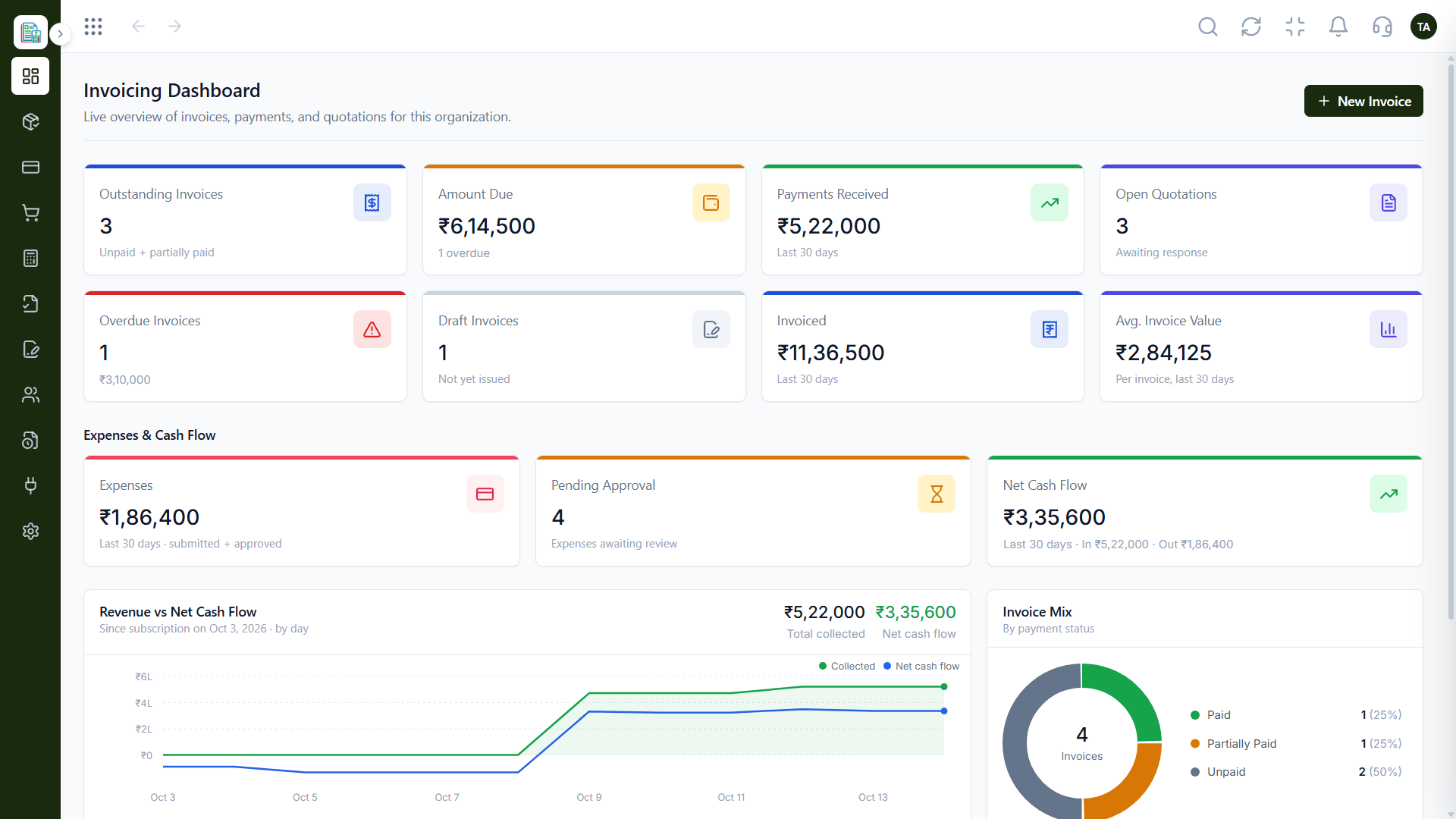
Invoicing Dashboard
Outstanding, overdue and collected at a glance
In the Product
Imagine sales, payroll and delivery each passing their numbers straight to the finance desk.
Data arrives where it is needed.
Everyone sees the same figures.
APIs and exports for other tools.
Platform Integrity
Deals become invoices
Pay runs post to the ledger
Cost and margin visible
Ask about APIs and exports
How It Works
What connections change.
| Dimension | Triostack Finance | Separate Apps |
|---|---|---|
| Sales | Deal-to-invoice with CRM | Retype from CRM |
| Payroll | Approved pay runs post automatically | Monthly export |
| Projects | Cost and margin with connected data | Separate tracking |
| Other tools | Ask us about APIs and exports | Varies |
| Setup | Shared identity across the suite | Separate logins |
Our team can walk you through the connection, permissions and a first test so Finance fits into the tools your accountant and team already use.
Live Interface Tour
Real screens captured directly from the Triostack Finance workspace.
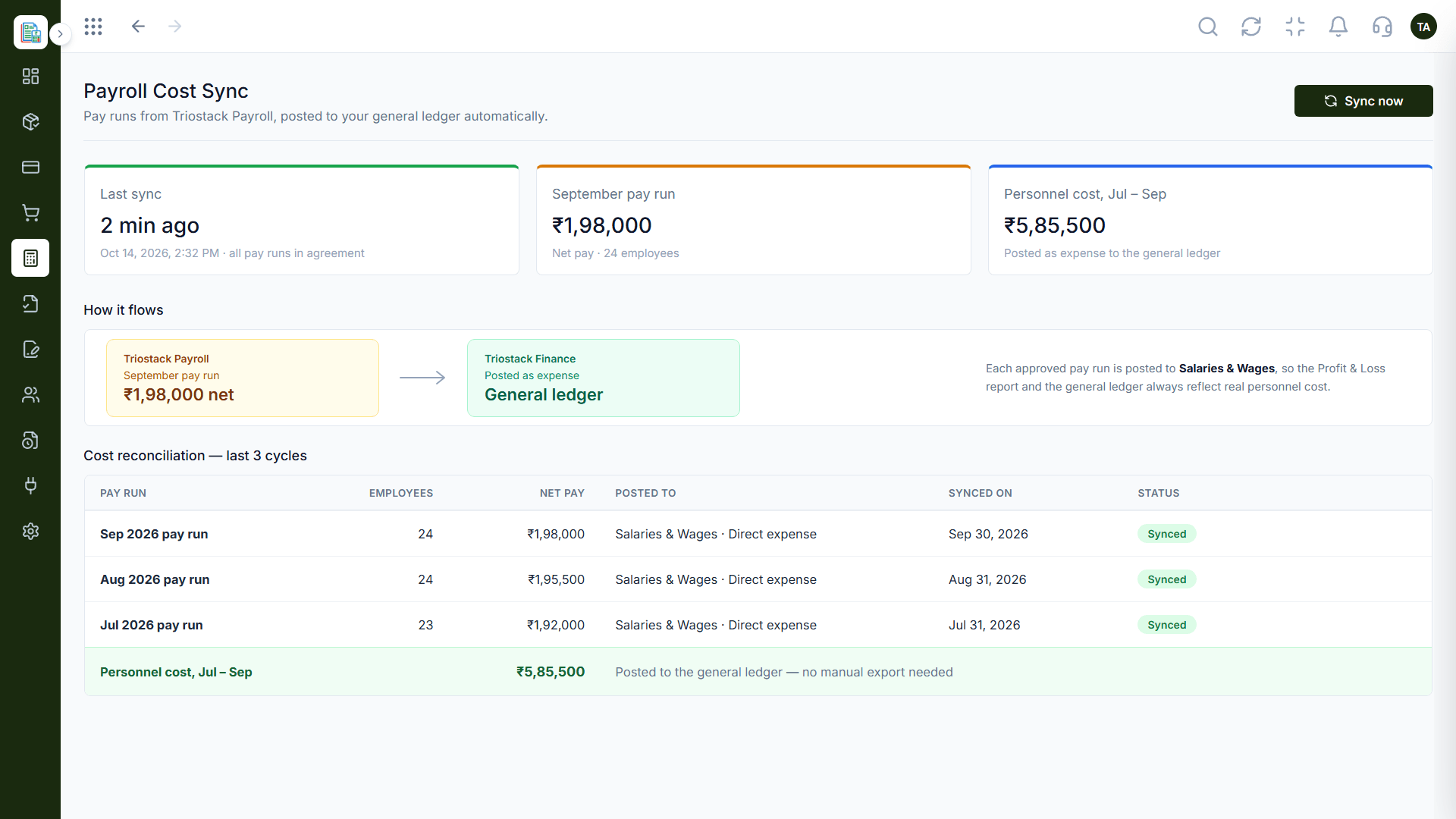
Payroll Cost Sync
CRM, Payroll and Projects connect to Finance
Feature Breakdown
Captured from the Triostack Finance workspace.
01
IntegrationsPay runs to the ledger.
How it fits the plan
Sell. A deal closes in CRM.
Bill. An invoice is generated in Finance.
Practical tip
Connect the apps that move the most money first. Payroll cost and won deals matter more than minor sync.
02
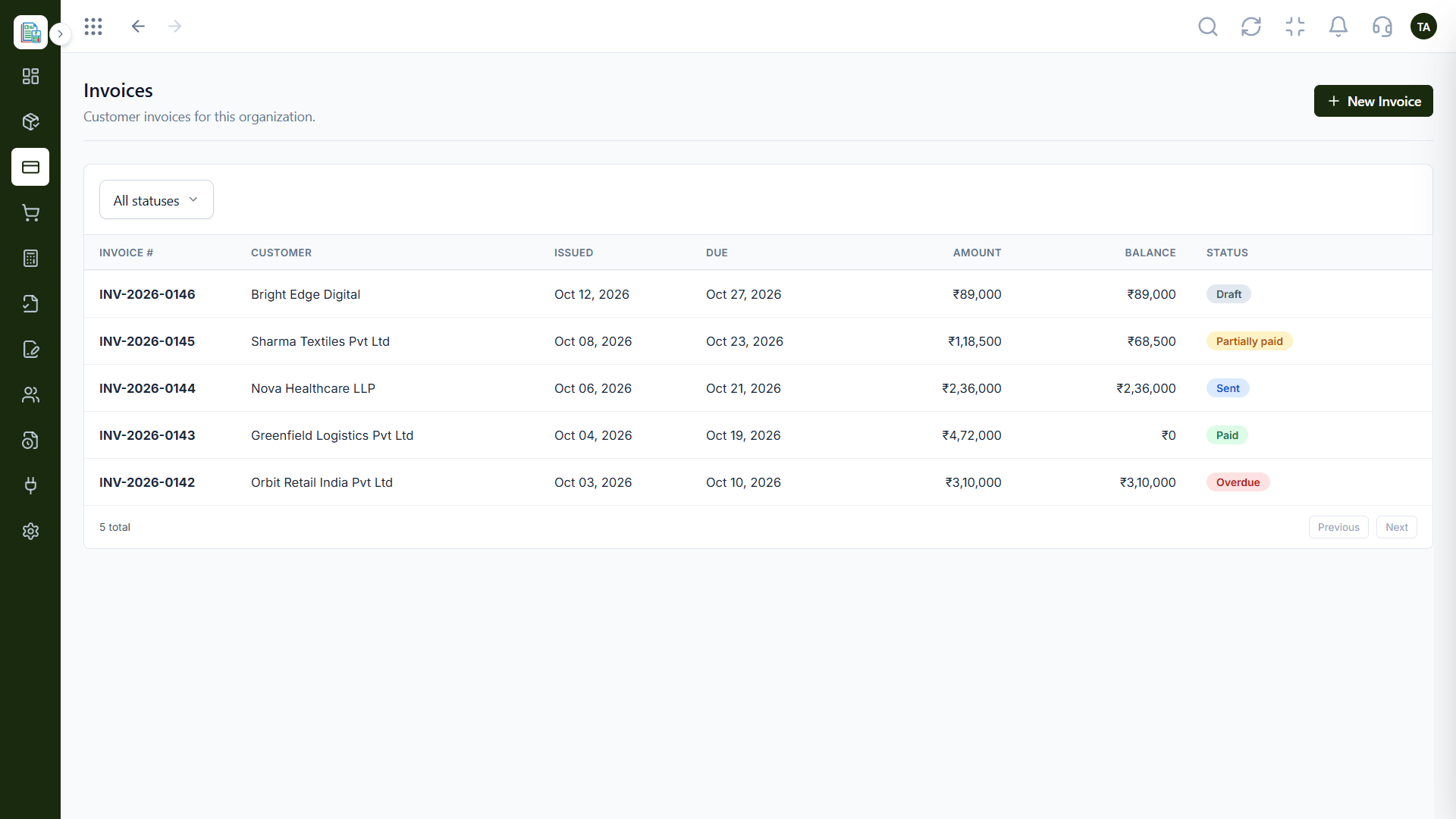
IntegrationsFrom deals and quotes.
On this screen: Customer invoices filtered by status.
How it fits the plan
Bill. An invoice is generated in Finance.
Pay. Payroll cost syncs into the ledger.
In real life
Closed deal
CRM hands the invoice to Finance.
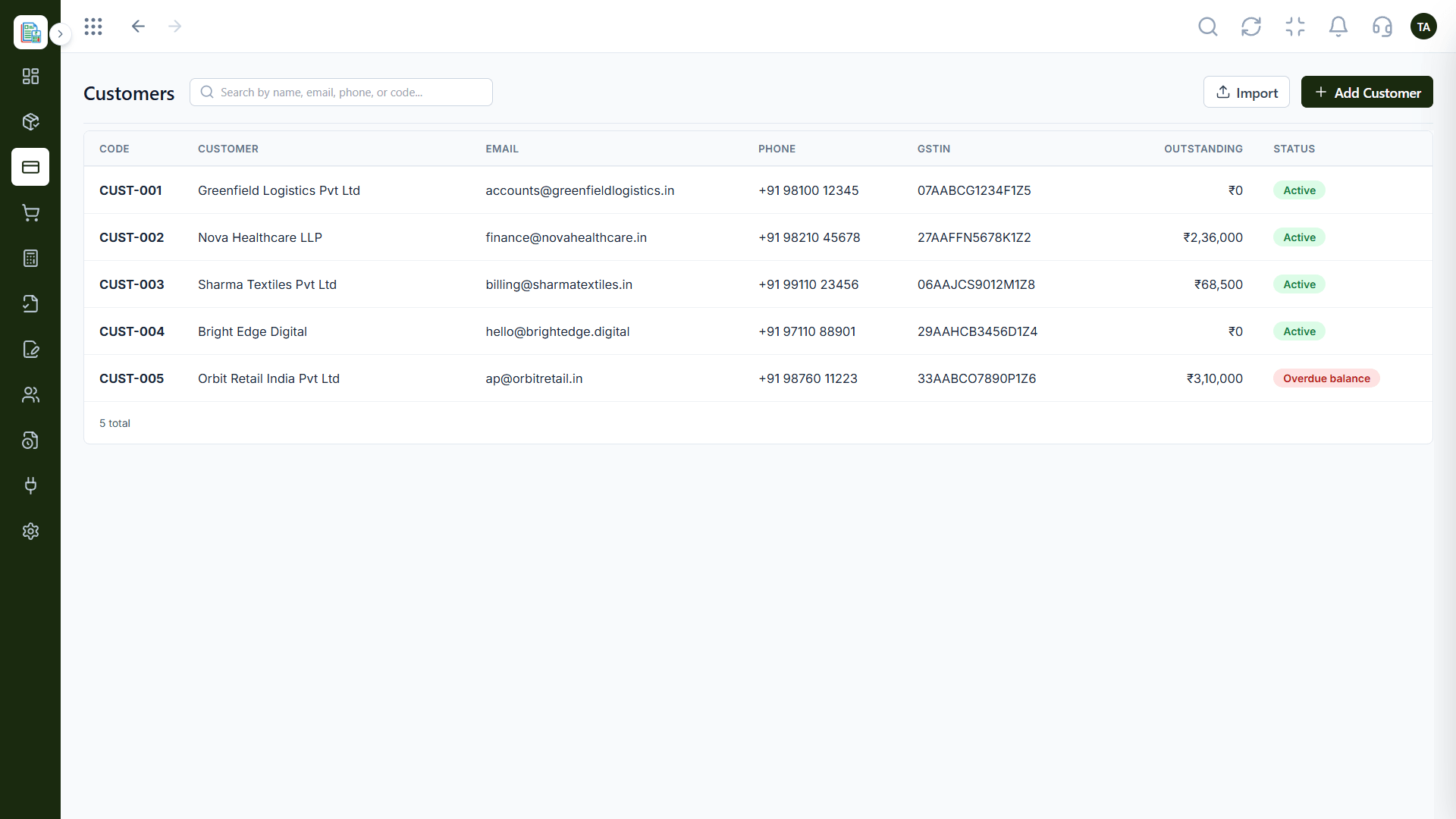
03
IntegrationsShared records.
How it fits the plan
Pay. Payroll cost syncs into the ledger.
Report. Profit & Loss reflects everything.
Watch out for
Connecting everything at once, then not knowing which connection caused a mismatch.
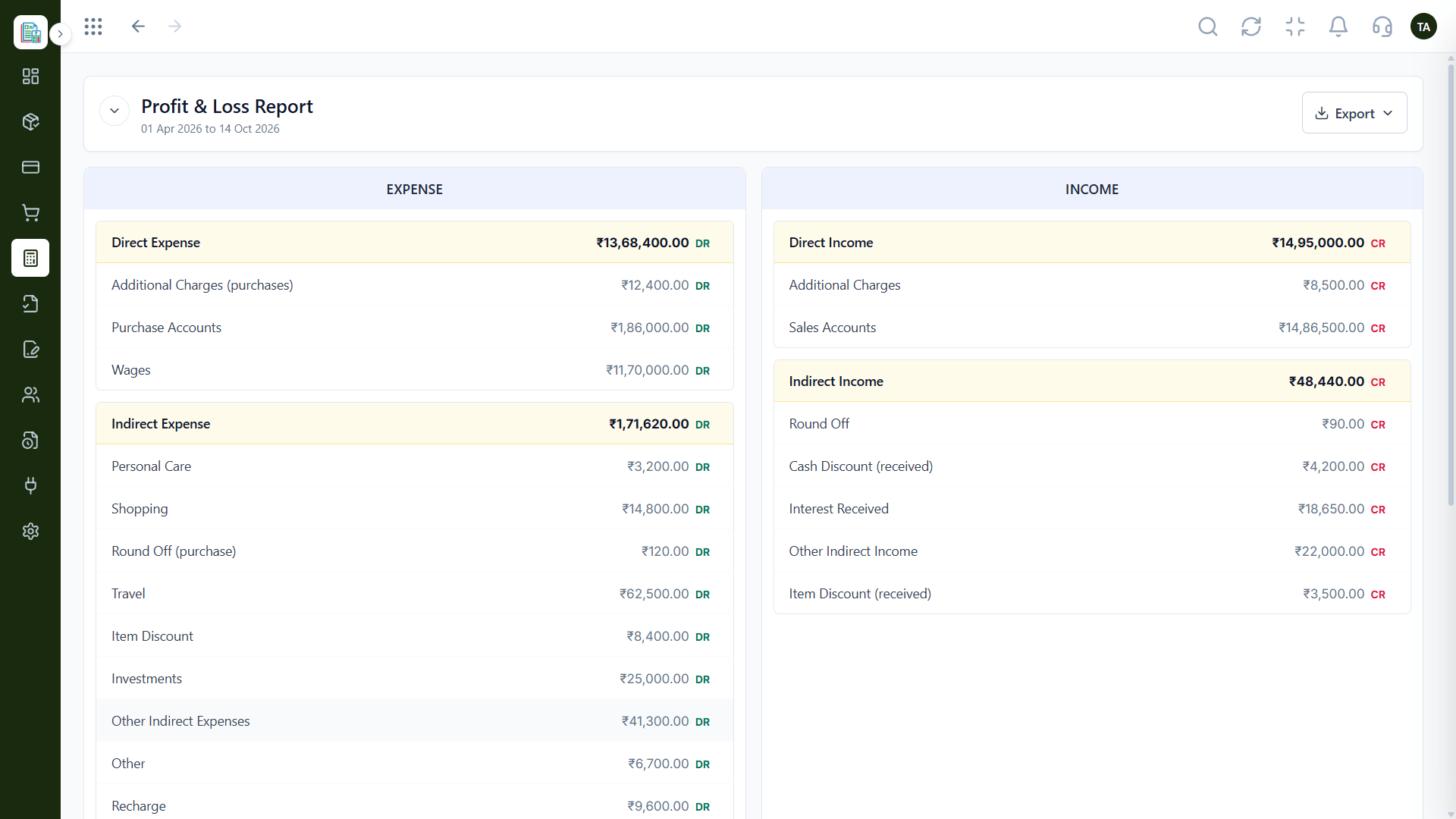
04
IntegrationsCosts included.
On this screen: Income and expenses side by side for any period.
How it fits the plan
Report. Profit & Loss reflects everything.
Sell. A deal closes in CRM.
Before you start
Execution Plan
A deal closes in CRM.
An invoice is generated in Finance.
Payroll cost syncs into the ledger.
Profit & Loss reflects everything.
Practical Guide
Before you start
A tip that helps
Connect the apps that move the most money first. Payroll cost and won deals matter more than minor sync.
A common mistake
Connecting everything at once, then not knowing which connection caused a mismatch.
In Real Life
Scenario 01
CRM hands the invoice to Finance.
Scenario 02
Payroll posts to the ledger without an export.
Scenario 03
Delivery cost joins revenue in reports.
Straight answers about Zoho & Other Apps, from setup to what happens next.
Have a question about Zoho & Other Apps?
Book a free callAsk us about the Zoho connections and import options available for your plan.
CRM, Payroll and Projects connect to Finance.
It posts approved pay runs to Salaries & Wages in the general ledger.
Yes. Ask us about APIs and webhooks available for your plan.
Finance connects with CRM, Payroll and Projects in the Triostack suite, and offers APIs and exports for other apps. Ask us about specific Zoho connections.
It runs in 4 steps: Sell, Bill, Pay and Report. A deal closes in CRM.
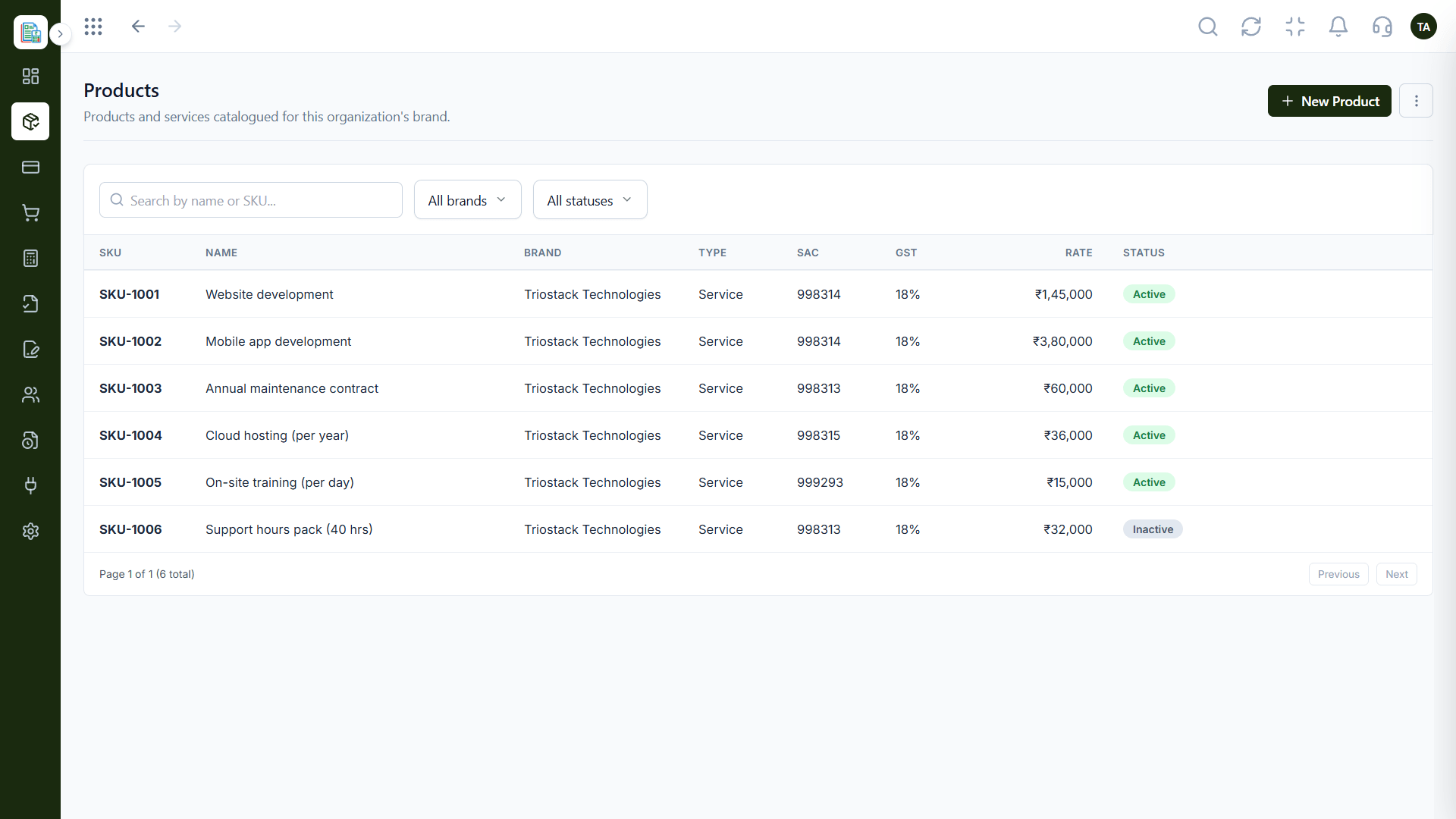
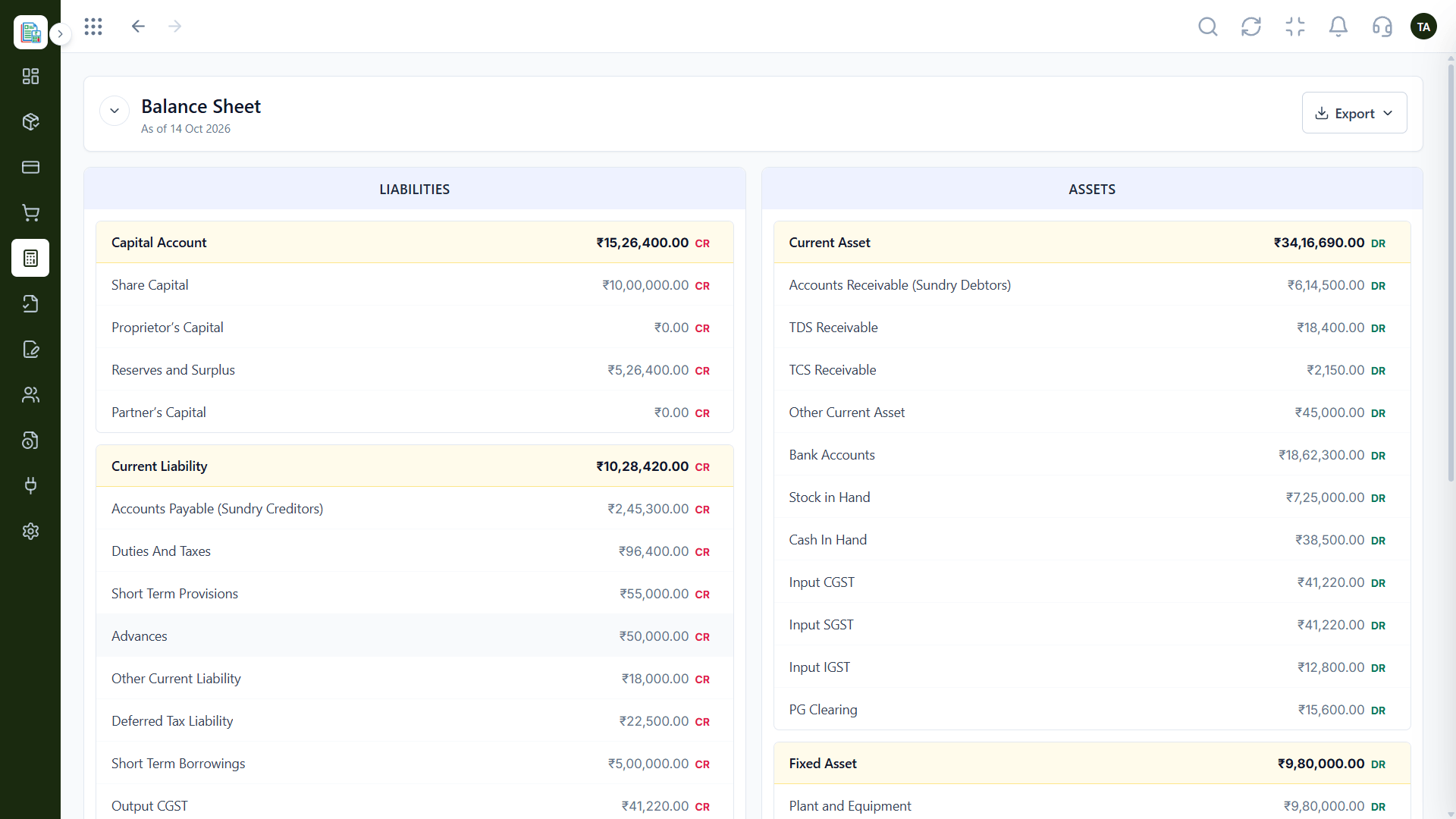
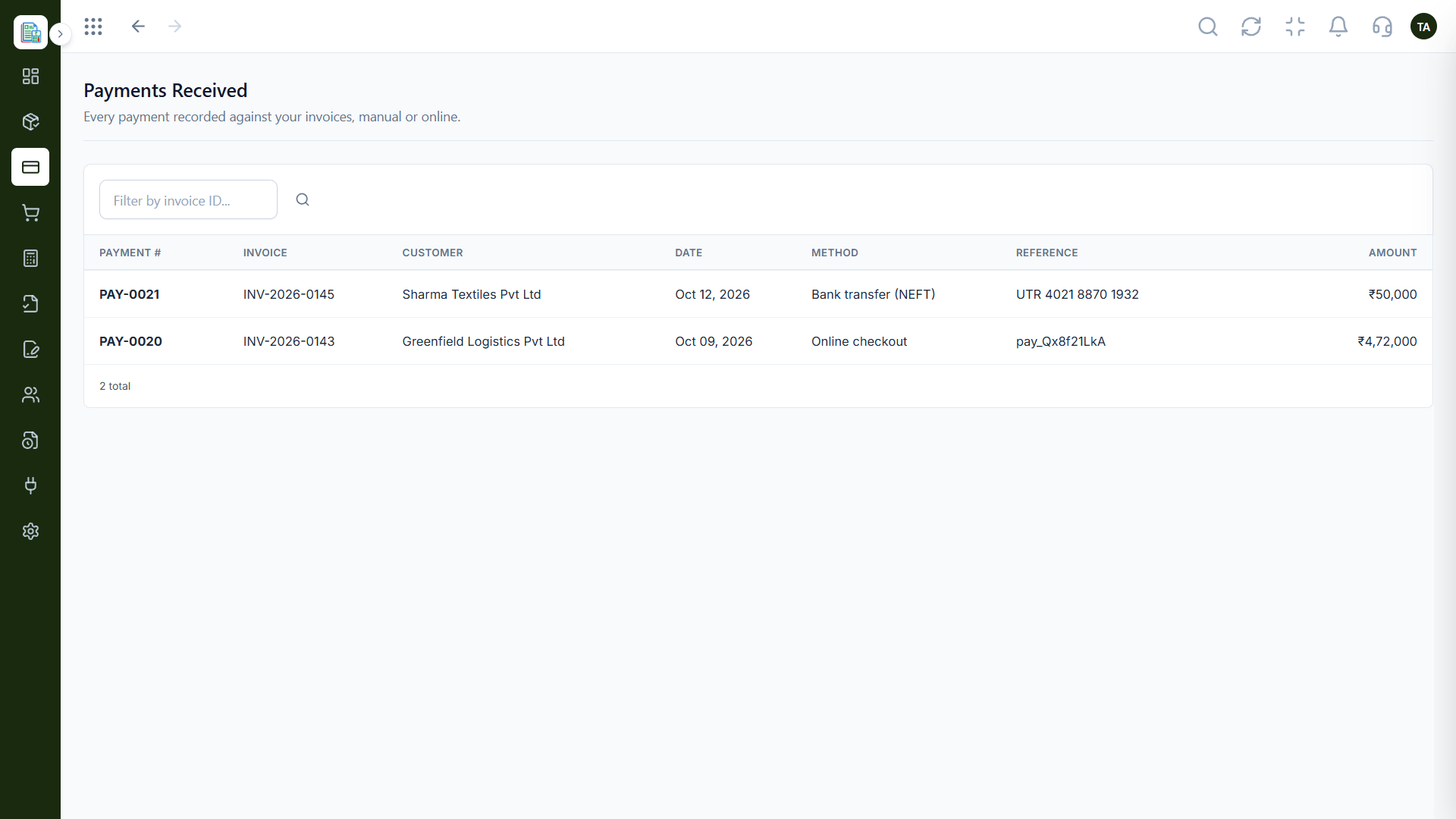
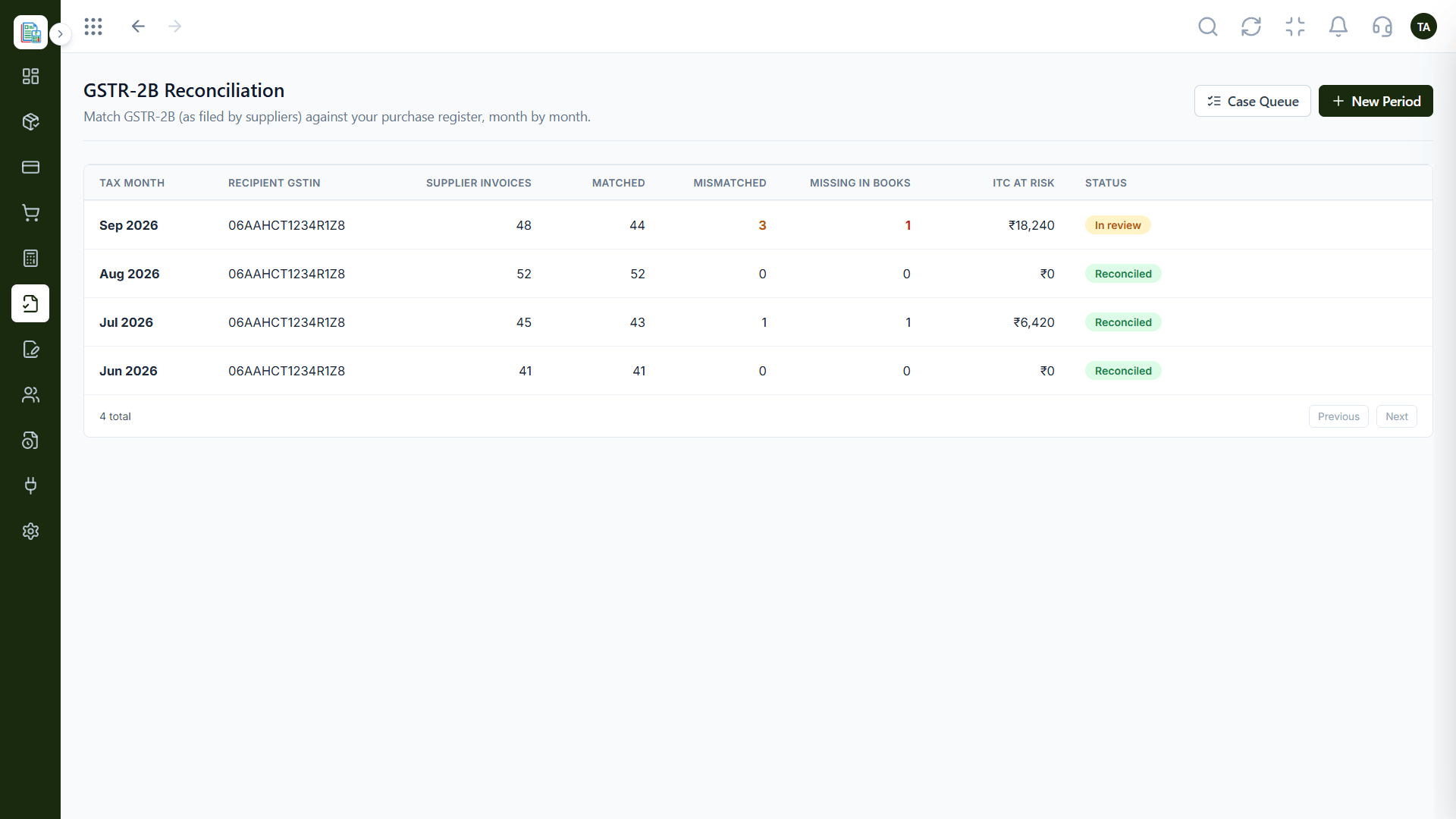
The real screens on this page include Invoicing Dashboard, Invoices, Profit & Loss and Payroll Cost Sync, all captured from the product.
Request a demo or start a free trial. Our team can also walk you through a guided setup, so your first session ends with something working.
Keep Exploring
Invoices, expenses, accounting and GST reconciliation in one workspace, connected to sales, payroll and delivery.