The best Business Suite software in India, built to help your business grow. Contact us at +91-8882435276.
[ Contact ]
Phone number
Email address
Head office
Noida office
The right team at TriostackOne will get back to you.
Built for
Startups
Day one
Books that start clean and stay clean
Positioning Assessment
Startups move fast, and finance gets patched together. When investors or auditors ask questions, the cost of that shortcut appears all at once.
Triostack Finance gives a young company invoicing, expense approval, a standard chart of accounts and live reports from the start, so numbers are credible when someone asks for them.
“When due diligence started, we exported the P&L and balance sheet instead of rebuilding them.”
Sample team scenario
Illustrative example, not a customer testimonial
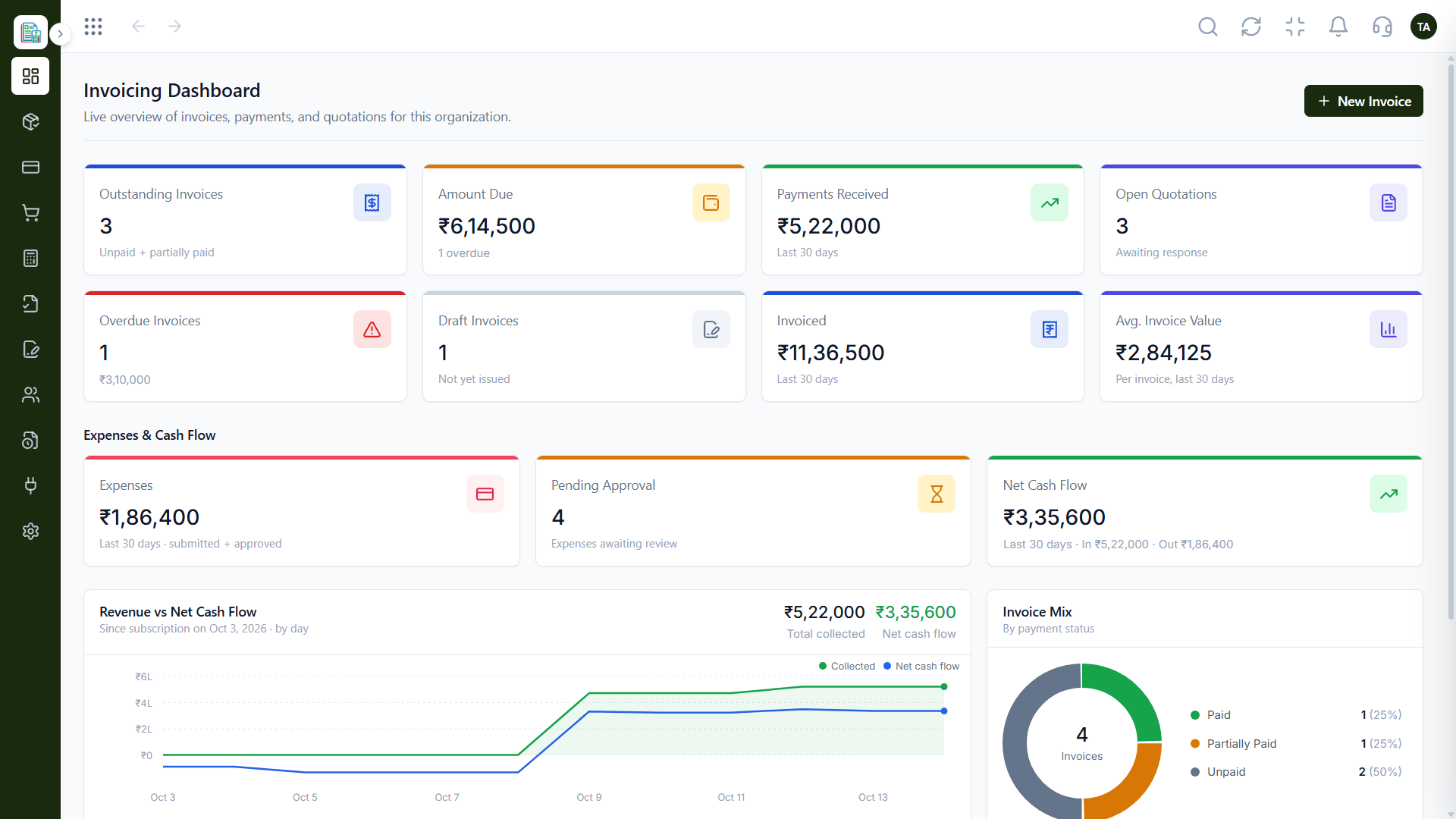
Invoicing Dashboard
Outstanding, overdue and collected at a glance
In the Product
Imagine laying the finance foundation properly while the building is still small.
Reports match the ledger.
Habits start early.
Add products as you scale.
Platform Integrity
Brand, import, bill
P&L and balance sheet
Approvals and categories
Logs and lockable books
How It Works
What matters as a company grows.
Setup
A ready chart of accounts
DIY Spreadsheets: Design your own
Reports
Live from posted entries
DIY Spreadsheets: Rebuilt on request
Spending
Approval flow
DIY Spreadsheets: Trust and chat
Audit
Activity logs
DIY Spreadsheets: Version history
Growth
Connect CRM and Payroll
DIY Spreadsheets: Migrate later
Tell us about your business, how you bill and who looks after the books, and we will propose a setup that fits.
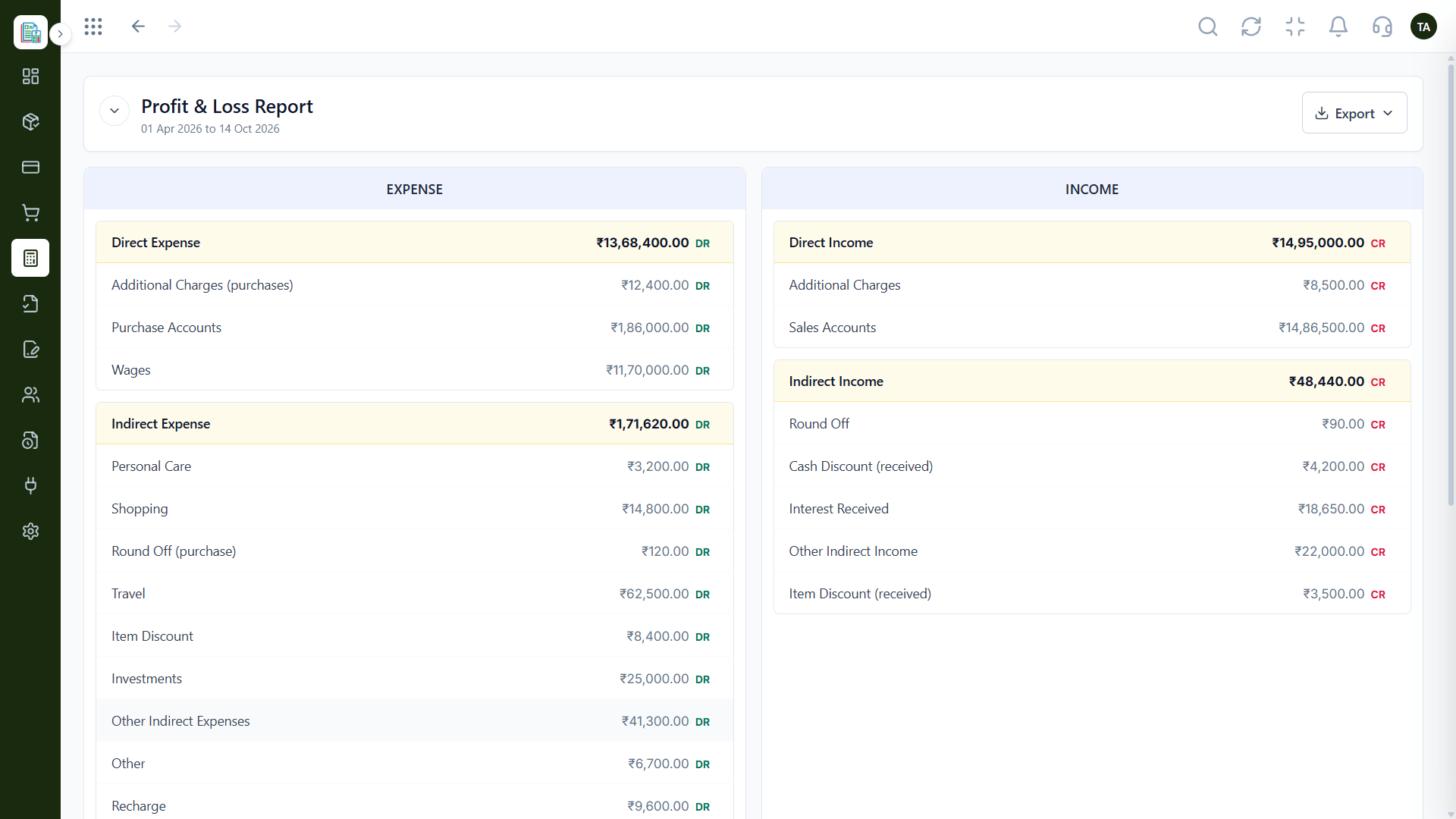
Live Interface Tour
Real screens captured directly from the Triostack Finance workspace.
Profit & Loss
Books that start clean and stay clean
Feature Breakdown
Captured from the Triostack Finance workspace.
What investors ask for.
How it fits the plan
Set Up. Add company details and brand.
Record. Enter invoices and expenses as you go.
Practical tip
Set up the chart of accounts with your accountant in the first month. Investors will ask for clean books sooner than you expect.
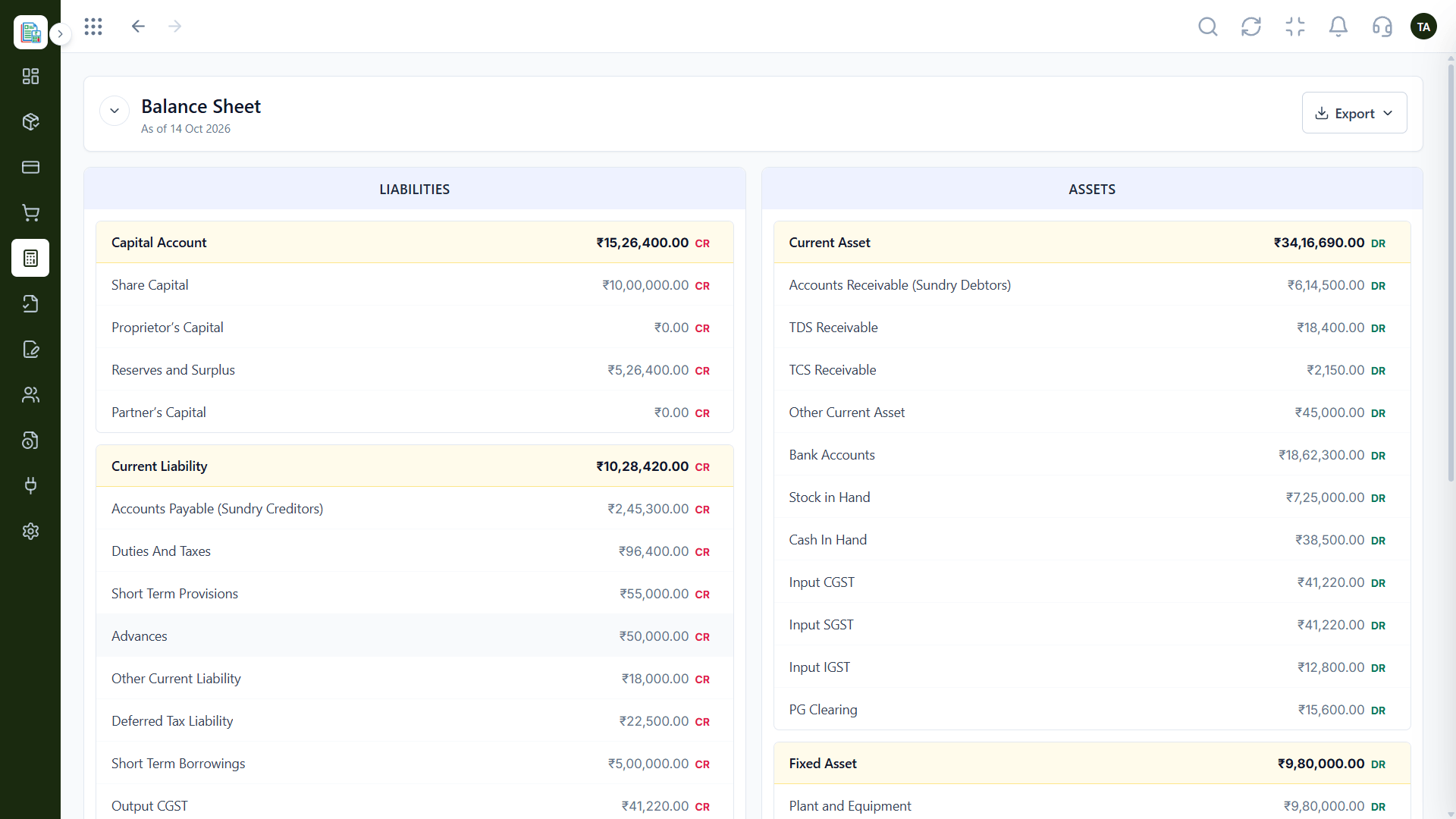
The position.
In real life
Fundraise
Reports are ready the day diligence starts.
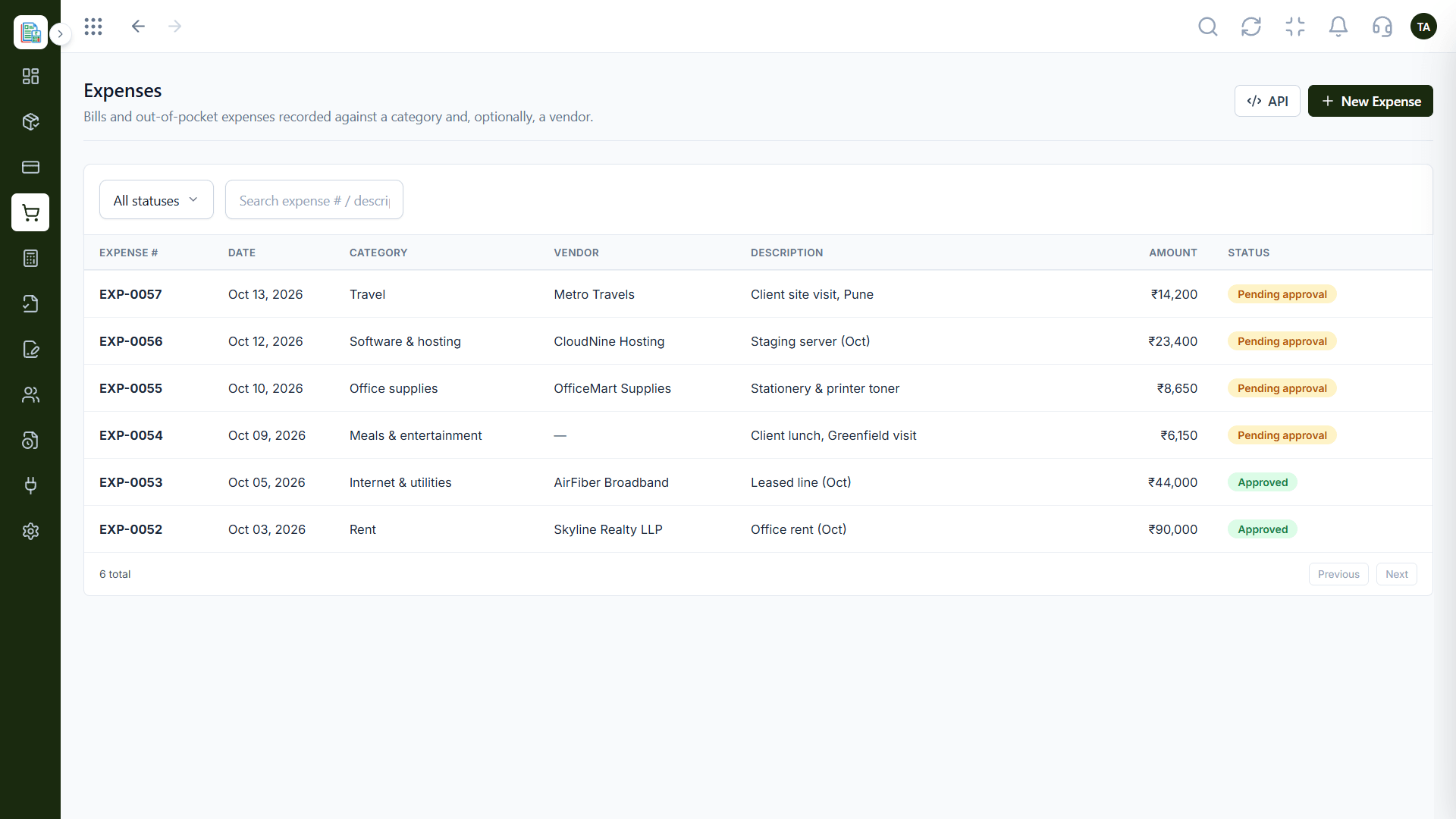
Burn visibility.
Watch out for
Tracking everything in a spreadsheet 'for now' and migrating a year of it later.
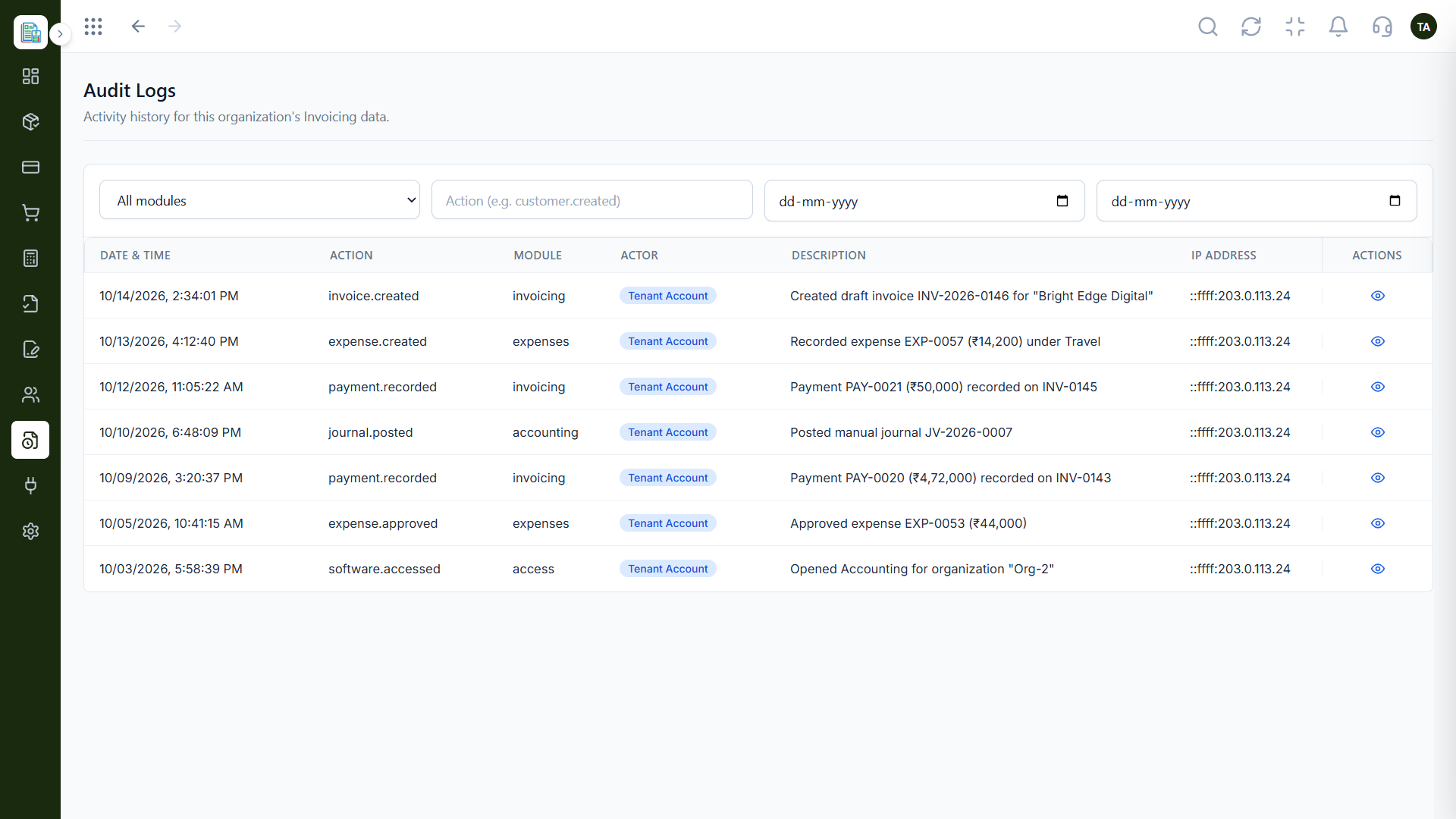
Diligence-ready.
Before you start
Execution Plan
Add company details and brand.
Enter invoices and expenses as you go.
Check the P&L monthly.
Export for investors or auditors.
Practical Guide
Before you start
A tip that helps
Set up the chart of accounts with your accountant in the first month. Investors will ask for clean books sooner than you expect.
A common mistake
Tracking everything in a spreadsheet 'for now' and migrating a year of it later.
In Real Life
Scenario 01
Reports are ready the day diligence starts.
Scenario 02
Logs and ledgers answer questions.
Scenario 03
Payroll cost syncs into the books.
Straight answers about Finance for Startups, from setup to what happens next.
Have a question about Finance for Startups?
Book a free callNo. You can start with invoicing and expenses and use the accounting features as you need them.
Yes. Reports such as the Profit & Loss can be exported.
Finance connects with CRM, Payroll and Projects as you add them.
Yes. Audit logs record activity by module, action and actor.
Set up invoicing, expenses and reporting early, so fundraising, audits and growth never meet a mess of spreadsheets.
It runs in 4 steps: Set Up, Record, Review and Share. Add company details and brand.
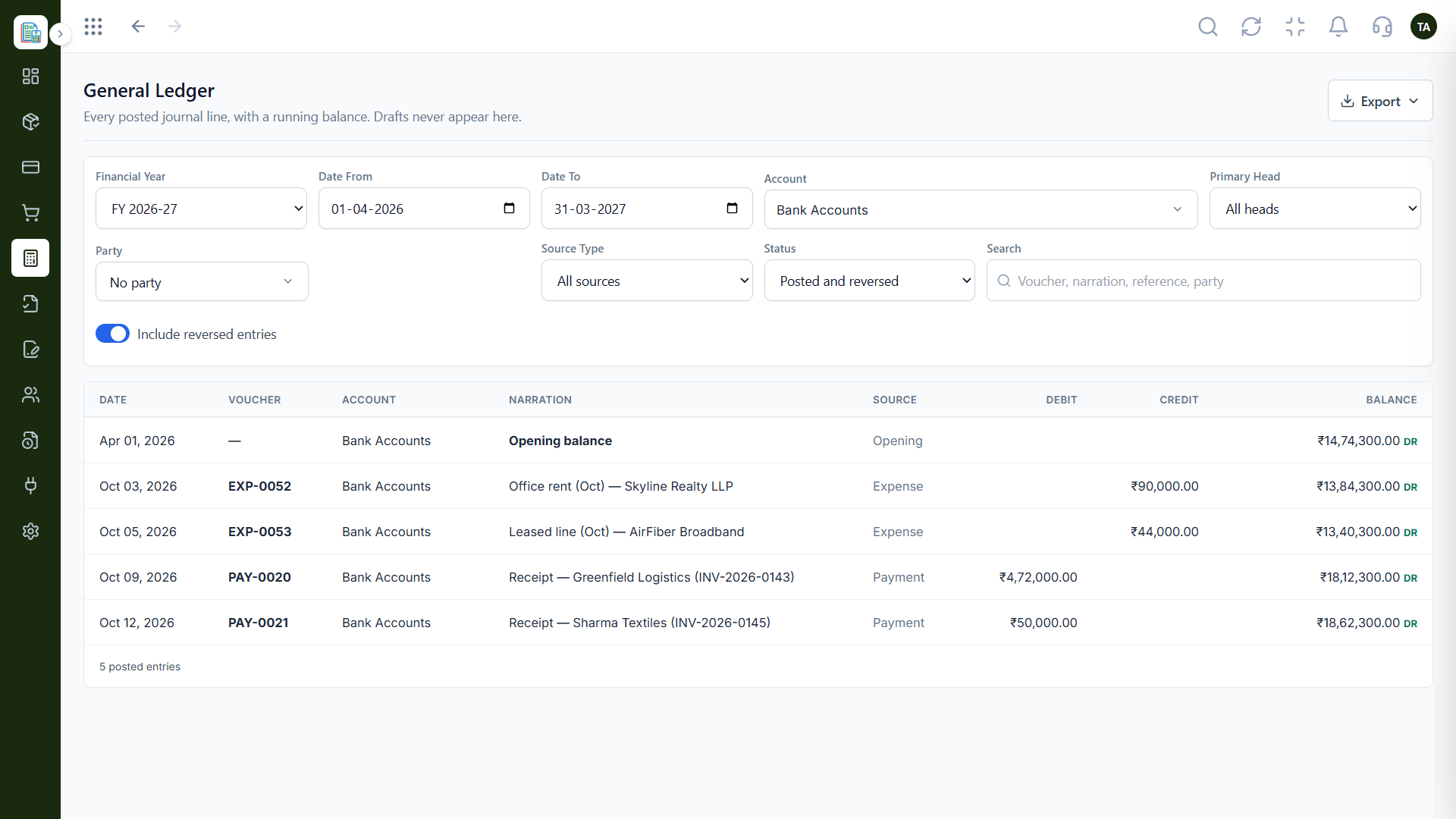
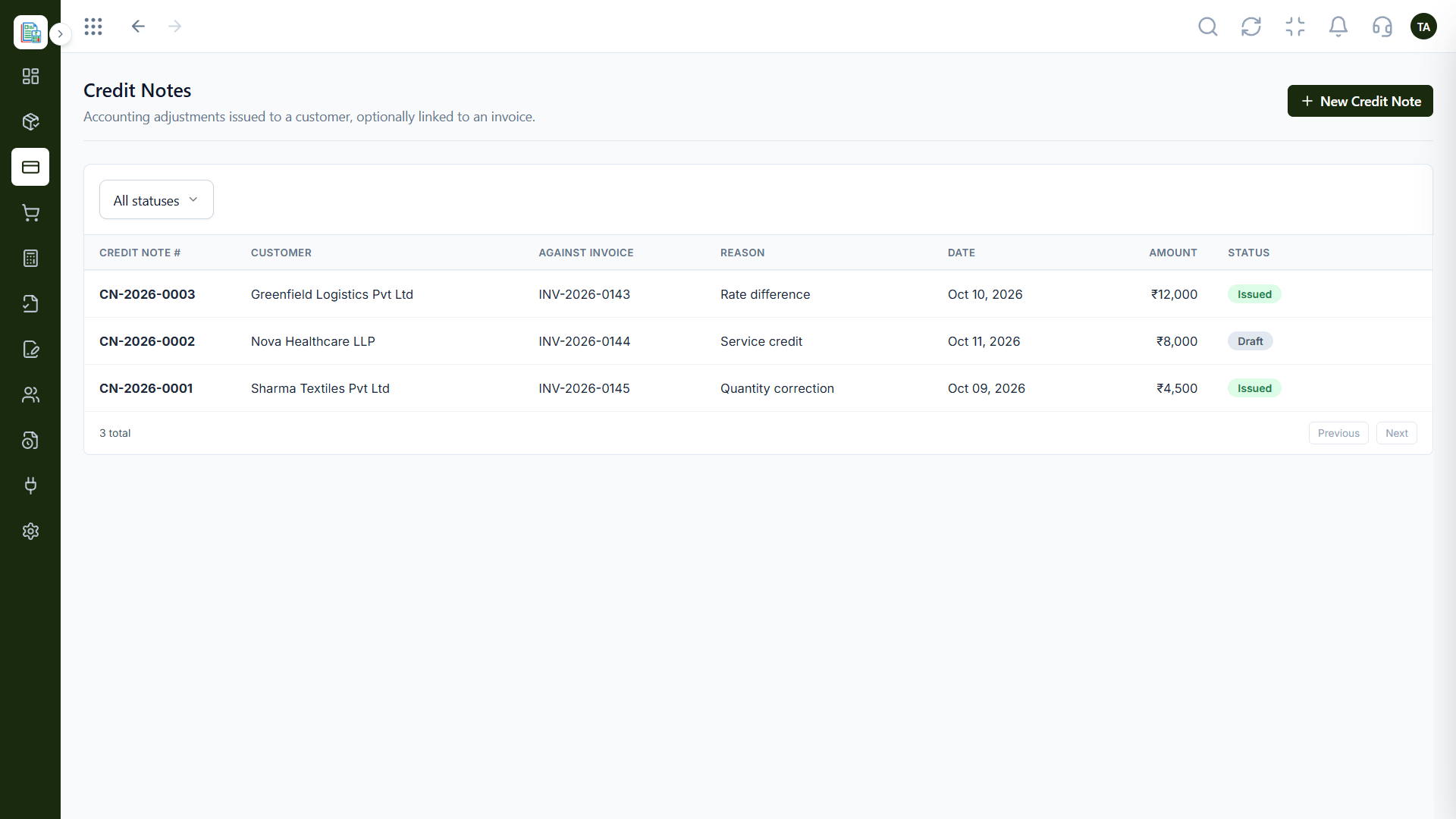
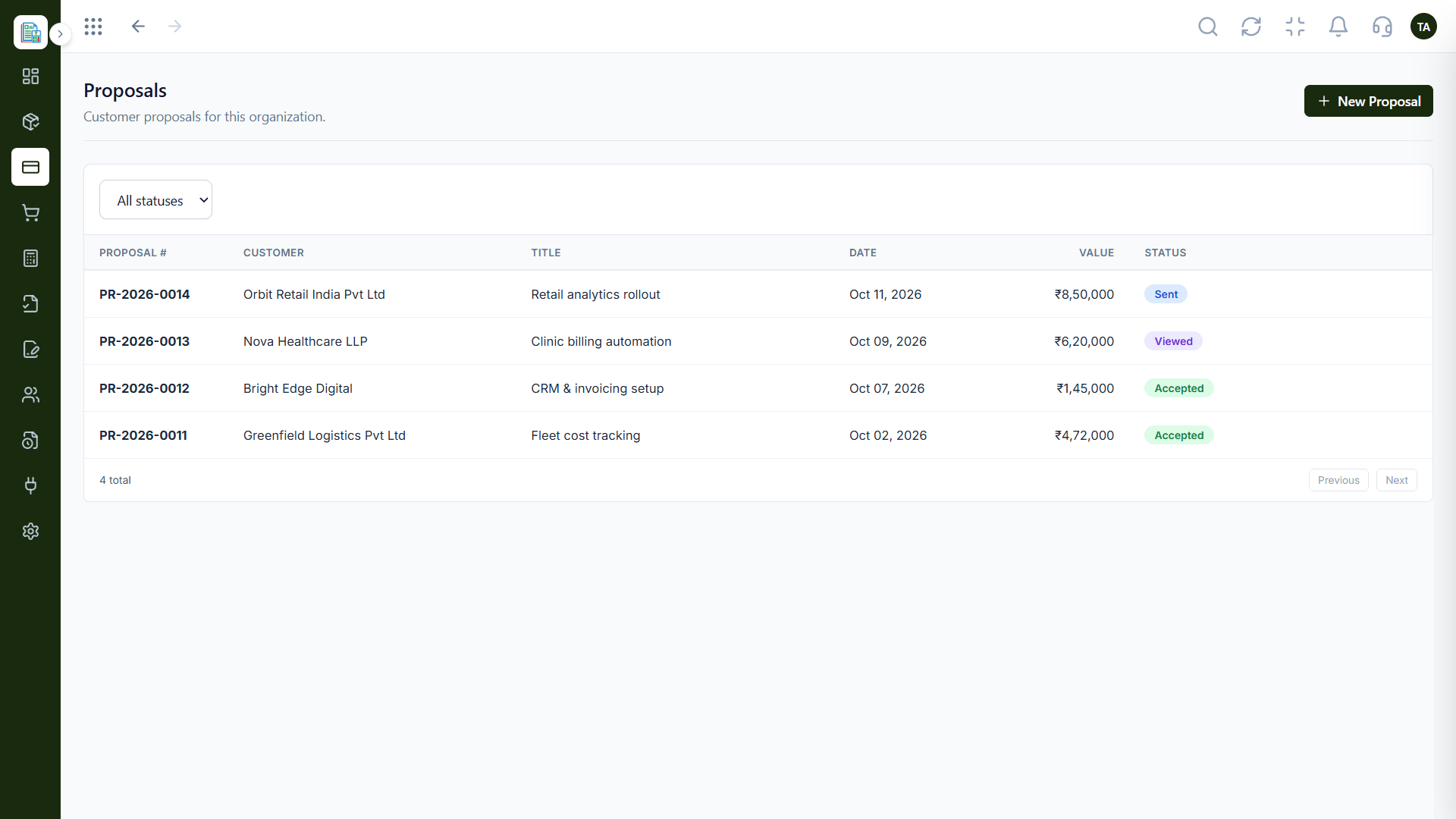
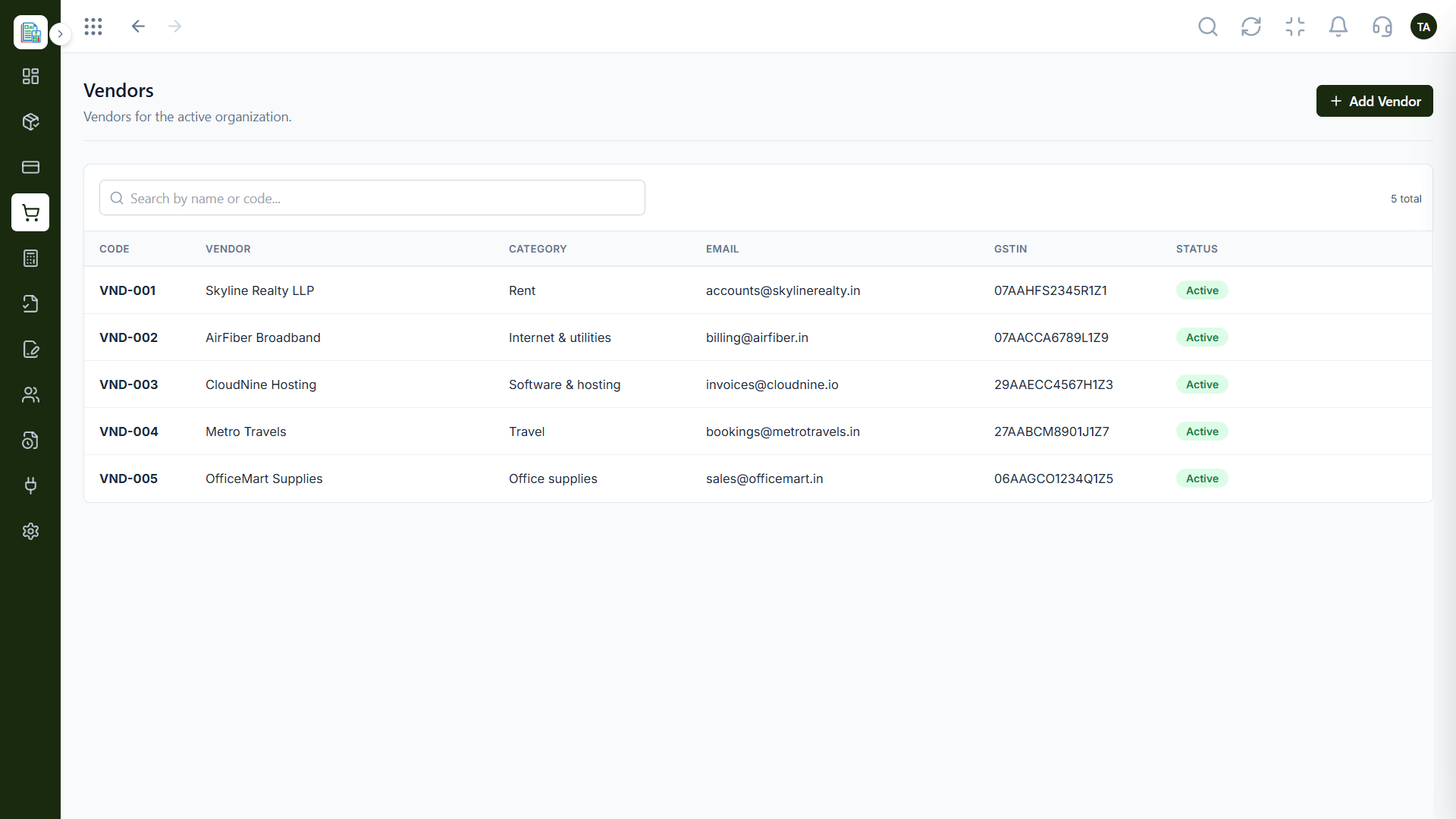
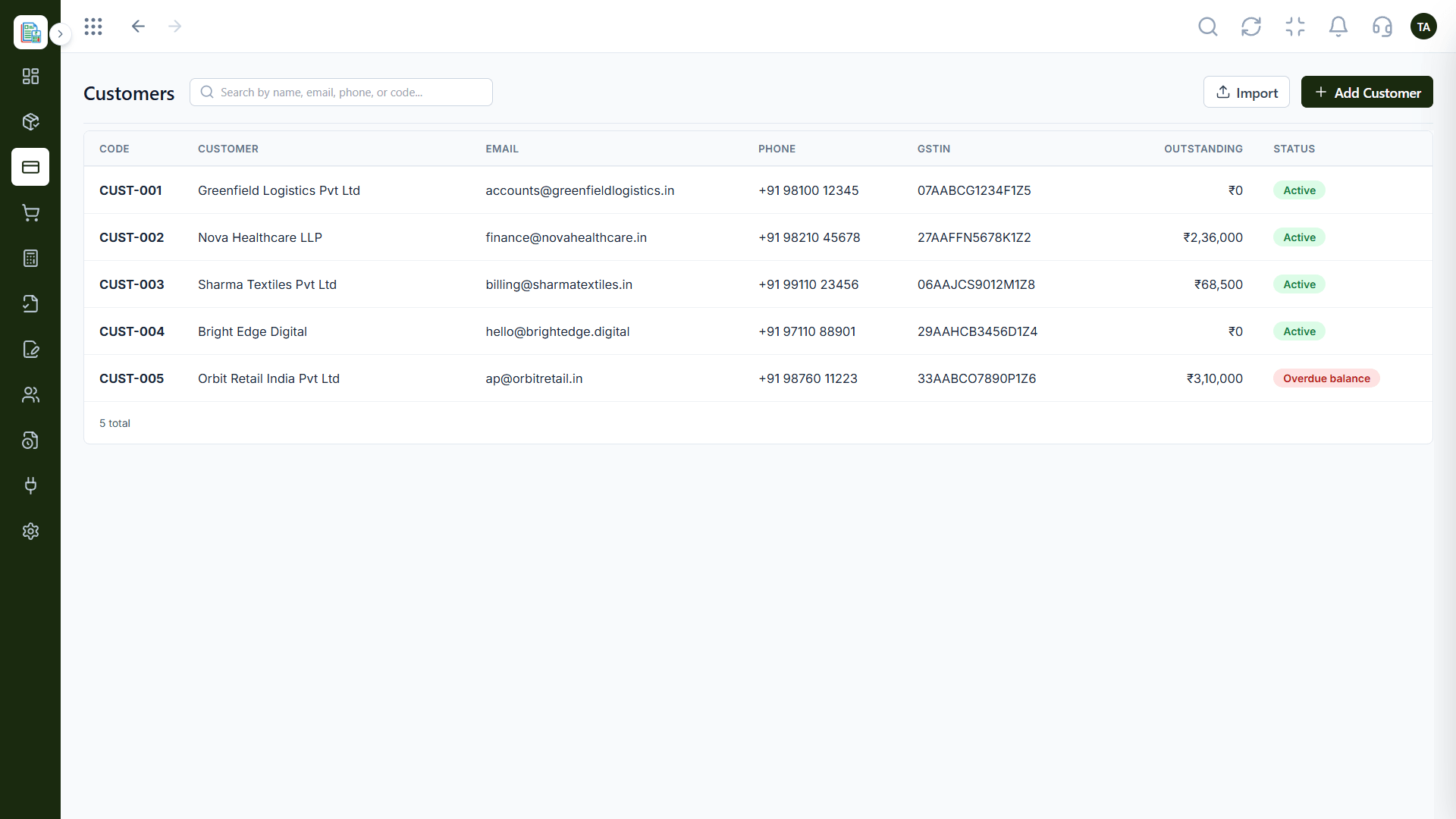
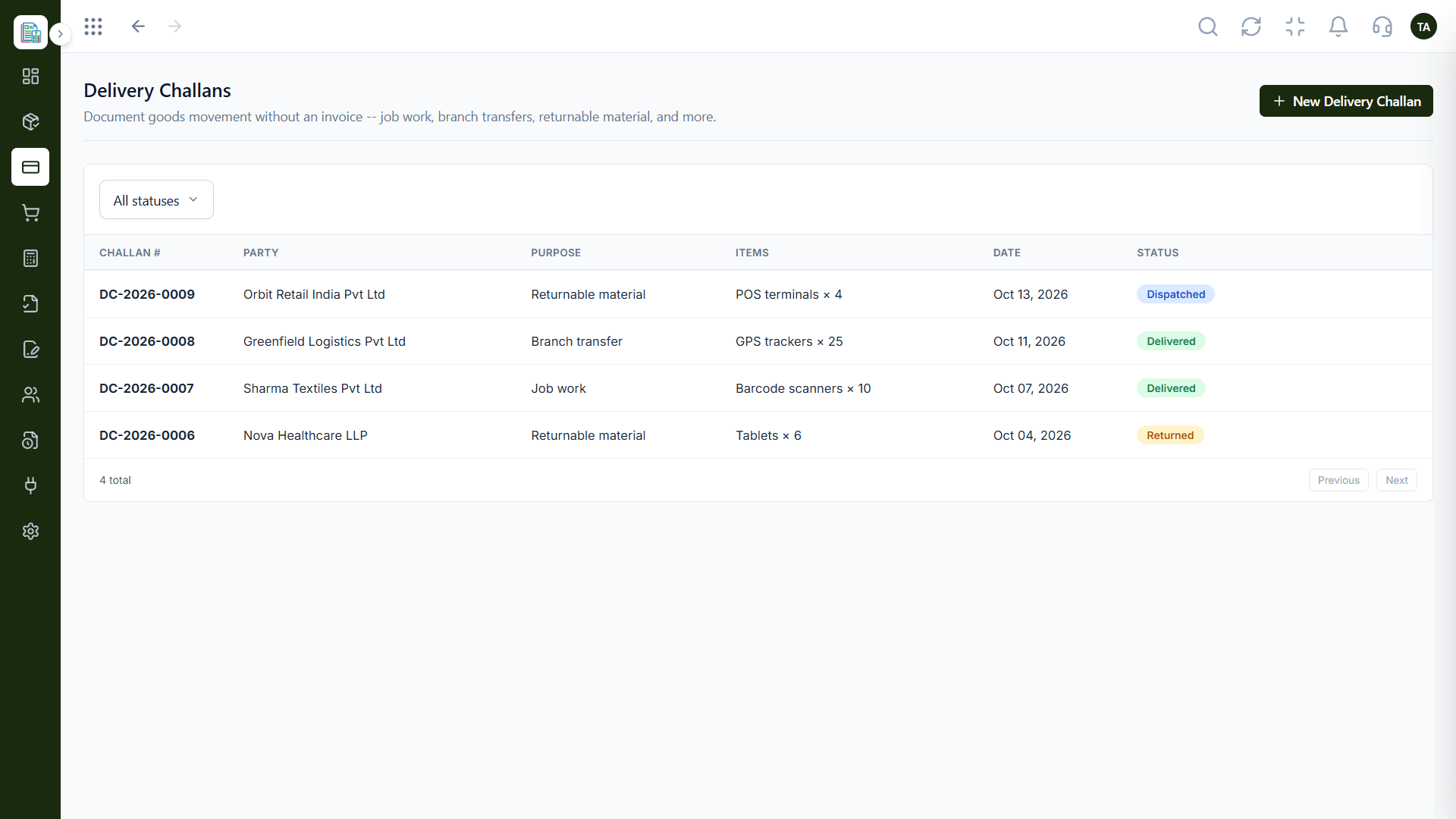
The real screens on this page include Invoicing Dashboard, General Ledger, Manual Journals and Profit & Loss, all captured from the product.
Request a demo or start a free trial. Our team can also walk you through a guided setup, so your first session ends with something working.
Keep Exploring
Invoices, expenses, accounting and GST reconciliation in one workspace, connected to sales, payroll and delivery.