The best Business Suite software in India, built to help your business grow. Contact us at +91-8882435276.
[ Contact ]
Phone number
Email address
Head office
Noida office
The right team at TriostackOne will get back to you.
Built for
Non-Profits
Transparent
Records funders and auditors can follow
Positioning Assessment
Non-profits answer to donors, funders and regulators. Loose records make that harder and riskier than it needs to be.
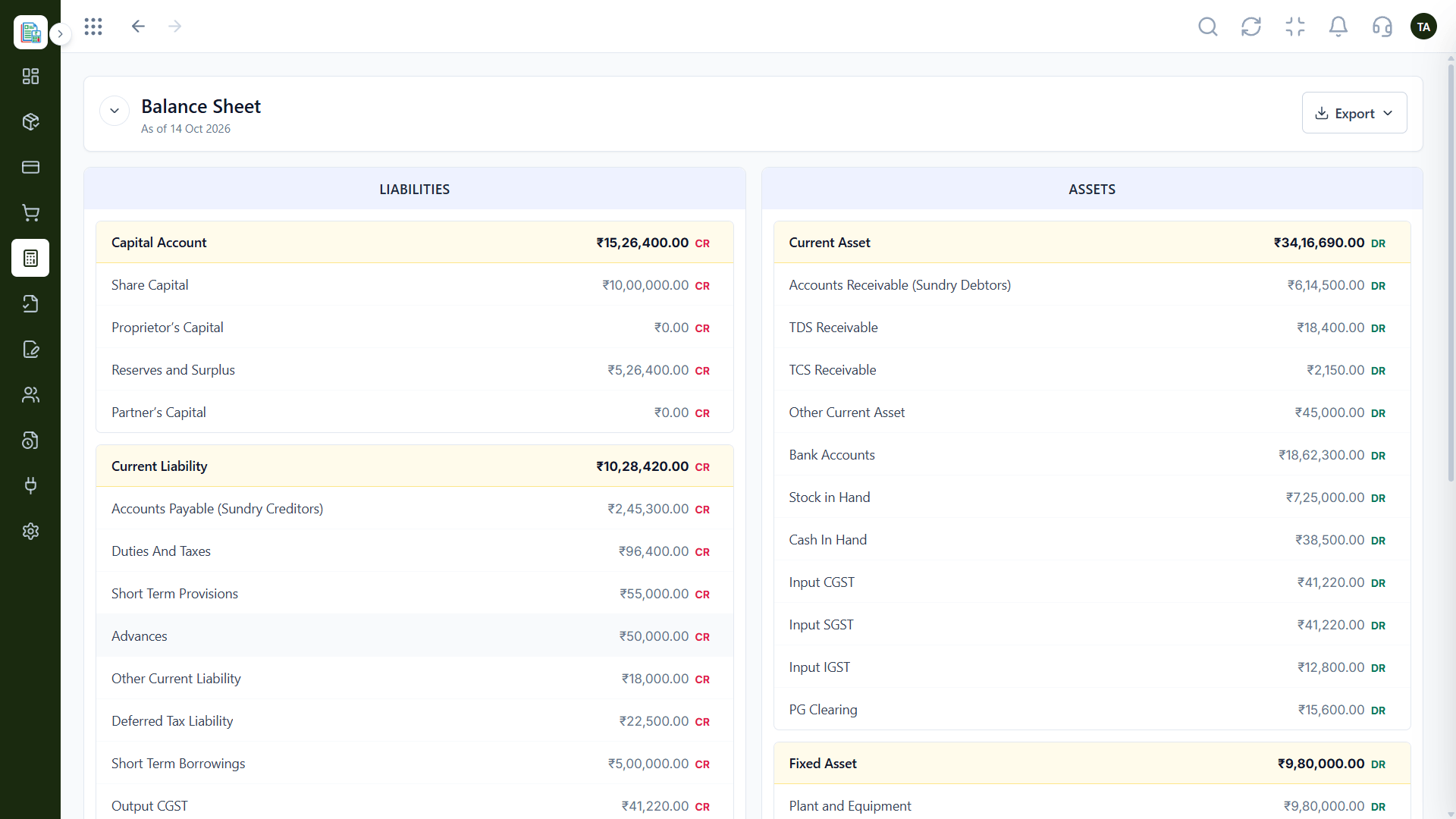
Triostack Finance records spending against categories and vendors with an approval step, keeps audit logs of activity and produces Profit & Loss and Balance Sheet reports you can export. Ask us about fund or grant tracking for your needs.
“When a funder asked for a breakdown, the report and the trail were already there.”
Sample team scenario
Illustrative example, not a customer testimonial
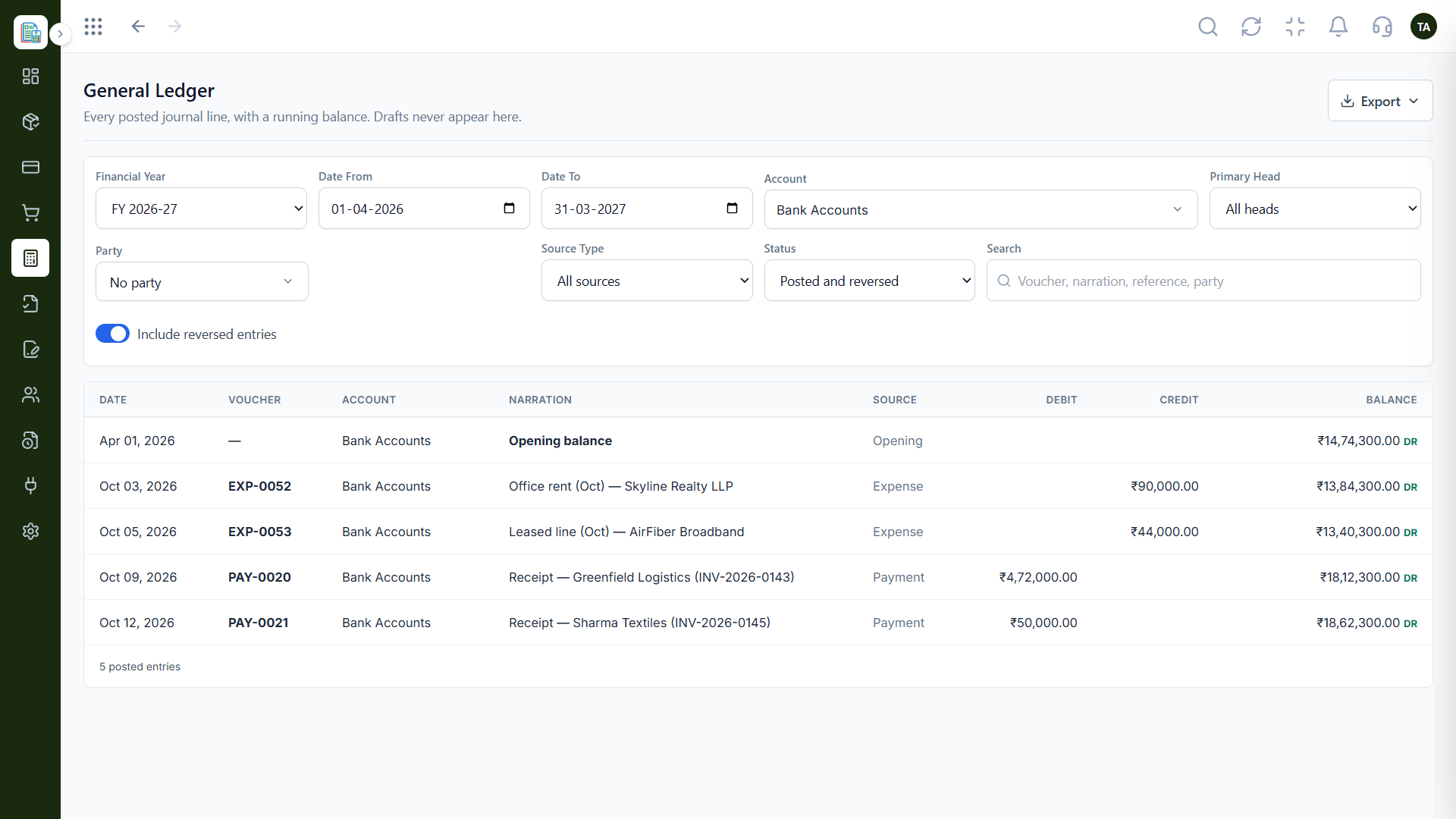
General Ledger
Every posted line with a running balance
In the Product
Imagine every transaction visible, explained and approved before anyone asks.
Review before spending posts.
A trail for every action.
Reports exported on demand.
Platform Integrity
Spending reviewed first
A dated history
Exportable and clear
Finalised years stay final
How It Works
What transparency needs.
Spending
Categories, vendors, approval
Informal Records: Receipts and memory
History
Audit logs
Informal Records: Email threads
Reports
Exportable P&L and balance sheet
Informal Records: Rebuilt per funder
Years
Lock a finalised year
Informal Records: Editable
Funds
Ask us about fund tracking
Informal Records: Separate sheets
Tell us about your business, how you bill and who looks after the books, and we will propose a setup that fits.
Live Interface Tour
Real screens captured directly from the Triostack Finance workspace.
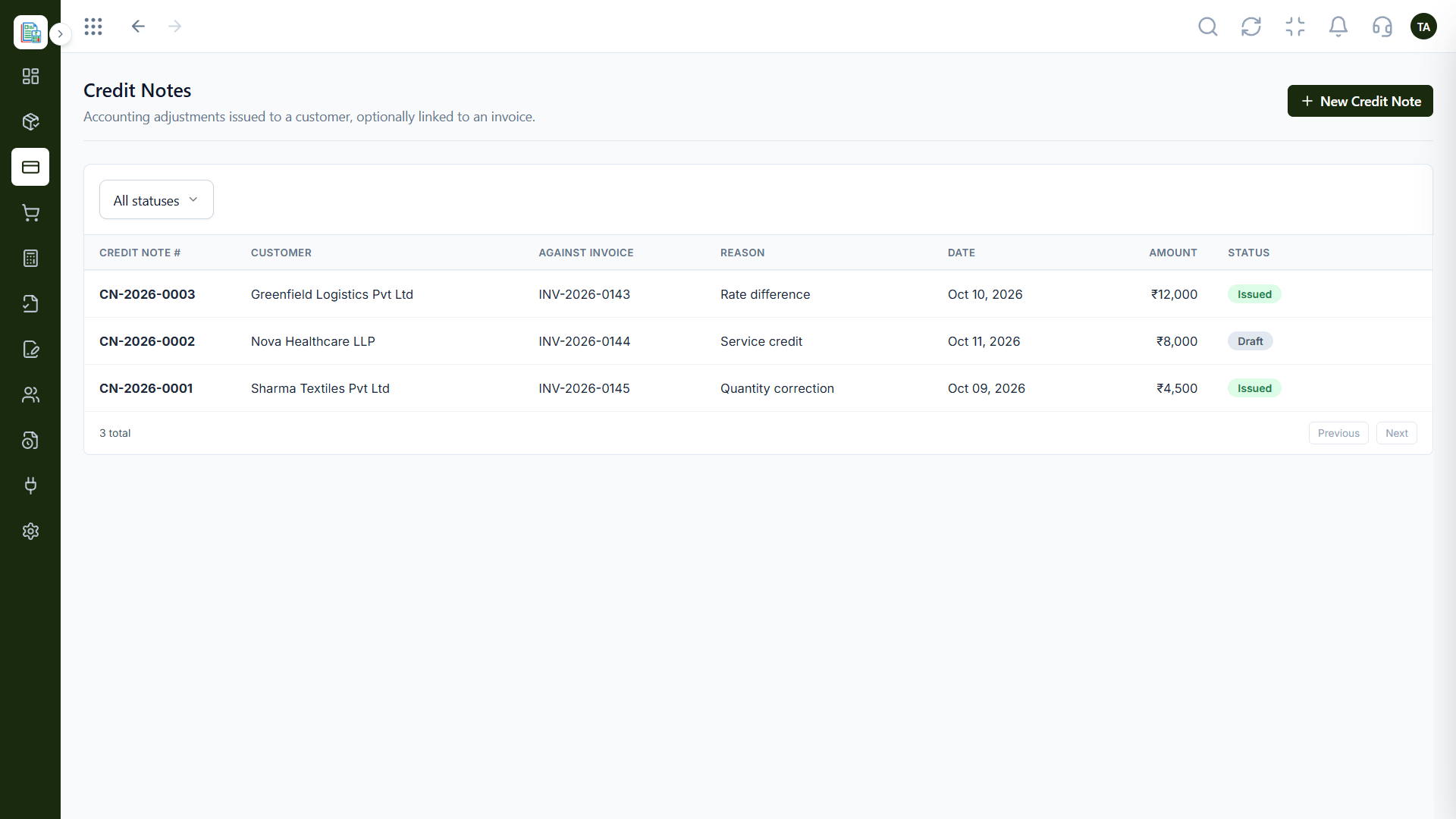
Vendors
Records funders and auditors can follow
Feature Breakdown
Captured from the Triostack Finance workspace.
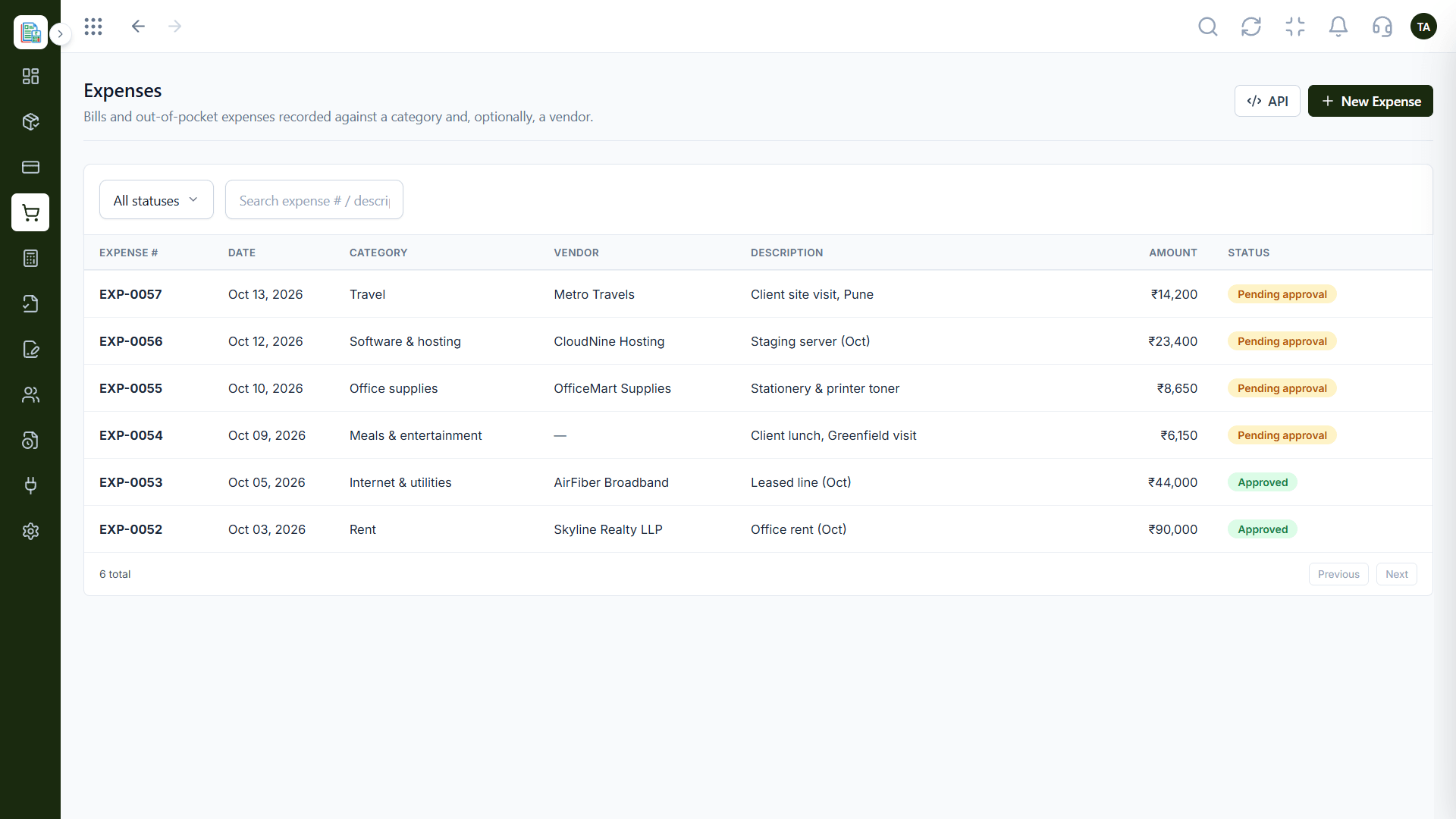
Spending with approval.
How it fits the plan
Record. Capture spending with categories.
Approve. Review each expense.
Practical tip
Use categories that mirror the way you report to funders. It saves a rebuild at reporting time.
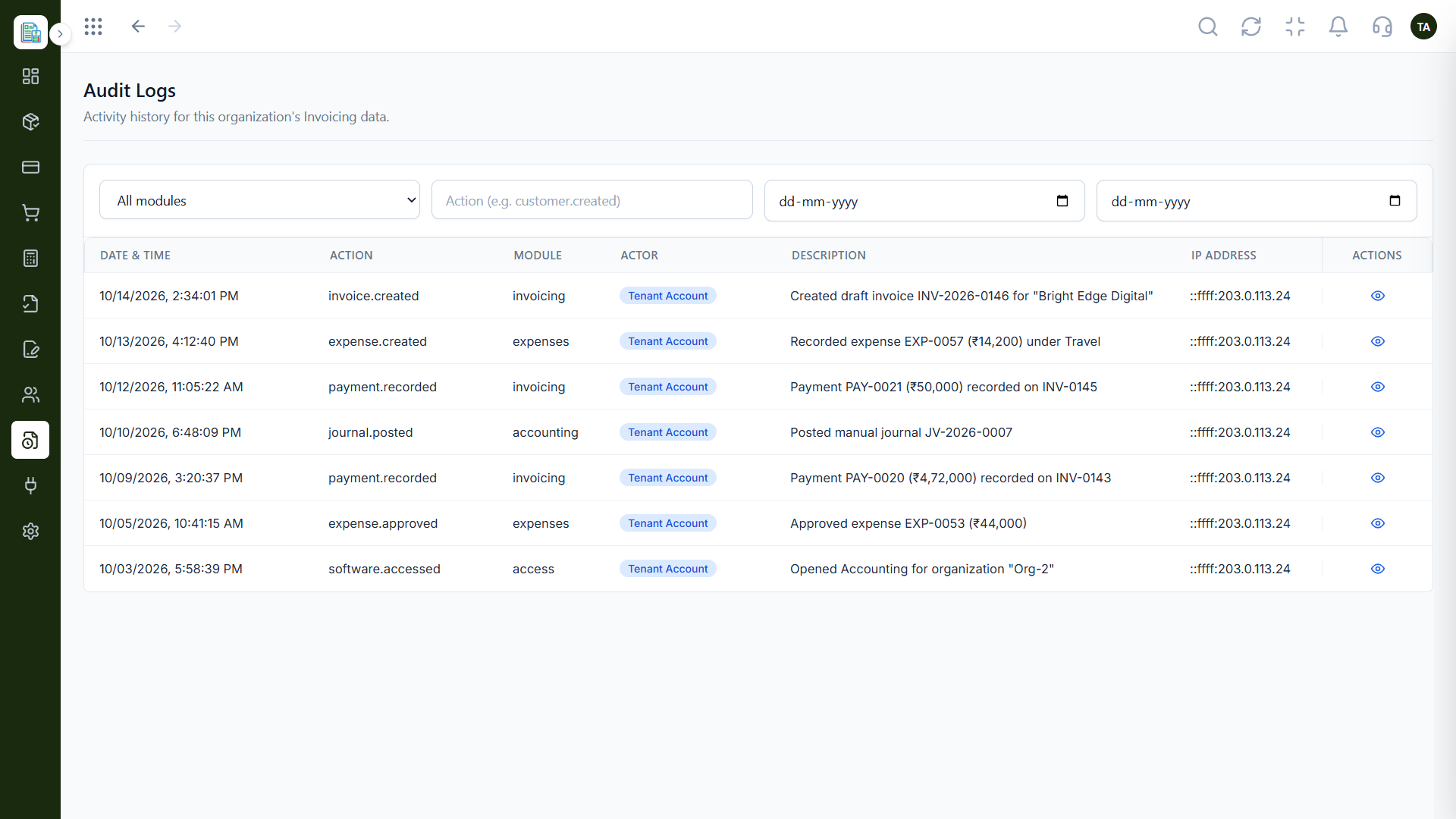
The trail.
In real life
Funder review
The breakdown is a report away.
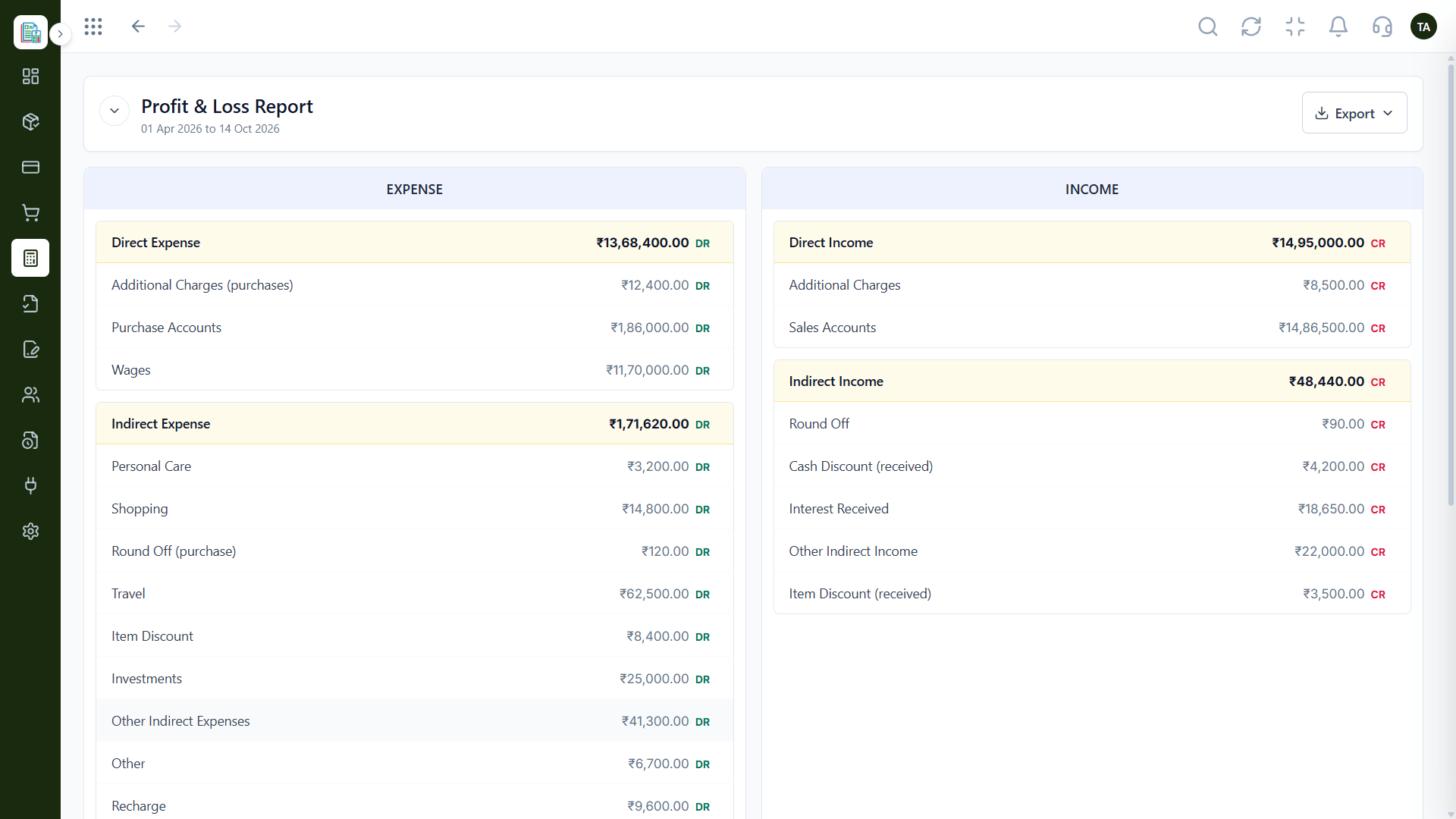
For funders.
Watch out for
Mixing programme and admin spending in one category and untangling it for the annual report.
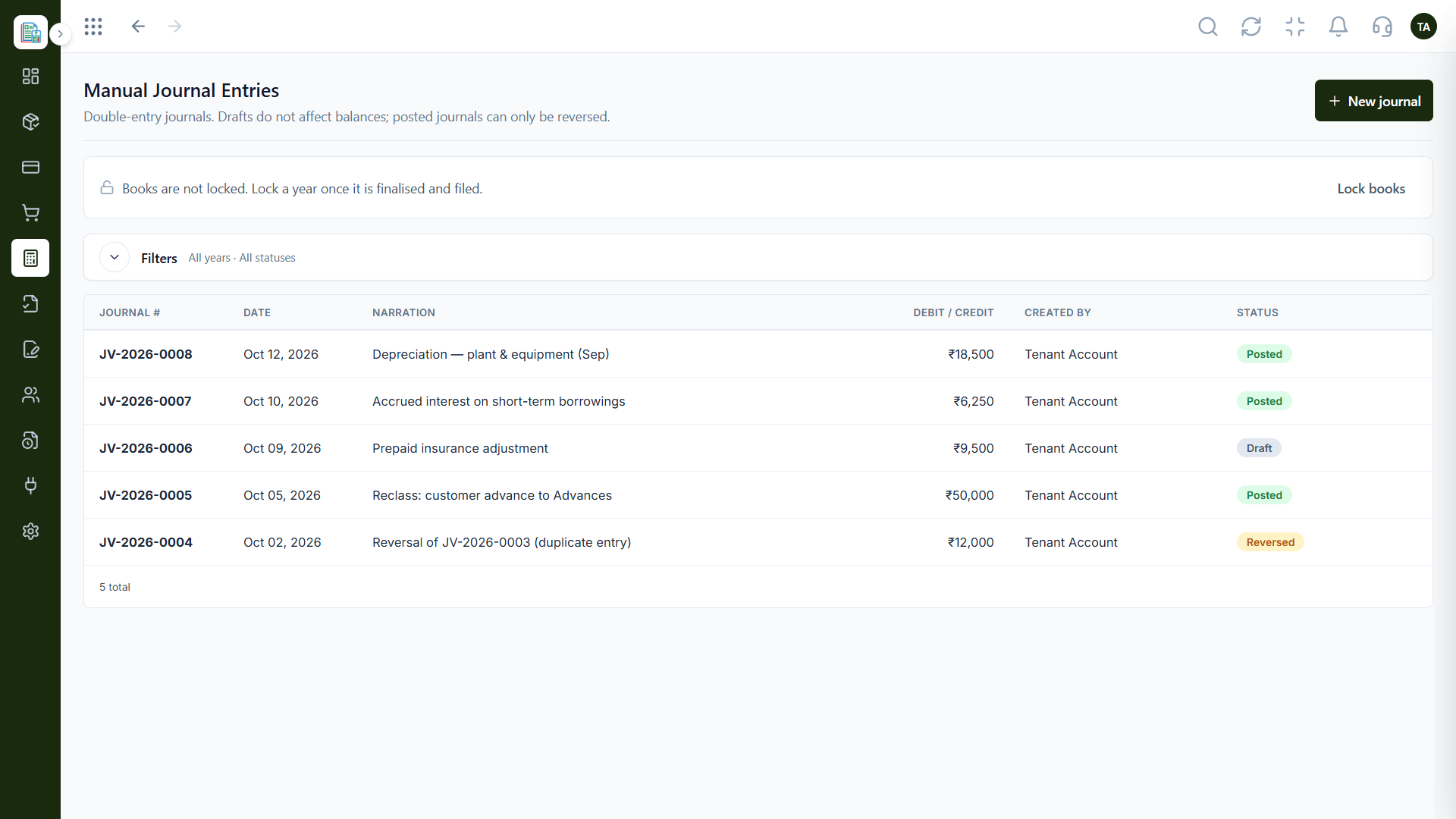
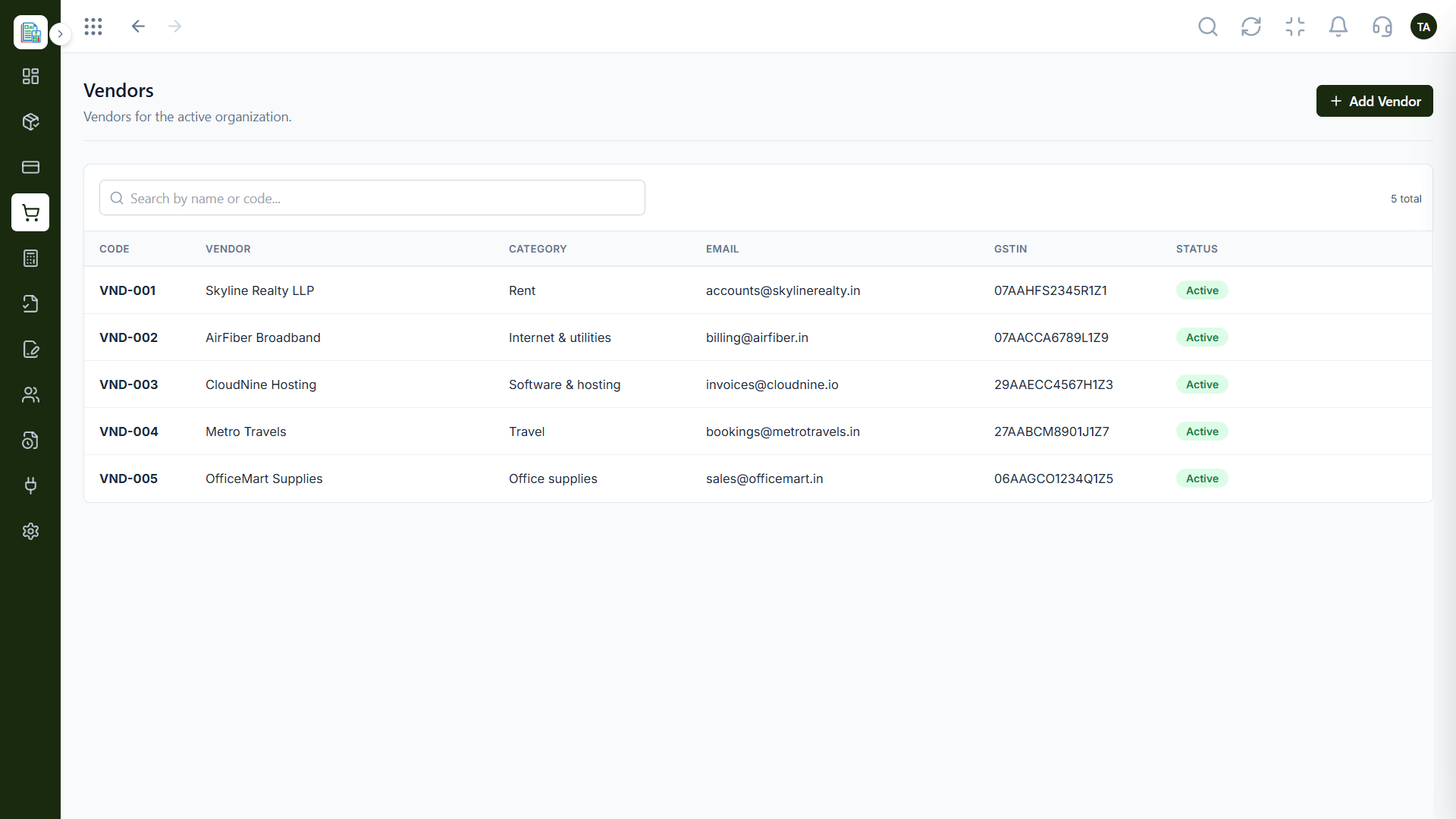
Controlled adjustments.
Before you start
Execution Plan
Capture spending with categories.
Review each expense.
Export the Profit & Loss.
Keep the audit trail.
Practical Guide
Before you start
A tip that helps
Use categories that mirror the way you report to funders. It saves a rebuild at reporting time.
A common mistake
Mixing programme and admin spending in one category and untangling it for the annual report.
In Real Life
Scenario 01
The breakdown is a report away.
Scenario 02
Logs and ledgers answer questions.
Scenario 03
Categories separate activities.
Straight answers about Finance for Non-Profits, from setup to what happens next.
Have a question about Finance for Non-Profits?
Book a free callAsk us how Finance can be set up for fund or grant tracking.
Yes. Audit logs show date and time, action, module and actor.
Yes, for funders and auditors.
Yes, once it is finalised and filed.
Track spending with approvals, keep a clear audit trail and produce reports that funders and auditors can follow.
It runs in 4 steps: Record, Approve, Report and Retain. Capture spending with categories.
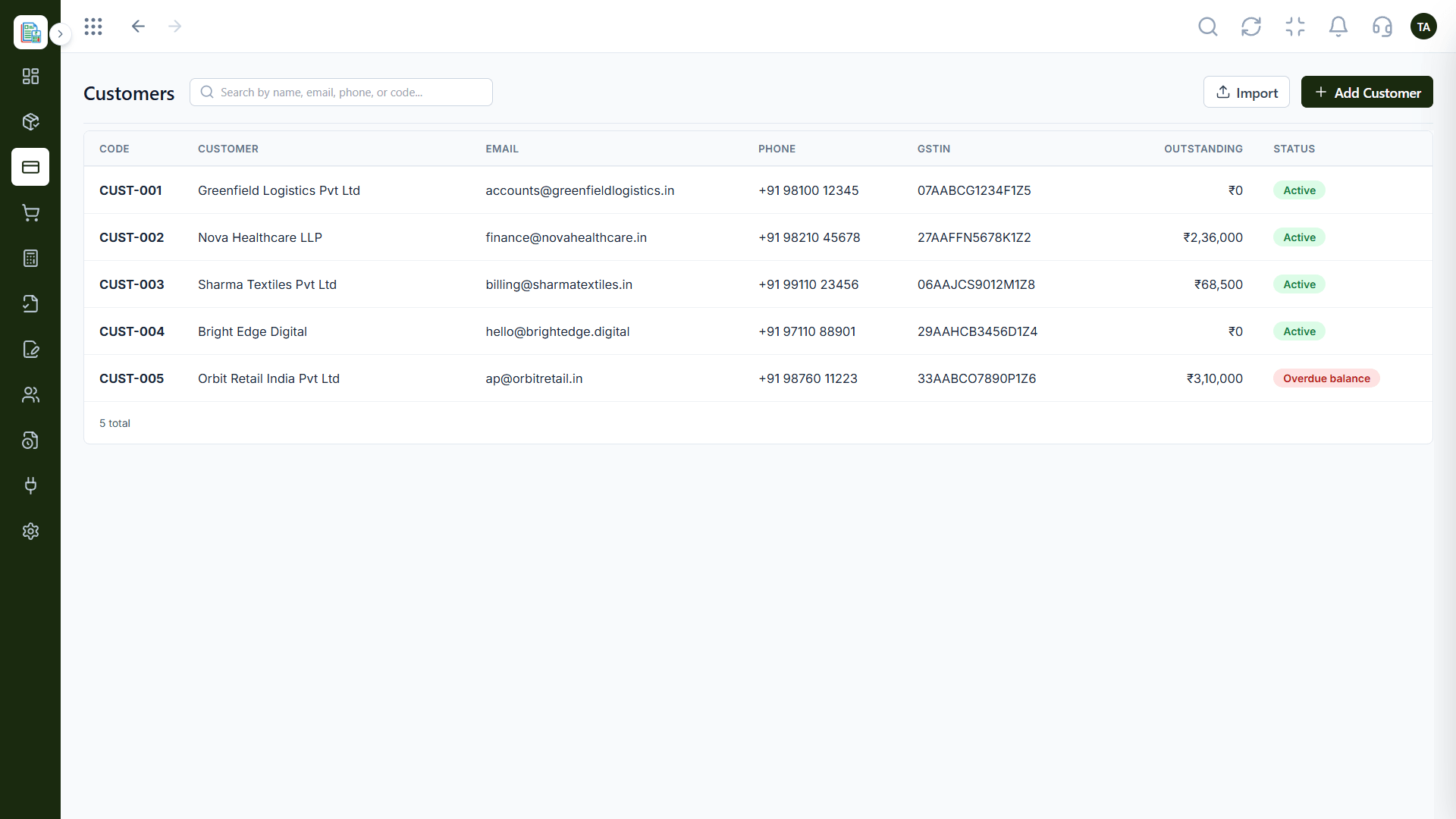
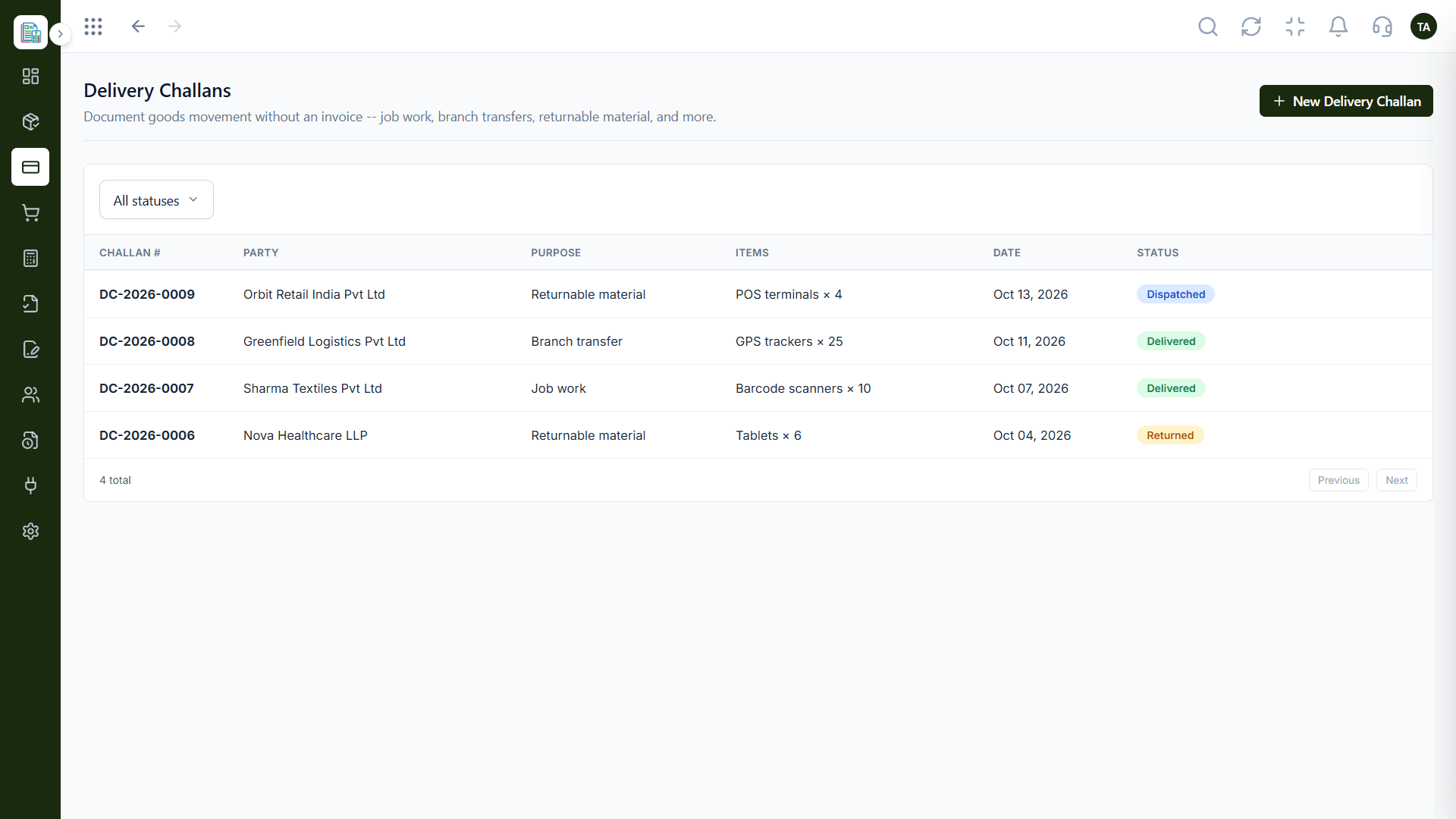
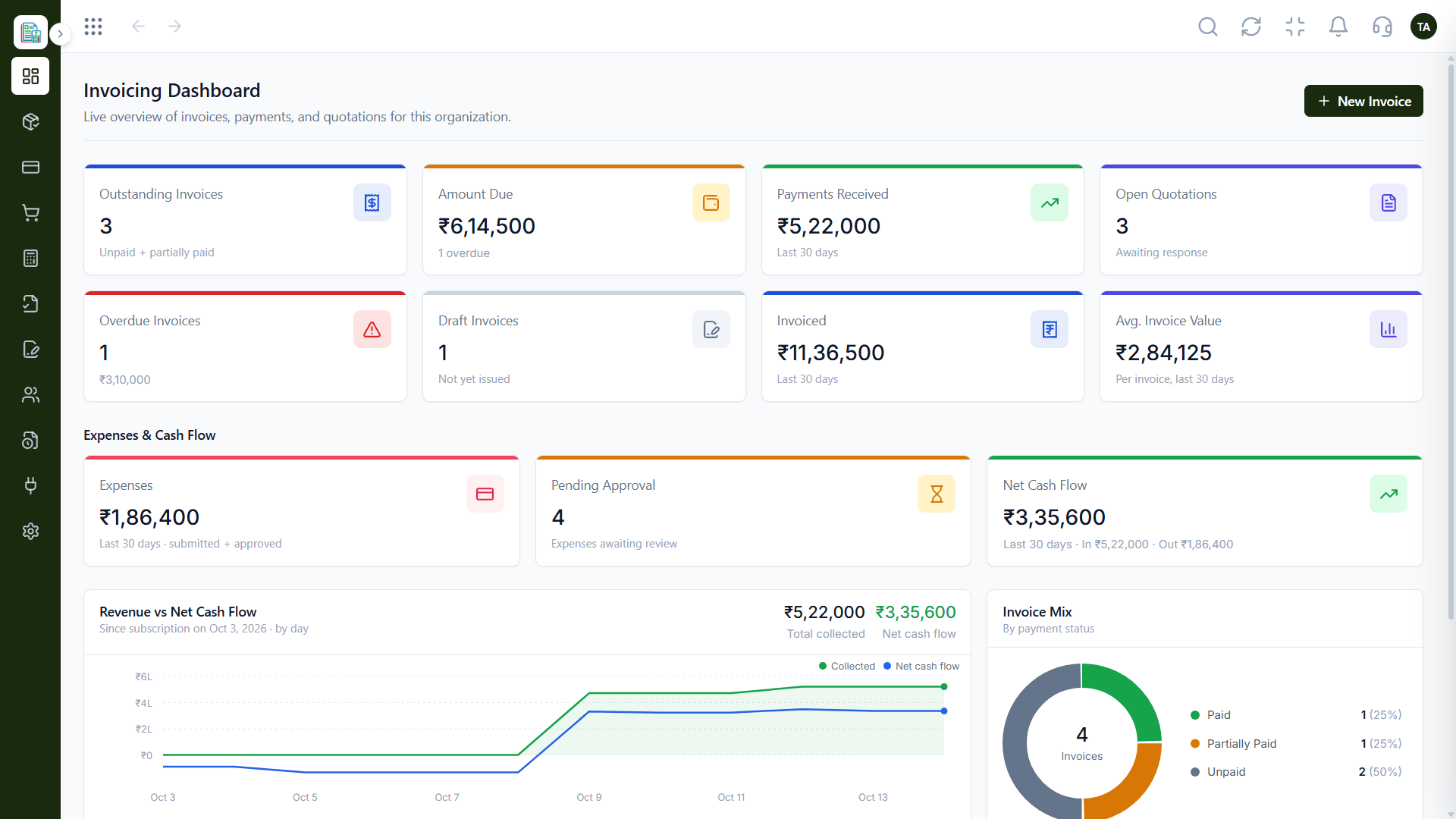
The real screens on this page include Vendors, General Ledger, Balance Sheet and Expenses, all captured from the product.
Request a demo or start a free trial. Our team can also walk you through a guided setup, so your first session ends with something working.
Keep Exploring
Invoices, expenses, accounting and GST reconciliation in one workspace, connected to sales, payroll and delivery.