The best Business Suite software in India, built to help your business grow. Contact us at +91-8882435276.
[ Contact ]
Phone number
Email address
Head office
Noida office
The right team at TriostackOne will get back to you.
Positioning Assessment
Email tools tend to be either simple and disconnected, or large and complicated. Most teams want a clean inbox, their own domain and protection that works.
Triostack Mail covers a fast inbox with All, Unread and Starred views, a full compose editor, folders and labels, contacts and groups, organisations and domains, spam and virus protection, signatures, auto reply and rules, and reports on mail sent, delivered and blocked.
“We use maybe a third of what other tools offer, and every part of it works.”
Sample team scenario
Illustrative example, not a customer testimonial
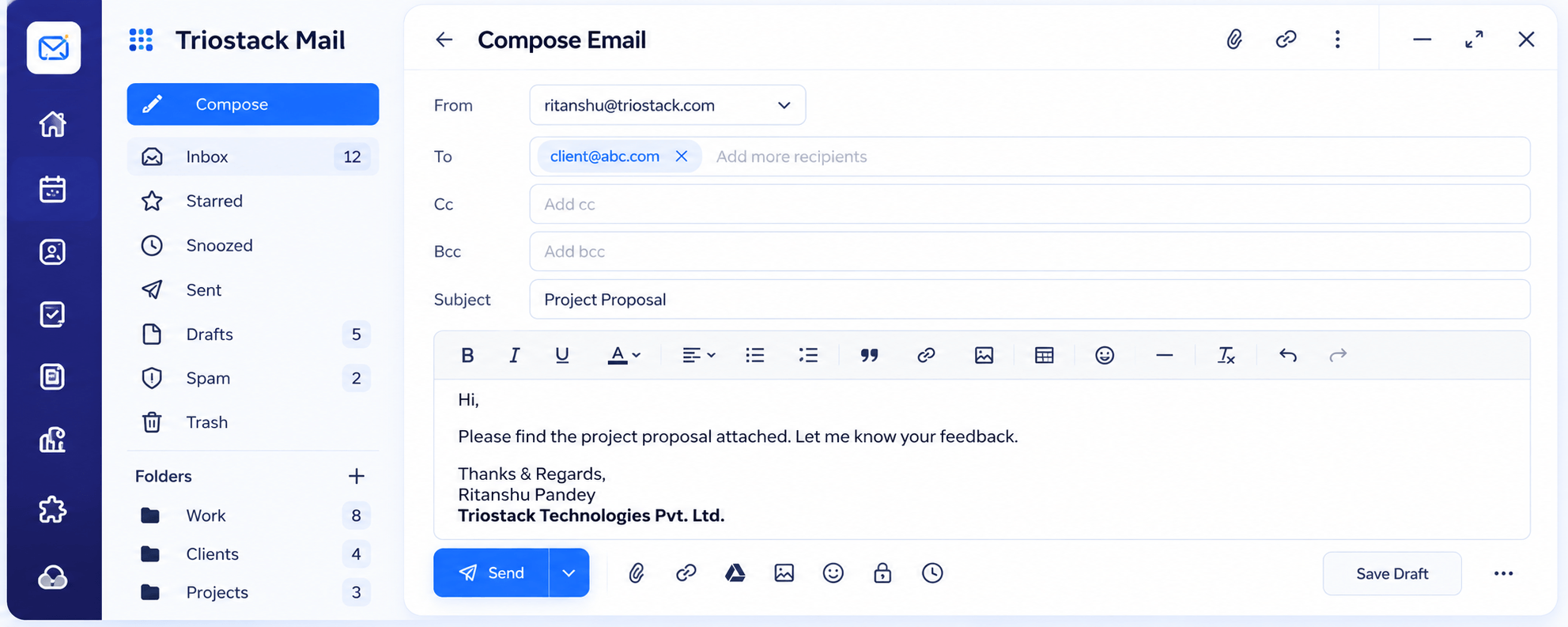
Compose
A full editor with Cc, Bcc, attachments and scheduled send
In the Product
Imagine a toolkit with a handful of tools, each well made and always in the same place.
Nothing you do not need.
Works with the rest of Triostack One.
Spam and viruses are filtered.
Platform Integrity
Work through email quickly
Stay organised
Your brand, centrally managed
Protection with a clear log
How It Works
A checklist of what the product covers.
| Dimension | Triostack Mail | A Basic Mail Tool |
|---|---|---|
| Inbox | All, Unread, Starred and reading pane | A single list |
| Compose | Rich text, Cc, Bcc, scheduling | Basic editor |
| Organisation | Folders, labels and contacts | Folders only |
| Admin | Domains, users and aliases | Per-user setup |
| Protection | Spam, phishing and virus filtering | Limited |
Book a walkthrough and we will set up a sandbox with a sample domain and inboxes so you can try mail, shared folders and rules before you commit.
Live Interface Tour
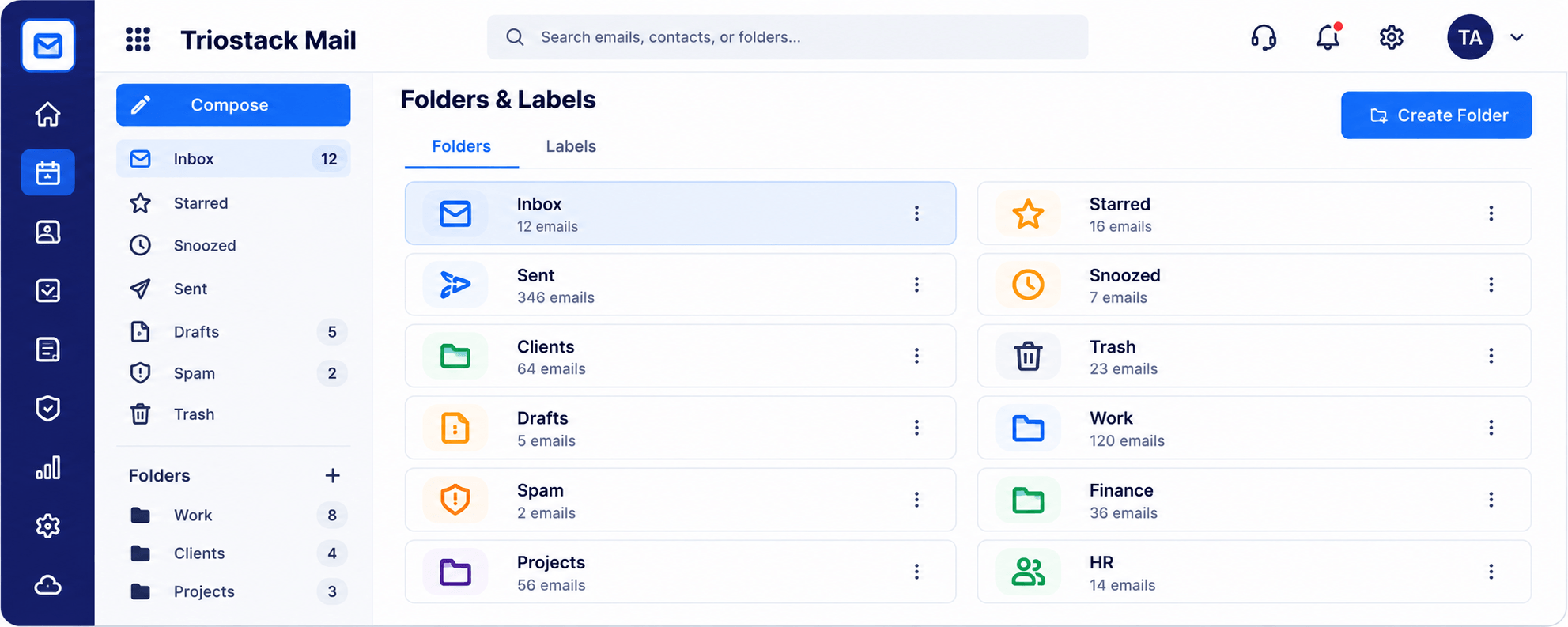
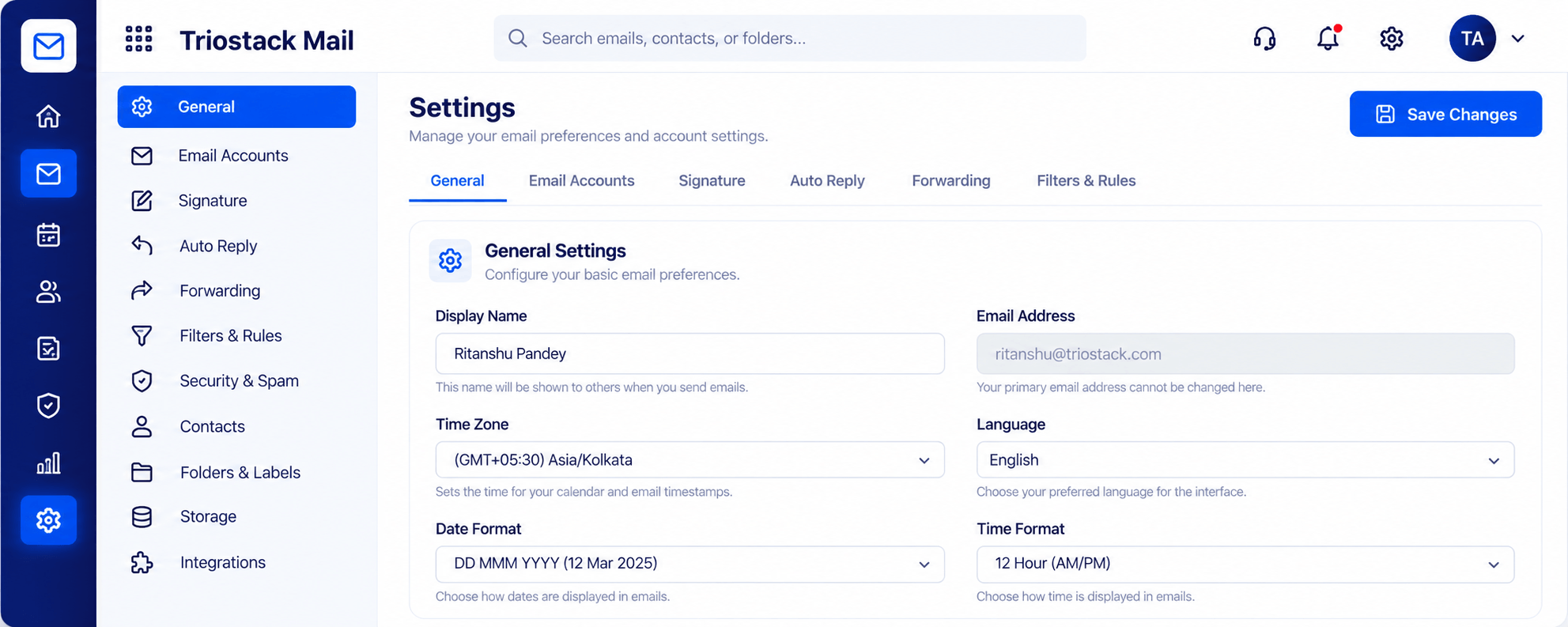
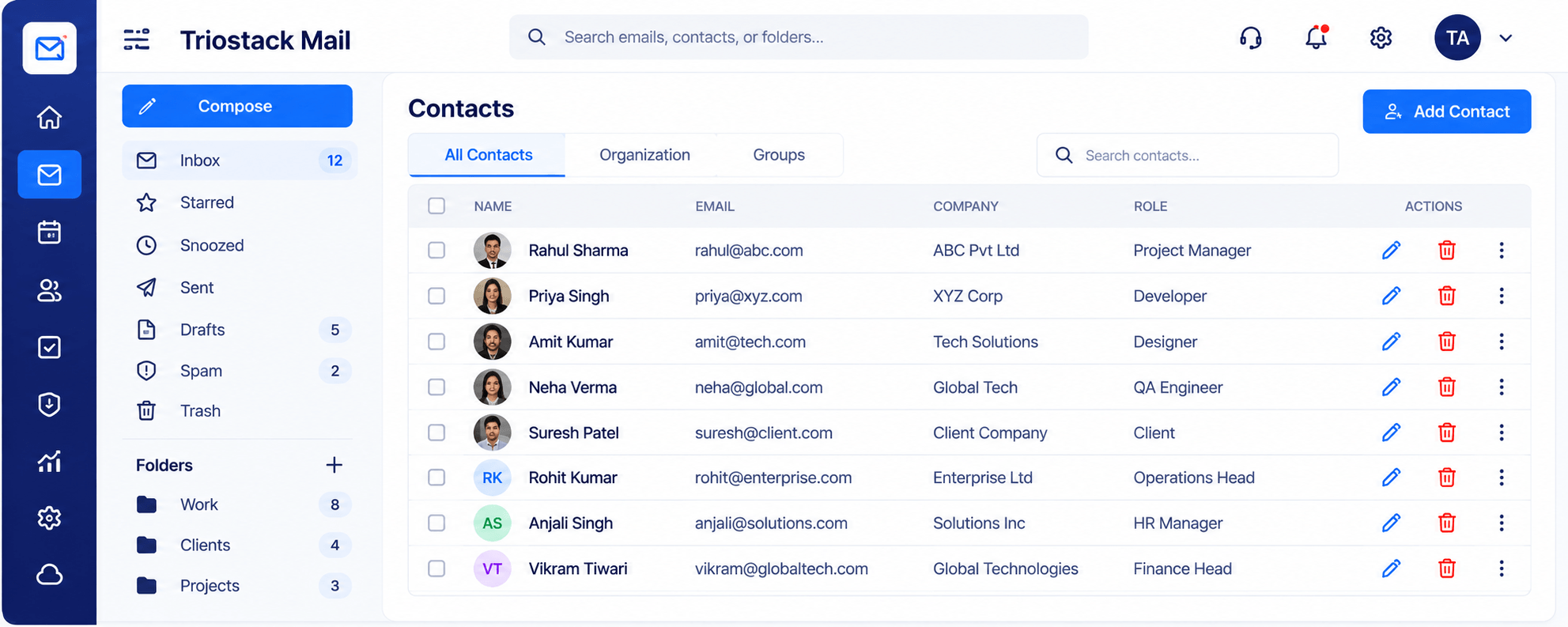
Real screens captured directly from the Triostack Mail workspace.
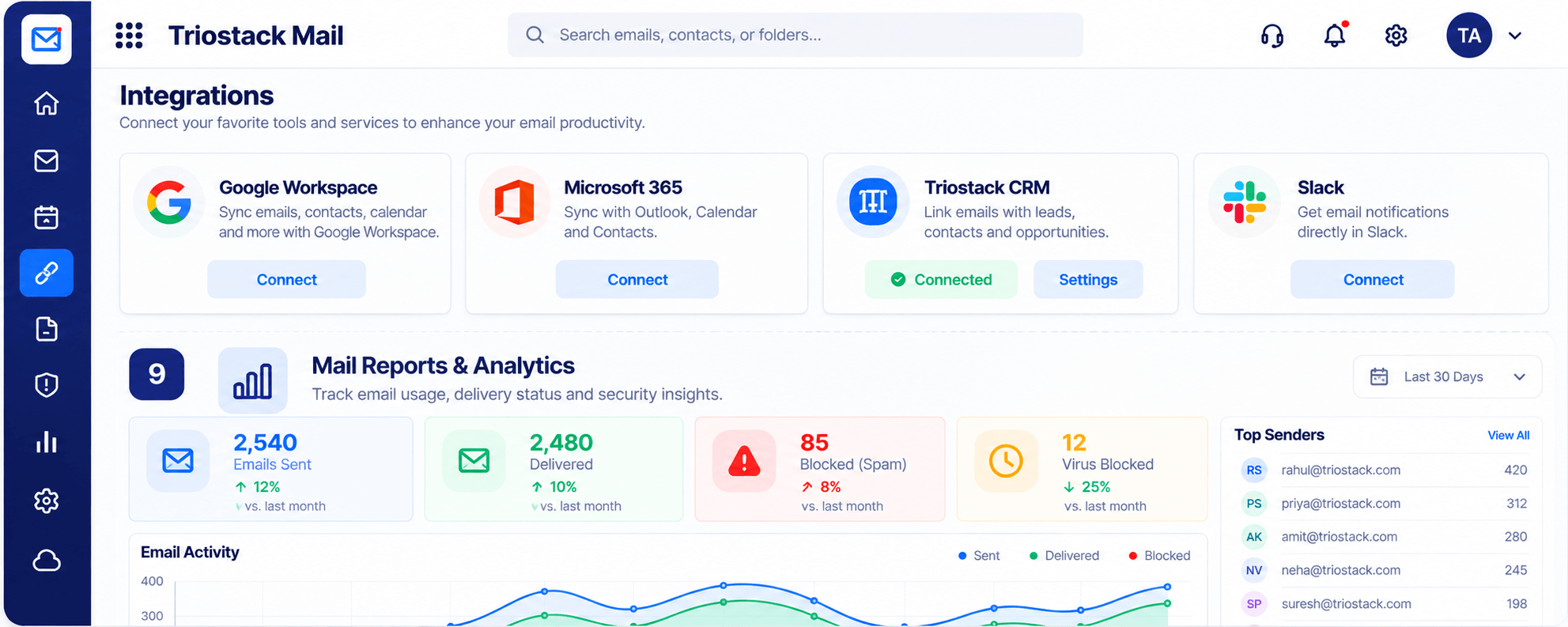
Integrations & Reports
Inbox, compose, folders, contacts, domains, security, settings, reports
Feature Breakdown
Captured from the Triostack Mail workspace.
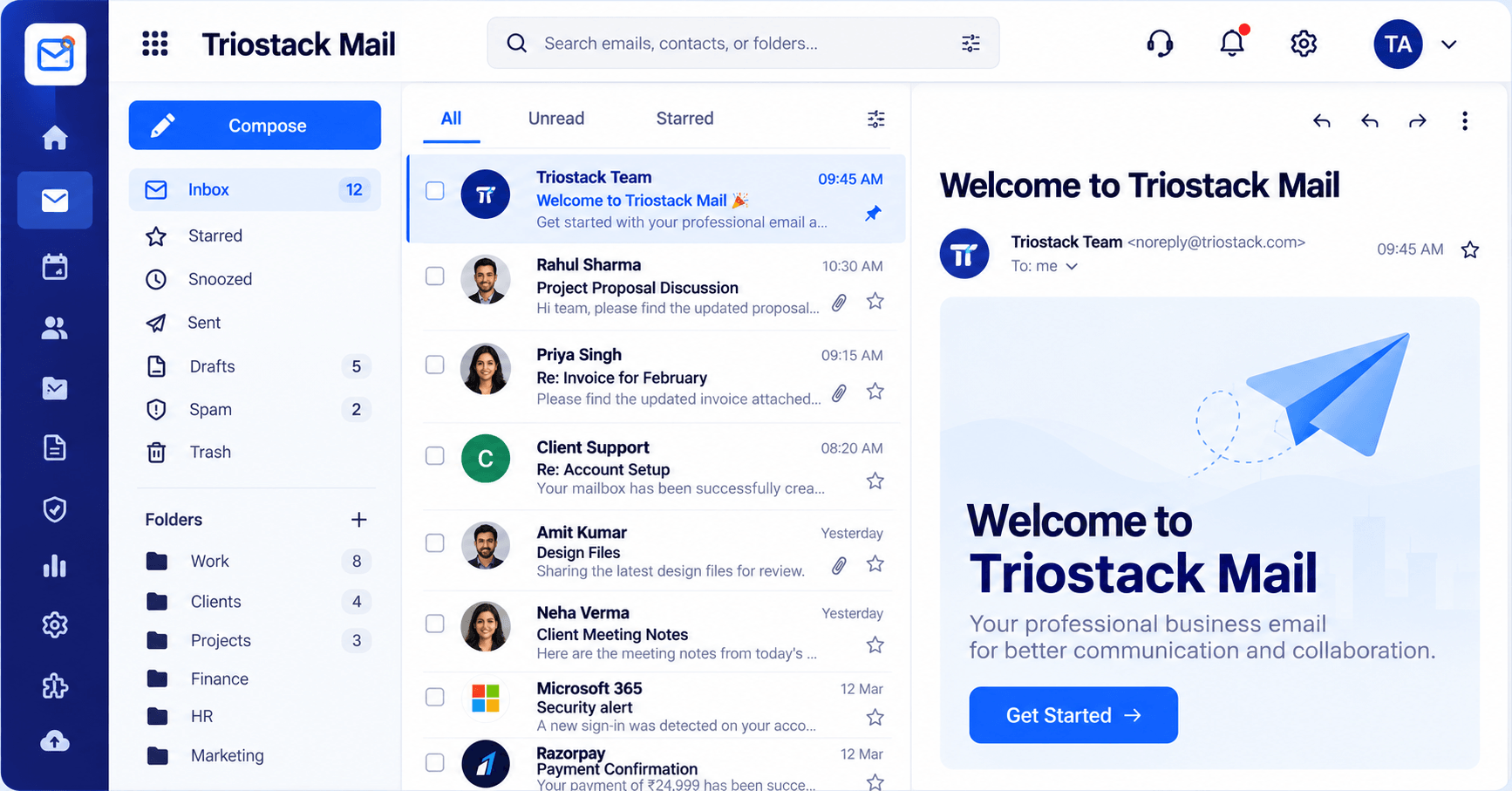
The daily workspace.
How it fits the plan
Connect. Add your domain and users.
Work. Use the inbox and compose.
Practical tip
Set up the domain and the first mailboxes before exploring the rest. Everything else builds on that.
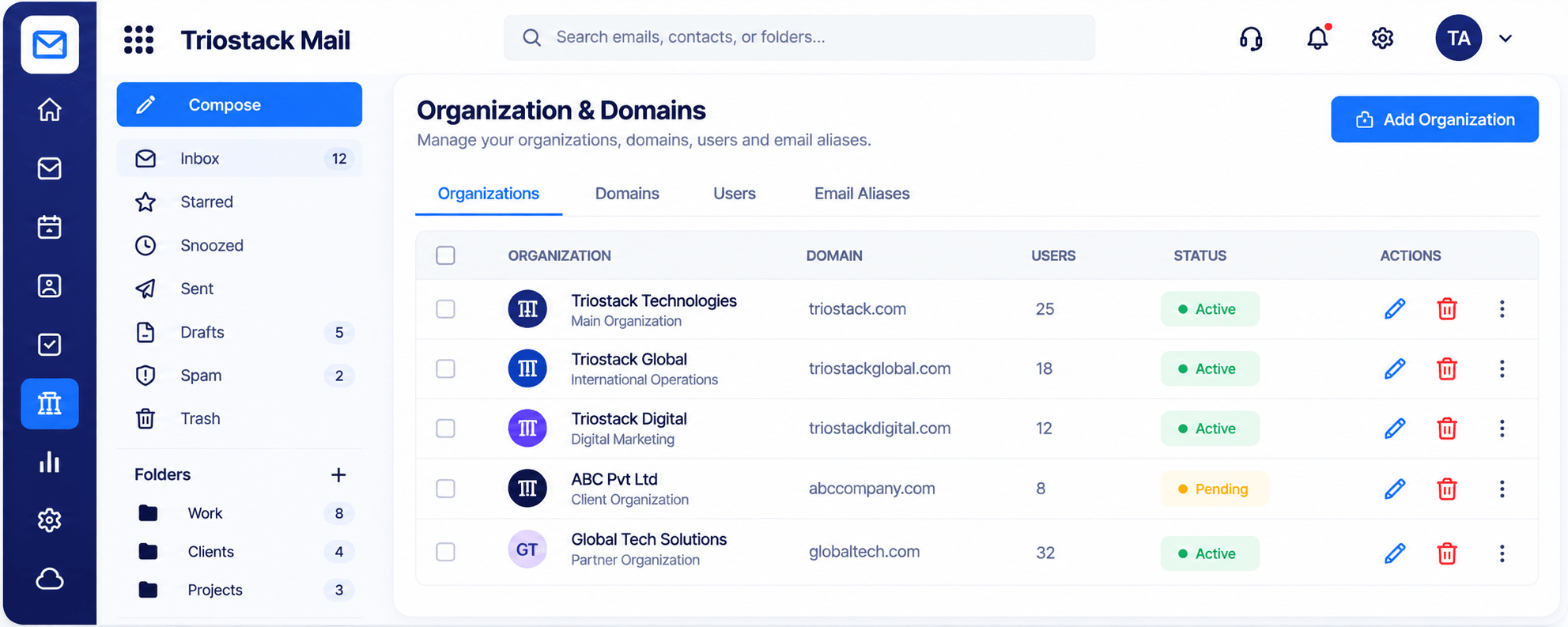
Admin in one table.
How it fits the plan
Work. Use the inbox and compose.
Organise. Folders, labels and contacts.
In real life
New team
Domain, users and signatures in one afternoon.
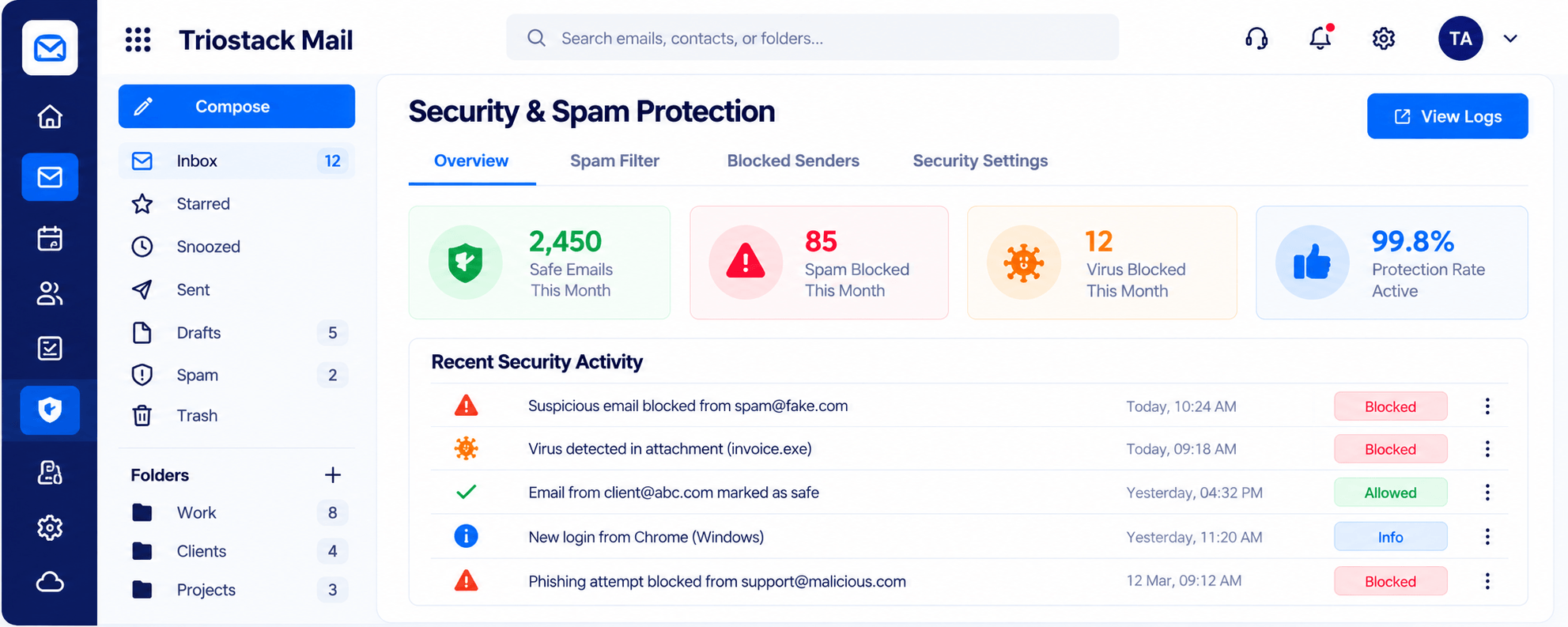
What was blocked.
How it fits the plan
Organise. Folders, labels and contacts.
Measure. Review reports and security.
Watch out for
Turning on every setting at once and not noticing which one changed behaviour.
Connected and measured.
How it fits the plan
Measure. Review reports and security.
Connect. Add your domain and users.
Before you start
Execution Plan
Add your domain and users.
Use the inbox and compose.
Folders, labels and contacts.
Review reports and security.
Practical Guide
Before you start
A tip that helps
Set up the domain and the first mailboxes before exploring the rest. Everything else builds on that.
A common mistake
Turning on every setting at once and not noticing which one changed behaviour.
In Real Life
Scenario 01
Domain, users and signatures in one afternoon.
Scenario 02
Aliases and folders keep pace.
Scenario 03
Reports show mail activity at a glance.
Straight answers about All Mail Features, from setup to what happens next.
Have a question about All Mail Features?
Book a free callInbox, compose, folders and labels, contacts, organisations and domains, security, settings and reports.
Yes. Google Workspace, Microsoft 365, Triostack CRM and Slack.
Yes.
With your domain, then your first mailboxes.
From custom domains and a fast inbox to folders, contacts, spam protection, signatures, rules and reports, see everything Triostack Mail includes.
It runs in 4 steps: Connect, Work, Organise and Measure. Add your domain and users.
The real screens on this page include Compose, Folders & Labels, Settings, Signatures & Rules and Inbox, all captured from the product.
Request a demo or start a free trial. Our team can also walk you through a guided setup, so your first session ends with something working.
Keep Exploring
Custom-domain inboxes, shared folders, contacts and spam protection in one workspace, connected to CRM and support.