The best Business Suite software in India, built to help your business grow. Contact us at +91-8882435276.
[ Contact ]
Phone number
Email address
Head office
Noida office
The right team at TriostackOne will get back to you.
Positioning Assessment
Quotes, follow-ups, onboarding steps and thank-yous get retyped dozens of times a month, with small mistakes each time.
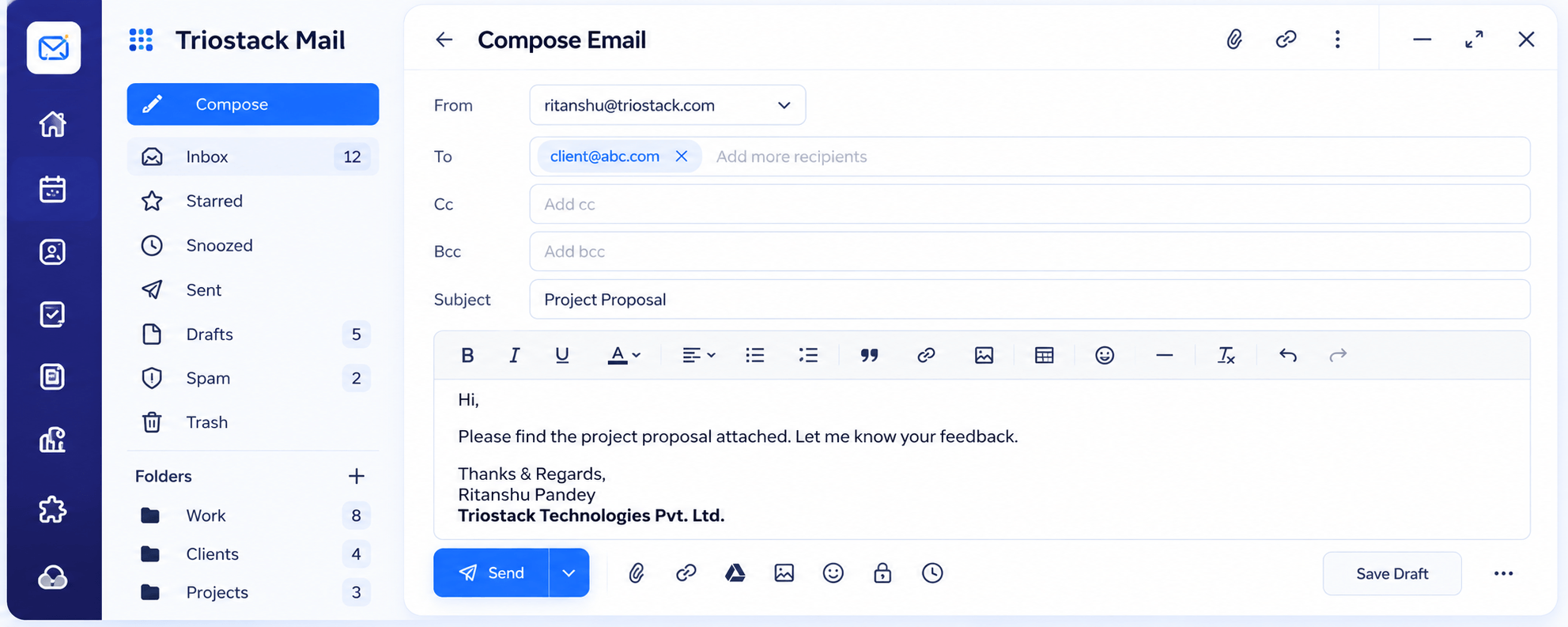
Triostack Mail's compose screen has From, To, Cc and Bcc, rich-text formatting, links, images and tables, attachments, scheduled send and saved drafts. Ask us about reusable template options on your plan.
“A good first draft of a reply used to take ten minutes. Now it takes two.”
Sample team scenario
Illustrative example, not a customer testimonial
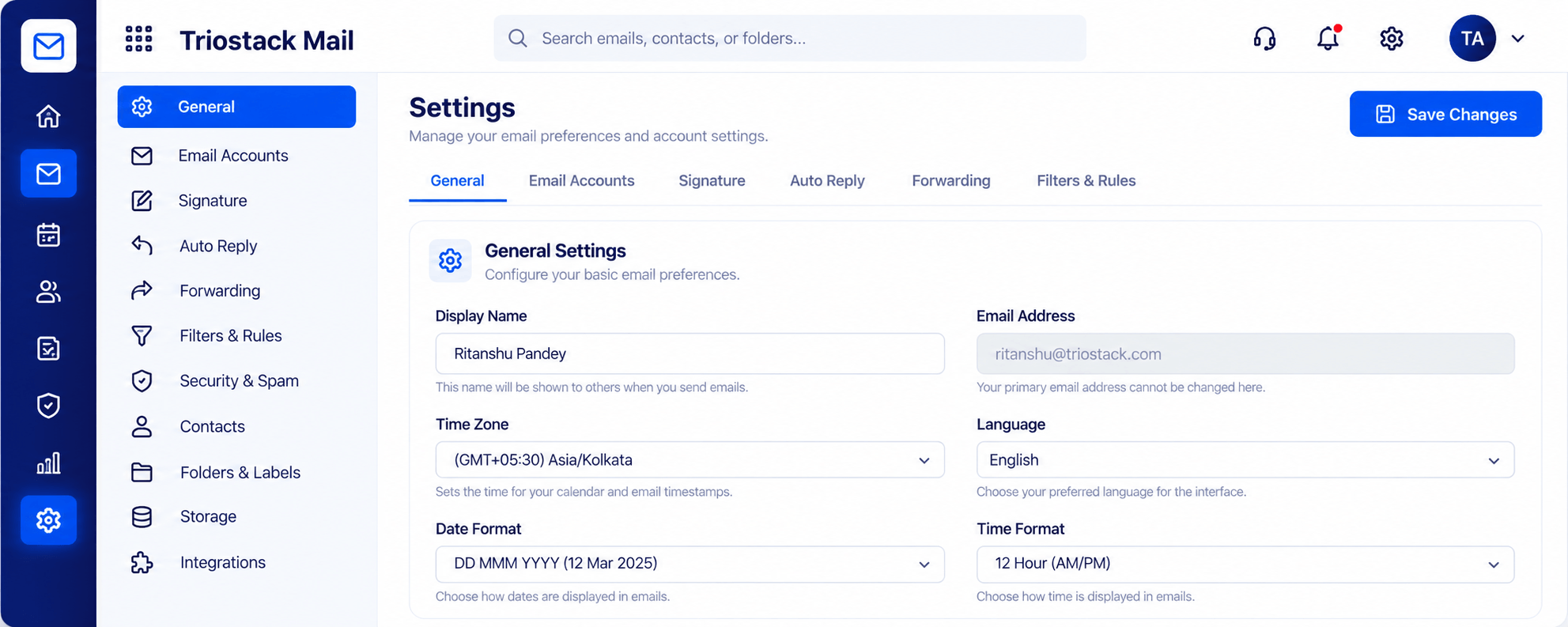
Settings, Signatures & Rules
Signature, auto reply, forwarding and filters
In the Product
Imagine every well-written email being a starting point for the next one.
Write professional messages.
Drafts stay put.
Schedule when it suits.
Platform Integrity
Formatting, links and images
Lay out details clearly
Save and finish later
Deliver at the right time
How It Works
What changes when composing is built for work.
| Dimension | Triostack Mail | Plain Text Email |
|---|---|---|
| Formatting | Rich text, links, images, tables | Plain text |
| Recipients | To, Cc and Bcc | To only |
| Timing | Schedule a send | Send now |
| Drafts | Saved and resumable | Lost on close |
| Templates | Ask us about your plan | Copy and paste |
Book a walkthrough and we will set up a sandbox with a sample domain and inboxes so you can try mail, shared folders and rules before you commit.
Live Interface Tour
Real screens captured directly from the Triostack Mail workspace.
Compose
A full editor for the emails you send often
Feature Breakdown
Captured from the Triostack Mail workspace.
The full editor.
How it fits the plan
Draft. Write the message in the editor.
Format. Add links, images and a table.
Practical tip
Write your three most repeated replies first. They save more time than any other template you will make.
Signature and rules.
On this screen: Signature, auto reply, forwarding and filters.
How it fits the plan
Format. Add links, images and a table.
Save. Keep it as a draft to reuse.
In real life
Sales follow-up
A tidy proposal email goes out in minutes.
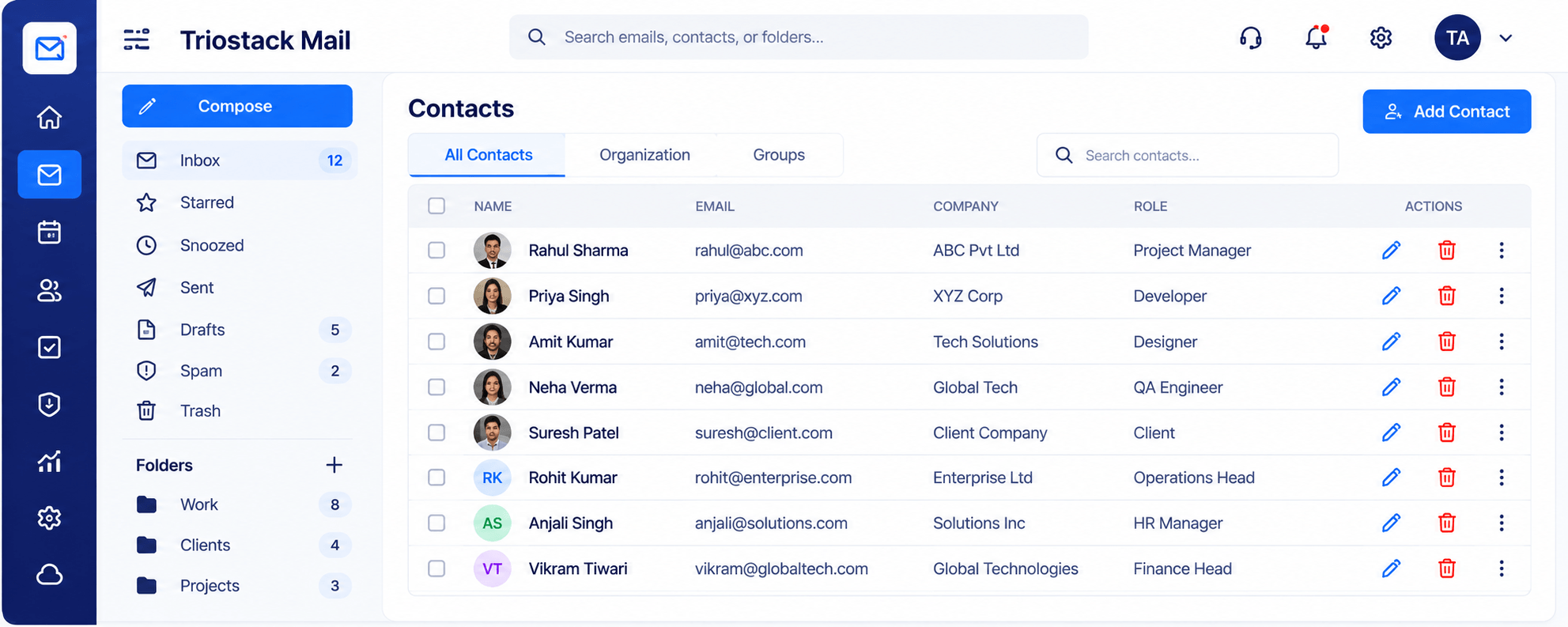
Pick the right recipient.
On this screen: One directory for names, companies and roles.
How it fits the plan
Save. Keep it as a draft to reuse.
Send. Personalise and send or schedule.
Watch out for
Saving a template full of specifics and forgetting to personalise it before sending.
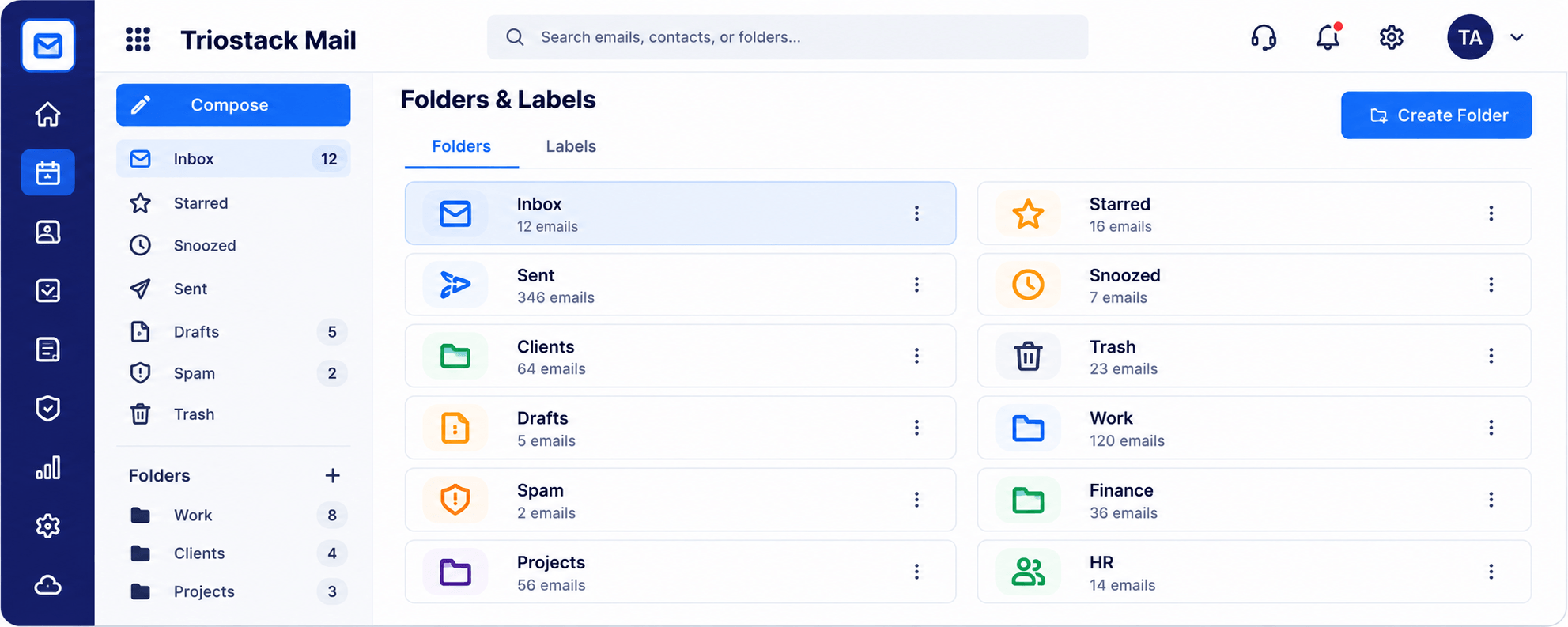
File sent mail.
On this screen: Folders and labels with a count for every one.
How it fits the plan
Send. Personalise and send or schedule.
Draft. Write the message in the editor.
Before you start
Execution Plan
Write the message in the editor.
Add links, images and a table.
Keep it as a draft to reuse.
Personalise and send or schedule.
Practical Guide
Before you start
A tip that helps
Write your three most repeated replies first. They save more time than any other template you will make.
A common mistake
Saving a template full of specifics and forgetting to personalise it before sending.
In Real Life
Scenario 01
A tidy proposal email goes out in minutes.
Scenario 02
A table of next steps is reused for each customer.
Scenario 03
Reminders are scheduled ahead of time.
Straight answers about Email Templates, from setup to what happens next.
Have a question about Email Templates?
Book a free callYes. The editor supports rich text, links, images and tables.
Yes.
Ask us about reusable template options on your plan.
Yes.
Write recurring emails with a full rich-text editor and reuse that structure, so common replies are quick and consistent.
It runs in 4 steps: Draft, Format, Save and Send. Write the message in the editor.
The real screens on this page include Settings, Signatures & Rules, Contacts & Groups, Folders & Labels and Compose, all captured from the product.
Request a demo or start a free trial. Our team can also walk you through a guided setup, so your first session ends with something working.
Keep Exploring
Custom-domain inboxes, shared folders, contacts and spam protection in one workspace, connected to CRM and support.