The best Business Suite software in India, built to help your business grow. Contact us at +91-8882435276.
[ Contact ]
Phone number
Email address
Head office
Noida office
The right team at TriostackOne will get back to you.
Familiarity
Widely known
Review current features
CRM
Via add-ins
Together
Not applicable
Check each vendor's current plans.
Positioning Assessment
Teams know Outlook, and for many it is the default. Triostack Mail asks them to try an inbox that links to CRM and Desk.
Because Triostack Mail lists Microsoft 365 as an integration for syncing with Outlook, Calendar and Contacts, teams can adopt it gradually. Check each vendor's current plans.
“We ran both side by side for a month, and then the team chose.”
Sample team scenario
Illustrative example, not a customer testimonial
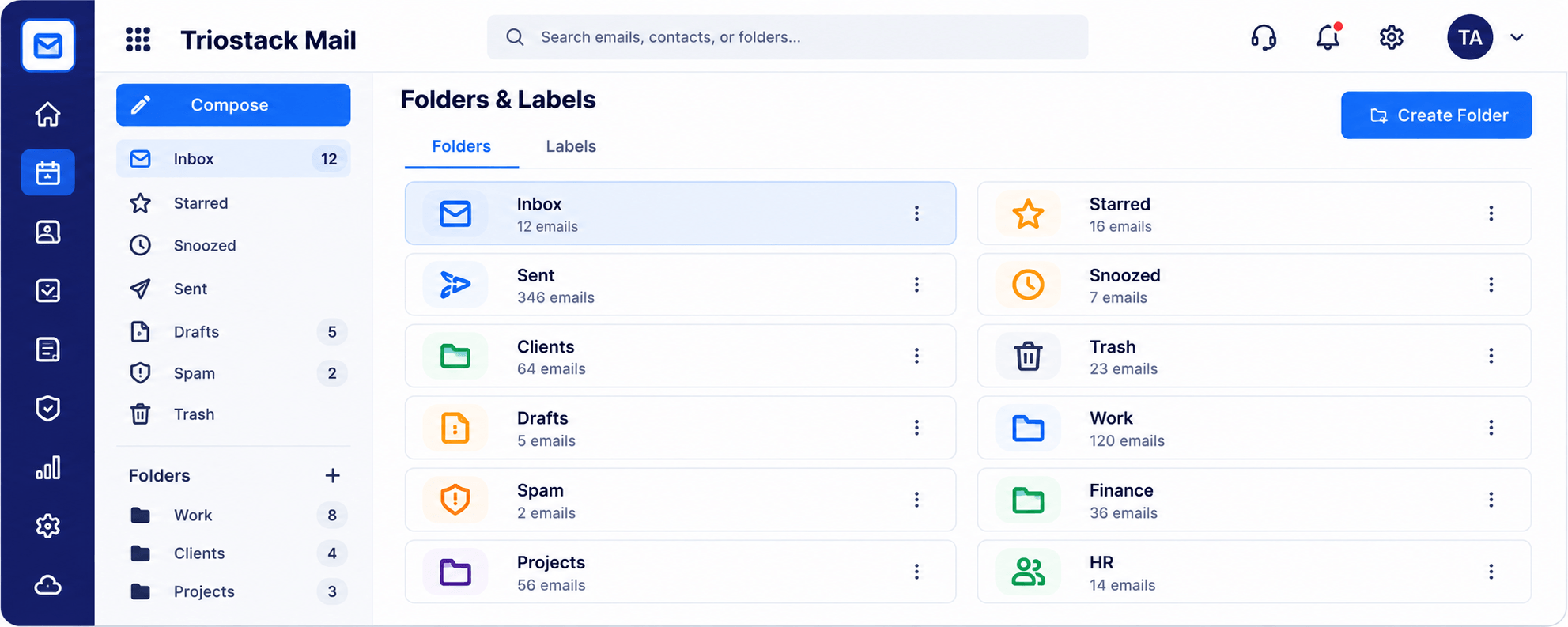
Folders & Labels
Folders and labels with a count for every one
In the Product
Imagine walking both for a week before picking your commute.
Run both.
Keep calendar and contacts.
Decide with feedback.
Platform Integrity
Outlook stays in the picture
Syncs with Microsoft 365
CRM, Desk and Projects
We help you plan
Detailed Comparison
A fair comparison of what to look at. Check each vendor's current plans, since both evolve.
Triostack Mail
Outlook
Familiarity
A new, clean inbox
Familiarity
Widely known
Custom domain, folders, protection
Review current features
CRM
Linked to Triostack CRM
CRM
Via add-ins
Together
Sync with Microsoft 365
Together
Not applicable
Pricing
See our pricing page
Pricing
Review the vendor's pricing
We help bring over mailboxes, contacts and folders, and plan the cut-over so no email is lost in the move.
Live Interface Tour
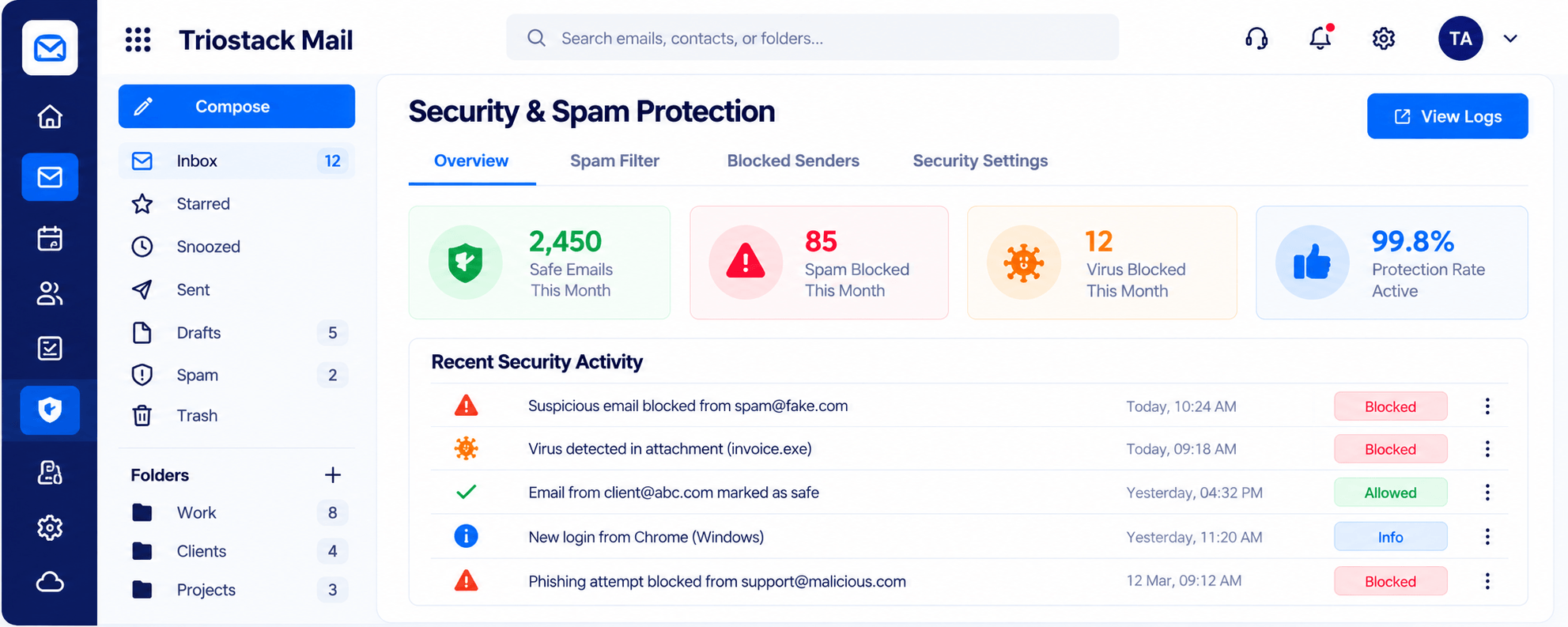
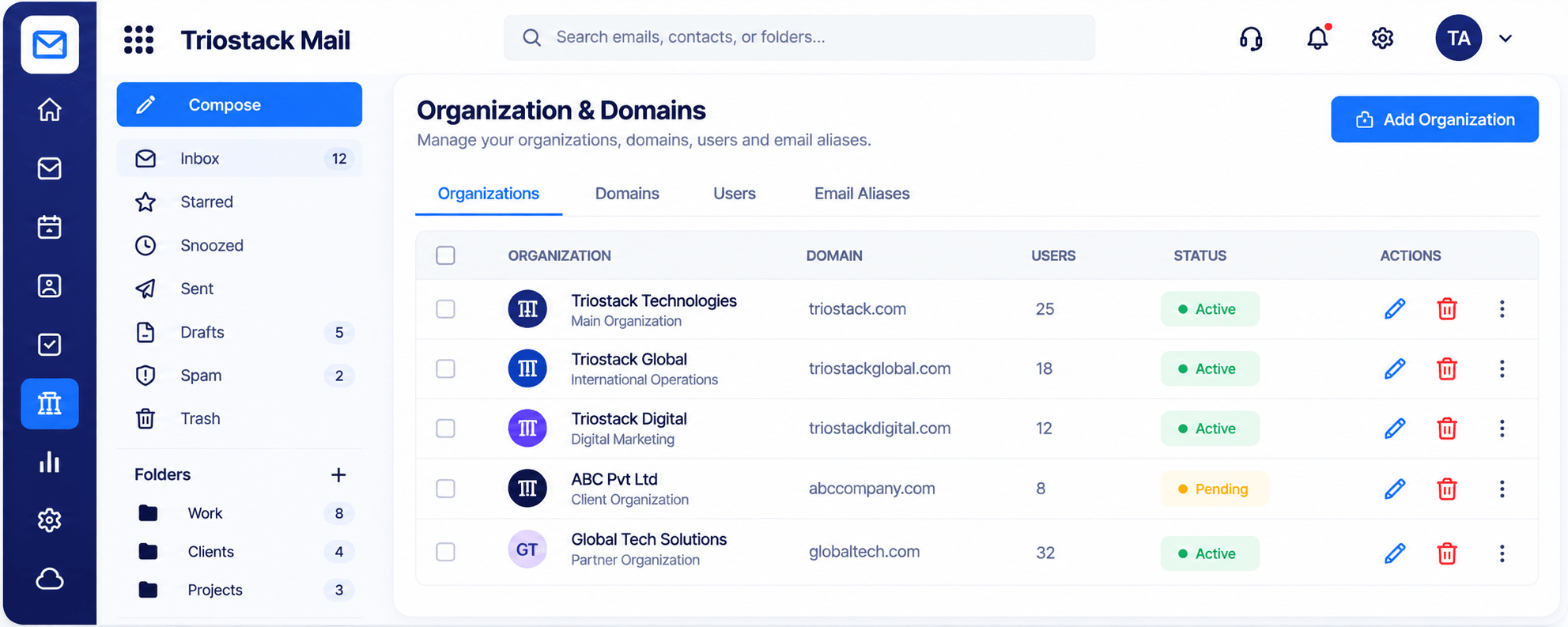
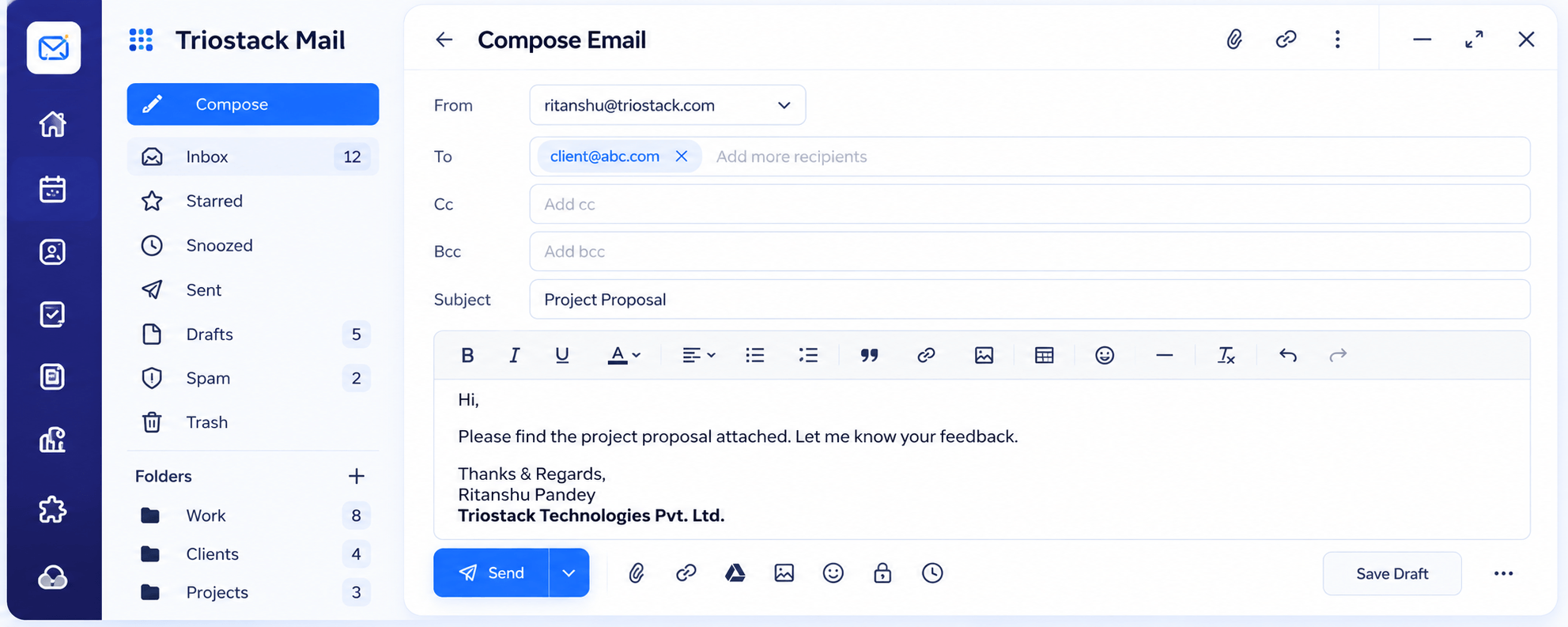
Real screens captured directly from the Triostack Mail workspace.
Compose
Microsoft 365 sync is available as an integration
Feature Breakdown
Captured from the Triostack Mail workspace.
A full editor.
How it fits the plan
Pilot. Choose a small team.
Sync. Connect Microsoft 365.
Practical tip
Run a pilot team for a month and ask them, not the IT team, which they prefer.
A fresh view.
How it fits the plan
Sync. Connect Microsoft 365.
Compare. Gather feedback.
In real life
Mixed teams
Sales on Mail, finance on Outlook.
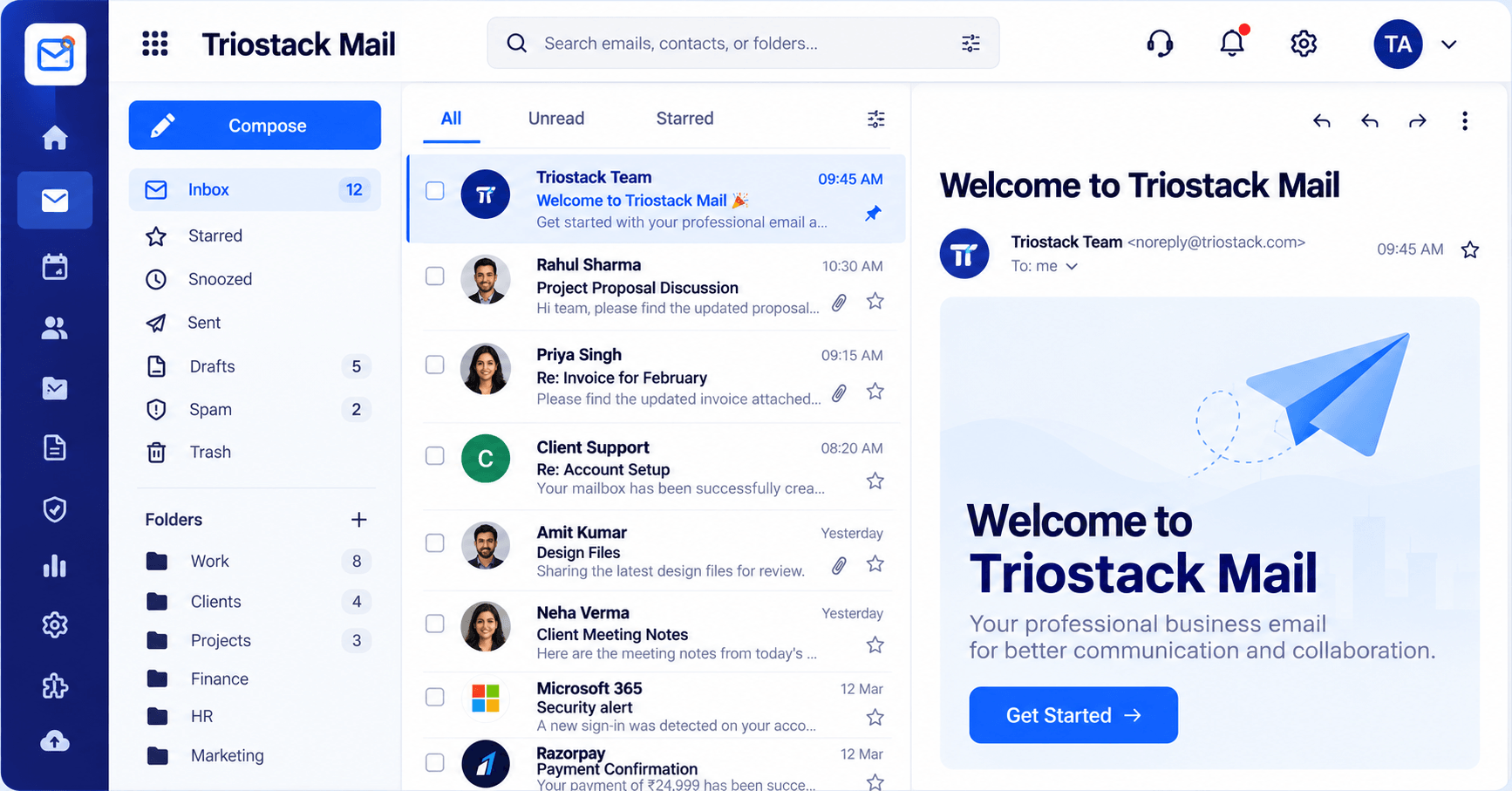
Microsoft 365 sync.
How it fits the plan
Compare. Gather feedback.
Decide. Move all, some or none.
Watch out for
Forcing a switch before people have felt the difference.
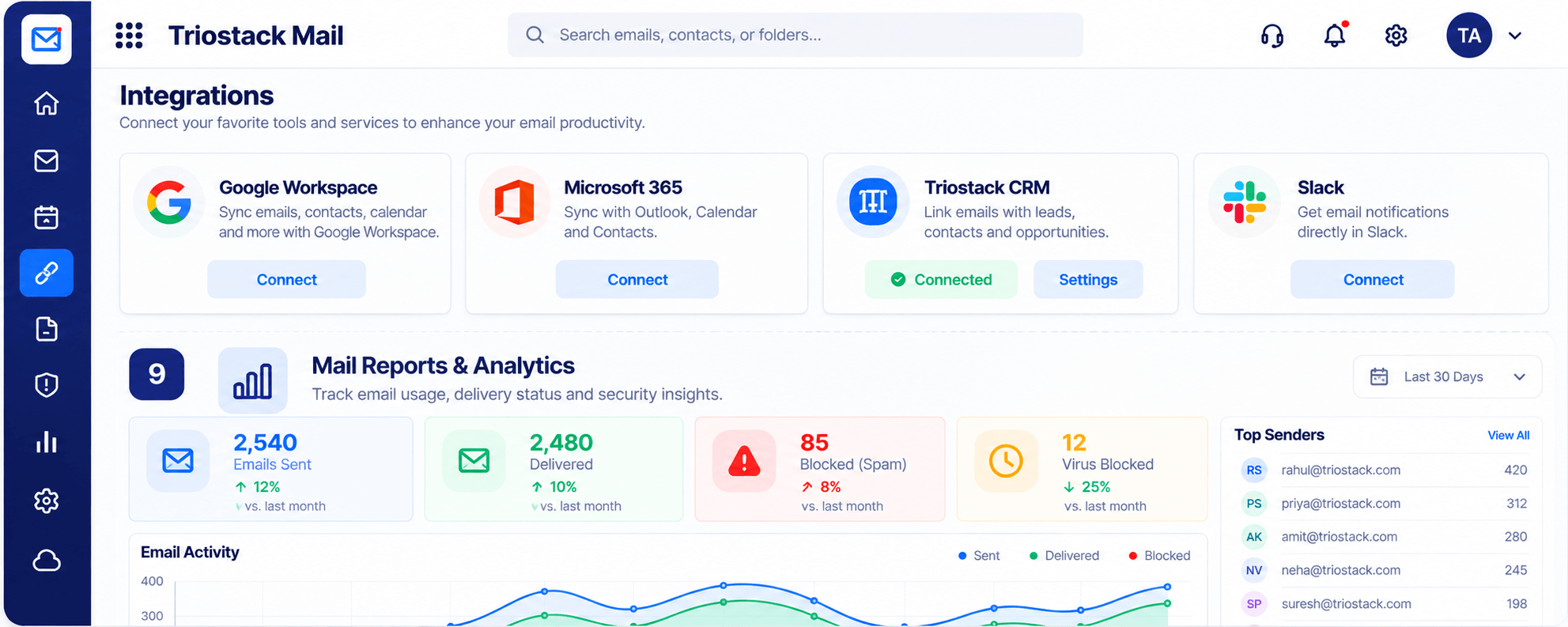
Rules and signatures.
How it fits the plan
Decide. Move all, some or none.
Pilot. Choose a small team.
Before you start
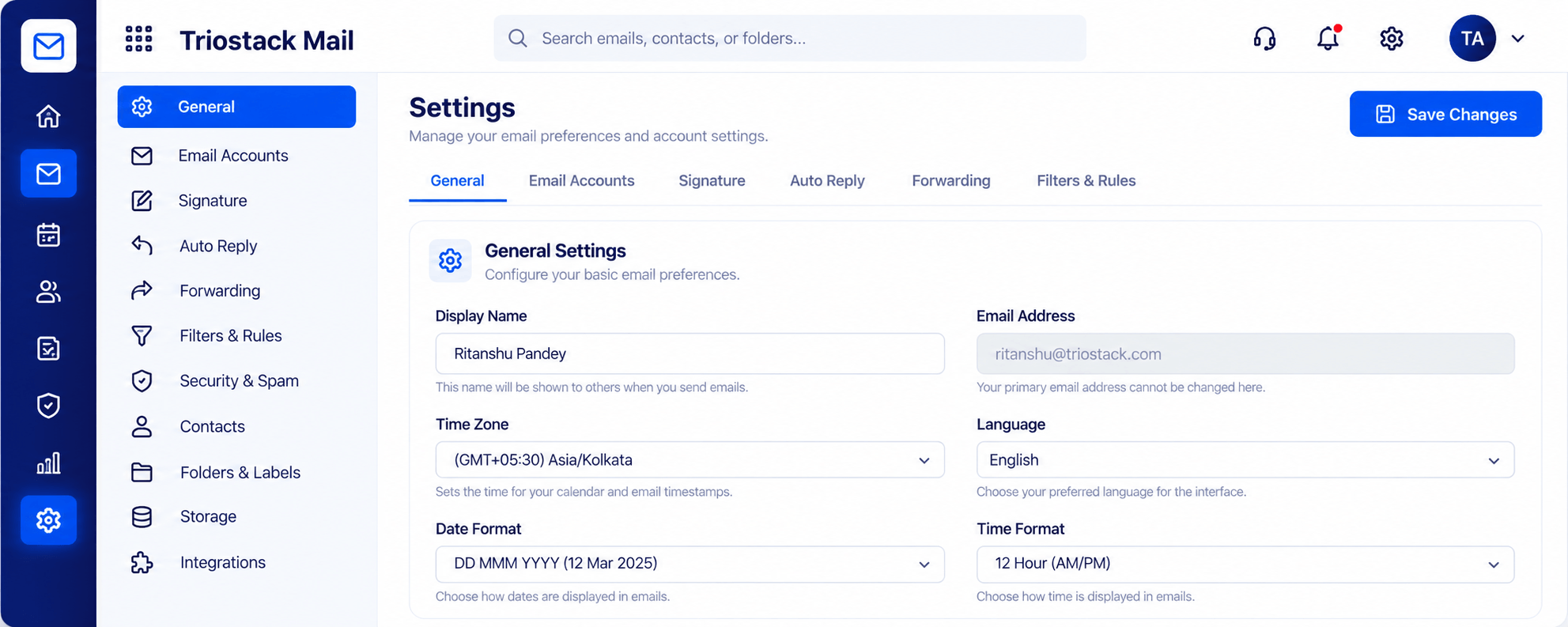
Execution Plan
Choose a small team.
Connect Microsoft 365.
Gather feedback.
Move all, some or none.
Practical Guide
Before you start
A tip that helps
Run a pilot team for a month and ask them, not the IT team, which they prefer.
A common mistake
Forcing a switch before people have felt the difference.
In Real Life
Scenario 01
Sales on Mail, finance on Outlook.
Scenario 02
A pilot builds confidence.
Scenario 03
Totals are compared.
Straight answers about Triostack Mail vs Outlook, from setup to what happens next.
Have a question about Triostack Mail vs Outlook?
Book a free callYes. Mail syncs with Outlook, Calendar and Contacts via Microsoft 365.
That depends on how your team works. Try both.
We help plan it.
Compare current pricing.
Outlook is deeply familiar to many teams. Triostack Mail brings custom-domain email into TriostackOne. See where each fits and how they can coexist.
It runs in 4 steps: Pilot, Sync, Compare and Decide. Choose a small team.
The real screens on this page include Folders & Labels, Contacts & Groups, Organizations & Domains and Compose, all captured from the product.
Request a demo or start a free trial. Our team can also walk you through a guided setup, so your first session ends with something working.
Keep Exploring
Custom-domain inboxes, shared folders, contacts and spam protection in one workspace, connected to CRM and support.