The best Business Suite software in India, built to help your business grow. Contact us at +91-8882435276.
[ Contact ]
Phone number
Email address
Head office
Noida office
The right team at TriostackOne will get back to you.
Share
Agree shared addresses and folders.
Connect
Link CRM and Slack.
Divide
Decide who answers what.
Review
Look back each week.
Positioning Assessment
Each person's inbox is their own, so context about a customer ends up spread across several of them.
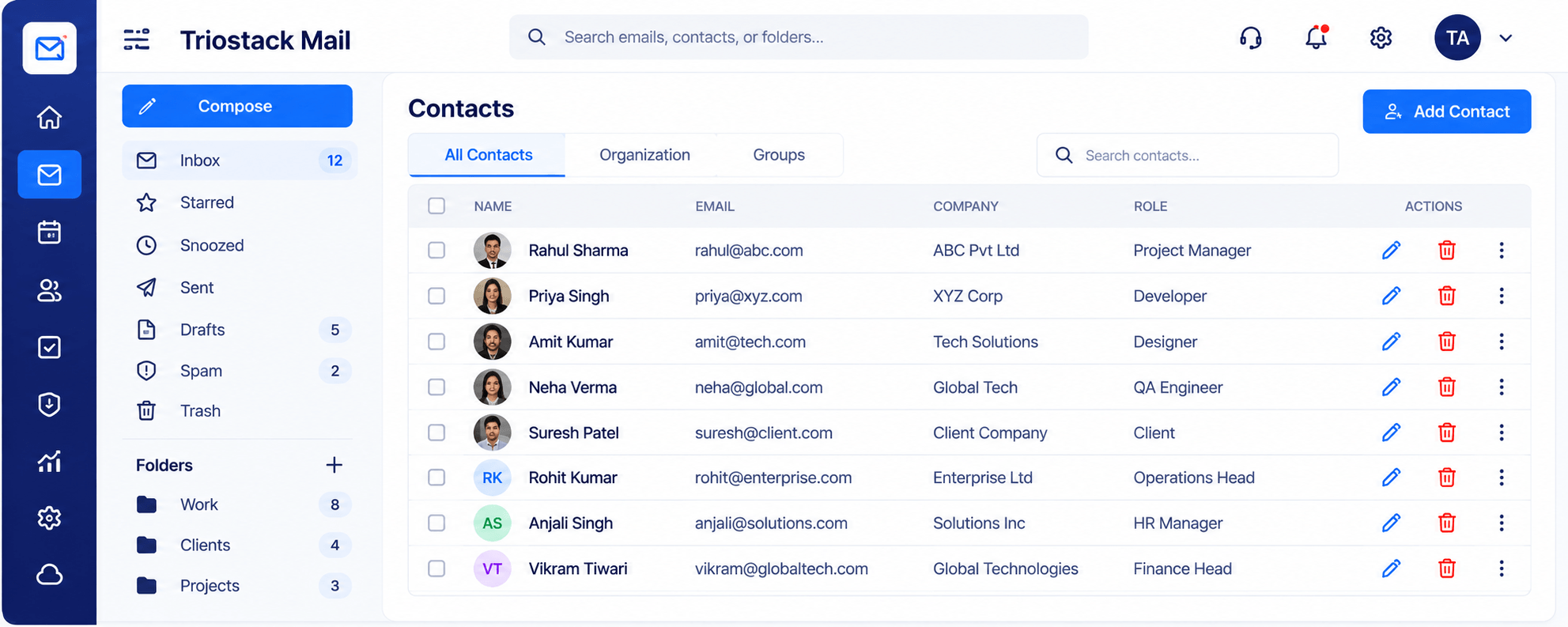
Triostack Mail helps teams share: shared addresses and folders, a common contacts directory with company and role, emails linked with CRM leads and opportunities, and notifications in Slack. Ask us how access is set up on your plan.
“A colleague opened the same thread and knew exactly where we were.”
Sample team scenario
Illustrative example, not a customer testimonial
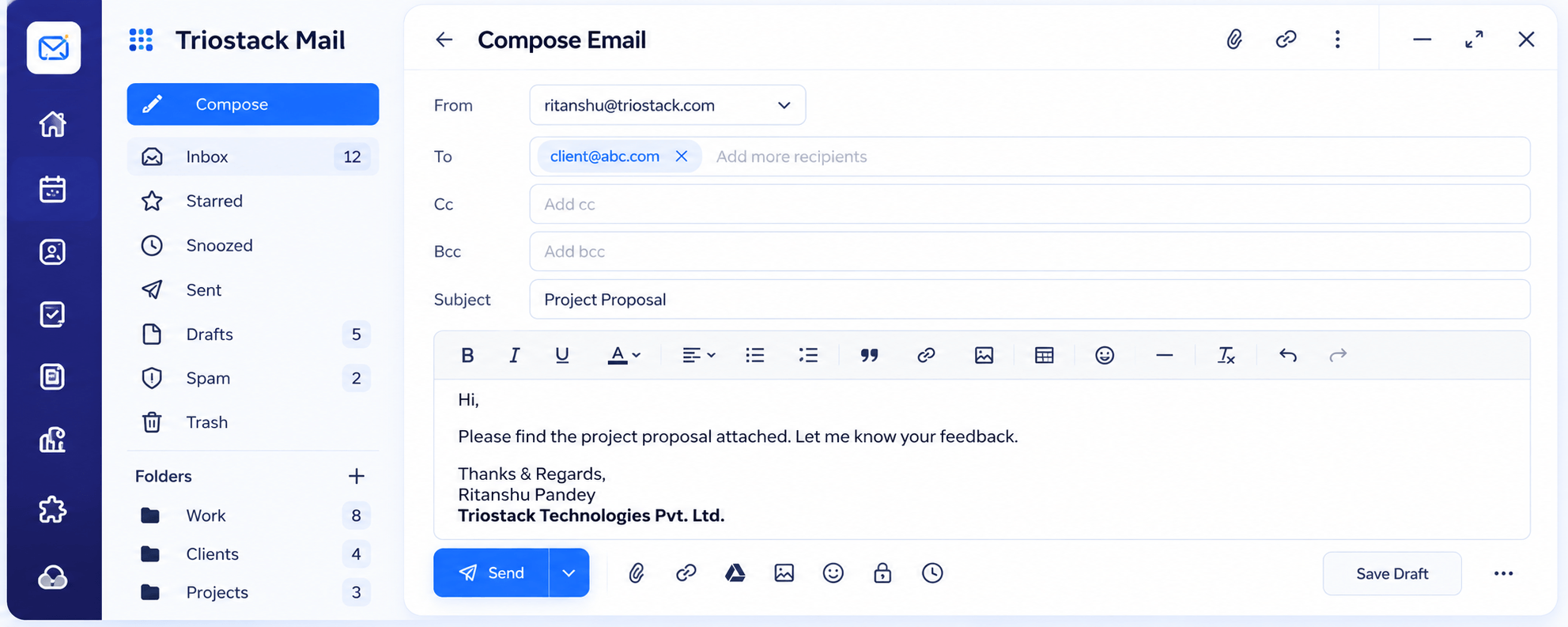
Compose
A full editor with Cc, Bcc, attachments and scheduled send
In the Product
Imagine every chair pulled up to the same table, with the same papers in front of everyone.
No more repeated questions.
Everyone finds contacts.
Alerts reach all.
Platform Integrity
One structure
One directory
Context on every thread
Notified together
How It Works
What sharing adds.
| Dimension | Triostack Mail | Personal Inboxes |
|---|---|---|
| Context | Threads linked to CRM | In one person's head |
| Contacts | A shared directory | Everyone's own |
| Folders | Shared structure | Personal |
| Alerts | In Slack | Check the inbox |
| Handover | History in the thread | Briefing |
We will help you connect your domain, create your first mailbox and set up your signature in your first session.
Live Interface Tour
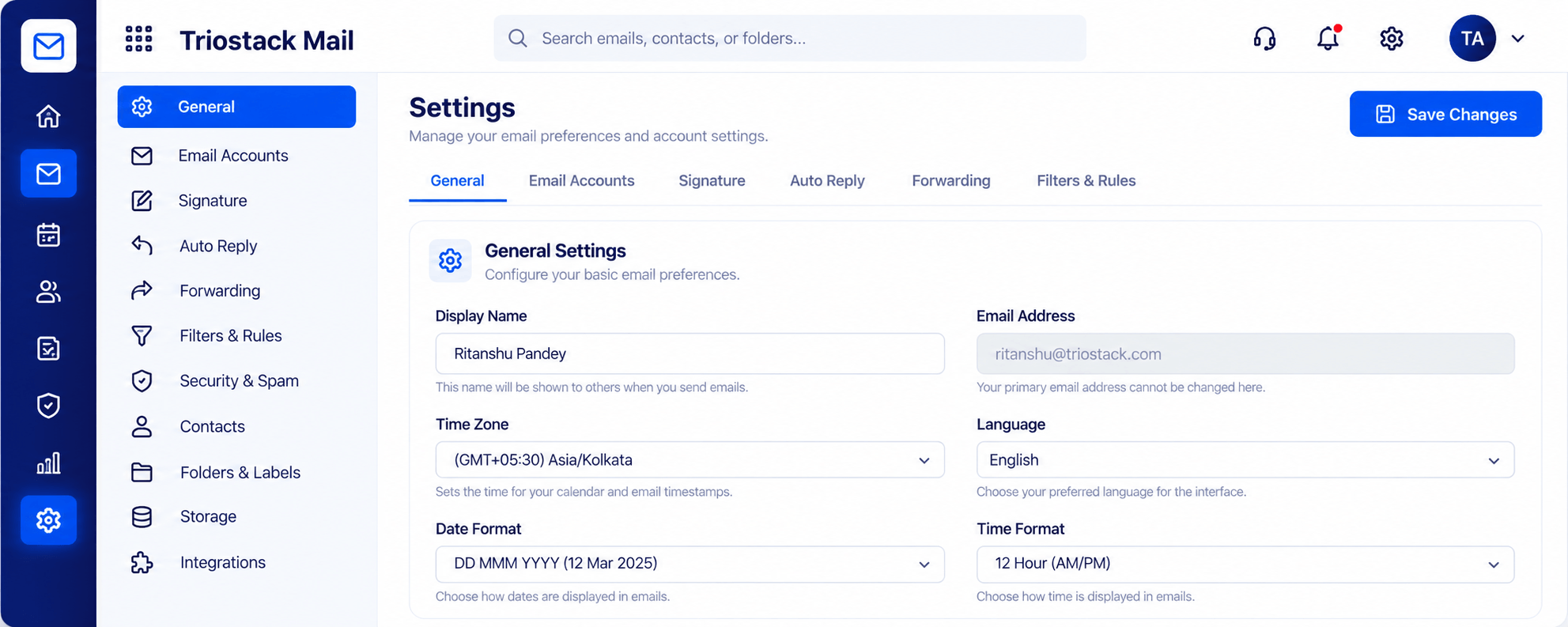
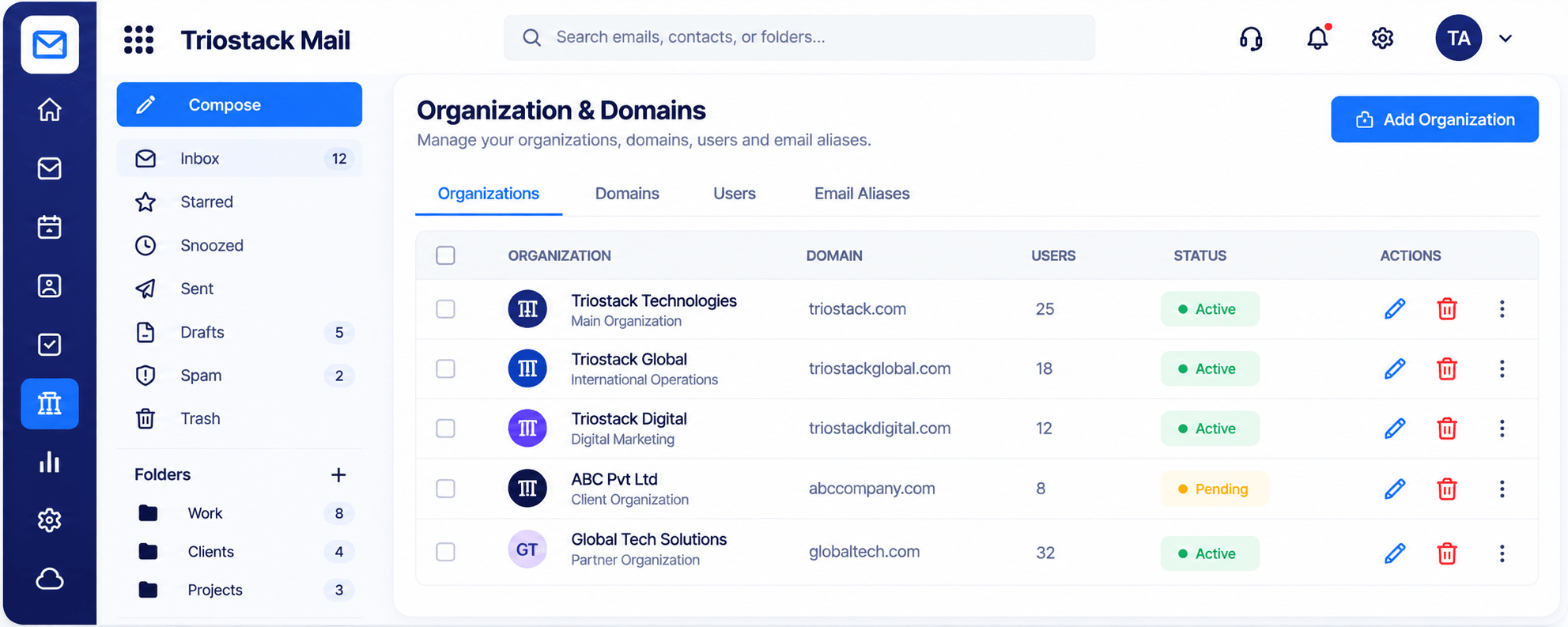
Real screens captured directly from the Triostack Mail workspace.
Contacts & Groups
Folders, contacts and alerts shared across the team
Feature Breakdown
Captured from the Triostack Mail workspace.
A common directory.
How it fits the plan
Share. Agree shared addresses and folders.
Connect. Link CRM and Slack.
Practical tip
Agree where customer context lives. When it lives in the thread and the CRM, everyone is a step ahead.
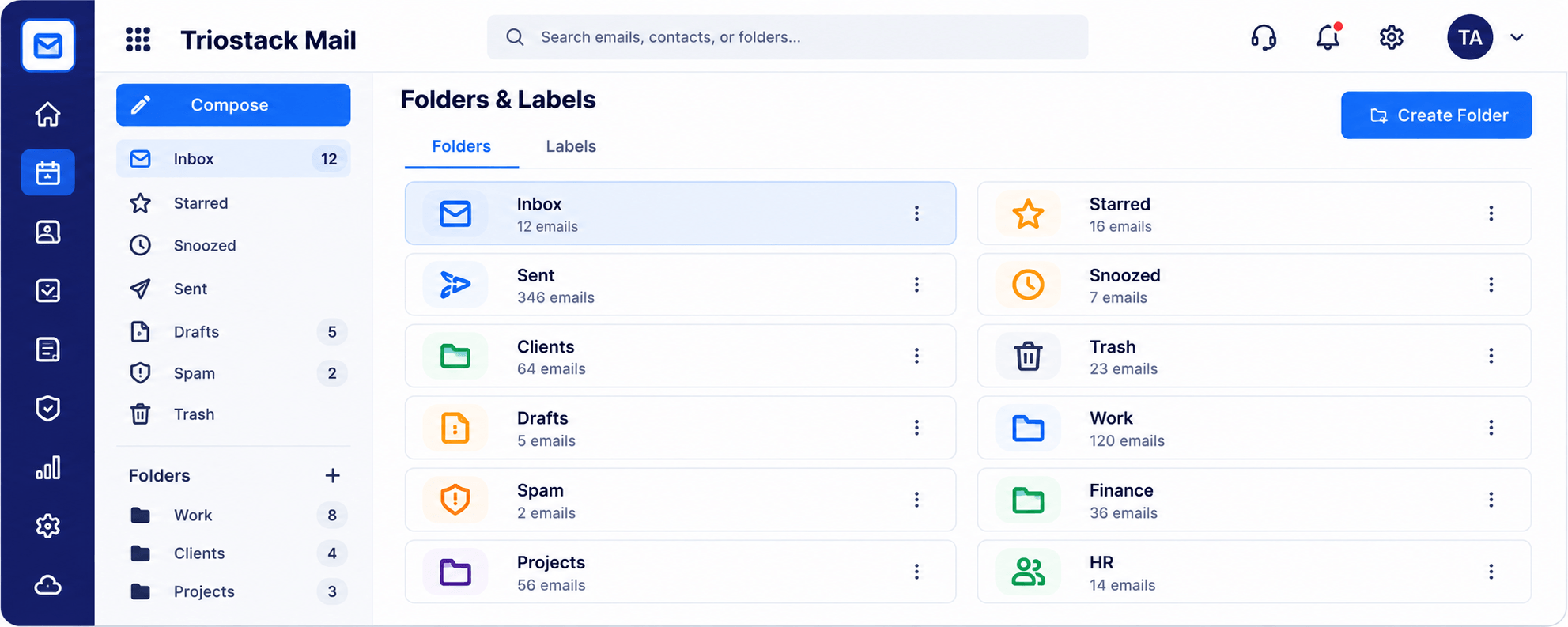
A shared structure.
How it fits the plan
Connect. Link CRM and Slack.
Divide. Decide who answers what.
In real life
Customer escalation
Three people see the same thread.
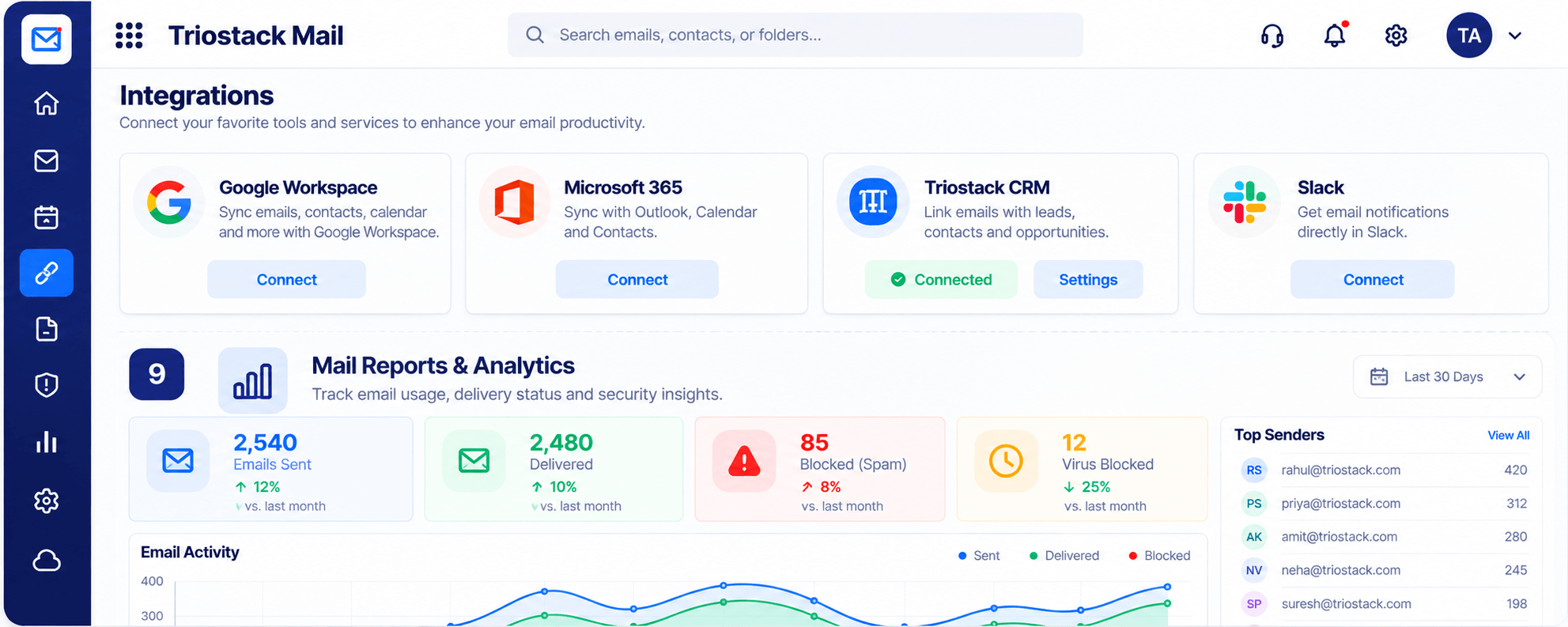
CRM and Slack.
How it fits the plan
Divide. Decide who answers what.
Review. Look back each week.
Watch out for
Keeping important conversations in personal folders nobody else can see.
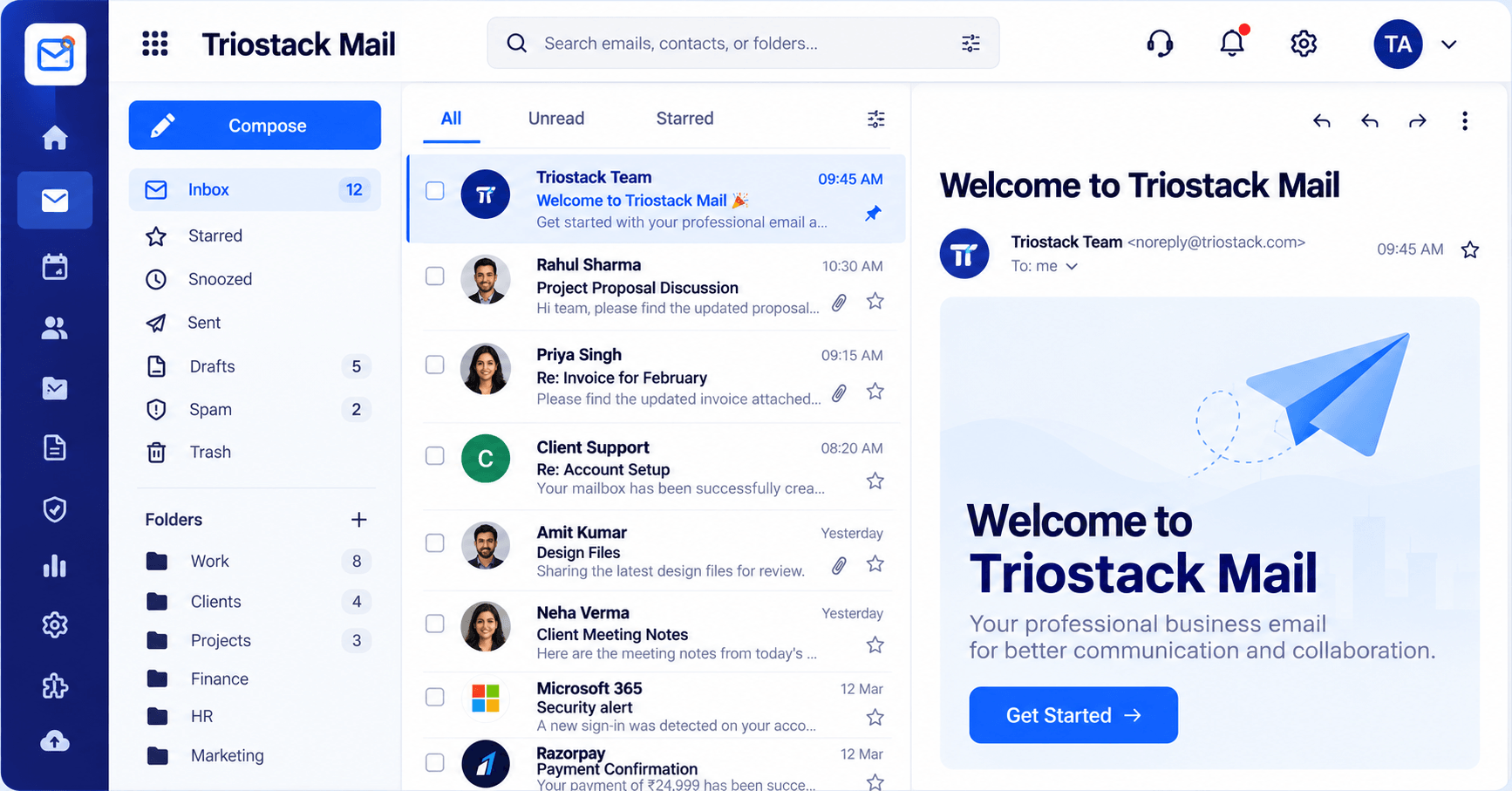
Where it happens.
How it fits the plan
Review. Look back each week.
Share. Agree shared addresses and folders.
Before you start
Execution Plan
Agree shared addresses and folders.
Link CRM and Slack.
Decide who answers what.
Look back each week.
Practical Guide
Before you start
A tip that helps
Agree where customer context lives. When it lives in the thread and the CRM, everyone is a step ahead.
A common mistake
Keeping important conversations in personal folders nobody else can see.
In Real Life
Scenario 01
Three people see the same thread.
Scenario 02
They inherit folders and contacts.
Scenario 03
Alerts keep the team moving.
Straight answers about Collaborate with Your Team, from setup to what happens next.
Have a question about Collaborate with Your Team?
Book a free callYes. Ask us how access is set up on your plan.
Yes, in a single directory.
Yes.
Yes, via the Slack integration.
Share folders and addresses, keep contacts in one directory, link emails with CRM and get notified in Slack so the team stays in step.
It runs in 4 steps: Share, Connect, Divide and Review. Agree shared addresses and folders.
The real screens on this page include Compose, Settings, Signatures & Rules, Security & Spam Protection and Contacts, all captured from the product.
Request a demo or start a free trial. Our team can also walk you through a guided setup, so your first session ends with something working.
Keep Exploring
Custom-domain inboxes, shared folders, contacts and spam protection in one workspace, connected to CRM and support.