The best Business Suite software in India, built to help your business grow. Contact us at +91-8882435276.
[ Contact ]
Phone number
Email address
Head office
Noida office
The right team at TriostackOne will get back to you.
Positioning Assessment
Teams switch between mail, chat, calendar and documents all day. Each switch is a small tax on attention.
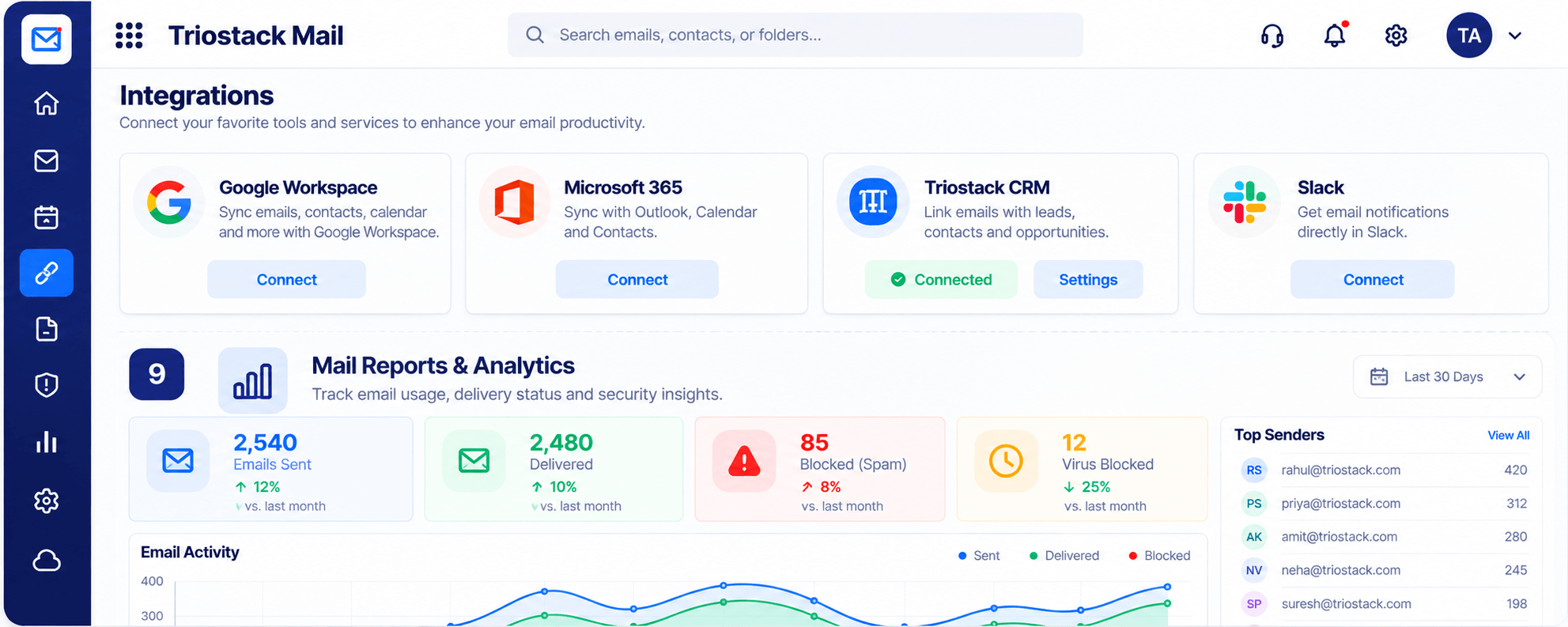
Triostack Mail connects to Google Workspace, Microsoft 365, Triostack CRM and Slack, and sits alongside Desk, Projects and the rest of the suite. Ask us which connections are right for your team.
“We stopped copying things between tabs because the tools finally talked to each other.”
Sample team scenario
Illustrative example, not a customer testimonial
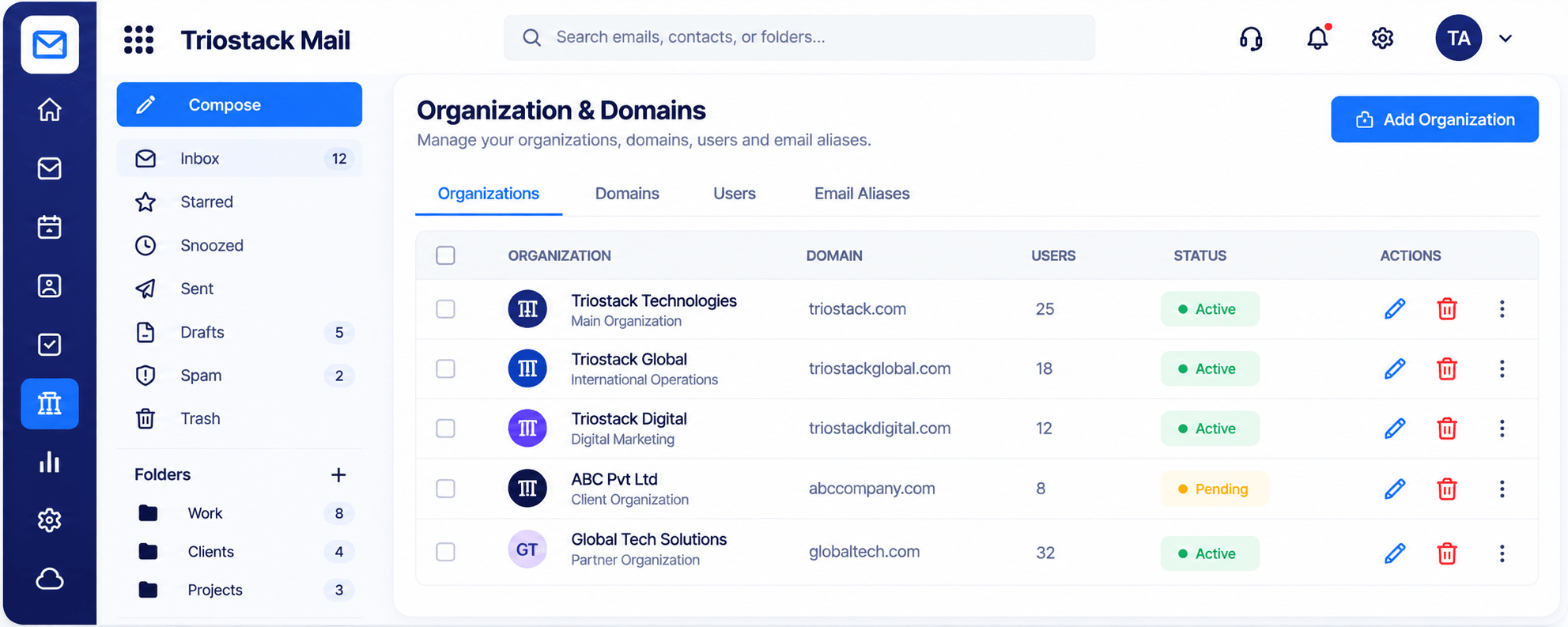
Organizations & Domains
Domains, users and aliases managed in one place
In the Product
Imagine a street where every shop shares a loading bay.
Shared data across tools.
Fewer tabs.
Only what helps.
Platform Integrity
Sync email, contacts, calendar
Notifications in chat
Emails linked to leads
Connected to Desk and Projects
How It Works
What changes when tools connect.
| Dimension | Triostack Mail | Disconnected Tools |
|---|---|---|
| Calendar | Sync with Google or Microsoft | Re-enter events |
| Chat | Alerts in Slack | Check inbox |
| Sales | Linked to CRM | Copy and paste |
| Support | Emails become tickets via Desk | Forward |
| Setup | Guided | DIY |
Our team can walk you through the connection, permissions and a first test so Mail fits into the tools your team already uses.
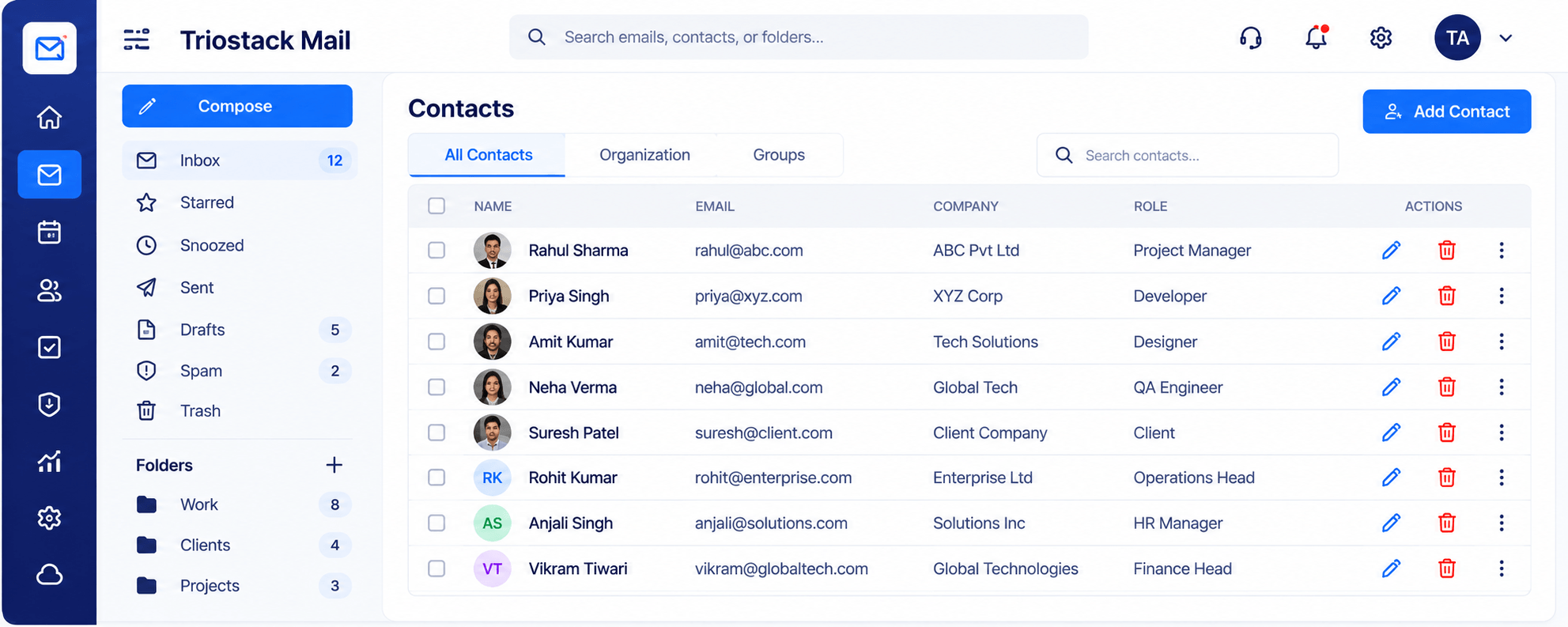
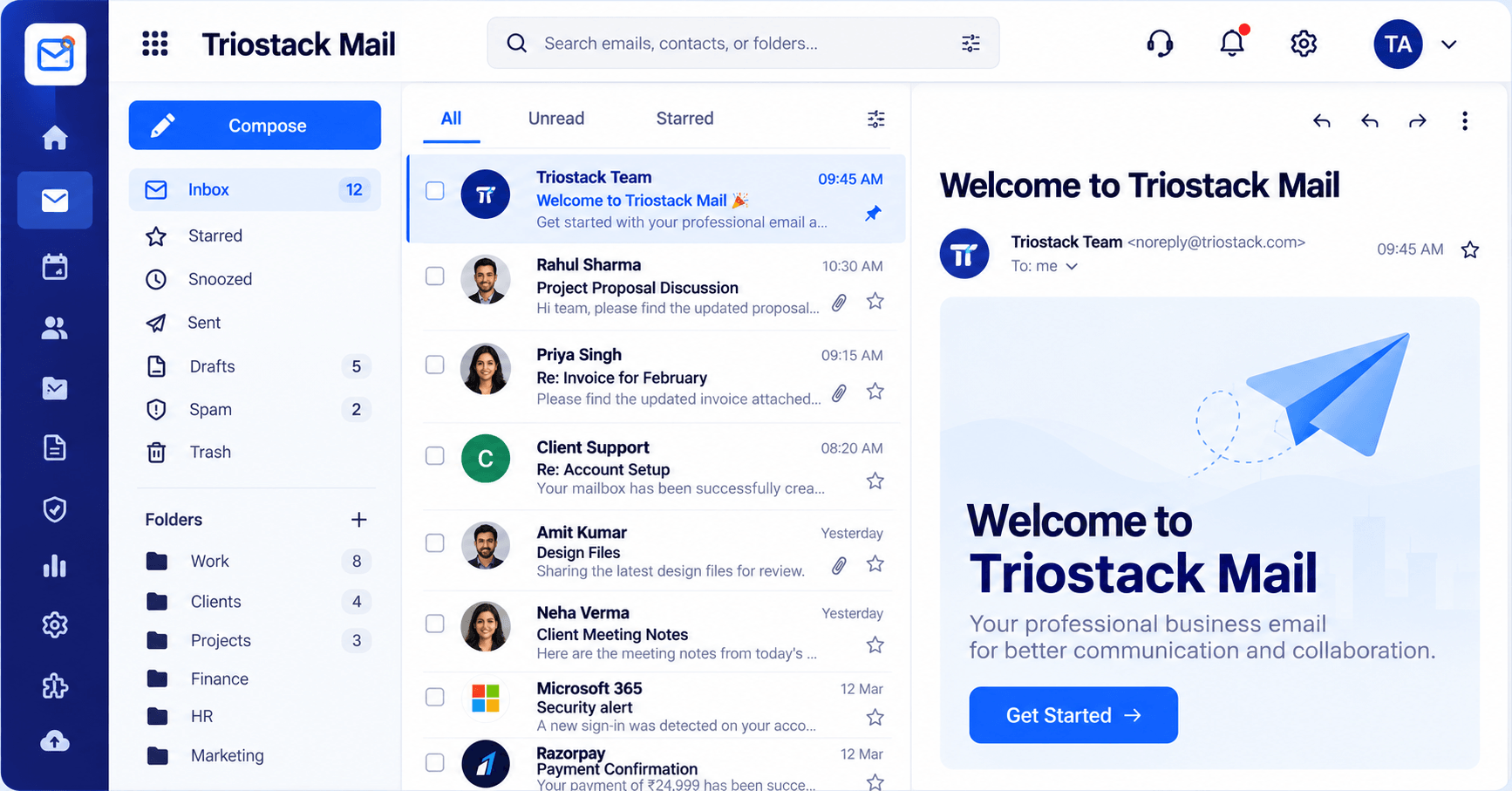
Live Interface Tour
Real screens captured directly from the Triostack Mail workspace.
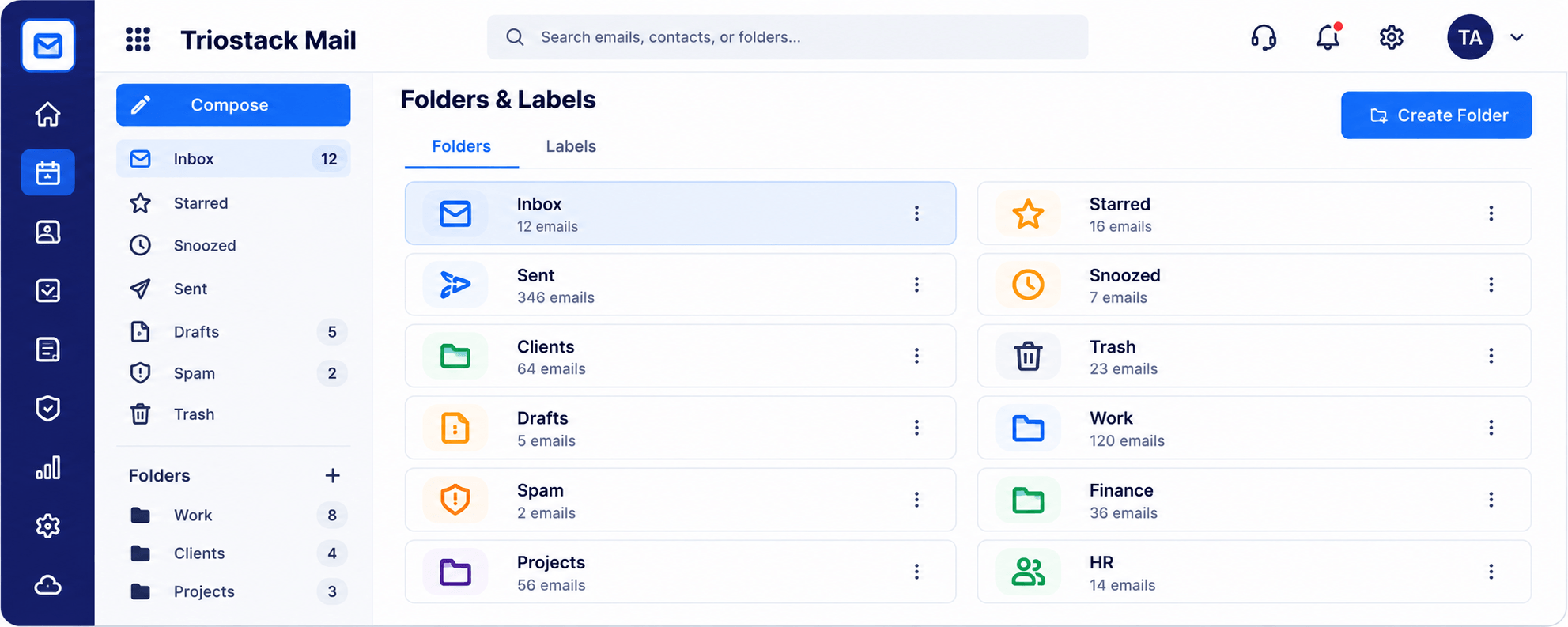
Folders & Labels
Google, Microsoft, CRM and Slack
Feature Breakdown
Captured from the Triostack Mail workspace.
01
IntegrationsAll connections.
How it fits the plan
List. Which tools do you use daily?
Connect. Choose the integrations.
Practical tip
Connect one tool at a time and use it for a week. Then add the next.
02
IntegrationsRoute mail by type.
How it fits the plan
Connect. Choose the integrations.
Route. Decide what flows where.
In real life
Cross-team project
Mail, chat and calendar line up.
03
IntegrationsShared people.
How it fits the plan
Route. Decide what flows where.
Review. Trim what is not needed.
Watch out for
Connecting everything and ending up with duplicate notifications from three places.
04
IntegrationsThe hub.
How it fits the plan
Review. Trim what is not needed.
List. Which tools do you use daily?
Before you start
Execution Plan
Which tools do you use daily?
Choose the integrations.
Decide what flows where.
Trim what is not needed.
Practical Guide
Before you start
A tip that helps
Connect one tool at a time and use it for a week. Then add the next.
A common mistake
Connecting everything and ending up with duplicate notifications from three places.
In Real Life
Scenario 01
Mail, chat and calendar line up.
Scenario 02
Emails become tickets.
Scenario 03
Mail ties to the deal.
Straight answers about Productivity Apps, from setup to what happens next.
Have a question about Productivity Apps?
Book a free callGoogle Workspace, Microsoft 365, Triostack CRM and Slack.
Mail can turn emails into support tickets via Desk.
Yes.
Ask us about APIs and webhooks.
Connect Mail to Google Workspace, Microsoft 365 and Slack, and to the rest of TriostackOne, so email fits the way your team already works.
It runs in 4 steps: List, Connect, Route and Review. Which tools do you use daily?
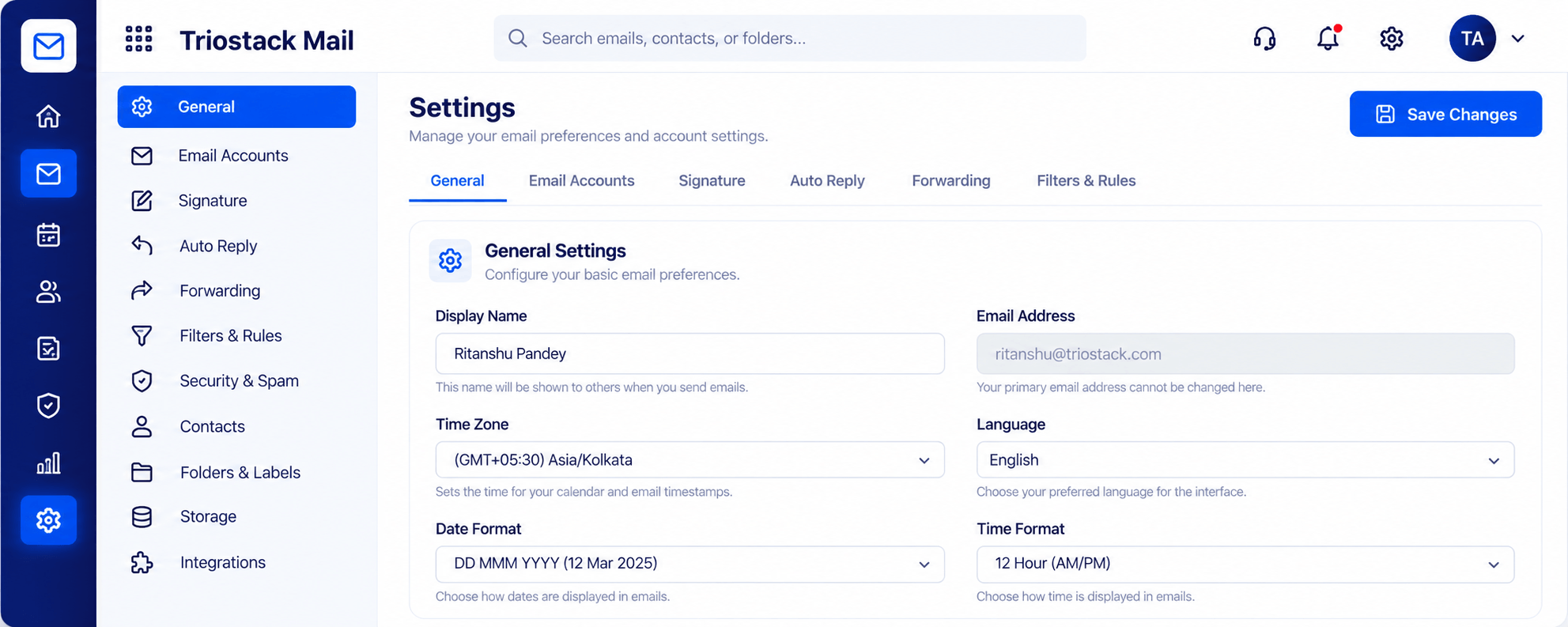
The real screens on this page include Organizations & Domains, Settings, Signatures & Rules, Security & Spam Protection and Integrations, all captured from the product.
Request a demo or start a free trial. Our team can also walk you through a guided setup, so your first session ends with something working.
Keep Exploring
Custom-domain inboxes, shared folders, contacts and spam protection in one workspace, connected to CRM and support.