The best Business Suite software in India, built to help your business grow. Contact us at +91-8882435276.
[ Contact ]
Phone number
Email address
Head office
Noida office
The right team at TriostackOne will get back to you.
Inbox
Check the vendor
Compose
Check the vendor
Organisation
Check the vendor
Administration
Check the vendor
Check each vendor's current plans.
Positioning Assessment
Product pages blur together. The useful question is which areas you use every day and how well each tool covers them.
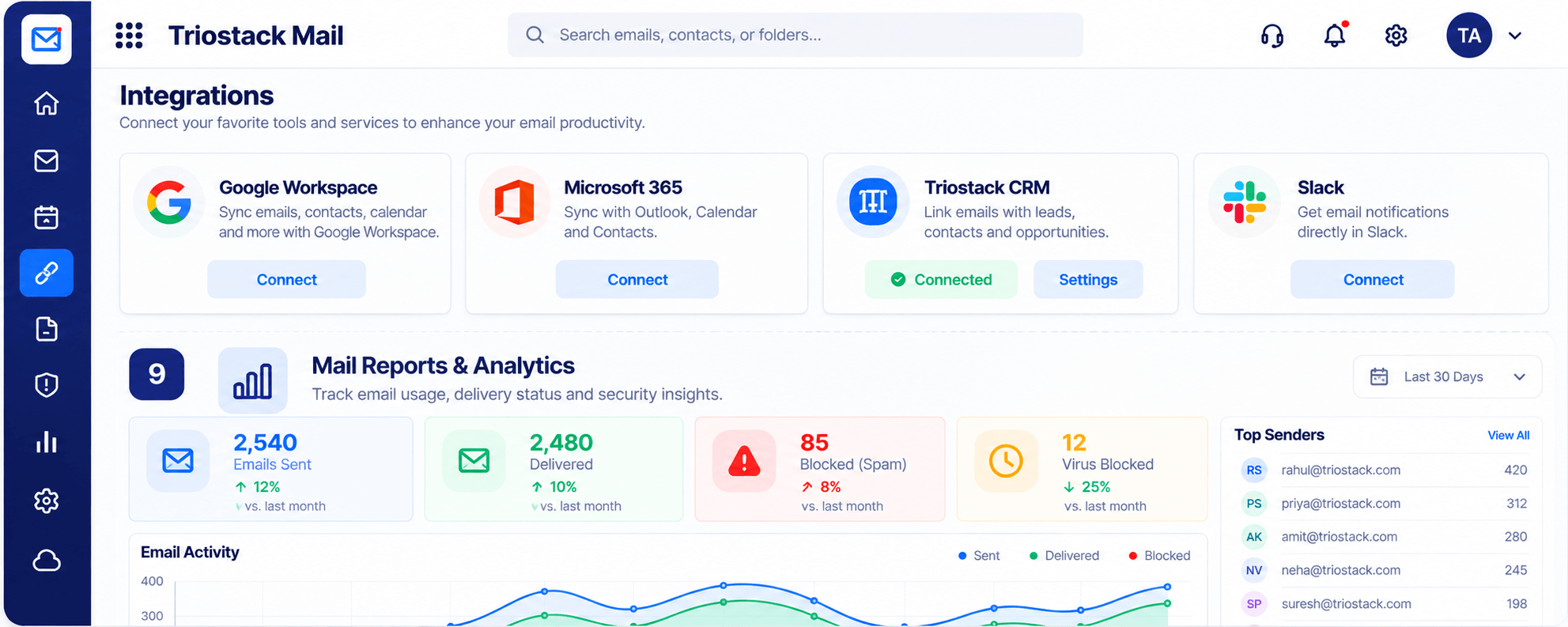
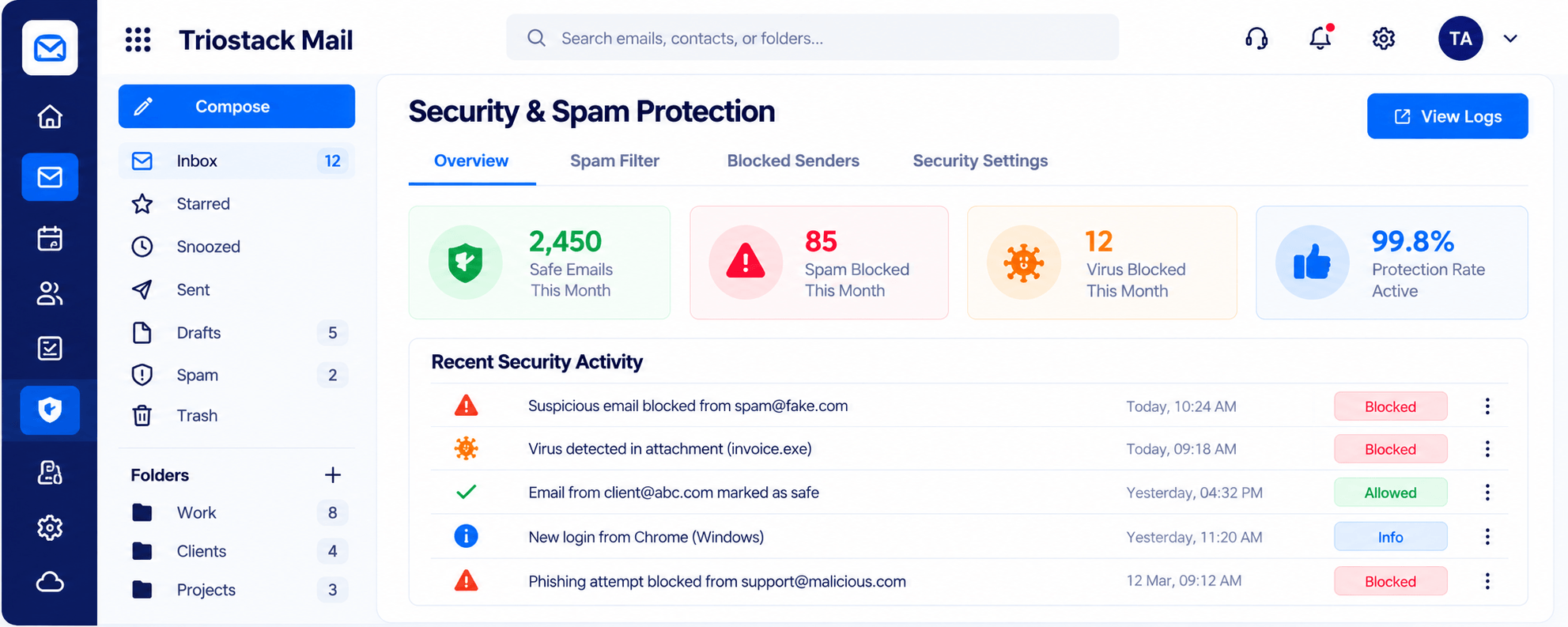
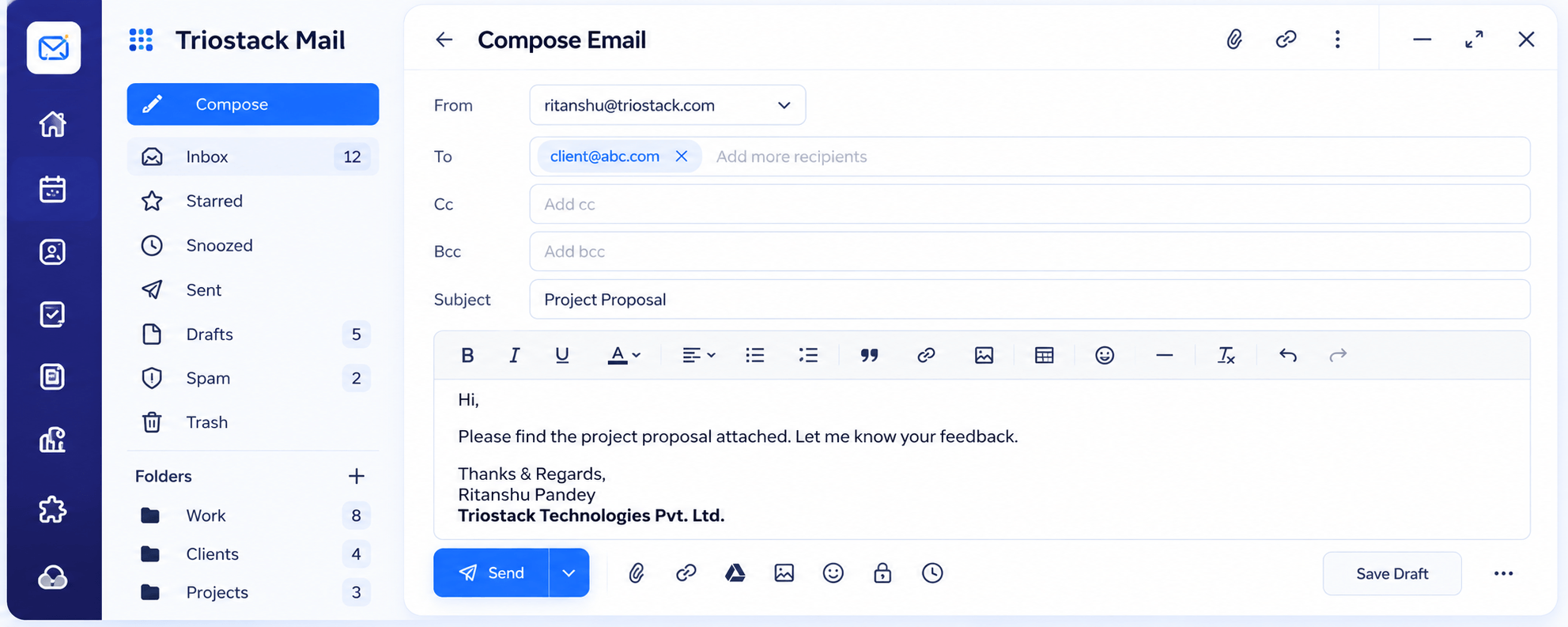
Use this page as a checklist for Triostack Mail: inbox views and reading pane; a full compose editor with scheduling; folders, labels and contacts; domains, users and aliases; spam, phishing and virus protection; and integrations with Google Workspace, Microsoft 365, CRM and Slack.
“A checklist by area stopped us comparing logos and started us comparing needs.”
Sample team scenario
Illustrative example, not a customer testimonial
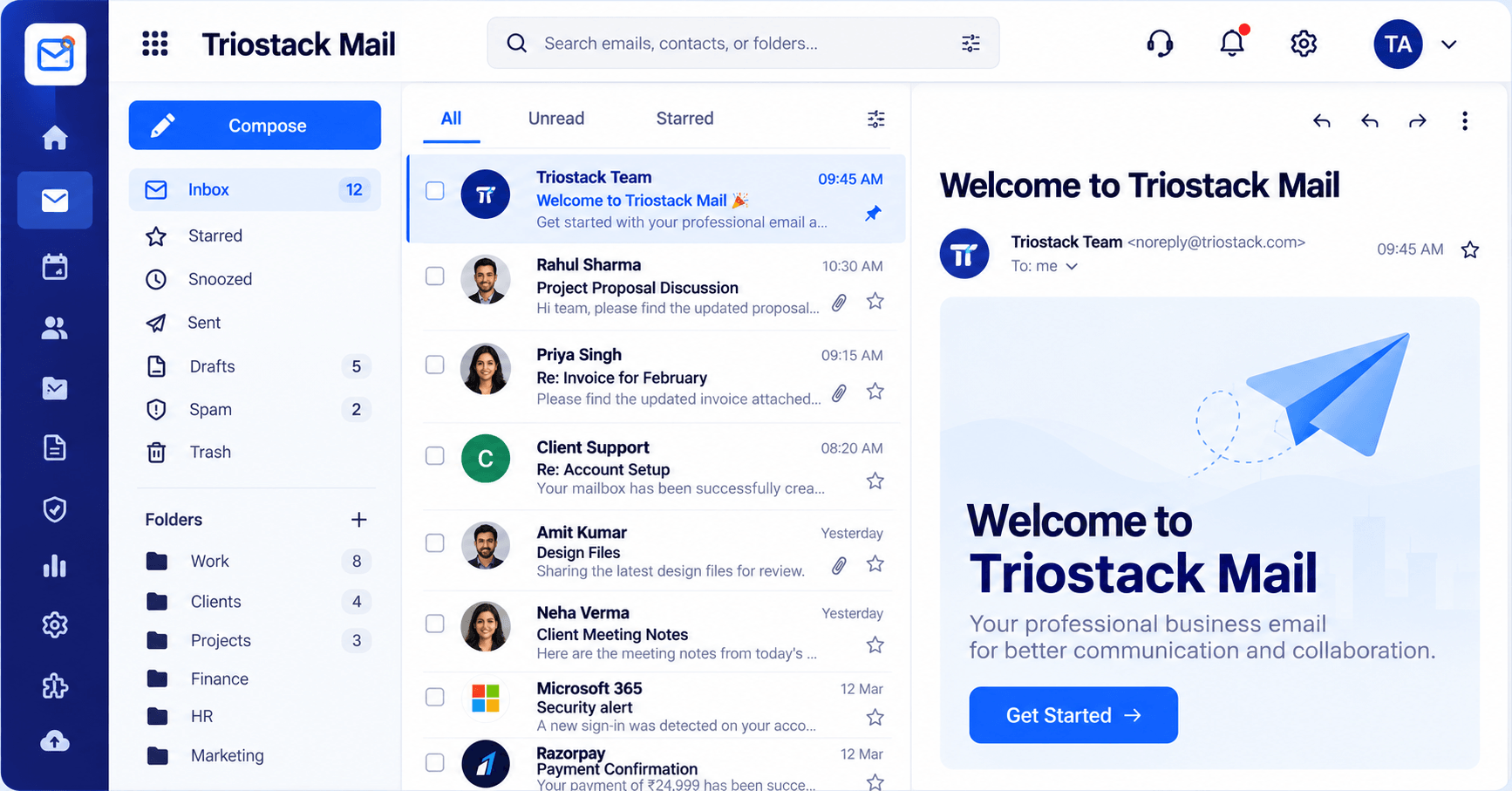
Inbox & Reading Pane
Folders, message list and reading pane in one view
In the Product
Imagine a simple map of the email territory with each area marked.
Compare what matters.
Use real mail.
We confirm details.
Platform Integrity
Views and reading pane
Editor and scheduling
Folders, contacts, domains
Security and integrations
Detailed Comparison
A fair comparison of what to look at. Check each vendor's current plans, since both evolve.
Triostack Mail
Another Product
Inbox
All, Unread, Starred, reading pane
Inbox
Check the vendor
Compose
Rich text, Cc, Bcc, scheduling
Compose
Check the vendor
Organisation
Folders, labels, contacts, groups
Organisation
Check the vendor
Administration
Domains, users, aliases
Administration
Check the vendor
Protection & Connections
Spam, phishing, virus; Google, Microsoft, CRM, Slack
Protection & Connections
Check the vendor
We help bring over mailboxes, contacts and folders, and plan the cut-over so no email is lost in the move.
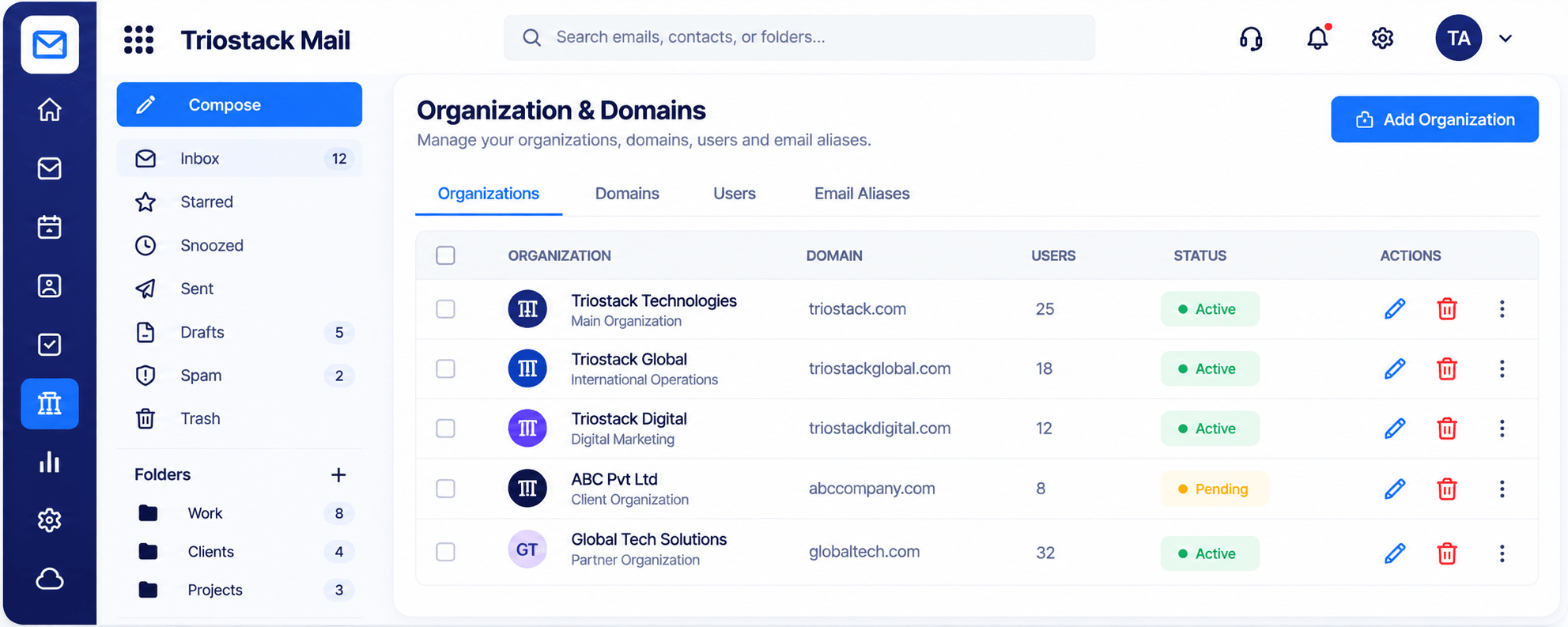
Live Interface Tour
Real screens captured directly from the Triostack Mail workspace.
Security & Spam Protection
Inbox, compose, organise, admin, protect, connect
Feature Breakdown
Captured from the Triostack Mail workspace.
Core.
On this screen: Folders, message list and reading pane in one view.
How it fits the plan
Note needs. Mark the areas you use.
Compare. Check each product.
Practical tip
List the five things you do in email every day. Compare on those and ignore the rest.
Write.
How it fits the plan
Compare. Check each product.
Trial. Run real email.
In real life
Shortlisting
Two or three products are compared.
Admin.
How it fits the plan
Trial. Run real email.
Decide. Choose with evidence.
Watch out for
Giving every feature equal weight in a score sheet.
Protect.
How it fits the plan
Decide. Choose with evidence.
Note needs. Mark the areas you use.
Before you start
Execution Plan
Mark the areas you use.
Check each product.
Run real email.
Choose with evidence.
Practical Guide
Before you start
A tip that helps
List the five things you do in email every day. Compare on those and ignore the rest.
A common mistake
Giving every feature equal weight in a score sheet.
In Real Life
Scenario 01
Two or three products are compared.
Scenario 02
A clear list is shared.
Scenario 03
A team decides what to set up first.
Straight answers about Feature Comparison, from setup to what happens next.
Have a question about Feature Comparison?
Book a free callIt covers six areas. Ask us about anything specific.
See the all features page and the Mail features page.
Use the six areas as a checklist.
Yes. Request a demo.
A clear checklist of Triostack Mail across inbox, compose, organisation, administration, protection and connections, to compare against any email product.
It runs in 4 steps: Note needs, Compare, Trial and Decide. Mark the areas you use.
The real screens on this page include Inbox & Reading Pane, Settings, Signatures & Rules, Integrations & Reports and Inbox, all captured from the product.
Request a demo or start a free trial. Our team can also walk you through a guided setup, so your first session ends with something working.
Keep Exploring
Custom-domain inboxes, shared folders, contacts and spam protection in one workspace, connected to CRM and support.