The best Business Suite software in India, built to help your business grow. Contact us at +91-8882435276.
[ Contact ]
Phone number
Email address
Head office
Noida office
The right team at TriostackOne will get back to you.
Built for
Small Businesses
@yourcompany
Professional addresses in an afternoon
Positioning Assessment
Small teams often start on free-mail addresses, then struggle when customers, suppliers and staff all depend on them.
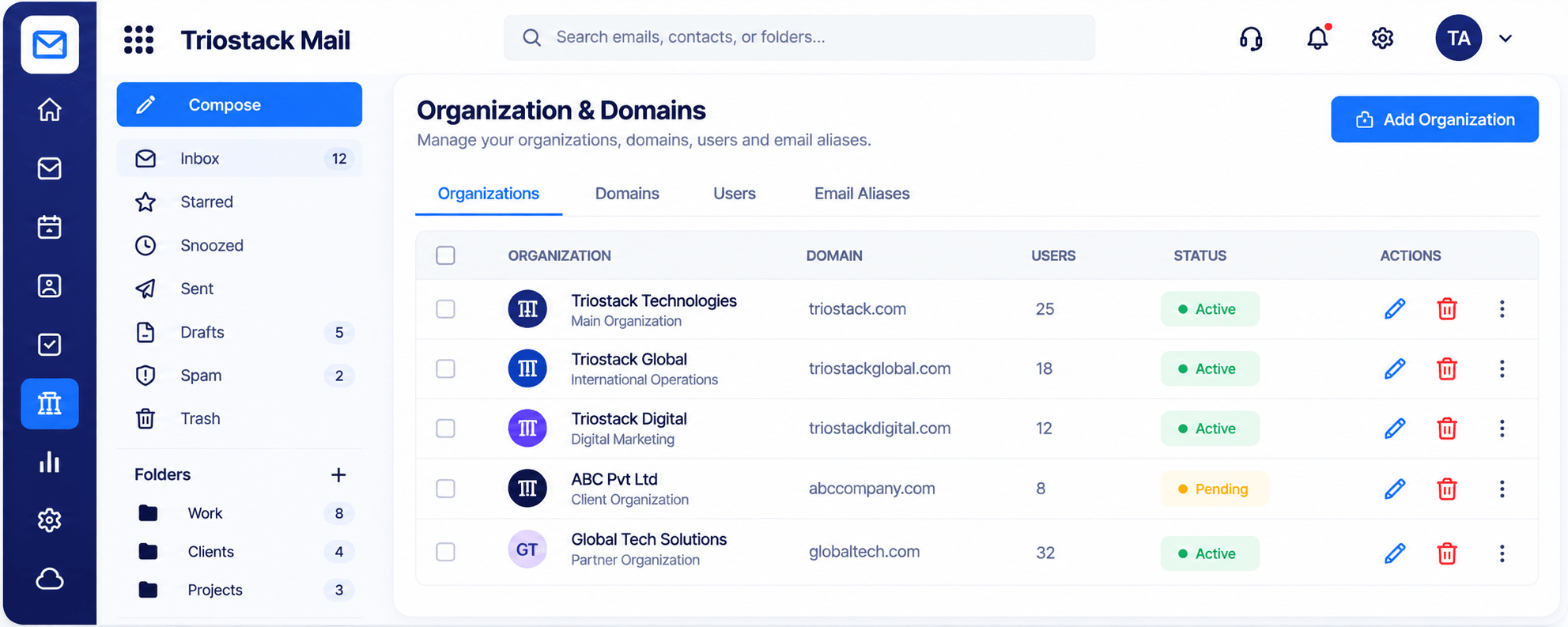
Triostack Mail lets you add your domain, create users and aliases, and organise mail into folders such as Clients, Work and Finance. Spam, phishing and virus filtering run in the background.
“We set up our domain and five mailboxes in an afternoon and have not thought about it since.”
Sample team scenario
Illustrative example, not a customer testimonial
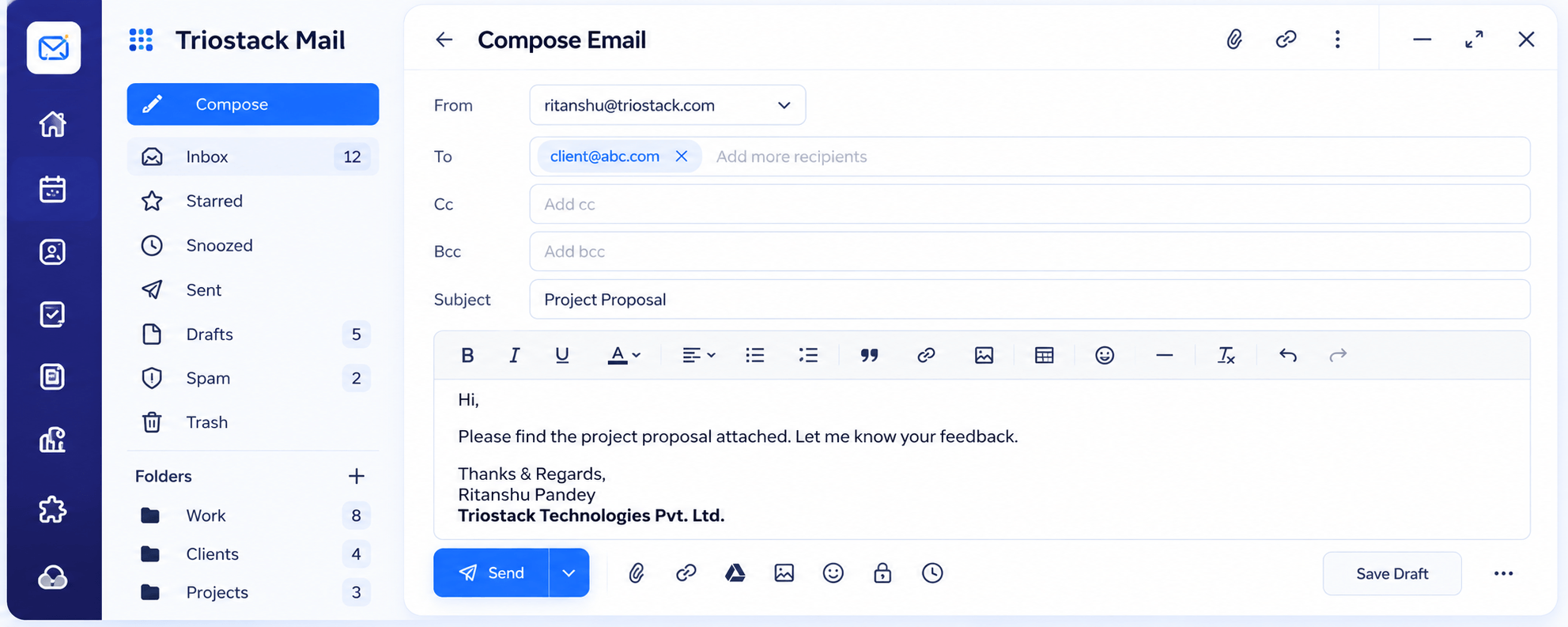
Compose
A full editor with Cc, Bcc, attachments and scheduled send
In the Product
Imagine swapping a hand-painted sign for a clear, branded one over the door.
Customers see your domain.
A few clicks to add someone.
Connect more tools later.
Platform Integrity
name@yourcompany
Users and aliases in one table
Spam and virus filtering
Folders and labels
How It Works
What changes for a small team.
Address
On your domain
Free-Mail: name@freemail
Admin
One table for users and aliases
Free-Mail: Separate accounts
Protection
Spam, phishing and virus filtering
Free-Mail: Basic filtering
Organisation
Folders and labels
Free-Mail: Single inbox
Growth
Connect CRM later
Free-Mail: Move again
Tell us about your team, your domains and how you handle email today, and we will propose a setup that fits.
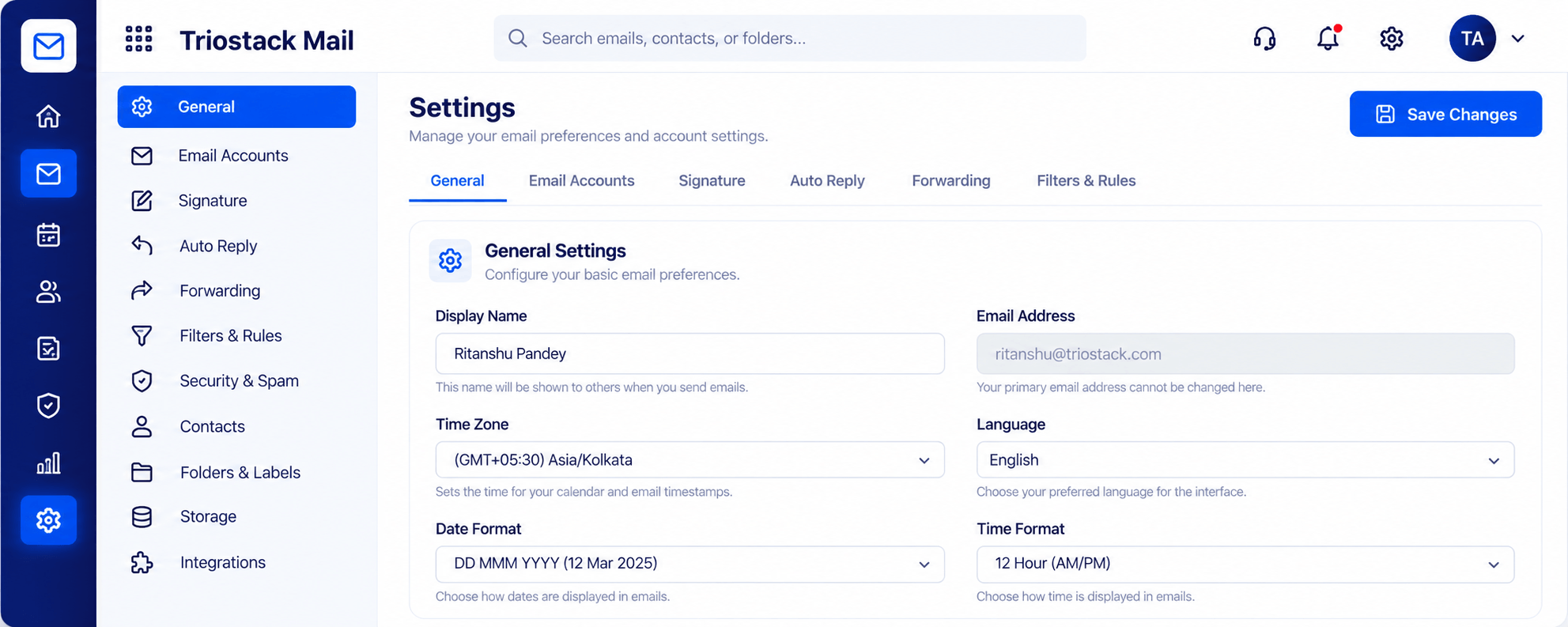
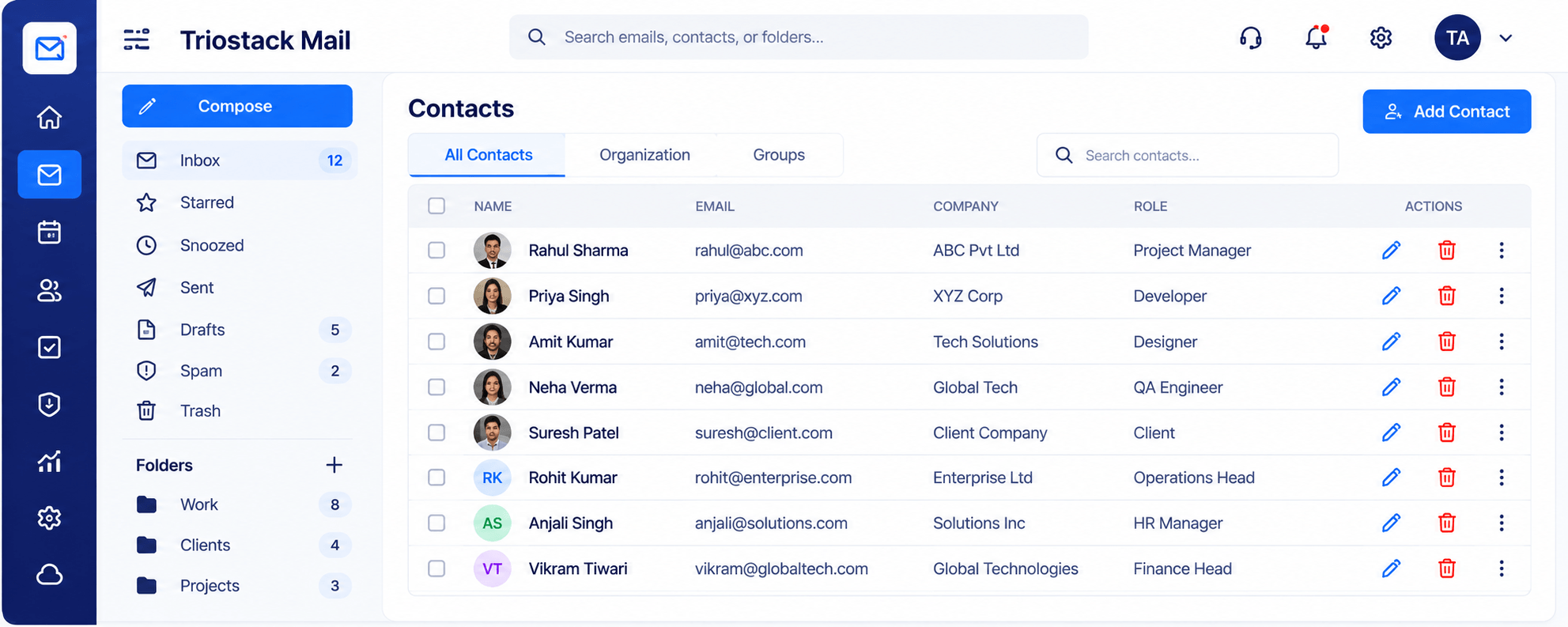
Live Interface Tour
Real screens captured directly from the Triostack Mail workspace.
Organizations & Domains
Professional addresses in an afternoon
Feature Breakdown
Captured from the Triostack Mail workspace.
Admin in one place.
How it fits the plan
Add domain. Connect your company domain.
Add users. Create mailboxes and aliases.
Practical tip
Set up the domain, the owner's mailbox and one shared address on day one. That covers most small teams.
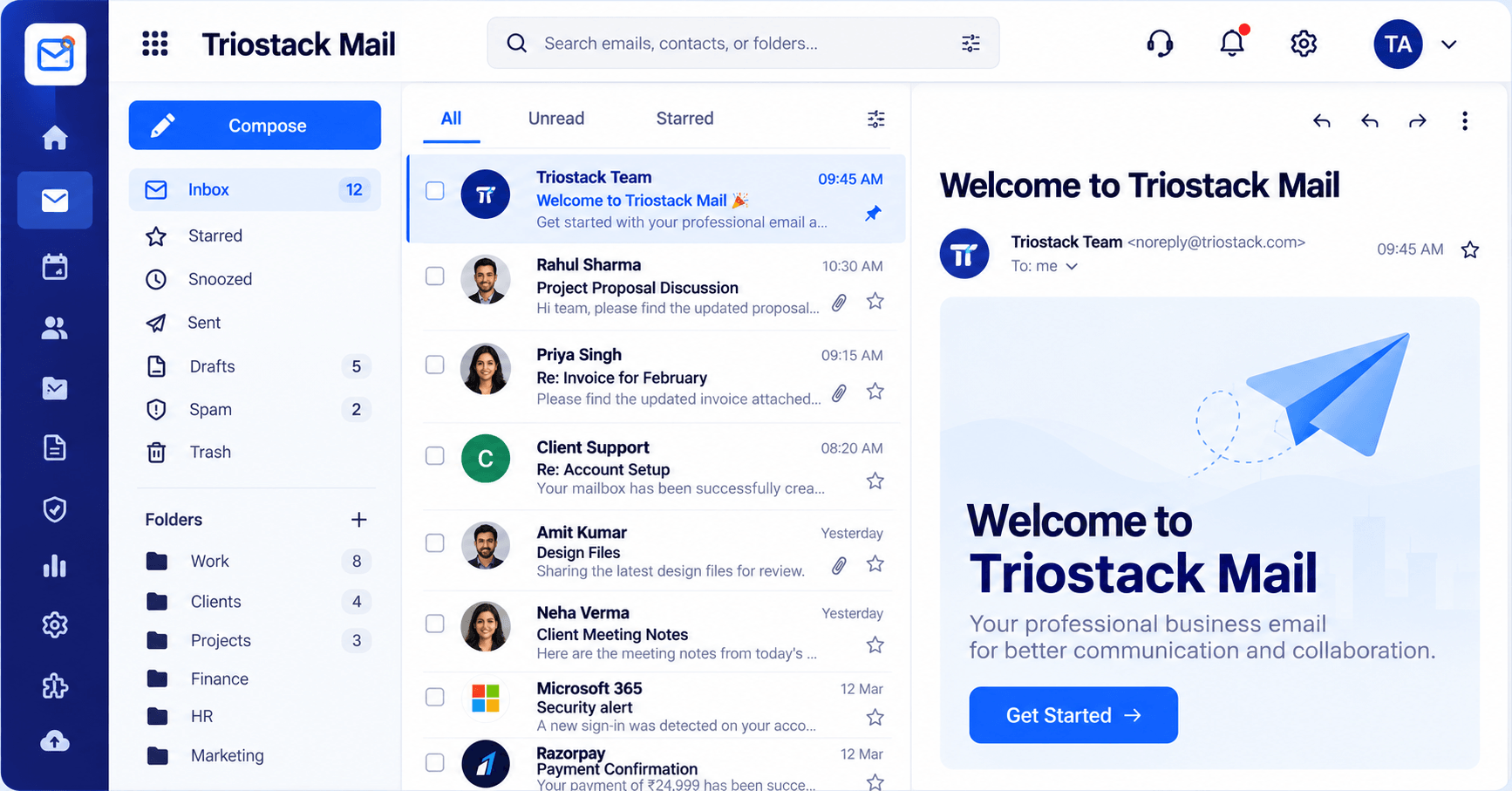
Daily work.
In real life
New hire
A mailbox is created on day one.
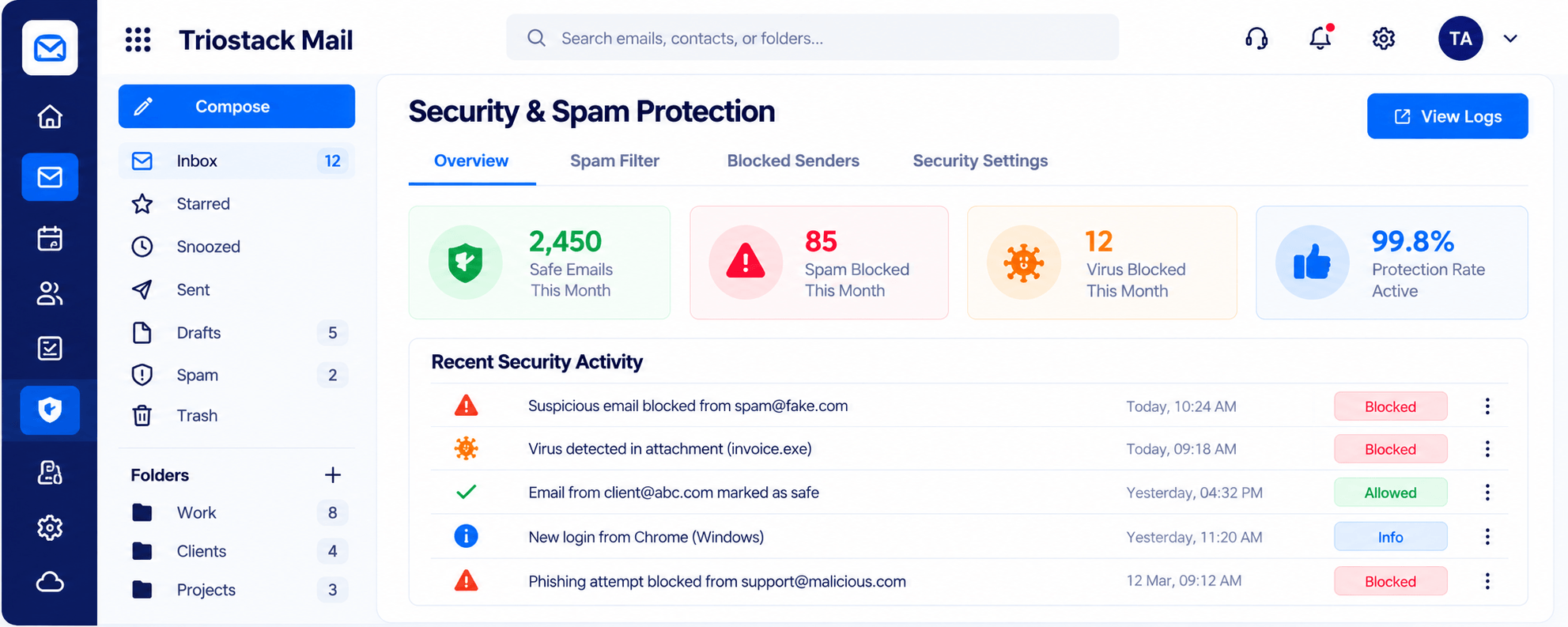
Peace of mind.
Watch out for
Using free-mail addresses for a while 'until the business is bigger'.
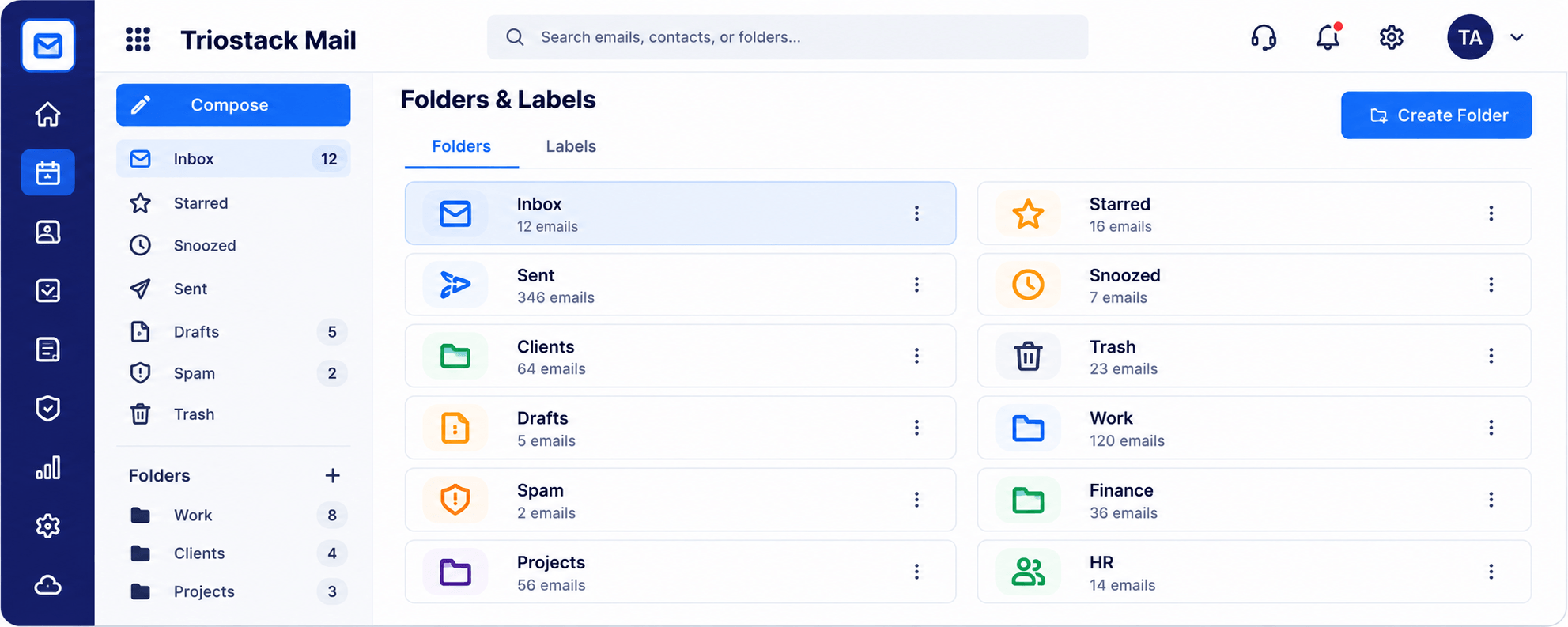
Stay tidy.
Before you start
Execution Plan
Connect your company domain.
Create mailboxes and aliases.
Set folders and signatures.
Start sending from your brand.
Practical Guide
Before you start
A tip that helps
Set up the domain, the owner's mailbox and one shared address on day one. That covers most small teams.
A common mistake
Using free-mail addresses for a while 'until the business is bigger'.
In Real Life
Scenario 01
A mailbox is created on day one.
Scenario 02
A shared address reaches the team.
Scenario 03
The filter blocks it and the log shows it.
Straight answers about Mail for Small Businesses, from setup to what happens next.
Have a question about Mail for Small Businesses?
Book a free callNo. Domains, users and aliases are managed in one place.
Ask us how to plan the move.
Yes, along with phishing and viruses.
Yes. Add users and connect CRM when you need to.
Set up addresses on your own domain, keep customer mail organised and stay protected from spam, all without a dedicated administrator.
It runs in 4 steps: Add domain, Add users, Organise and Go. Connect your company domain.
The real screens on this page include Compose, Settings, Signatures & Rules, Contacts & Groups and Organizations & Domains, all captured from the product.
Request a demo or start a free trial. Our team can also walk you through a guided setup, so your first session ends with something working.
Keep Exploring
Custom-domain inboxes, shared folders, contacts and spam protection in one workspace, connected to CRM and support.