The best Business Suite software in India, built to help your business grow. Contact us at +91-8882435276.
[ Contact ]
Phone number
Email address
Head office
Noida office
The right team at TriostackOne will get back to you.
Custom Domain
Review current features
Protection
Review current protection
Contacts
Review current contacts
Suite Integration
Via connectors
Check each vendor's current plans.
Positioning Assessment
Both products offer custom-domain business email, folders, contacts and spam protection. The everyday experience is comparable in category.
The difference is what surrounds it. Triostack Mail sits inside TriostackOne, so emails can link to CRM leads and become Desk tickets without third-party glue. Check each vendor's current plans, since both evolve.
“Both gave us a business inbox. The tie-breaker was seeing emails next to CRM leads.”
Sample team scenario
Illustrative example, not a customer testimonial
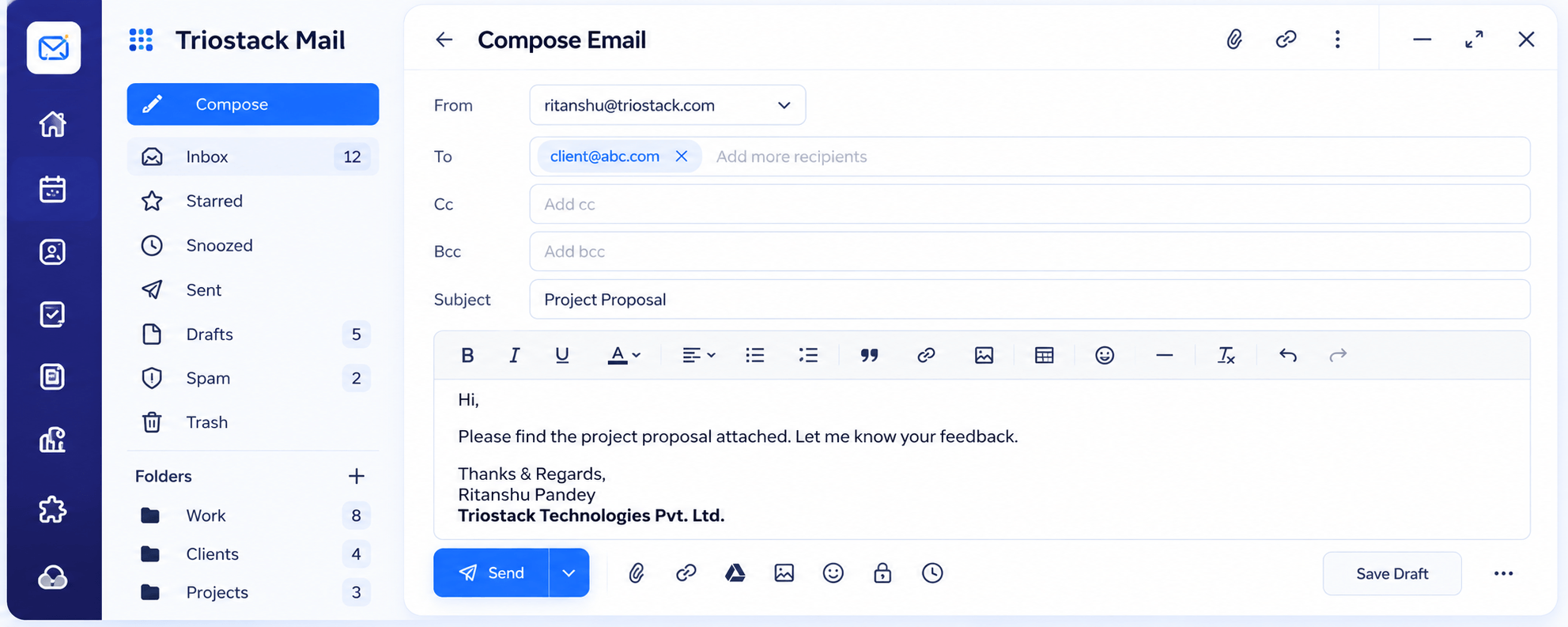
Compose
A full editor with Cc, Bcc, attachments and scheduled send
In the Product
Imagine two similar cars. The question is which area they connect you to.
Business email basics.
CRM, Desk, Projects.
Trial both.
Platform Integrity
Custom-domain business email
CRM, Desk and Projects nearby
Spam, phishing, viruses
We assist with the move
Detailed Comparison
A fair comparison of what to look at. Check each vendor's current plans, since both evolve.
Triostack Mail
Typical Mail Product
Custom Domain
Domains, users and aliases
Custom Domain
Review current features
Protection
Spam, phishing, virus filtering
Protection
Review current protection
Contacts
Contacts and groups
Contacts
Review current contacts
Suite Integration
CRM, Desk, Projects in TriostackOne
Suite Integration
Via connectors
Pricing
See our pricing page
Pricing
Review the vendor's pricing
We help bring over mailboxes, contacts and folders, and plan the cut-over so no email is lost in the move.
Live Interface Tour
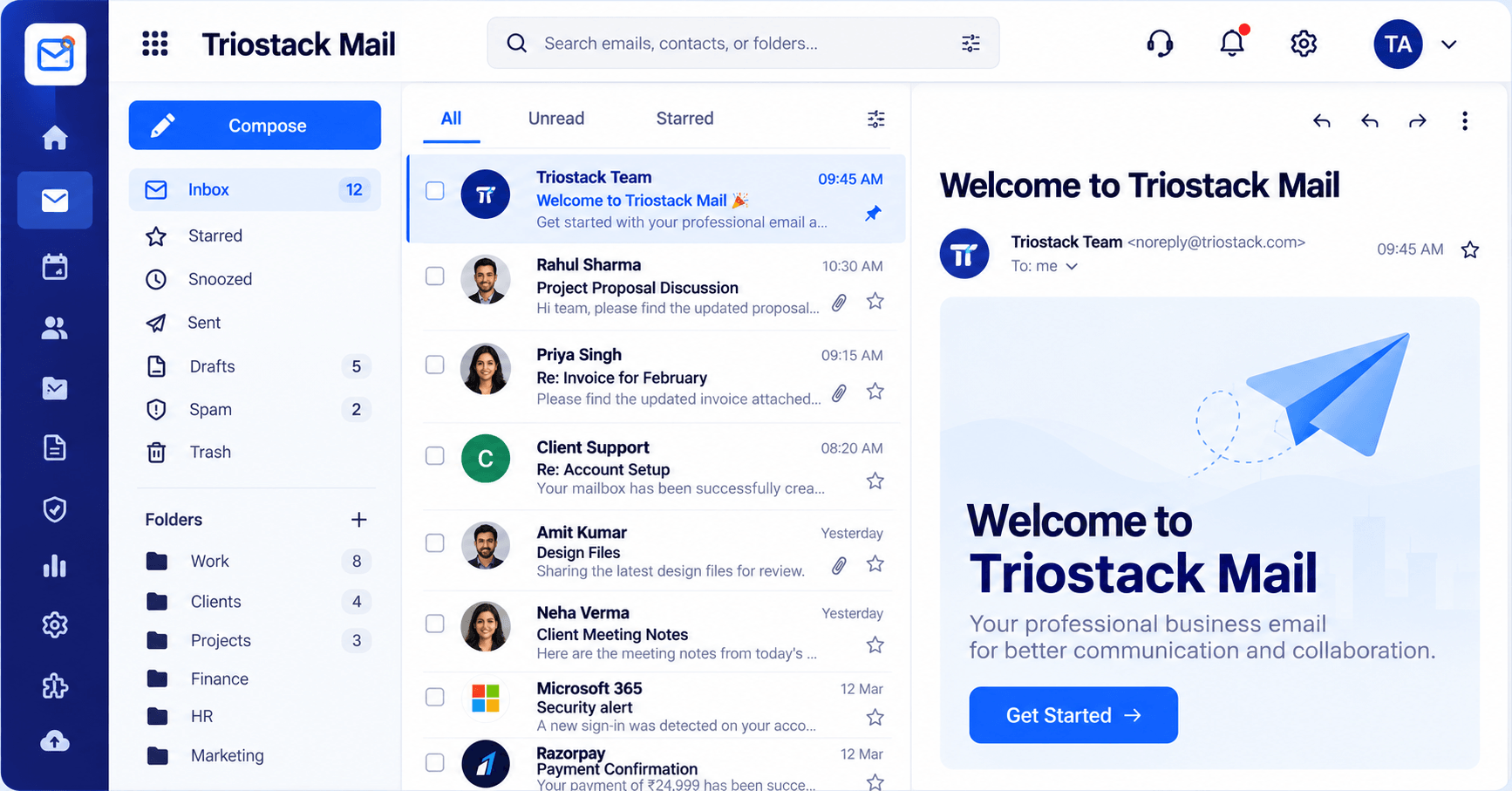
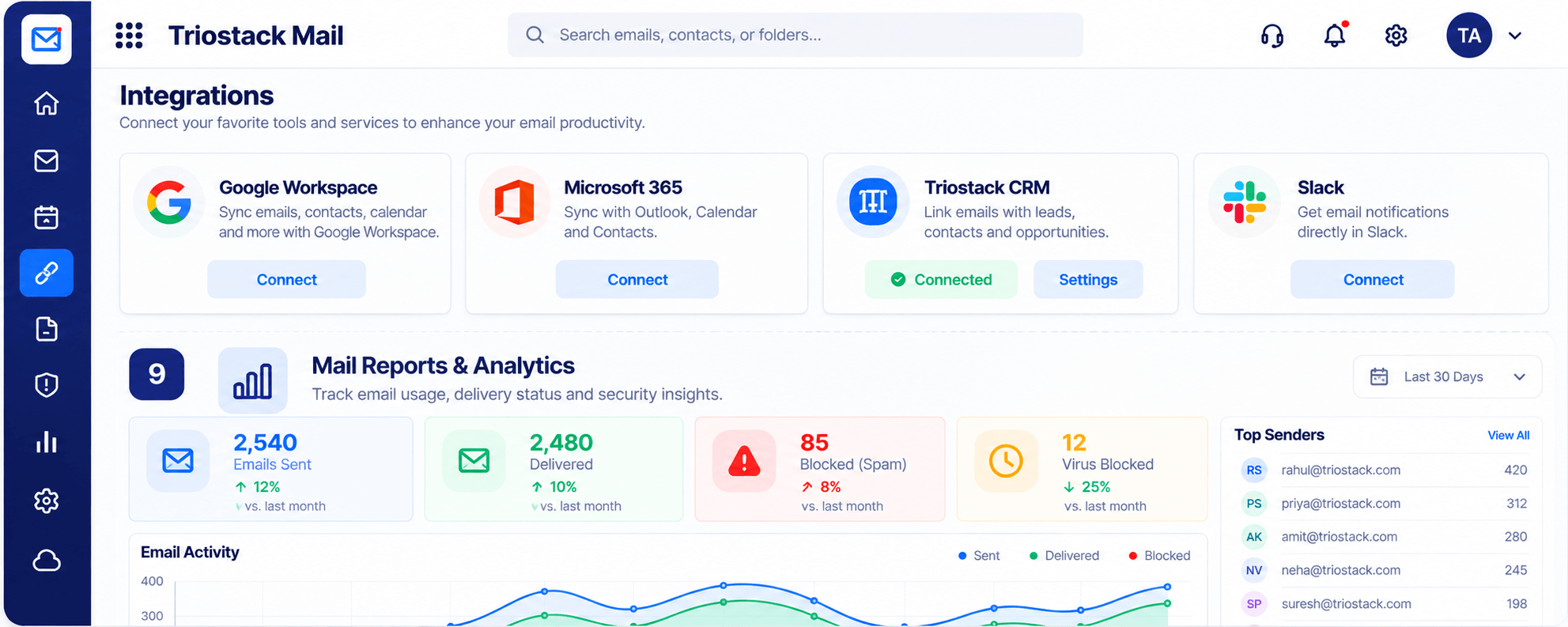
Real screens captured directly from the Triostack Mail workspace.
Inbox & Reading Pane
Mail that connects to CRM, Desk and Projects
Feature Breakdown
Captured from the Triostack Mail workspace.
The core experience.
How it fits the plan
List needs. Domains, shared inboxes, protection.
Check features. Review each vendor's plans.
Practical tip
Send the same ten real emails through both. The difference shows up in the details.
Admin.
How it fits the plan
Check features. Review each vendor's plans.
Trial. Try both with real mail.
In real life
Choosing a mail host
A team compares features and price.
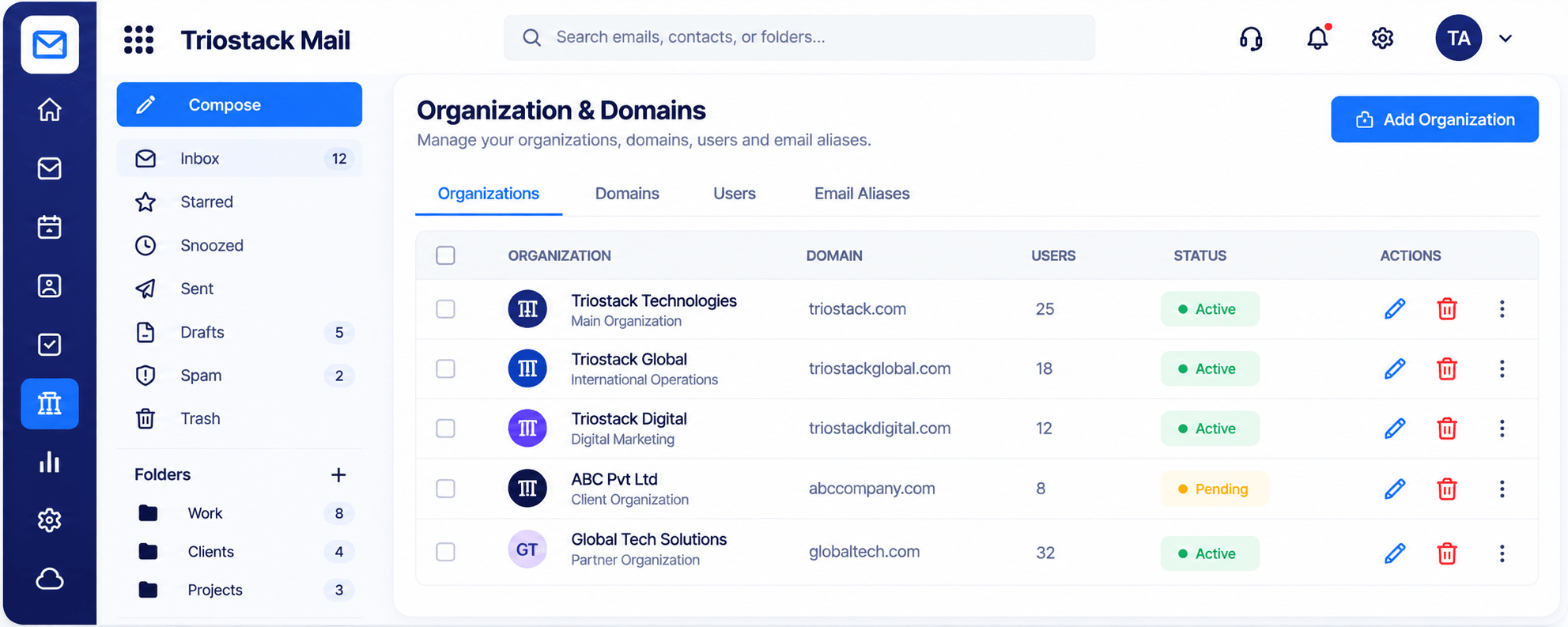
Protection.
How it fits the plan
Trial. Try both with real mail.
Decide. Weigh the surrounding suite.
Watch out for
Comparing the feature pages and never using either product.
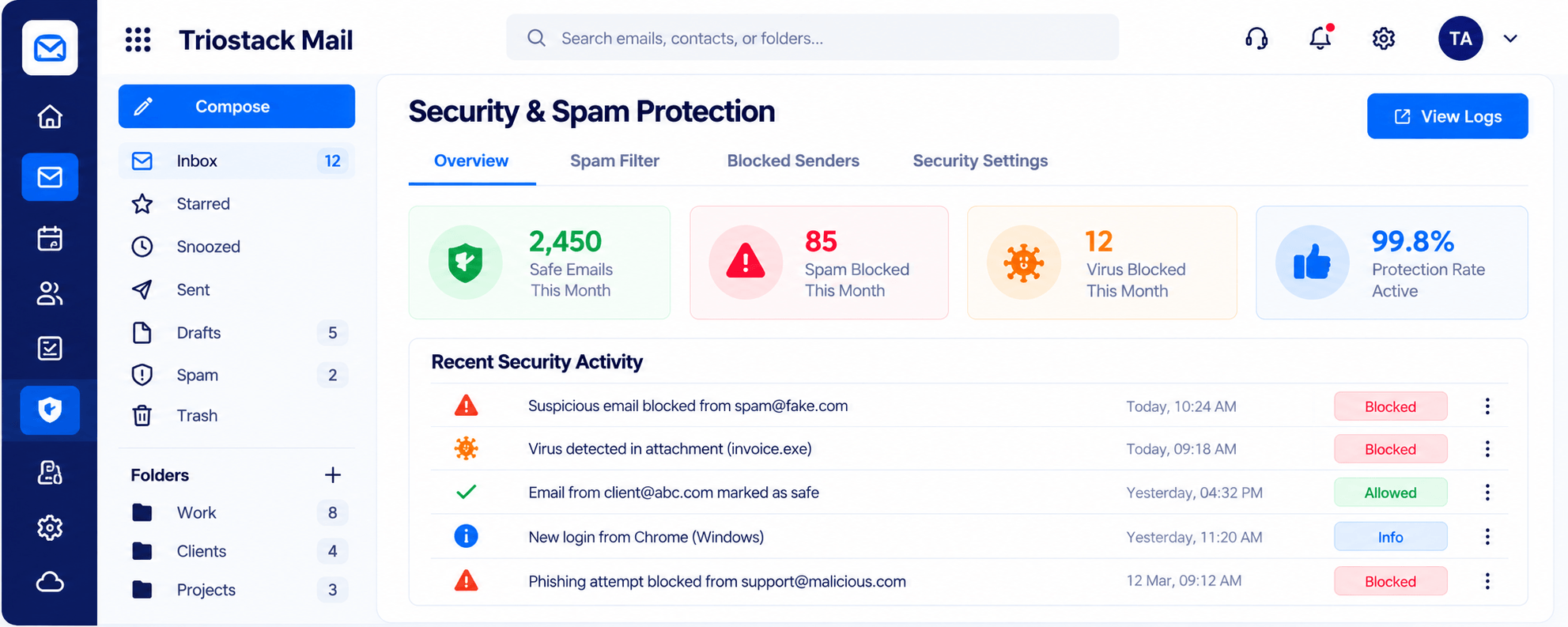
Connections.
How it fits the plan
Decide. Weigh the surrounding suite.
List needs. Domains, shared inboxes, protection.
Before you start
Execution Plan
Domains, shared inboxes, protection.
Review each vendor's plans.
Try both with real mail.
Weigh the surrounding suite.
Practical Guide
Before you start
A tip that helps
Send the same ten real emails through both. The difference shows up in the details.
A common mistake
Comparing the feature pages and never using either product.
In Real Life
Scenario 01
A team compares features and price.
Scenario 02
Fewer tools, one login.
Scenario 03
Email and deals are wanted together.
Straight answers about Triostack Mail vs Zoho Mail, from setup to what happens next.
Have a question about Triostack Mail vs Zoho Mail?
Book a free callIt covers similar ground. Compare the features you rely on.
We help plan the move.
Compare current pricing for both.
Yes. It links emails with Triostack CRM.
Zoho Mail is a known business email product. Triostack Mail offers custom-domain email inside a wider suite. Compare on how email connects to the rest of your work.
It runs in 4 steps: List needs, Check features, Trial and Decide. Domains, shared inboxes, protection.
The real screens on this page include Compose, Folders & Labels, Contacts & Groups and Inbox, all captured from the product.
Request a demo or start a free trial. Our team can also walk you through a guided setup, so your first session ends with something working.
Keep Exploring
Custom-domain inboxes, shared folders, contacts and spam protection in one workspace, connected to CRM and support.
