The best Business Suite software in India, built to help your business grow. Contact us at +91-8882435276.
[ Contact ]
Phone number
Email address
Head office
Noida office
The right team at TriostackOne will get back to you.
Positioning Assessment
Sales teams answer emails without seeing the deal, the last call or the quotation. Customers repeat themselves; reps guess.
Triostack Mail links emails with Triostack CRM leads, contacts and opportunities, because both live in TriostackOne. Ask us what is linked automatically and what is done manually on your plan.
“Opening an email and seeing the opportunity beside it changed how we replied.”
Sample team scenario
Illustrative example, not a customer testimonial
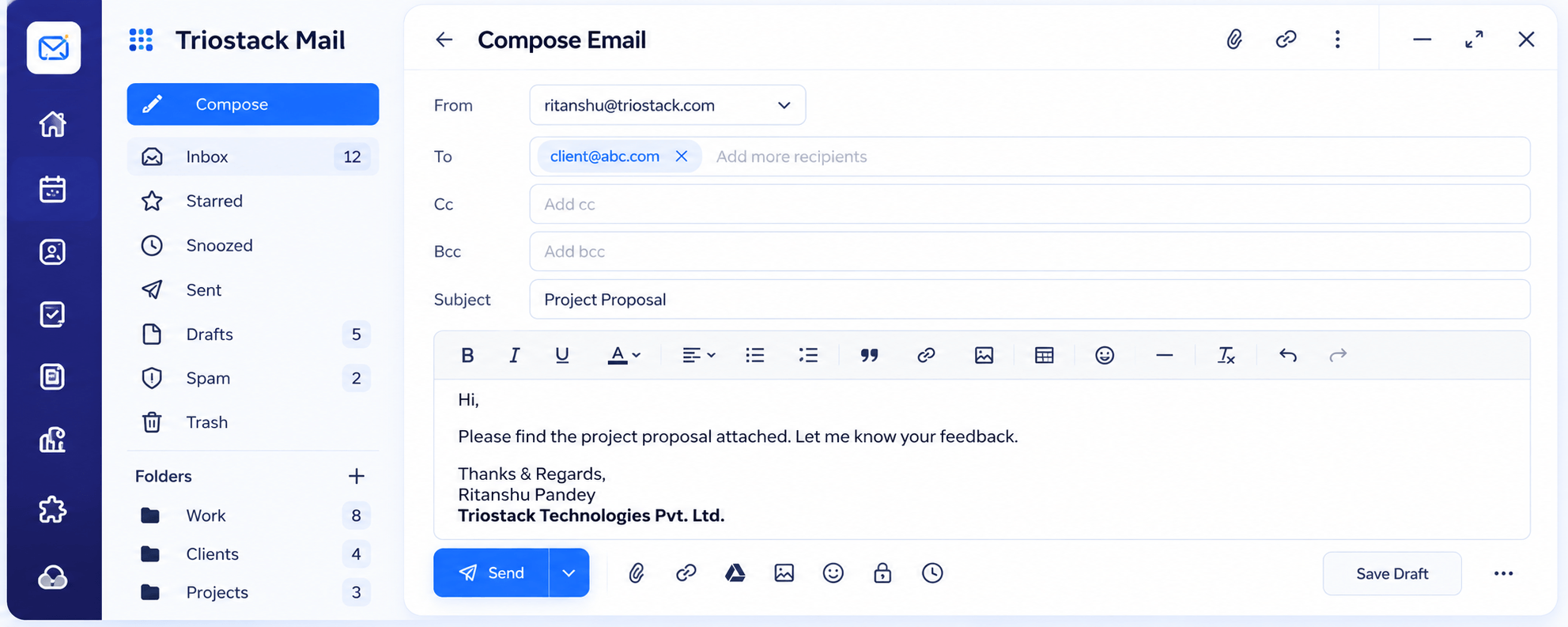
Compose
A full editor with Cc, Bcc, attachments and scheduled send
In the Product
Imagine every email arriving with the customer's folder already clipped to it.
Email and deal together.
Customers do not repeat themselves.
No glue code.
Platform Integrity
Emails tied to the lead
One person, one record
See the deal beside the thread
No third-party connector
How It Works
What changes when email knows the deal.
| Dimension | Triostack Mail | Separate Tools |
|---|---|---|
| Context | Lead and opportunity beside the email | Search the CRM |
| Contacts | Shared across Mail and CRM | Two address books |
| History | Threads attached to records | Copy and paste |
| Setup | Same suite | Third-party connector |
| Plan details | Ask us what is automatic | Varies |
Our team can walk you through the connection, permissions and a first test so Mail fits into the tools your team already uses.
Live Interface Tour
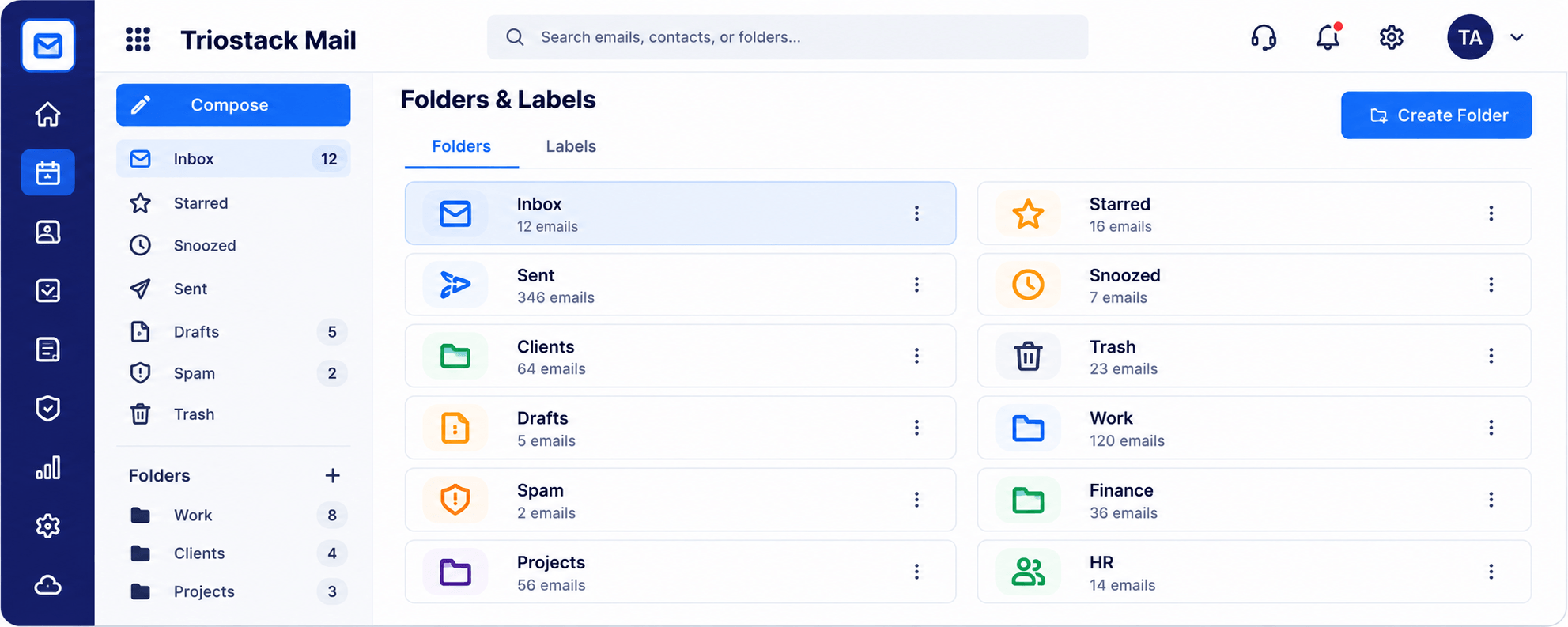
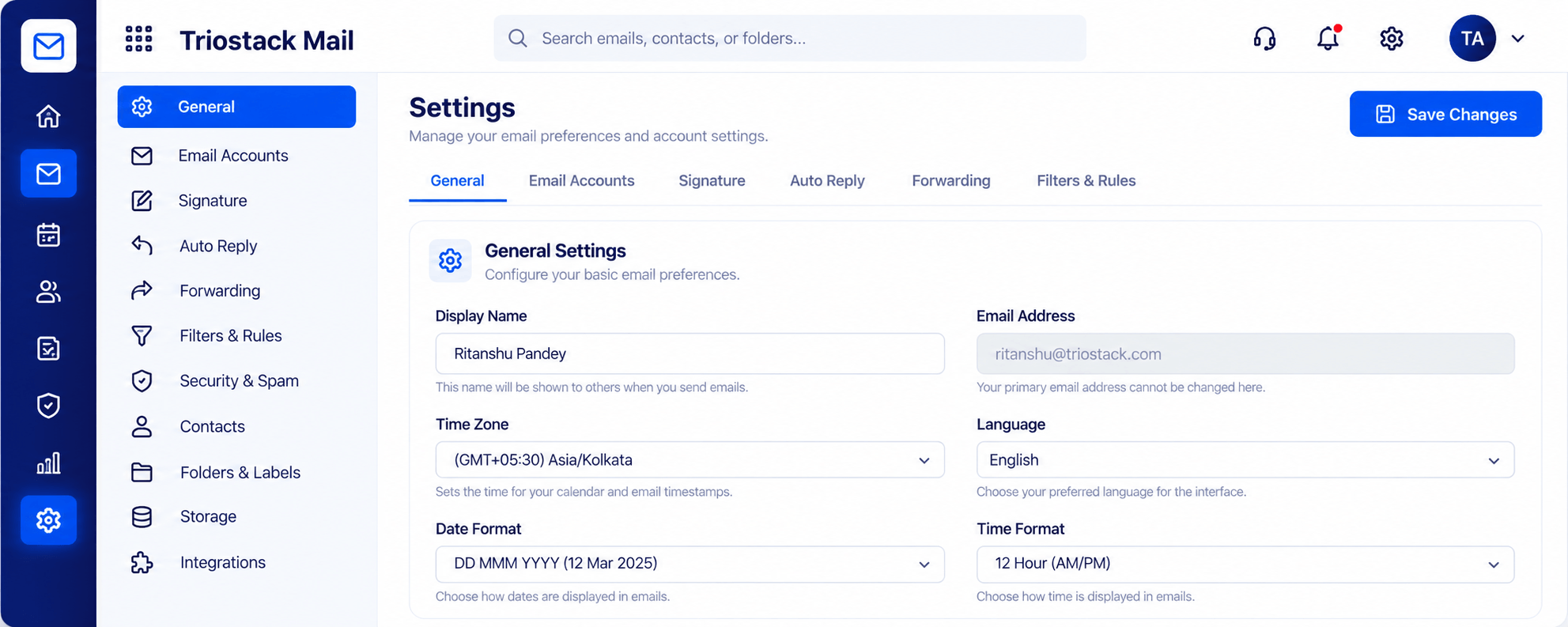
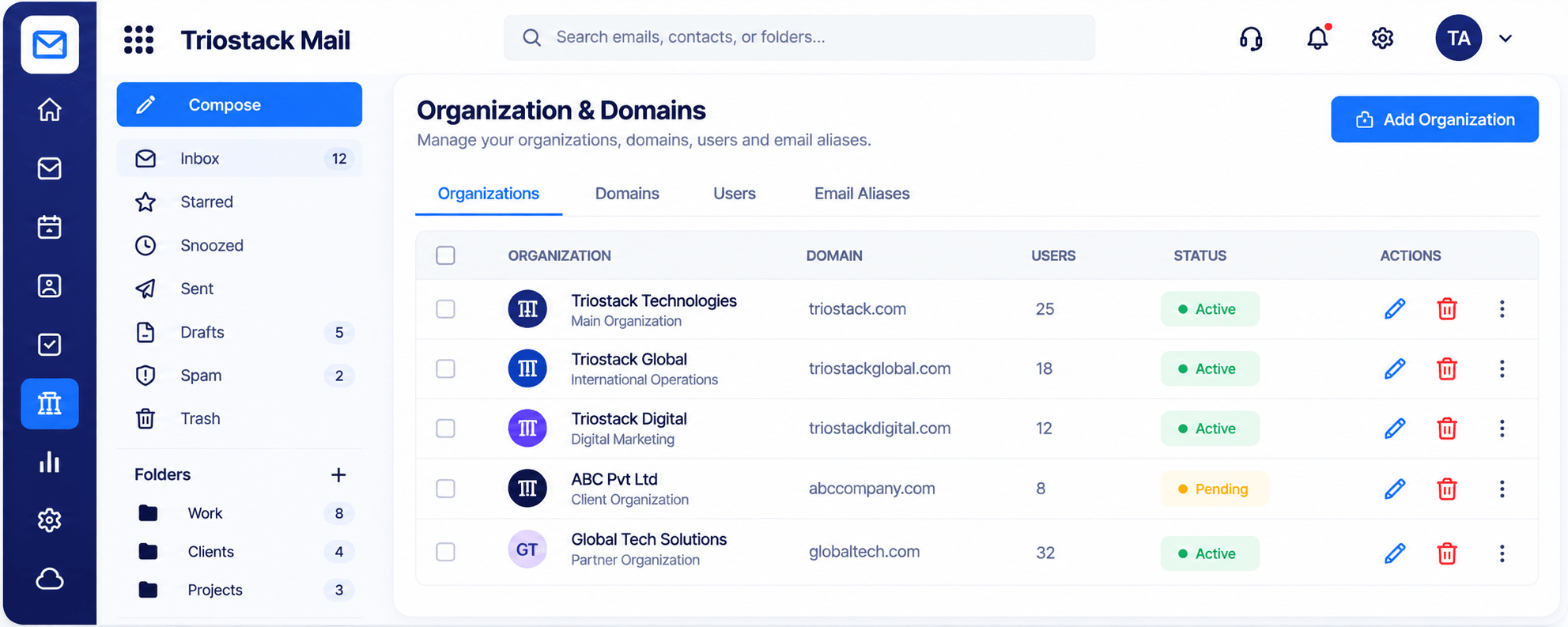
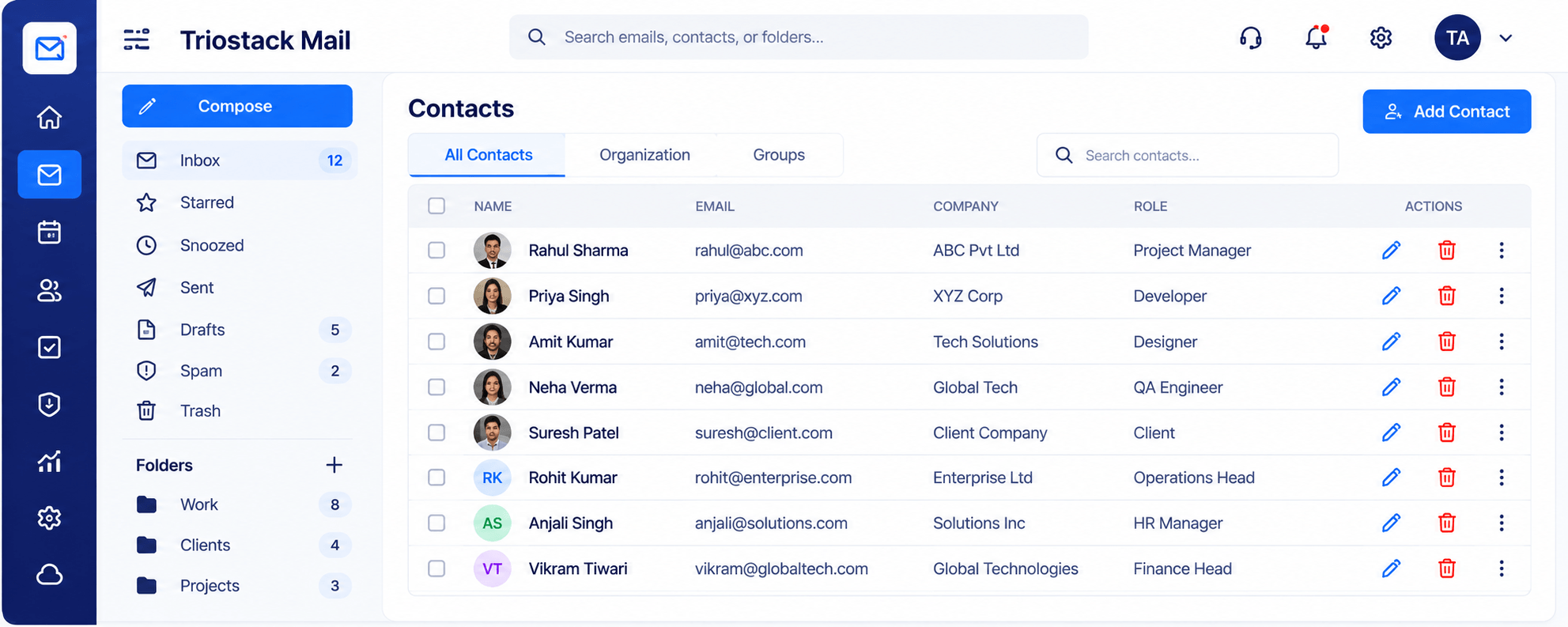
Real screens captured directly from the Triostack Mail workspace.
Contacts & Groups
Emails tied to leads, contacts and opportunities
Feature Breakdown
Captured from the Triostack Mail workspace.
01
IntegrationsThe shared record.
How it fits the plan
Receive. A prospect emails you.
Link. The email is tied to the lead.
Practical tip
Link the sales mailbox first. That is where context on the lead saves the most time.
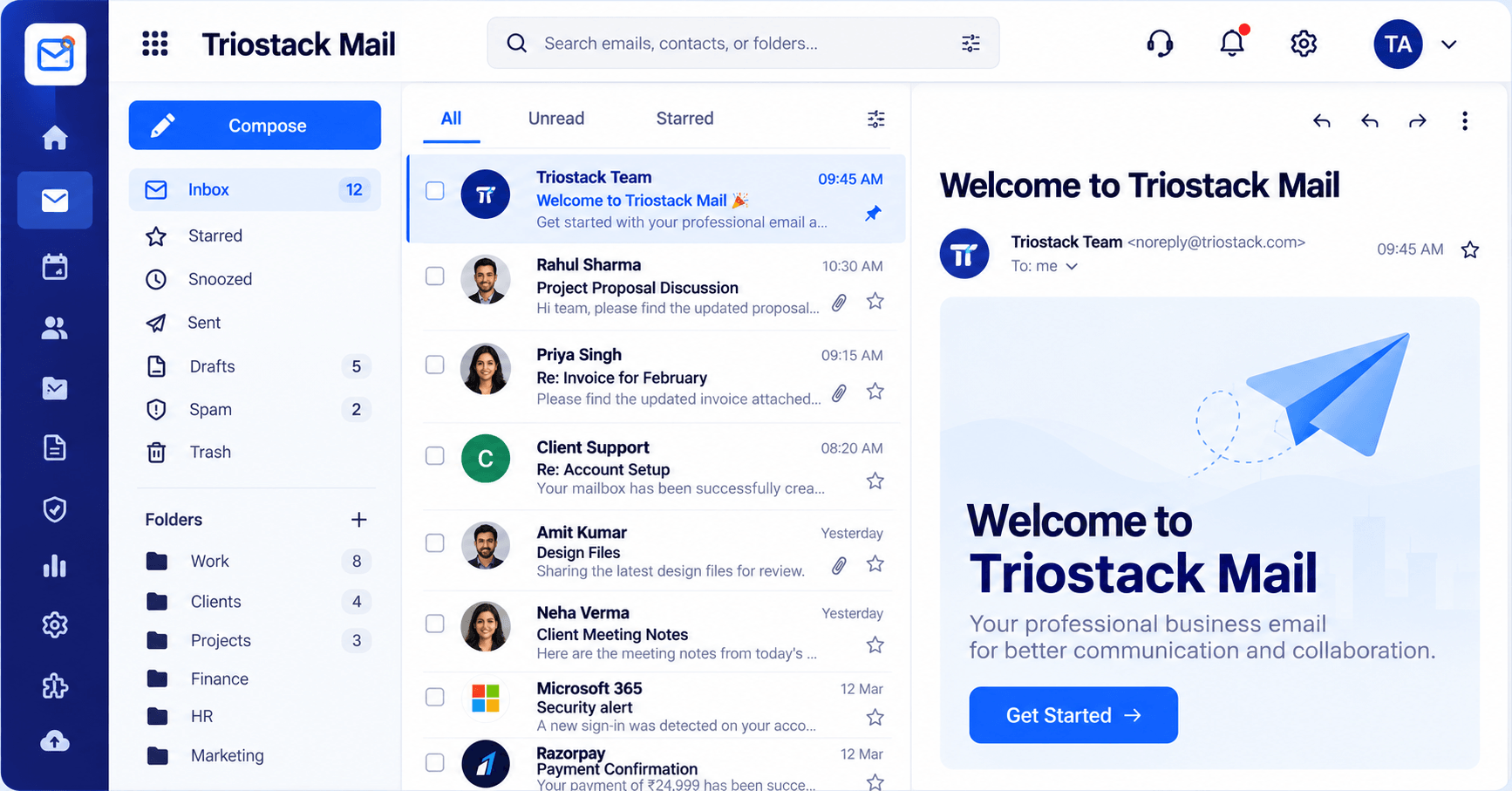
02
IntegrationsWhere replies start.
How it fits the plan
Link. The email is tied to the lead.
Reply. You see the deal and answer.
In real life
Inbound enquiry
The rep sees the lead's history.
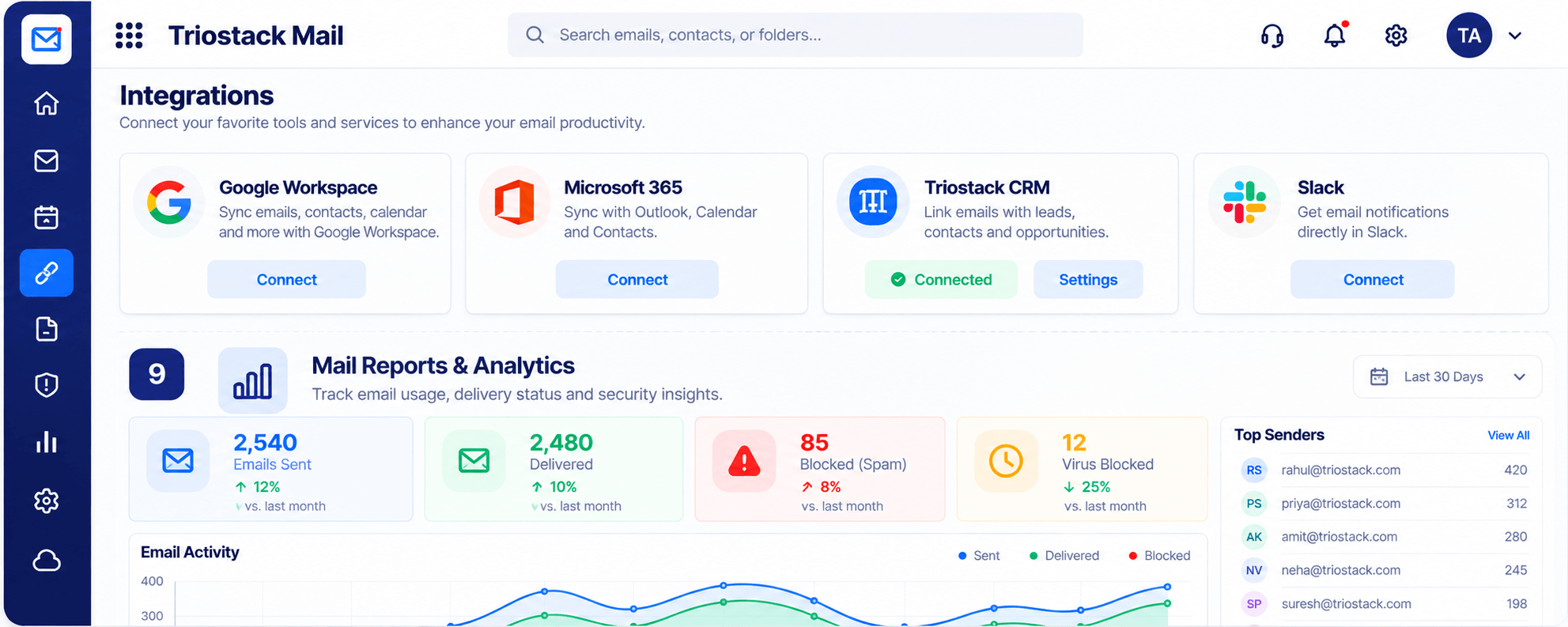
03
IntegrationsThe link.
How it fits the plan
Reply. You see the deal and answer.
Track. The thread stays on the record.
Watch out for
Replying to a lead from a personal address, so the thread never reaches the record.
04
IntegrationsReply with context.
On this screen: A full editor with Cc, Bcc, attachments and scheduled send.
How it fits the plan
Track. The thread stays on the record.
Receive. A prospect emails you.
Before you start
Execution Plan
A prospect emails you.
The email is tied to the lead.
You see the deal and answer.
The thread stays on the record.
Practical Guide
Before you start
A tip that helps
Link the sales mailbox first. That is where context on the lead saves the most time.
A common mistake
Replying to a lead from a personal address, so the thread never reaches the record.
In Real Life
Scenario 01
The rep sees the lead's history.
Scenario 02
The opportunity guides the reply.
Scenario 03
A colleague reads the whole thread.
Straight answers about CRM Integrations, from setup to what happens next.
Have a question about CRM Integrations?
Book a free callYes. Mail links emails with Triostack CRM leads, contacts and opportunities.
Ask us what is automatic on your plan.
No. Both are part of TriostackOne.
Yes.
Link emails with Triostack CRM leads, contacts and opportunities so every reply starts with the full story.
It runs in 4 steps: Receive, Link, Reply and Track. A prospect emails you.
The real screens on this page include Compose, Security & Spam Protection, Organizations & Domains and Contacts, all captured from the product.
Request a demo or start a free trial. Our team can also walk you through a guided setup, so your first session ends with something working.
Keep Exploring
Custom-domain inboxes, shared folders, contacts and spam protection in one workspace, connected to CRM and support.