The best Business Suite software in India, built to help your business grow. Contact us at +91-8882435276.
[ Contact ]
Phone number
Email address
Head office
Noida office
The right team at TriostackOne will get back to you.

Positioning Assessment
Support arrives by email, WhatsApp, a chat widget and phone calls, and many teams run each in a separate tool. The result is the same customer repeating their problem three times, and agents who cannot see what a colleague promised.
Triostack's helpdesk brings these channels into one queue of tickets. Each message, whichever channel it came on, joins the customer's thread, with the customer record, past tickets and related sales history beside it. A call can be logged as a voice ticket. SLA tracking sets a first-response and a resolution target per priority and shows the time remaining, and escalation rules move a ticket to a senior agent or manager as the target nears. Ticket targets and channels depend on your plan, as set out in your agreement.
“A customer began on chat and followed up on WhatsApp. The agent saw both in one thread and never asked twice.”
Sample team scenario
A made-up scenario about Omnichannel Customer Helpdesk, not a customer testimonial

All Leads
Omnichannel Customer Helpdesk: every lead with its source, status and owner
In the Product
Imagine every customer recognised on every channel.
Four channels.
Always.
By rule.
Platform Integrity
One queue
Across channels
Per priority
Rule-based
At a Glance
What changes for the customer and the agent.
| Dimension | Triostack CRM | Separate Channel Tools |
|---|---|---|
| Channels | Email, WhatsApp, chat and voice in one queue | A tool for each |
| Customer history | One thread across channels | Repeated explanations |
| SLA | Targets and time remaining shown | Not measured |
| Escalation | Rules move tickets up | Someone forwards an email |
| Context | Customer and sales record alongside | Switch to another app |
Book a walkthrough of Omnichannel Customer Helpdesk. We set up a sandbox so you can try Email, WhatsApp and Live chat before you commit.
Live Interface Tour
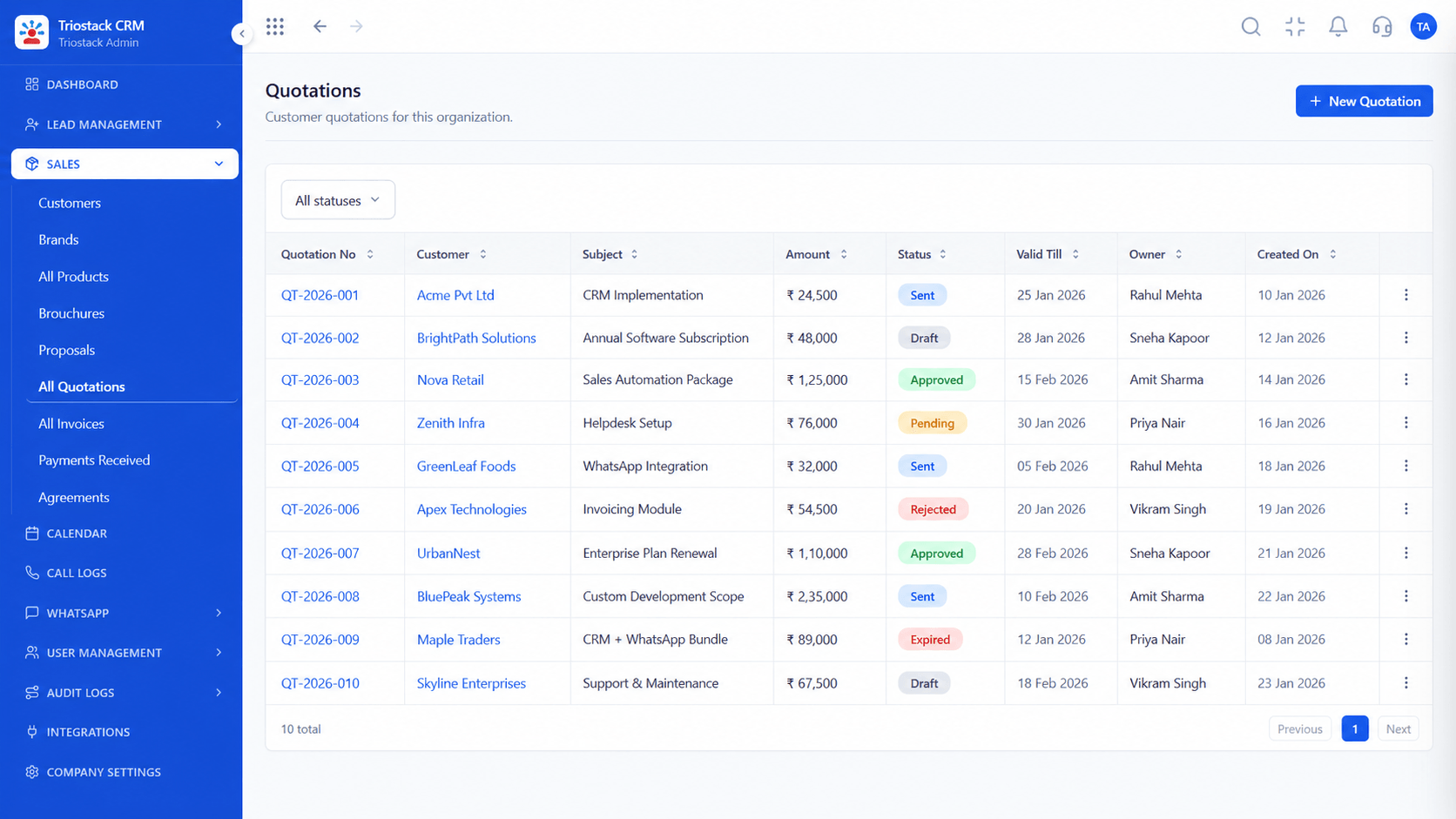
The screens below belong to Omnichannel Customer Helpdesk: All Leads, Lead Follow-Ups and Sales Dashboard, all from the product.
WhatsApp Team Inbox
Omnichannel Customer Helpdesk: customers pick the channel; agents see one thread
Feature Breakdown
4 screens from the live product that show Omnichannel Customer Helpdesk at work.
A support channel.
How it fits the plan
Connect. Bring in email, WhatsApp, chat and calls.
Route. Assign tickets by team and priority.
Practical tip
Start with two priorities, urgent and normal. A five-level scheme nobody follows is worse than two that everyone does.

Voice tickets.
How it fits the plan
Route. Assign tickets by team and priority.
Time. Set first-response and resolution targets.
In real life
Growing support team
Nothing is lost between tools.
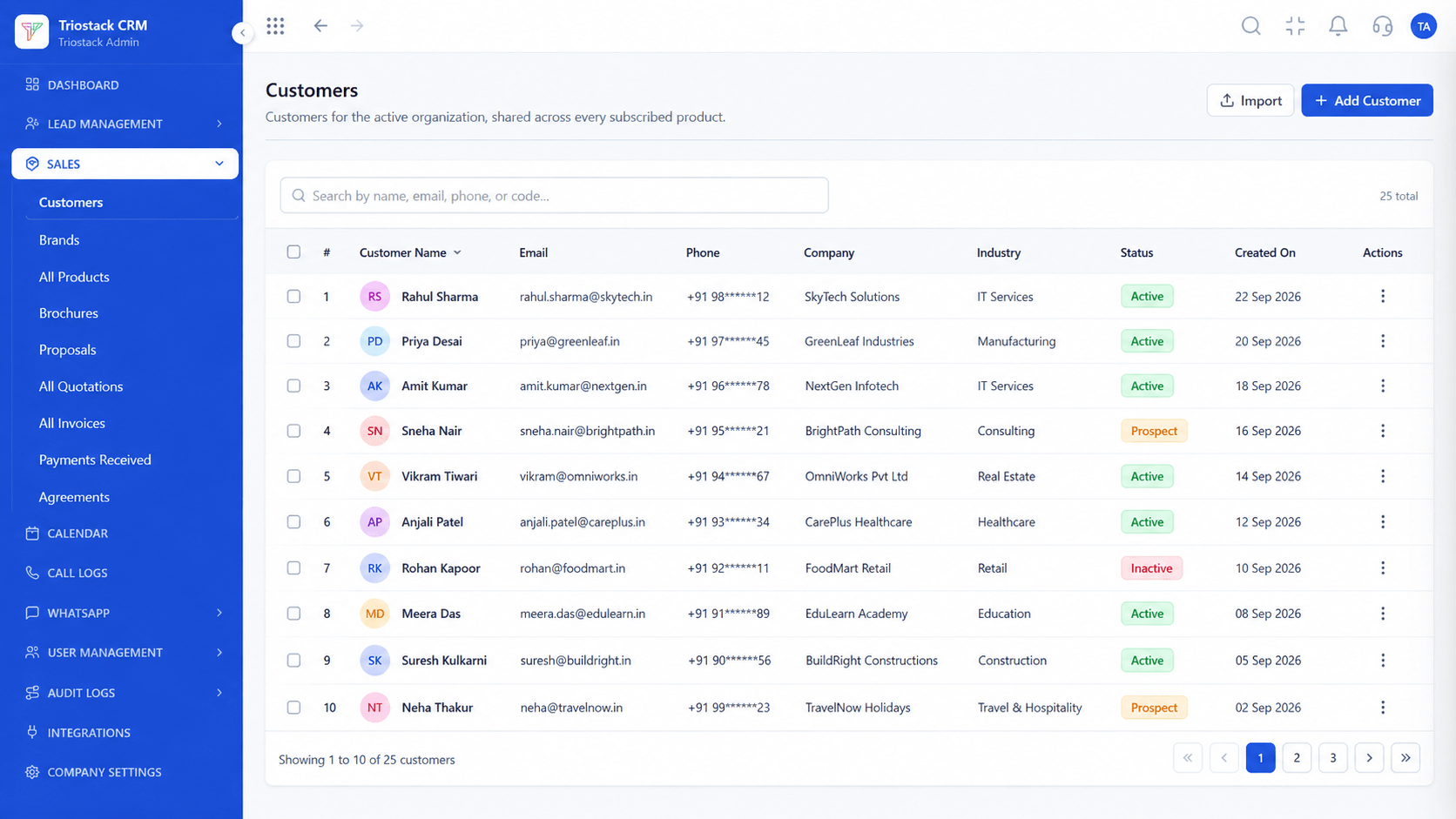
Context beside the ticket.
How it fits the plan
Time. Set first-response and resolution targets.
Escalate. Define who is alerted as a target nears.
Watch out for
Setting an SLA you cannot staff, then ignoring the breach alerts.
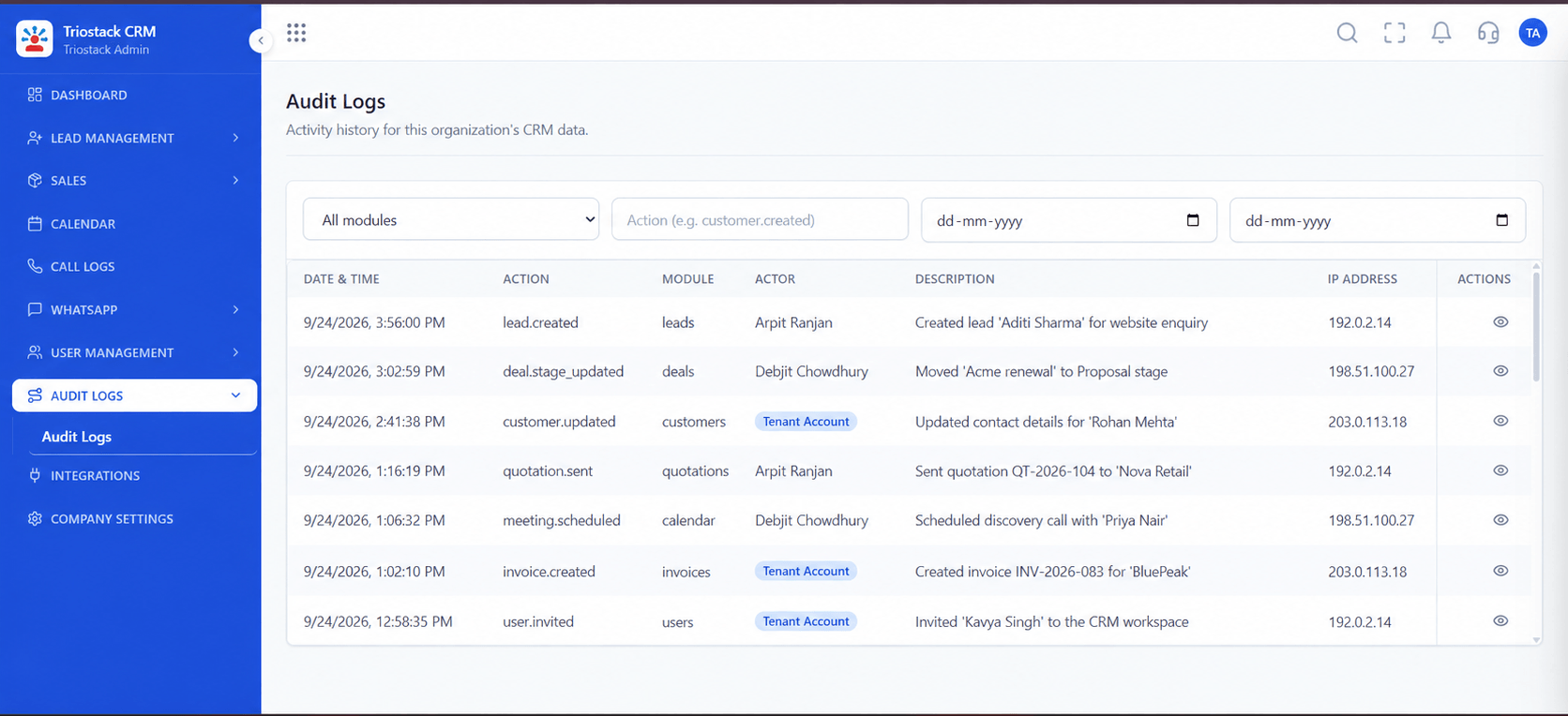
Ticket history.
How it fits the plan
Escalate. Define who is alerted as a target nears.
Connect. Bring in email, WhatsApp, chat and calls.
Before you start
Execution Plan
Bring in email, WhatsApp, chat and calls.
Assign tickets by team and priority.
Set first-response and resolution targets.
Define who is alerted as a target nears.
Practical Guide
Before you start
A tip that helps
Start with two priorities, urgent and normal. A five-level scheme nobody follows is worse than two that everyone does.
A common mistake
Setting an SLA you cannot staff, then ignoring the breach alerts.
Availability: What Omnichannel Customer Helpdesk covers can depend on your plan and setup. Please confirm with our team which parts are live for your account, and any prerequisites, before you plan around it.
In Real Life
Scenario 01
Nothing is lost between tools.
Scenario 02
Chats become tickets.
Scenario 03
They see open issues before a call.
Straight answers about Omnichannel Customer Helpdesk, from setup to what happens next.
Have a question about Omnichannel Customer Helpdesk?
Book a free callEmail, WhatsApp, live chat and voice tickets.
Yes, with first-response and resolution targets per priority.
Yes, by rules, as targets near.
Yes, with past tickets and sales history alongside.
Unified customer support across email, WhatsApp, live chat and voice tickets, with SLA tracking and escalation, tied to the customer record in Triostack.
It runs in 4 steps: Connect, Route, Time and Escalate. Bring in email, WhatsApp, chat and calls.
The real screens on this page include All Leads, Lead Follow-Ups, Sales Dashboard and WhatsApp Team Inbox, all captured from the product.
Request a demo and ask to see Omnichannel Customer Helpdesk. Our team can also walk you through setup, so your first session ends with something working.
We will walk you through Omnichannel Customer Helpdesk, from Email, WhatsApp and Live chat, on sample data shaped like yours.
Explore All CRM Features