The best Business Suite software in India, built to help your business grow. Contact us at +91-8882435276.
[ Contact ]
Phone number
Email address
Head office
Noida office
The right team at TriostackOne will get back to you.
Built for
Multi-Currency and Global FX Support
Quote in theirs, report in yours
One total across every currency
Positioning Assessment
Businesses with international customers quote in dollars, euros, dirhams or pounds, then struggle to total the pipeline when every deal is in a different currency. Rates move daily, so a spreadsheet conversion is wrong by the time it is shared.
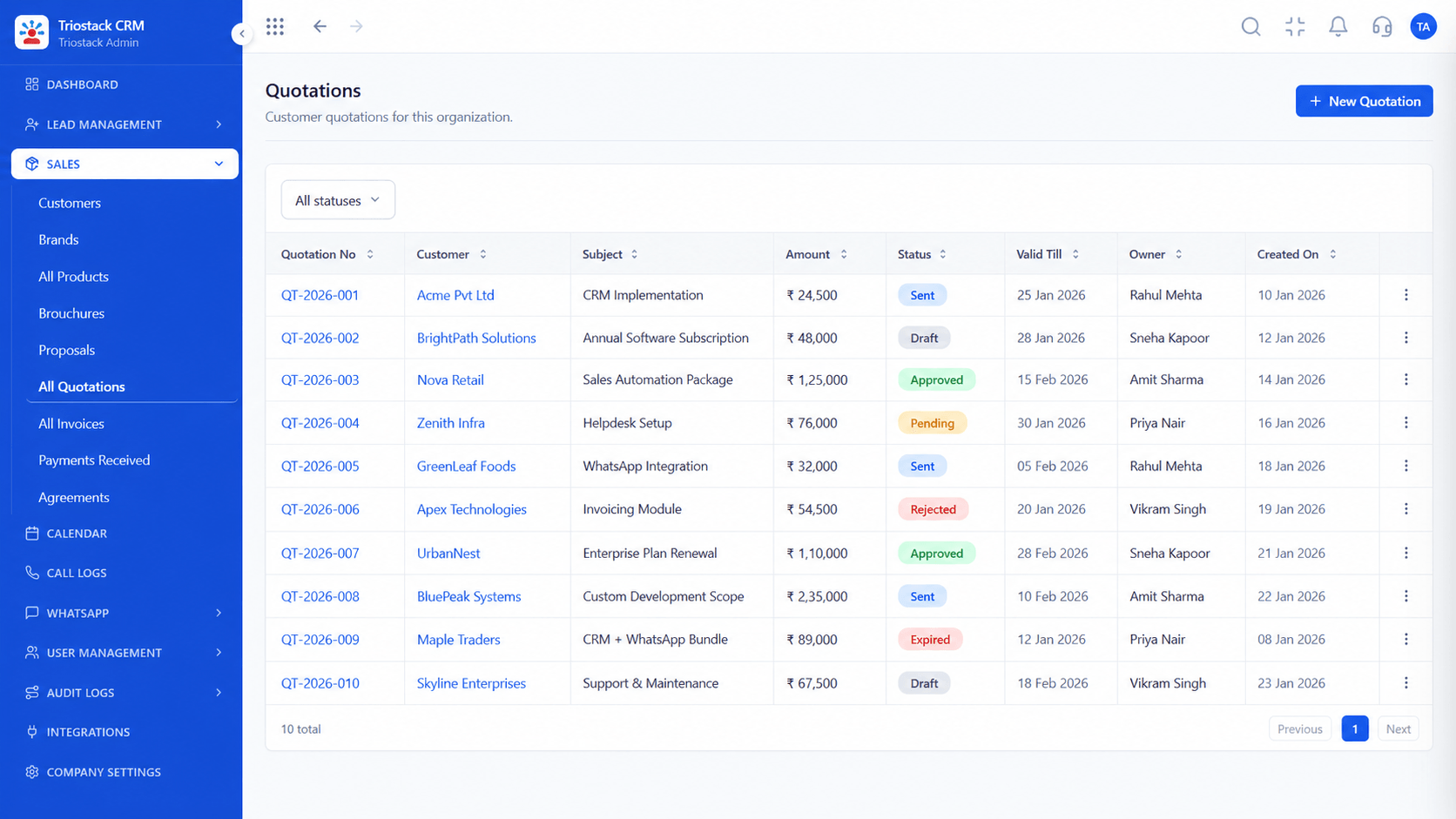
In Triostack CRM, a quotation can be issued in the buyer's currency, and its home-currency value is shown beside it. Exchange rates are synced daily from a rate source, so the conversion uses a current rate, and the rate used is stored on the document so it can be explained later. Reports consolidate pipeline and revenue into your home currency, with the option to see the original amounts, so leadership sees one number without losing the detail.
“The pipeline total finally matched. Every deal was converted at a rate we could point to.”
Sample team scenario
A made-up scenario about Multi-Currency and Global FX Support, not a customer testimonial

All Leads
Multi-Currency and Global FX Support: every lead with its source, status and owner
In the Product
Imagine every foreign deal counted in rupees without a spreadsheet.
Clear to buyers.
Daily.
For leadership.
Platform Integrity
In the buyer's currency
Current rates
Explainable
One total
At a Glance
What changes when deals are in several currencies.
Quotations
Issued in the buyer's currency
Manual Conversion: Converted by hand
Rates
Synced daily
Manual Conversion: Whenever someone checks
Audit
Rate stored on the document
Manual Conversion: Unknown
Reporting
Consolidated to home currency
Manual Conversion: Spreadsheet sums
Original amounts
Still visible
Manual Conversion: Lost
Book a walkthrough of Multi-Currency and Global FX Support. We set up a sandbox so you can try Foreign currency quotes, Daily rate sync and Home-currency reports before you commit.
Live Interface Tour
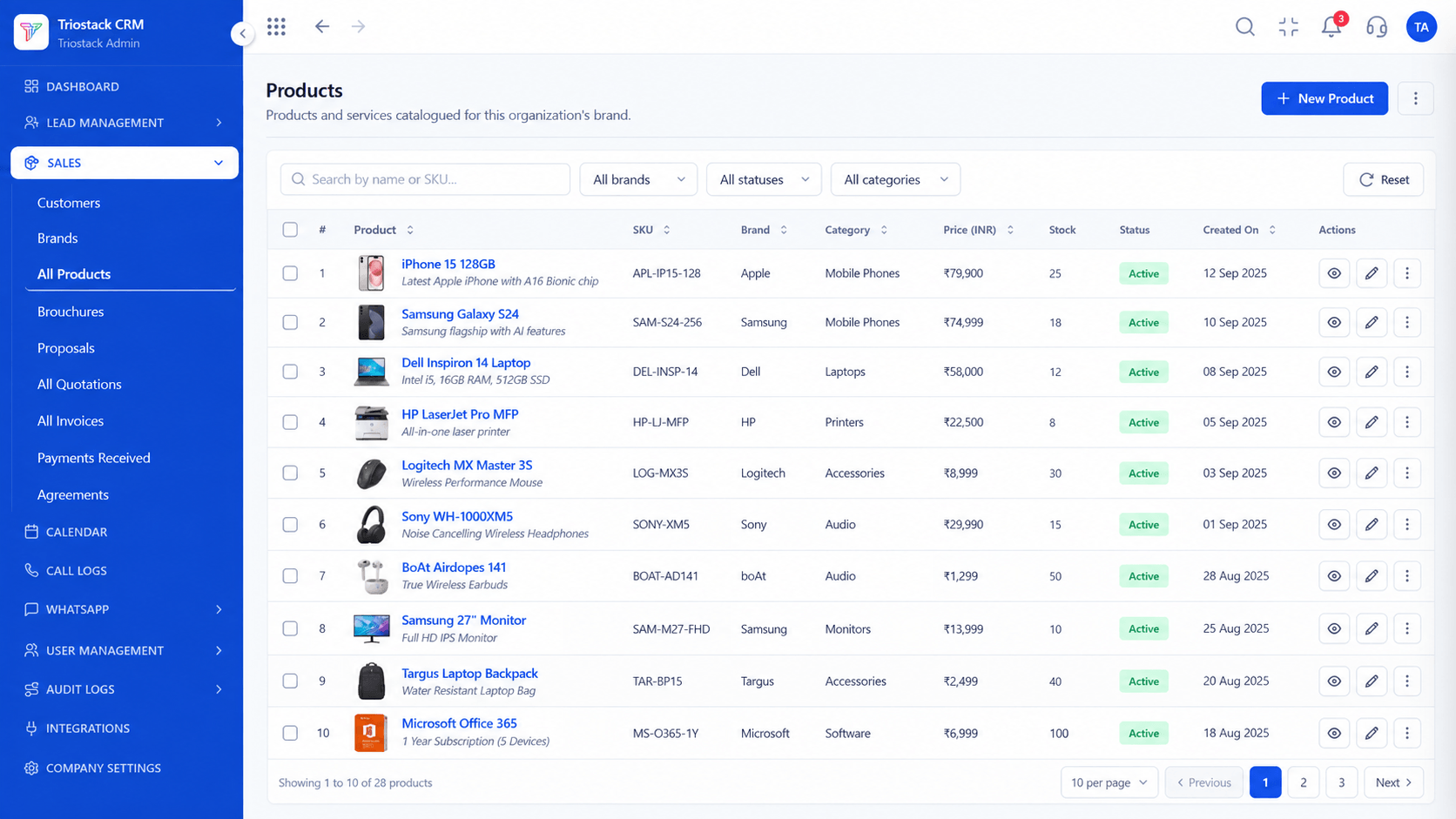
The screens below belong to Multi-Currency and Global FX Support: All Leads, Lead Pipeline and Lead Follow-Ups, all from the product.
Quotations
Multi-Currency and Global FX Support: one total across every currency
Feature Breakdown
4 screens from the live product that show Multi-Currency and Global FX Support at work.
Foreign currency quotes.
How it fits the plan
Set. Choose your home currency and the currencies you quote in.
Quote. Issue the quotation in the buyer's currency.
Practical tip
Agree with finance which rate counts for reporting, the quote-date rate or the payment-date rate, and apply it the same way every time.

Invoicing.
In real life
Exporters
Buyers see their own currency.

Consolidated totals.
Watch out for
Quoting in a foreign currency without saying how long the price holds. Rates move.

Home currency.
Before you start
Execution Plan
Choose your home currency and the currencies you quote in.
Issue the quotation in the buyer's currency.
Rates update daily.
See pipeline in home currency.
Practical Guide
Before you start
A tip that helps
Agree with finance which rate counts for reporting, the quote-date rate or the payment-date rate, and apply it the same way every time.
A common mistake
Quoting in a foreign currency without saying how long the price holds. Rates move.
Availability: What Multi-Currency and Global FX Support covers can depend on your plan and setup. Please confirm with our team which parts are live for your account, and any prerequisites, before you plan around it.
In Real Life
Scenario 01
Buyers see their own currency.
Scenario 02
Foreign retainers are totalled.
Scenario 03
The rate is on the record.
Straight answers about Multi-Currency and Global FX Support, from setup to what happens next.
Have a question about Multi-Currency and Global FX Support?
Book a free callYes, in the buyer's currency with the home-currency value shown.
Yes, they sync daily.
Yes, consolidated into your home currency.
Yes, on the document.
Quote in foreign currencies, sync exchange rates daily and report all sales in one home currency, with multi-currency support in Triostack CRM.
It runs in 4 steps: Set, Quote, Sync and Report. Choose your home currency and the currencies you quote in.
The real screens on this page include All Leads, Lead Pipeline, Lead Follow-Ups and Quotations, all captured from the product.
Request a demo and ask to see Multi-Currency and Global FX Support. Our team can also walk you through setup, so your first session ends with something working.
We will walk you through Multi-Currency and Global FX Support, from Foreign currency quotes, Daily rate sync and Home-currency reports, on sample data shaped like yours.
Explore All CRM Features