The best Business Suite software in India, built to help your business grow. Contact us at +91-8882435276.
[ Contact ]
Phone number
Email address
Head office
Noida office
The right team at TriostackOne will get back to you.
Built for
Product Catalogue and Price Books
One catalogue, many prices
The right price for each customer, every time
Positioning Assessment
Businesses that sell products rarely have a single price. Dealers, distributors and retail customers pay differently, promotions come and go, and some items cannot be sold below a minimum quantity. Reps who quote from memory or old PDFs get it wrong.
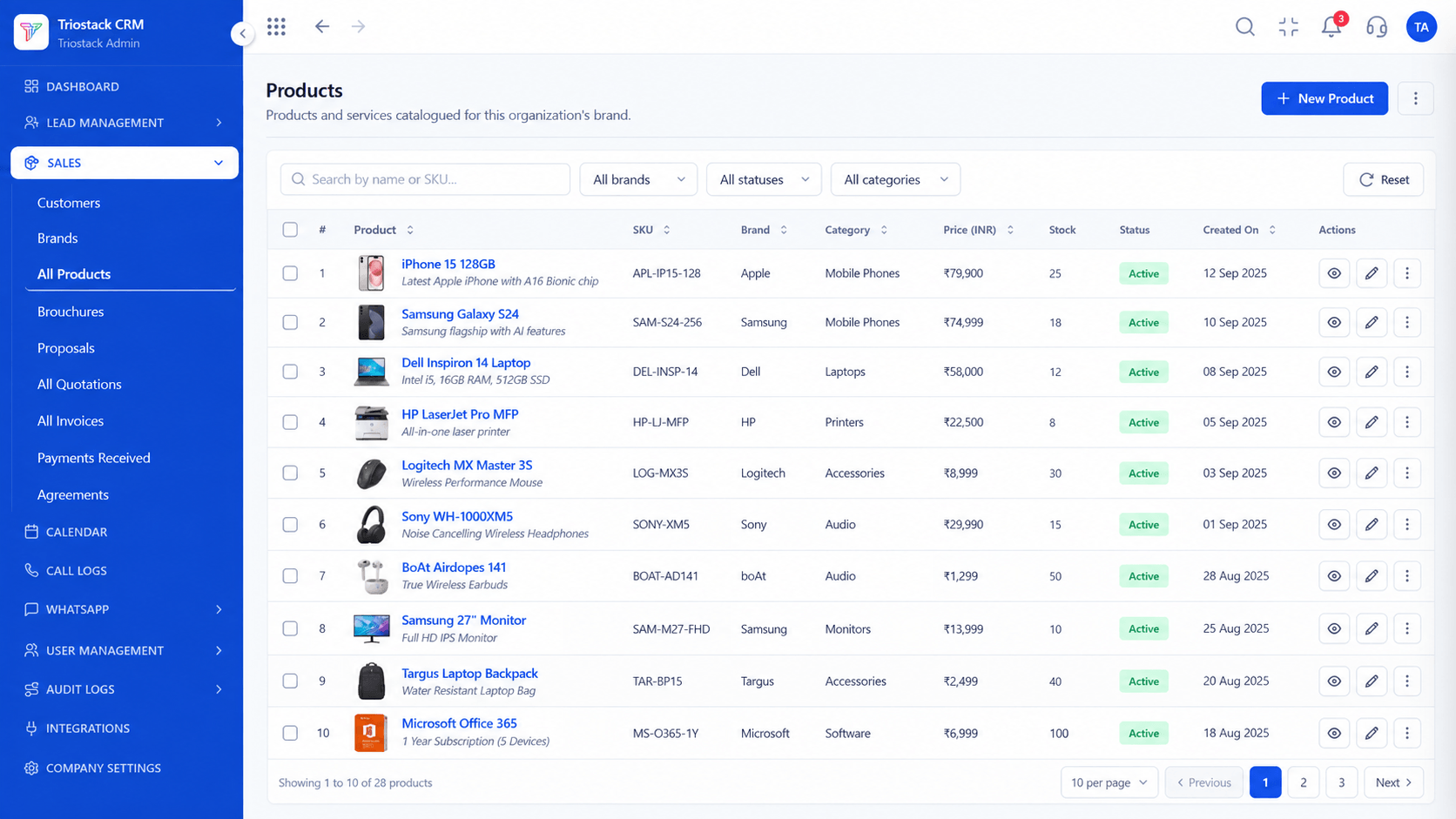
In Triostack CRM, each product is a SKU with its code, description, unit and tax rate. Price books group prices by customer tier, so a dealer quote pulls the dealer price automatically. Seasonal promotions apply a discount between start and end dates, and expire without anyone remembering to turn them off. Minimum order quantity rules warn, or block, when a quote falls below the limit. Every quotation then draws on the same catalogue, so what the rep quotes is what accounts will invoice.
“The festive promotion ended on its date, and nobody had to go back and change a quote template.”
Sample team scenario
A made-up scenario about Product Catalogue and Price Books, not a customer testimonial

All Leads
Product Catalogue and Price Books: every lead with its source, status and owner
In the Product
Imagine every quote carrying the right price.
Everywhere.
Automatic.
And ended.
Platform Integrity
Codes, units, tax
Dealer, retail, key account
Start and end dates
Warn or block
At a Glance
What changes when quoting products.
Products
SKUs in one catalogue
Price Lists in Files: Several spreadsheets
Pricing by customer
Price books by tier
Price Lists in Files: Reps decide
Promotions
Scheduled, expiring on their own
Price Lists in Files: Switched off by someone
Minimum quantity
Warned or blocked on the quote
Price Lists in Files: Caught at invoicing
Consistency
Quotes and invoices use the same prices
Price Lists in Files: They drift apart
Book a walkthrough of Product Catalogue and Price Books. We set up a sandbox so you can try SKU management, Tiered price books and Seasonal promotions before you commit.
Live Interface Tour
The screens below belong to Product Catalogue and Price Books: All Leads, Lead Pipeline and Sales Dashboard, all from the product.
All Products
Product Catalogue and Price Books: the right price for each customer, every time
Feature Breakdown
4 screens from the live product that show Product Catalogue and Price Books at work.
The SKU catalogue.
How it fits the plan
List. Add SKUs with code, unit and tax.
Tier. Create a price book per customer tier.
Practical tip
Keep the number of price books small. Three tiers you can explain beat nine that nobody remembers.
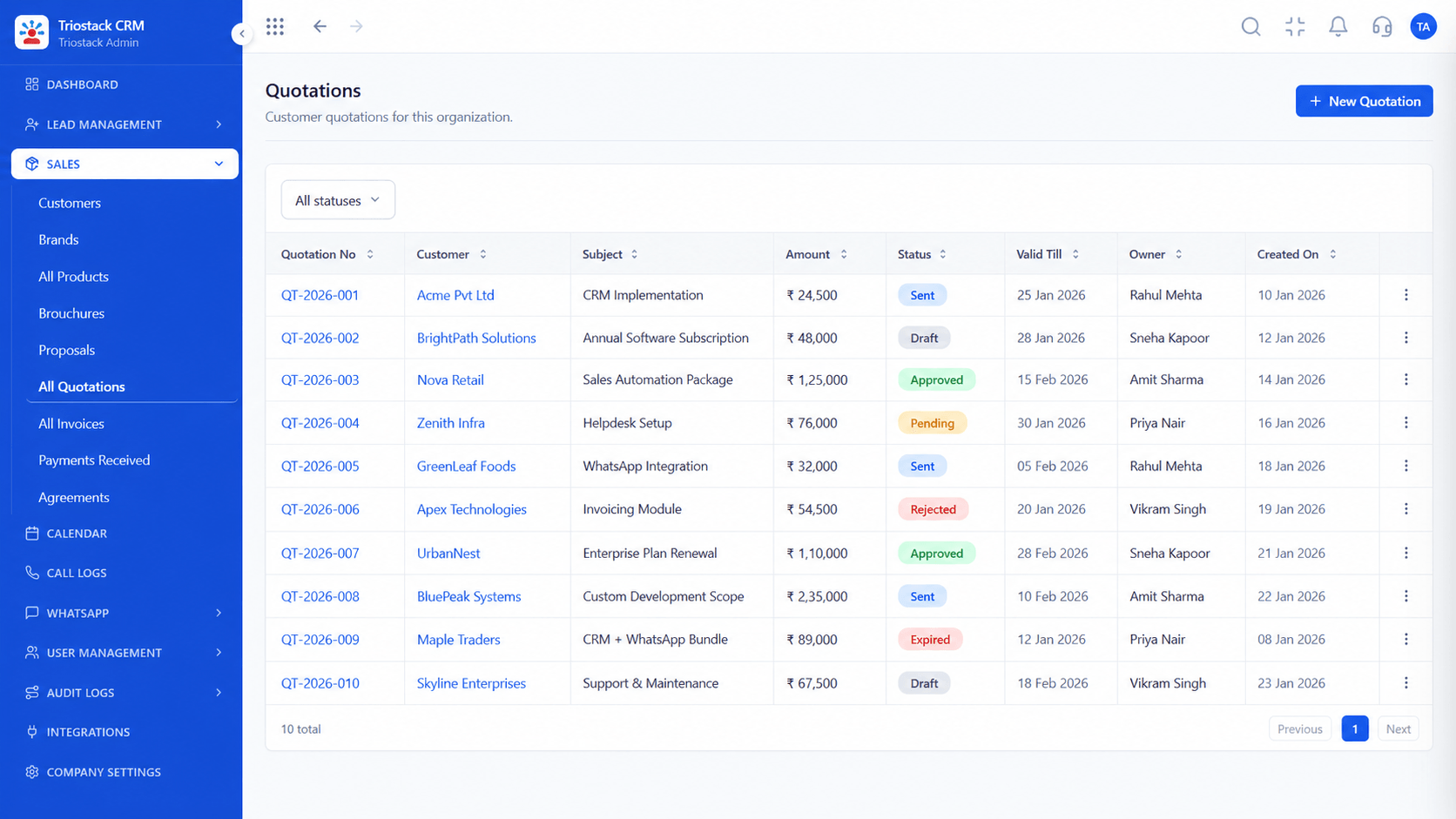
Priced from price books.
In real life
Distributors
Dealer prices apply by default.
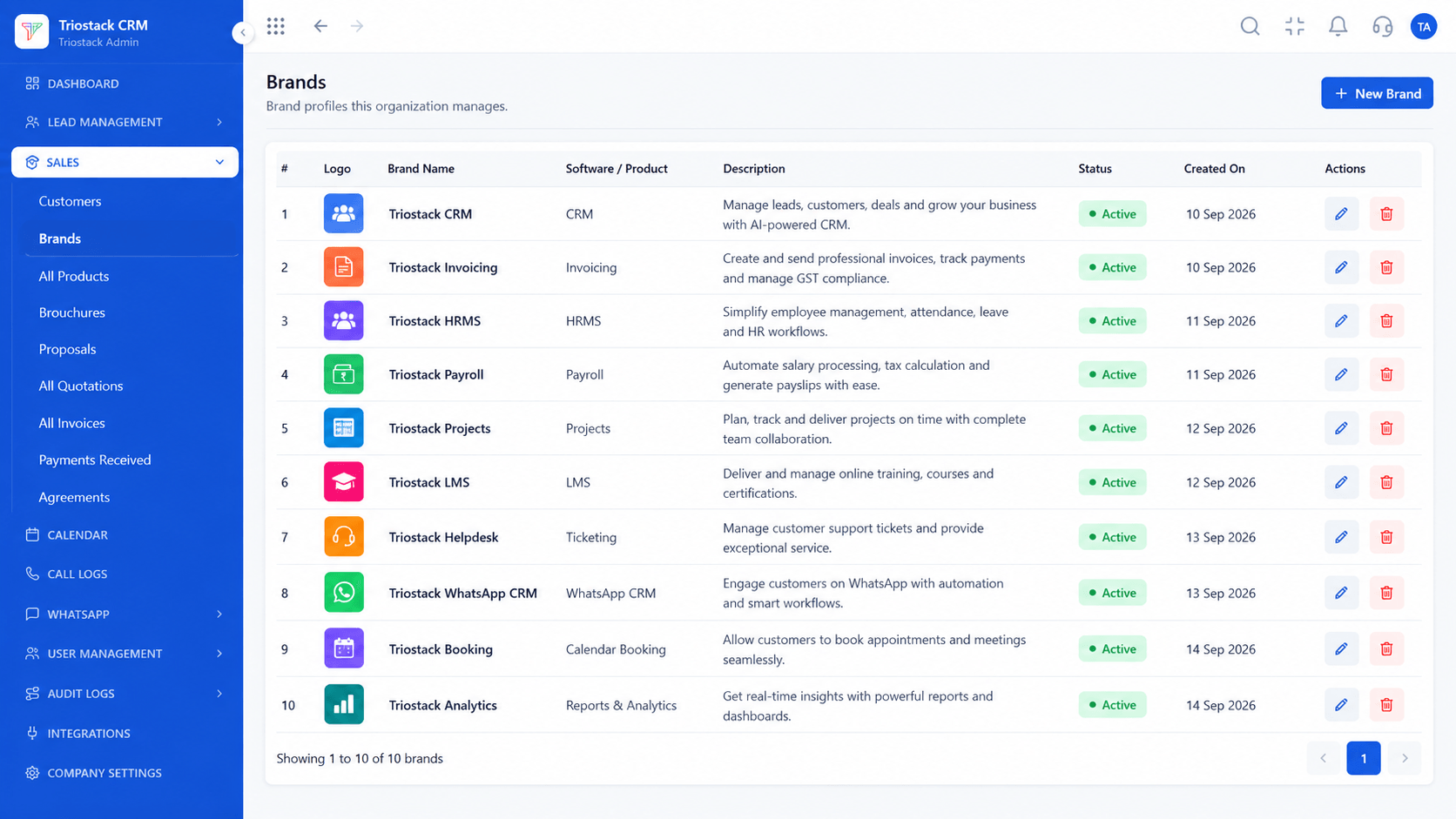
Brand grouping.
Watch out for
Putting promotional prices into the base price, so they never come back down.

Same prices.
Before you start
Execution Plan
Add SKUs with code, unit and tax.
Create a price book per customer tier.
Schedule seasonal promotions.
Set minimum order quantities.
Practical Guide
Before you start
A tip that helps
Keep the number of price books small. Three tiers you can explain beat nine that nobody remembers.
A common mistake
Putting promotional prices into the base price, so they never come back down.
Availability: What Product Catalogue and Price Books covers can depend on your plan and setup. Please confirm with our team which parts are live for your account, and any prerequisites, before you plan around it.
In Real Life
Scenario 01
Dealer prices apply by default.
Scenario 02
Offers start and stop on time.
Scenario 03
Minimums are enforced.
Straight answers about Product Catalogue and Price Books, from setup to what happens next.
Have a question about Product Catalogue and Price Books?
Book a free callYes, with code, description, unit and tax.
Yes, through price books.
Yes, they run between a start and an end date.
Yes, to warn or block.
Manage SKUs, tier-based price books, seasonal promotional discounts and minimum order quantity controls in Triostack CRM's product catalogue.
It runs in 4 steps: List, Tier, Promote and Limit. Add SKUs with code, unit and tax.
The real screens on this page include All Leads, Lead Pipeline, Sales Dashboard and All Products, all captured from the product.
Request a demo and ask to see Product Catalogue and Price Books. Our team can also walk you through setup, so your first session ends with something working.
We will walk you through Product Catalogue and Price Books, from SKU management, Tiered price books and Seasonal promotions, on sample data shaped like yours.
Explore All CRM Features





