The best Business Suite software in India, built to help your business grow. Contact us at +91-8882435276.
[ Contact ]
Phone number
Email address
Head office
Noida office
The right team at TriostackOne will get back to you.
Positioning Assessment
Broadcasts are the most powerful and the most misused WhatsApp tool. Sent to the right opted-in segment with a relevant template, they bring orders. Sent to everyone, they bring blocks and reports.
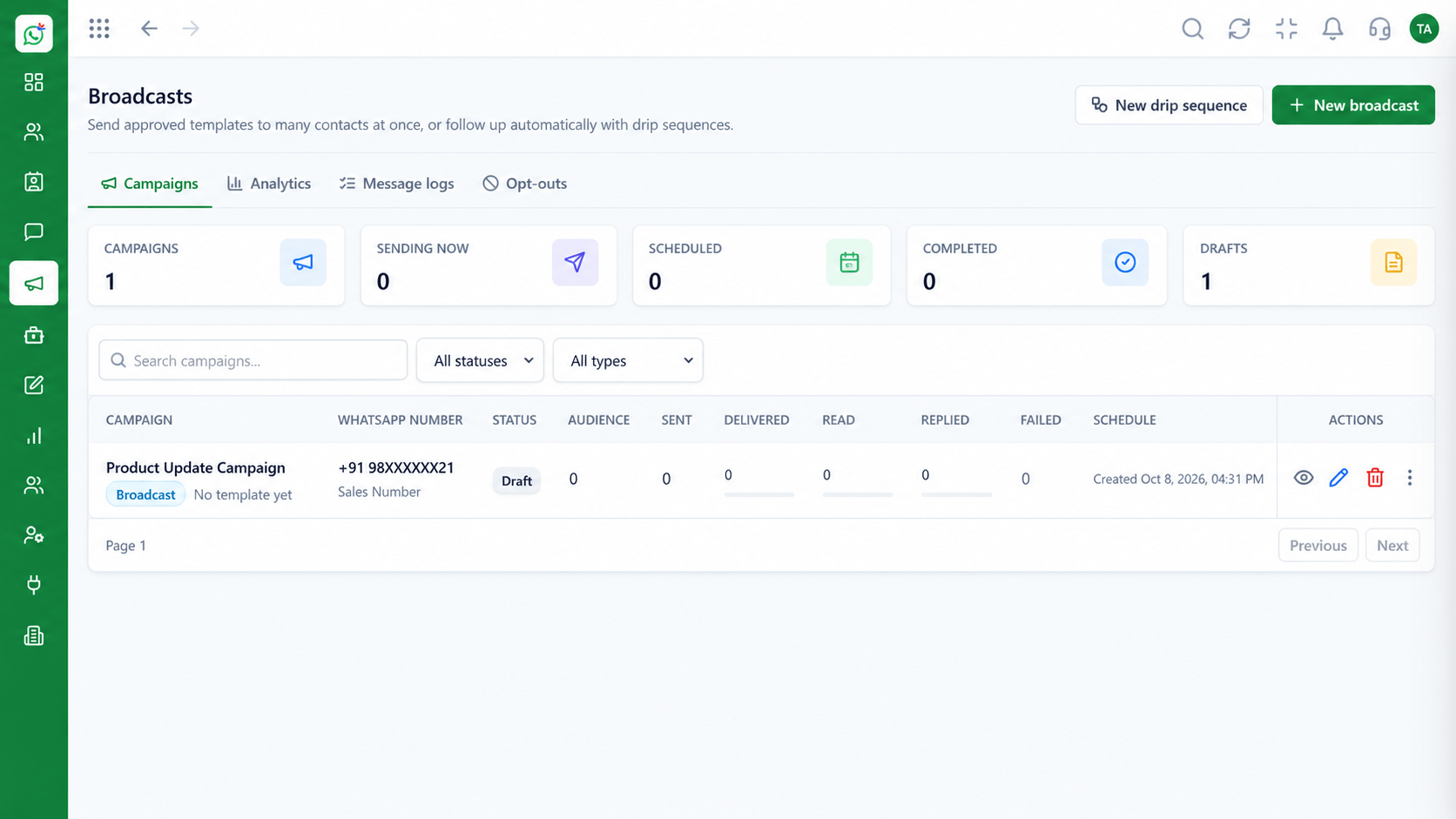
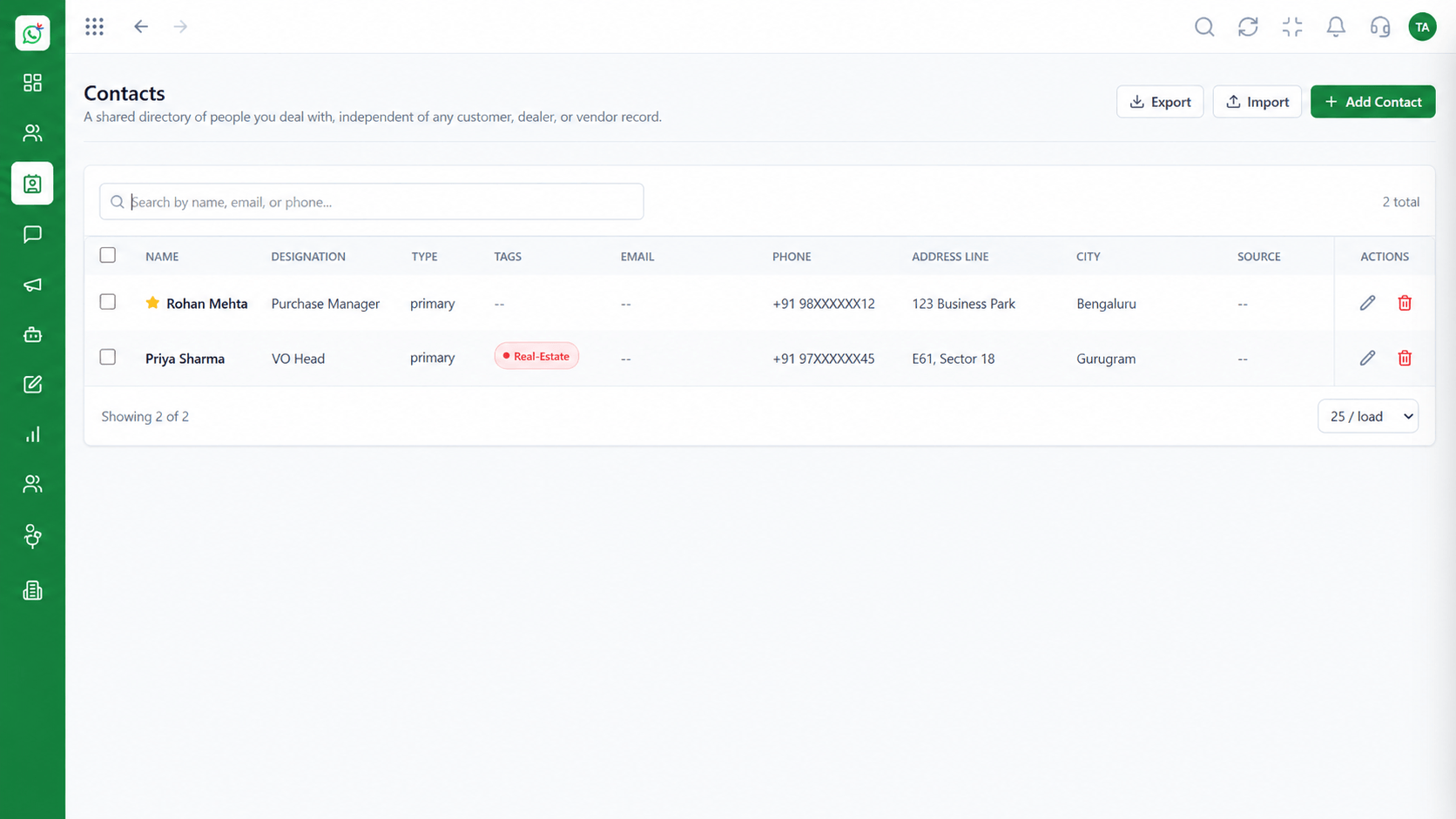
The campaign manager covers the whole send. You import contacts from a file and map the columns, keep consent status with each contact, and build segments by tag, source or behaviour. Pick an approved template, fill its variables with each contact's own details, and schedule the send for when your customers read messages. After sending, delivery analytics show how many were sent, delivered, read and replied to, and which failed with the reason. This page is about running a campaign; the Broadcast Campaigns page describes the capability itself.
“We sent to a segment of two hundred who had ordered before. Replies came in the same hour.”
Sample team scenario
A made-up scenario about Broadcast Campaign Manager, not a customer testimonial
Contacts
Broadcast Campaign Manager: segment and manage your WhatsApp audience
In the Product
A good campaign starts long before the send button: with a clean list, a clear segment and a template that says one thing.
Mapped fields and consent status.
One audience, one message.
Replies matter more than sends.
Platform Integrity
From a file, mapped
By tag or source
Variables per contact
Sent to replied
How It Works
What changes when you send to many people.
| Dimension | Triostack Wabiz | Manual Broadcast Lists |
|---|---|---|
| Contacts | Imported and mapped, with consent status | Saved one by one on a phone |
| Targeting | Segments by tag and source | Everyone |
| Personalisation | Variables from each contact | The same text to all |
| Scheduling | Set for the right time | Sent when remembered |
| Results | Delivered, read, replied, failed | Unknown |
Book a walkthrough of Broadcast Campaign Manager. We set up a sandbox so you can try Personalised, List import and Segments before you commit.
Live Interface Tour
The screens below belong to Broadcast Campaign Manager: Contacts, Shared Team Inbox and Message Templates, all from the product.
Broadcast Campaigns
Broadcast Campaign Manager: personalised, scheduled and measured
Feature Breakdown
4 screens from the live product that show Broadcast Campaign Manager at work.
Plan and send.
How it fits the plan
Import. Upload the contact file and map its columns.
Segment. Choose the opted-in audience.
Practical tip
Send the first version to fifty contacts and read the replies before you send to the rest.
Import and segment.
How it fits the plan
Segment. Choose the opted-in audience.
Personalise. Pick a template and fill its variables.
In real life
Festive offer
A segment of past buyers gets a relevant message.
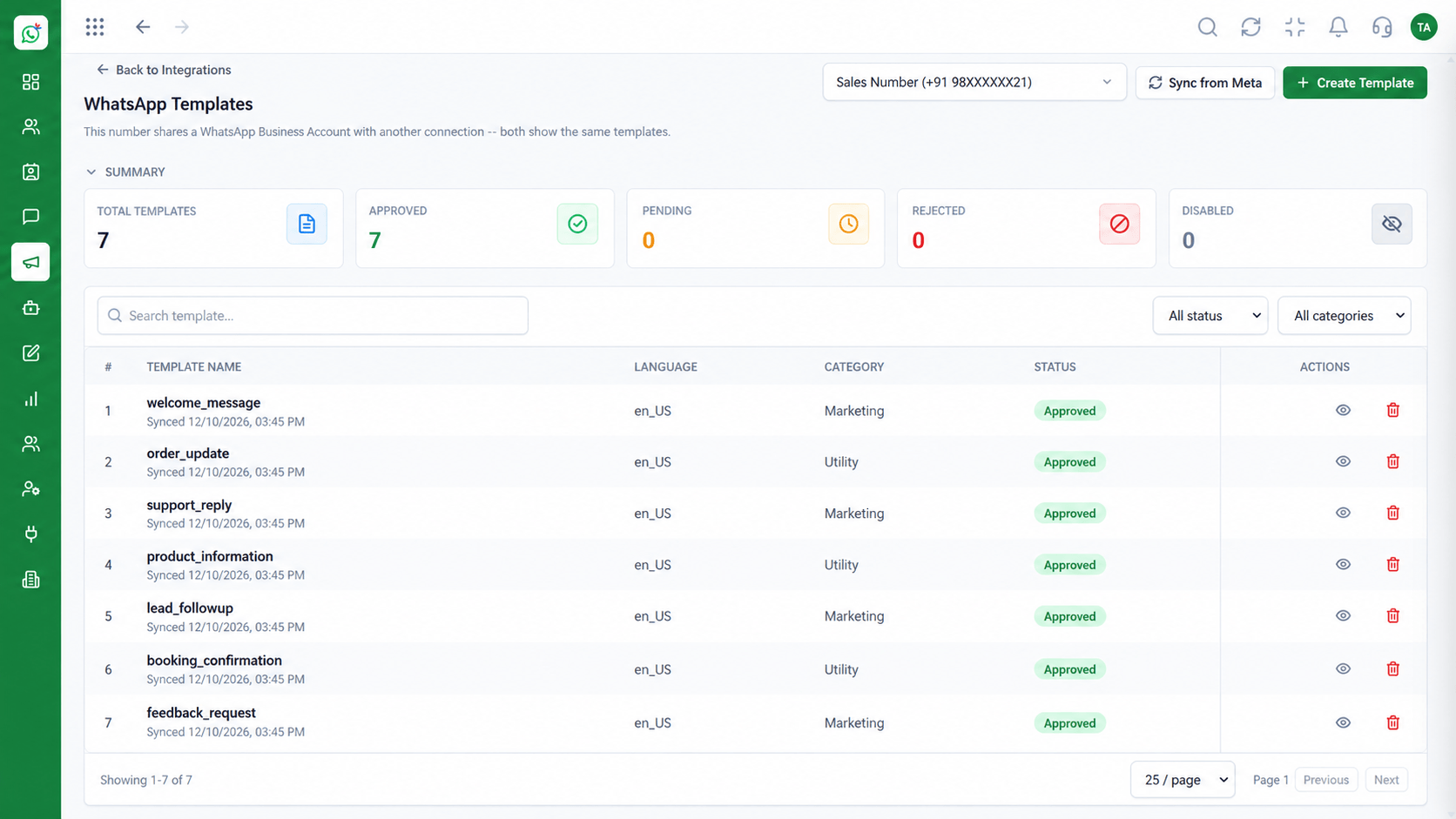
Approved wording.
How it fits the plan
Personalise. Pick a template and fill its variables.
Send. Schedule it and watch the analytics.
Watch out for
Importing a purchased or old list. Opt-in is the rule, and complaints can cost you the number.
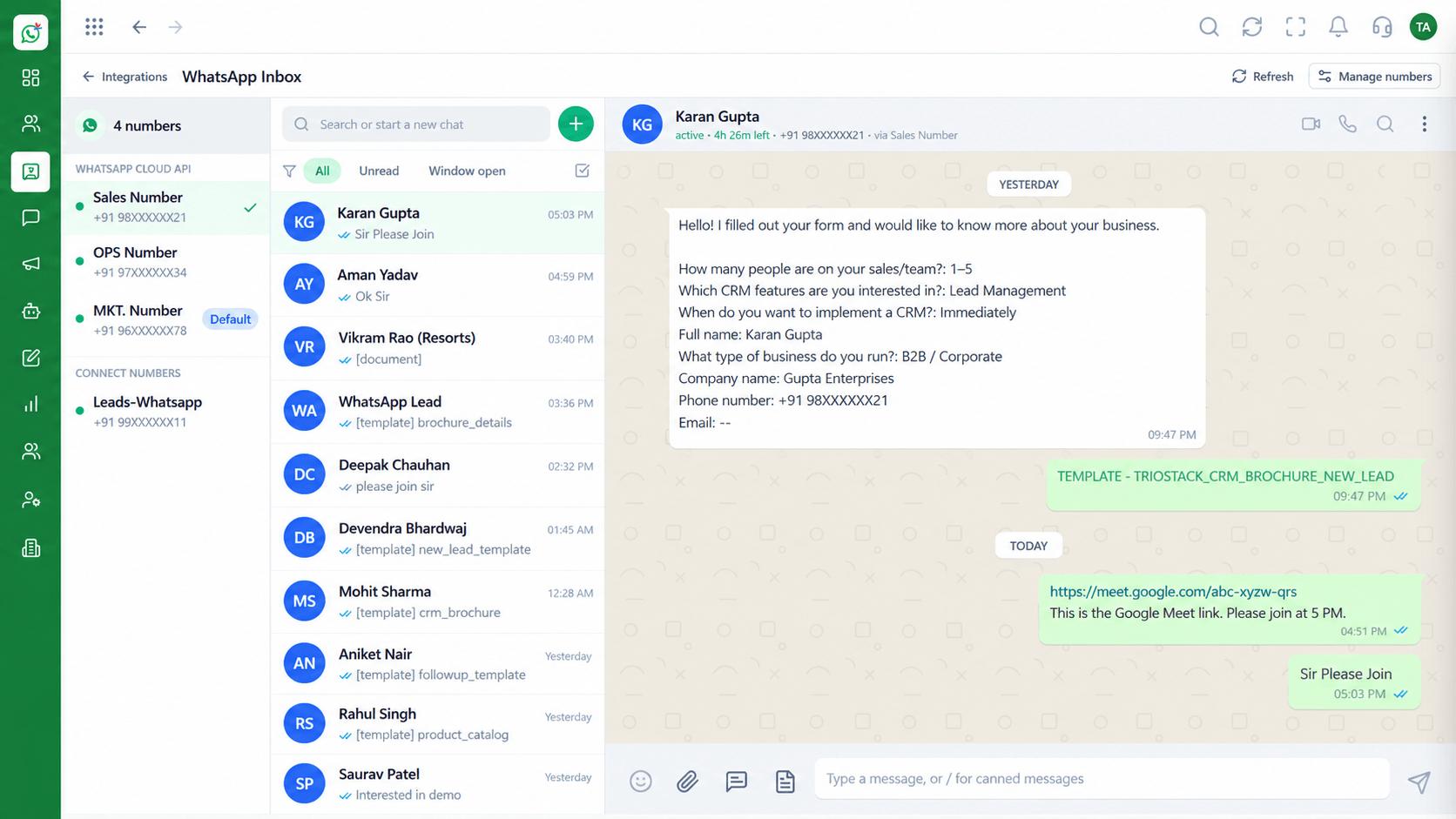
Replies land here.
How it fits the plan
Send. Schedule it and watch the analytics.
Import. Upload the contact file and map its columns.
Before you start
Execution Plan
Upload the contact file and map its columns.
Choose the opted-in audience.
Pick a template and fill its variables.
Schedule it and watch the analytics.
Practical Guide
Before you start
A tip that helps
Send the first version to fifty contacts and read the replies before you send to the rest.
A common mistake
Importing a purchased or old list. Opt-in is the rule, and complaints can cost you the number.
In Real Life
Scenario 01
A segment of past buyers gets a relevant message.
Scenario 02
Registered contacts get the link.
Scenario 03
Lapsed customers get a gentle nudge.
Straight answers about Broadcast Campaign Manager, from setup to what happens next.
Have a question about Broadcast Campaign Manager?
Book a free callYes, from a file, with columns mapped to contact fields.
Yes, with template variables filled from the contact.
Sent, delivered, read, replied and failed counts.
Only contacts who have agreed to receive messages.
That page describes the capability. This one walks through running a campaign.
Run high-volume personalised WhatsApp marketing broadcasts with contact list imports, segmentation and delivery analytics from one campaign manager.
It runs in 4 steps: Import, Segment, Personalise and Send. Upload the contact file and map its columns.
The real screens on this page include Contacts, Shared Team Inbox, Message Templates and Broadcast Campaigns, all captured from the product.
Request a demo and ask to see Broadcast Campaign Manager. Our team can also walk you through setup, so your first session ends with something working.
We will walk you through Broadcast Campaign Manager, from Personalised, List import and Segments, on sample data shaped like yours.