The best Business Suite software in India, built to help your business grow. Contact us at +91-8882435276.
[ Contact ]
Phone number
Email address
Head office
Noida office
The right team at TriostackOne will get back to you.
Positioning Assessment
Click-to-WhatsApp ads open a chat with your business instead of a form. They work well, but the results often stay inside the ad dashboard, while the sales team sees only a message with no context.
Wabiz keeps the connection. When a chat begins from an ad, the source information passed through by Meta, such as the campaign and ad identifiers, is saved on the contact and lead, so the conversation is labelled with where it came from. Agents see which ad a person responded to, and tags and qualification stages show whether the chat became a real lead. Dividing the ad spend by the number of qualified conversations gives a cost per qualified conversation, which is the number worth optimising. Which fields Meta passes can change, so test with a live ad.
“One ad had cheap clicks and no qualified chats. Another had fewer clicks and half the cost per lead.”
Sample team scenario
A made-up scenario about Click-to-WhatsApp Ad Tracking, not a customer testimonial
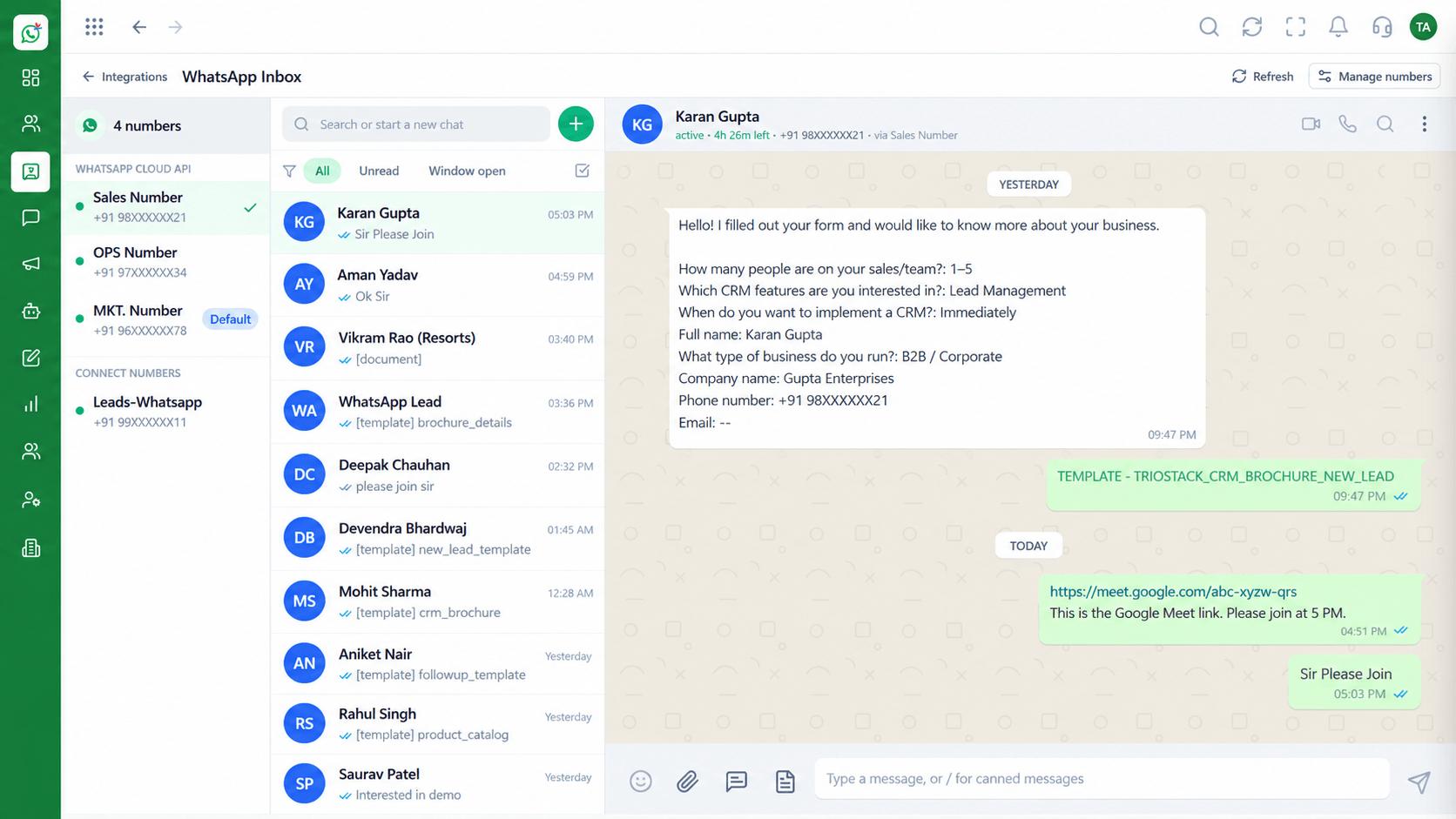
Shared Team Inbox
Click-to-WhatsApp Ad Tracking: every WhatsApp conversation in one team view
In the Product
The ad dashboard knows the click. Your inbox knows the conversation. Tracking joins the two on the lead.
Ad and campaign saved.
Qualified or not.
The number that matters.
Platform Integrity
Ads that open a chat
Campaign and ad on the lead
Stages and tags
Spend divided by qualified chats
How It Works
What changes in ad reporting.
| Dimension | Triostack Wabiz | Untracked Chats |
|---|---|---|
| Source | Ad and campaign saved on the lead | A message with no origin |
| Agent context | Sees which ad the person clicked | Asks 'how did you find us' |
| Qualification | Stages show who became a lead | Counted as messages |
| Cost | Cost per qualified conversation | Cost per click only |
| Decisions | Pause weak ads, back strong ones | Guess |
Book a walkthrough of Click-to-WhatsApp Ad Tracking. We set up a sandbox so you can try CTWA campaigns, Ad source capture and Lead records before you commit.
Live Interface Tour
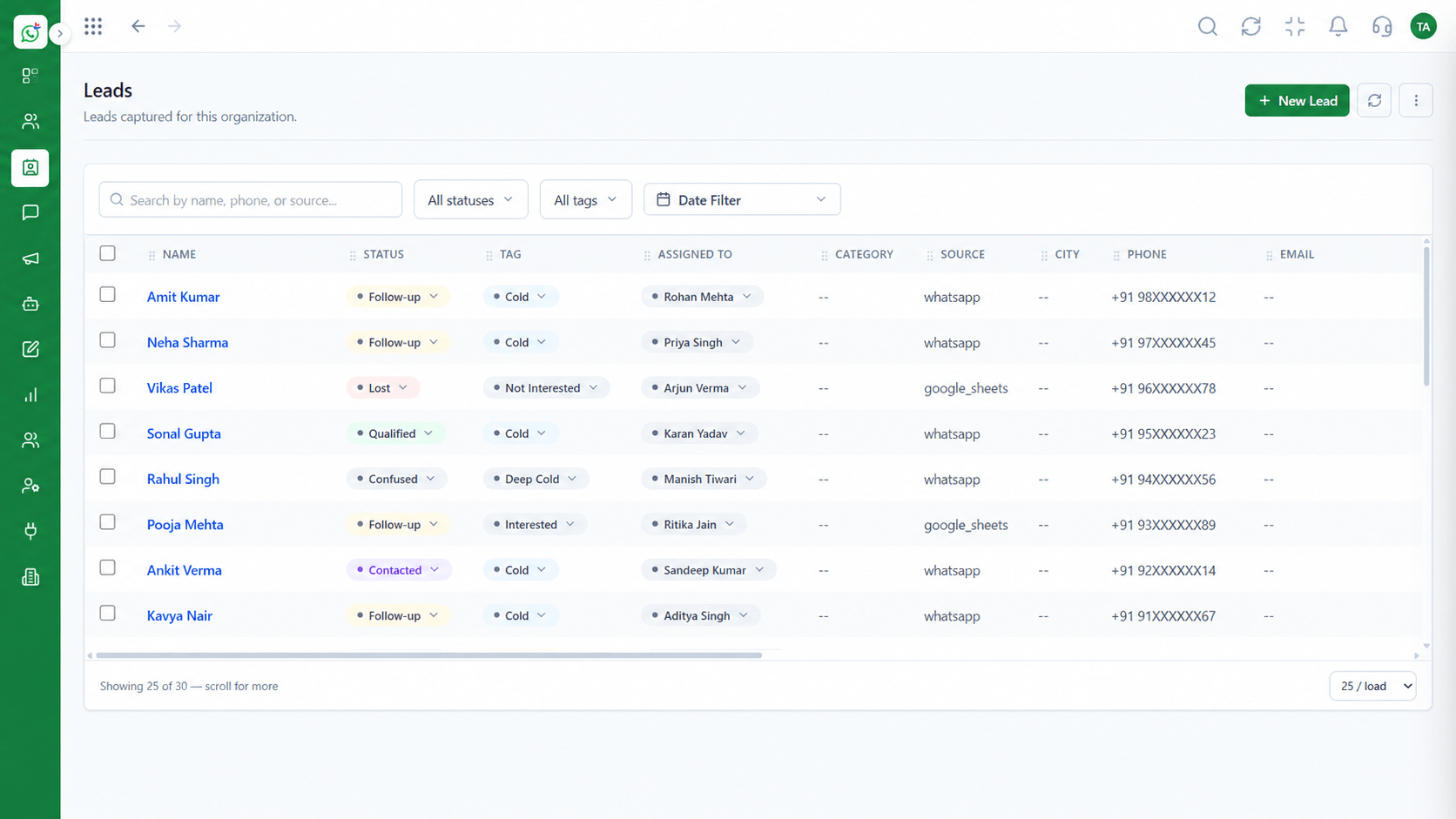
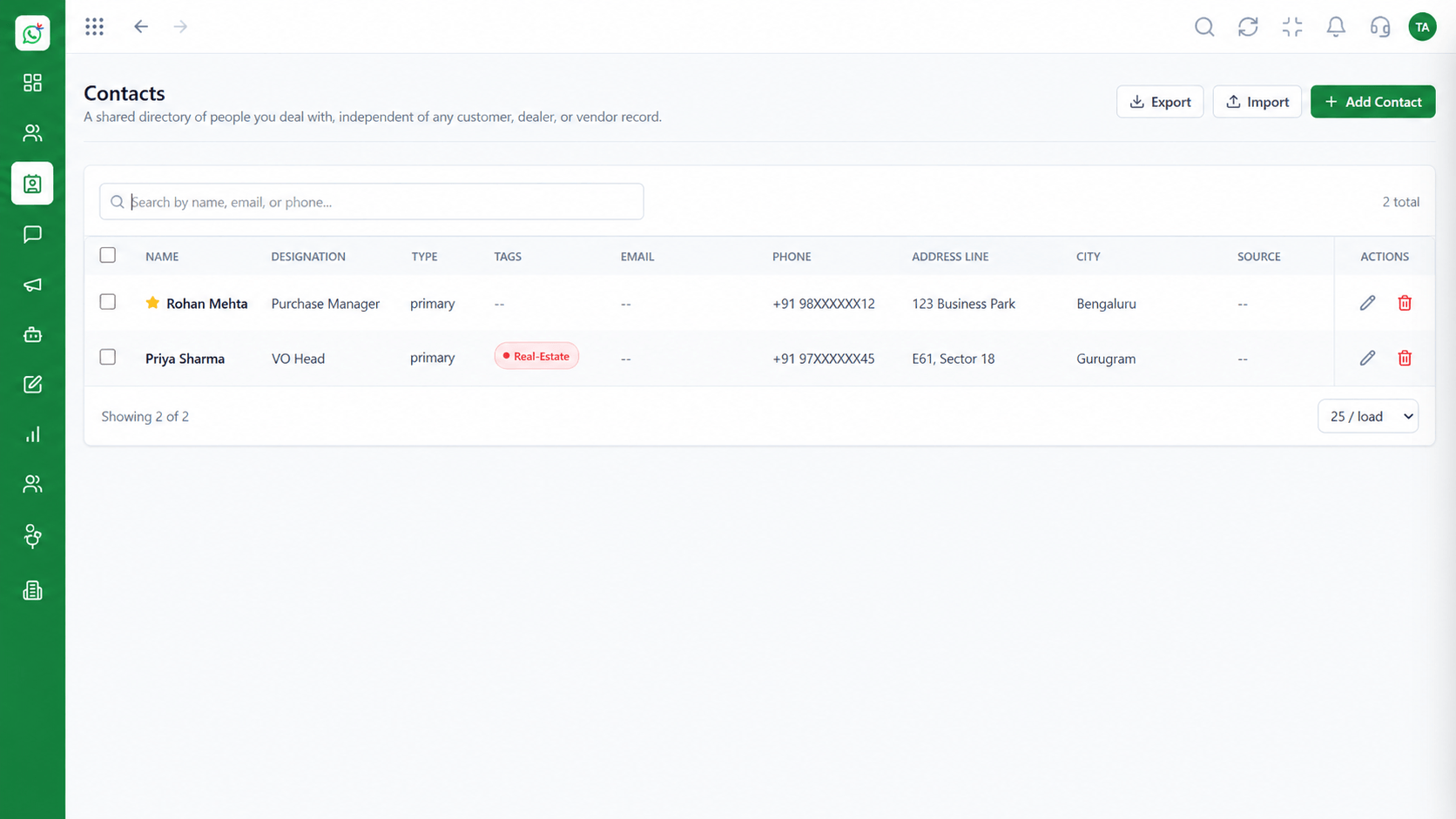
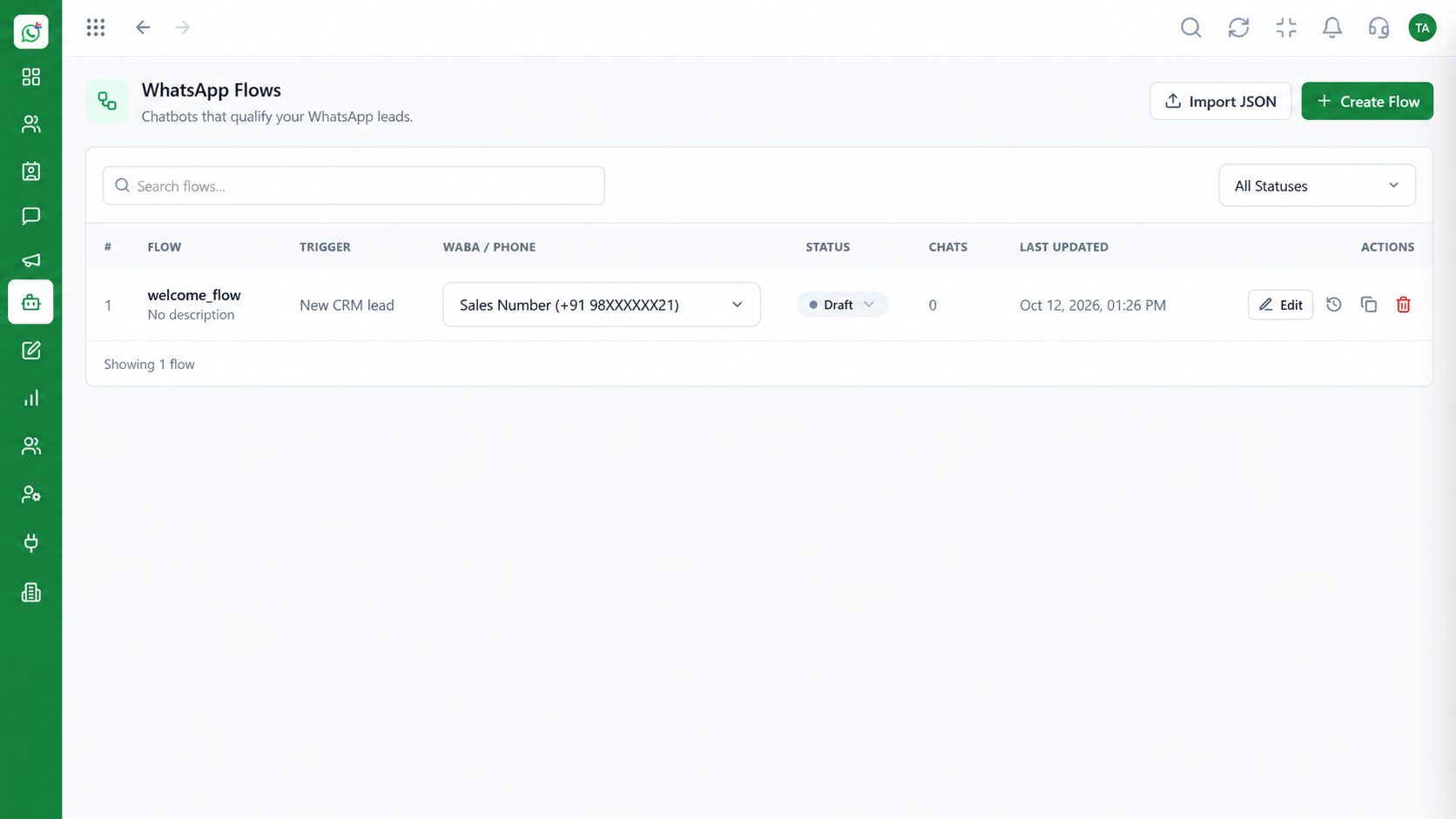
The screens below belong to Click-to-WhatsApp Ad Tracking: Shared Team Inbox, Contacts and Chatbot Flows, all from the product.
Leads
Click-to-WhatsApp Ad Tracking: every conversation knows the ad that started it
Feature Breakdown
4 screens from the live product that show Click-to-WhatsApp Ad Tracking at work.
01
IntegrationsSource on every lead.
How it fits the plan
Launch. Create a click-to-WhatsApp ad in Meta.
Capture. Check that the ad source appears on the new lead.
Practical tip
Define 'qualified' before the campaign starts, so every ad is judged the same way.
02
IntegrationsAd tags.
How it fits the plan
Capture. Check that the ad source appears on the new lead.
Qualify. Move real prospects through your stages.
In real life
Ad testing
You compare ads by qualified chats.
03
IntegrationsWhere chats arrive.
How it fits the plan
Qualify. Move real prospects through your stages.
Measure. Divide spend by qualified conversations.
Watch out for
Judging ads on message volume. Cheap chats that never qualify are the most expensive.
04
IntegrationsQualify the chat.
How it fits the plan
Measure. Divide spend by qualified conversations.
Launch. Create a click-to-WhatsApp ad in Meta.
Before you start
Execution Plan
Create a click-to-WhatsApp ad in Meta.
Check that the ad source appears on the new lead.
Move real prospects through your stages.
Divide spend by qualified conversations.
Practical Guide
Before you start
A tip that helps
Define 'qualified' before the campaign starts, so every ad is judged the same way.
A common mistake
Judging ads on message volume. Cheap chats that never qualify are the most expensive.
In Real Life
Scenario 01
You compare ads by qualified chats.
Scenario 02
Results tie to leads.
Scenario 03
Spend moves to what works.
Straight answers about Click-to-WhatsApp Ad Tracking, from setup to what happens next.
Have a question about Click-to-WhatsApp Ad Tracking?
Book a free callYes, when Meta passes the source information, it is saved on the lead.
One that meets your own criteria, such as budget and need confirmed.
Divide the ad spend by the number of qualified conversations.
Yes, ad-sourced chats arrive through the official API.
Fields passed by Meta can change, so test with a live ad.
Set up Meta click-to-WhatsApp campaigns, capture which ad started each chat inside the lead record, and work out cost per qualified conversation.
It runs in 4 steps: Launch, Capture, Qualify and Measure. Create a click-to-WhatsApp ad in Meta.
The real screens on this page include Shared Team Inbox, Contacts, Chatbot Flows and Leads, all captured from the product.
Request a demo and ask to see Click-to-WhatsApp Ad Tracking. Our team can also walk you through setup, so your first session ends with something working.
We will walk you through Click-to-WhatsApp Ad Tracking, from CTWA campaigns, Ad source capture and Lead records, on sample data shaped like yours.