The best Business Suite software in India, built to help your business grow. Contact us at +91-8882435276.
[ Contact ]
Phone number
Email address
Head office
Noida office
The right team at TriostackOne will get back to you.
Positioning Assessment
WhatsApp business messaging charges come from Meta, not from the CRM, and they depend on the message category and the recipient's country. Rates and rules change, so this page explains the structure and points you to Meta's current rate card instead of repeating numbers that may be out of date.
Meta groups messages into categories. Utility messages are triggered by a transaction, such as an order update or a payment confirmation. Marketing messages promote or sell, such as an offer or a reminder to come back. Authentication messages deliver one-time passcodes. Service conversations are replies within the customer's own support window after they message you. Each category is priced differently, and a template must be submitted in the category that matches its purpose. In Triostack CRM, these charges are billed by Meta or your messaging provider, separately from your CRM plan.
“We moved order updates to utility templates, kept marketing for real offers and our messaging costs became predictable.”
Sample team scenario
A made-up scenario about WhatsApp Cloud API Pricing Guide, not a customer testimonial

Lead Pipeline
WhatsApp Cloud API Pricing Guide: drag deals across your own sales stages
In the Product
Imagine every message sent in the category it belongs to.
Before sending.
For replies.
At the source.
Platform Integrity
Transaction updates
Offers and promotion
One-time passcodes
Replies in the window
At a Glance
What this means for budgeting.
| Dimension | Triostack CRM | Guessing |
|---|---|---|
| Who sets prices | Meta, by category and country | Assumed to be the CRM |
| Utility | Triggered by a transaction | Sent as marketing by mistake |
| Marketing | Reserved for promotion | Used for everything |
| Service replies | Within the customer's window | Re-opened with a template |
| Budget | Checked against Meta's rate card | Surprise invoices |
Book a walkthrough of WhatsApp Cloud API Pricing Guide. We set up a sandbox so you can try Utility, Marketing and Authentication before you commit.
Live Interface Tour
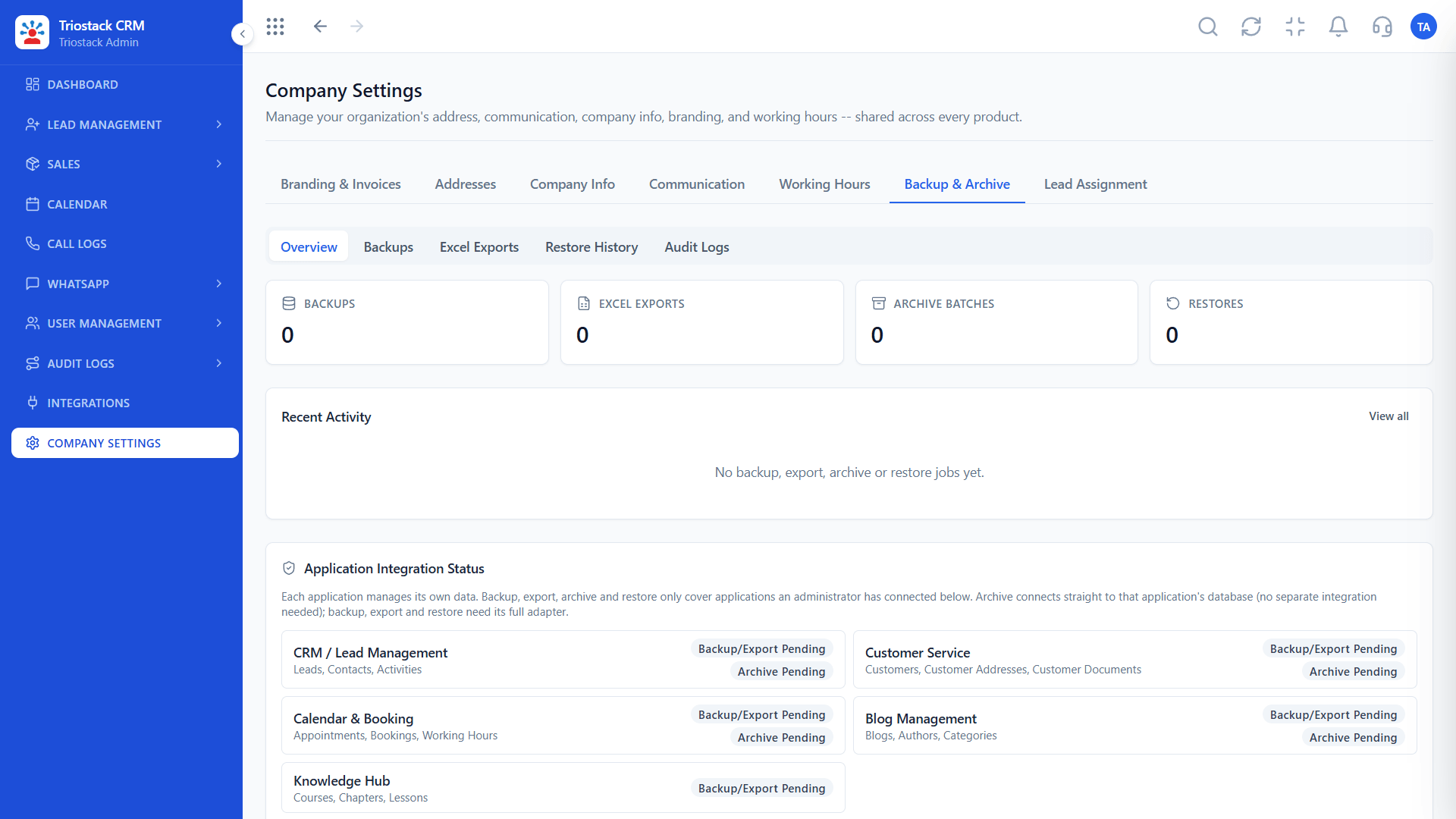
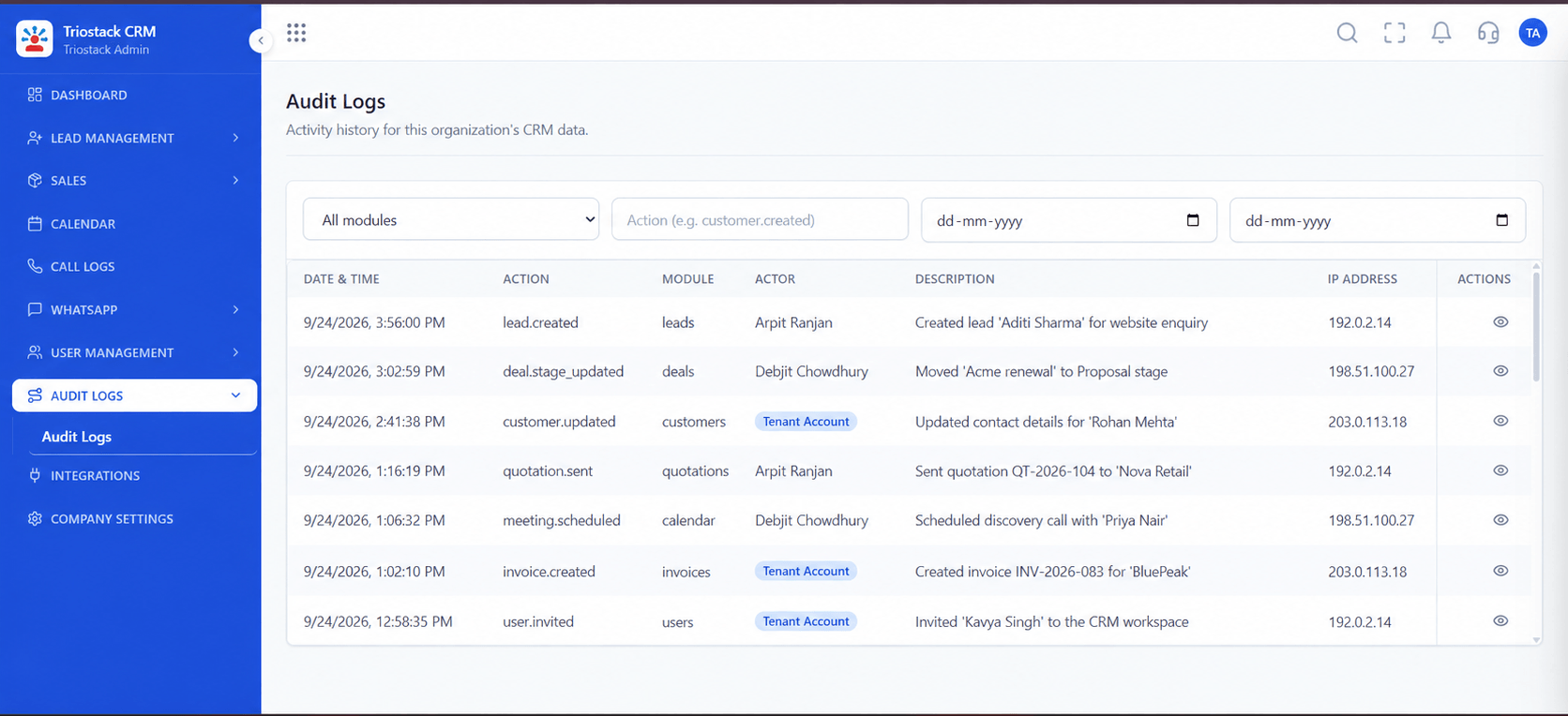
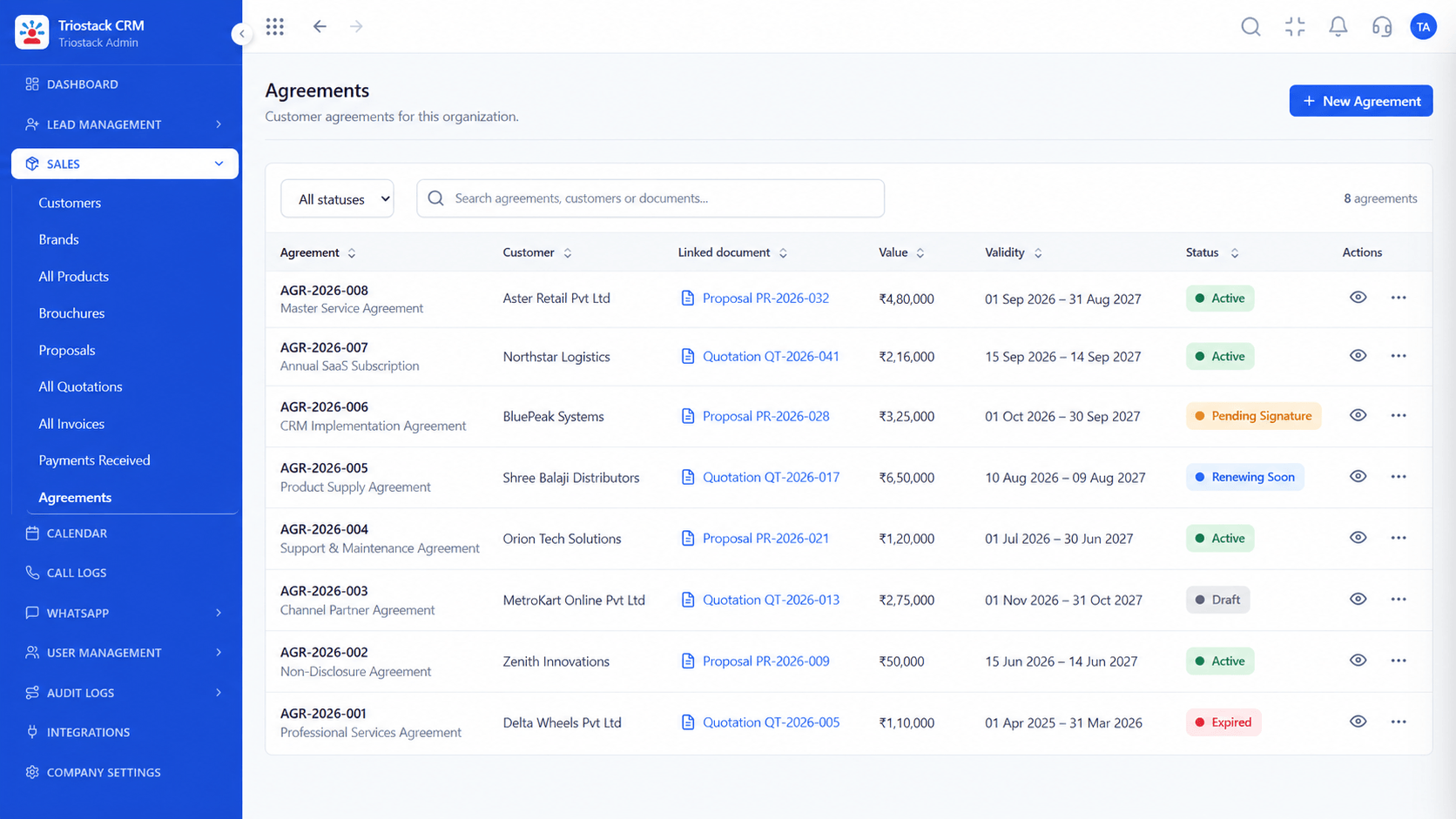
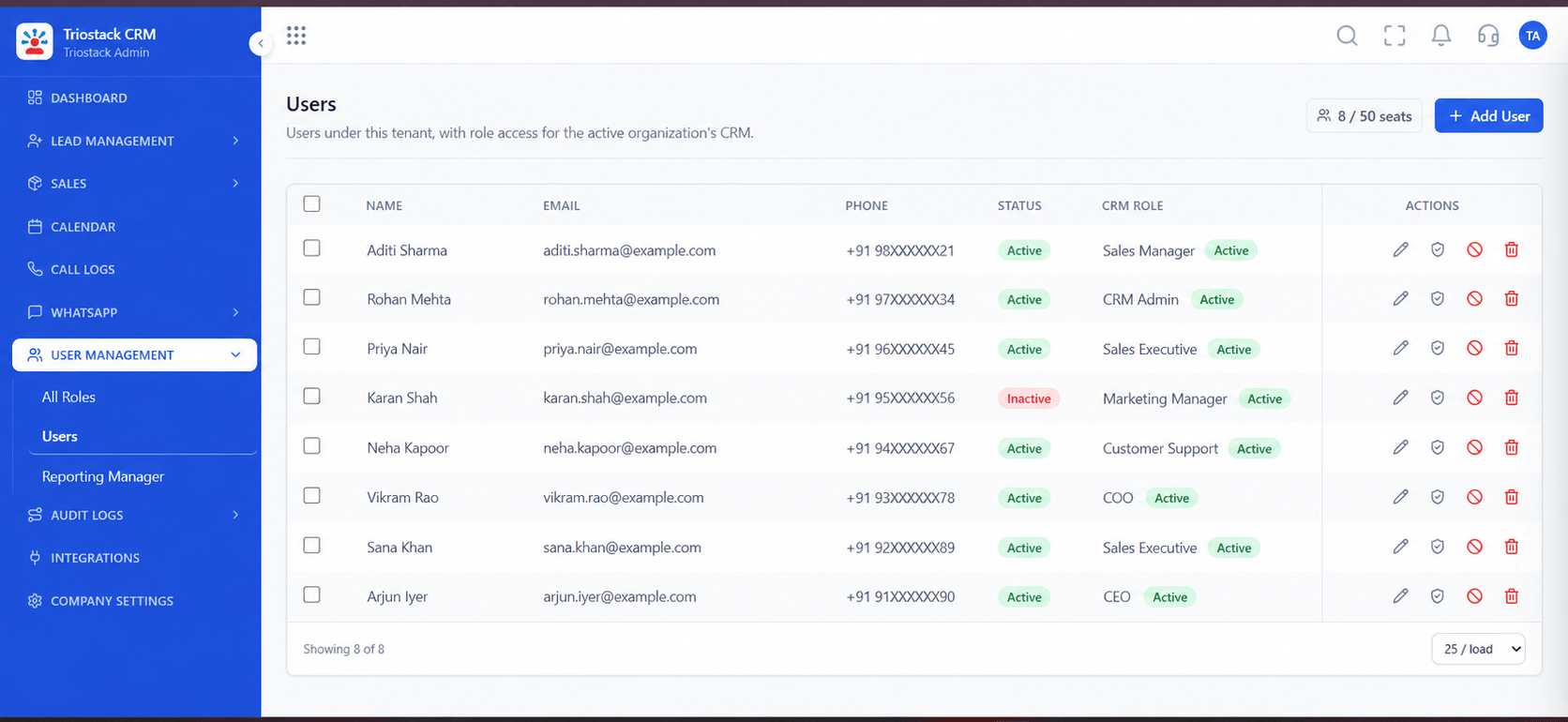
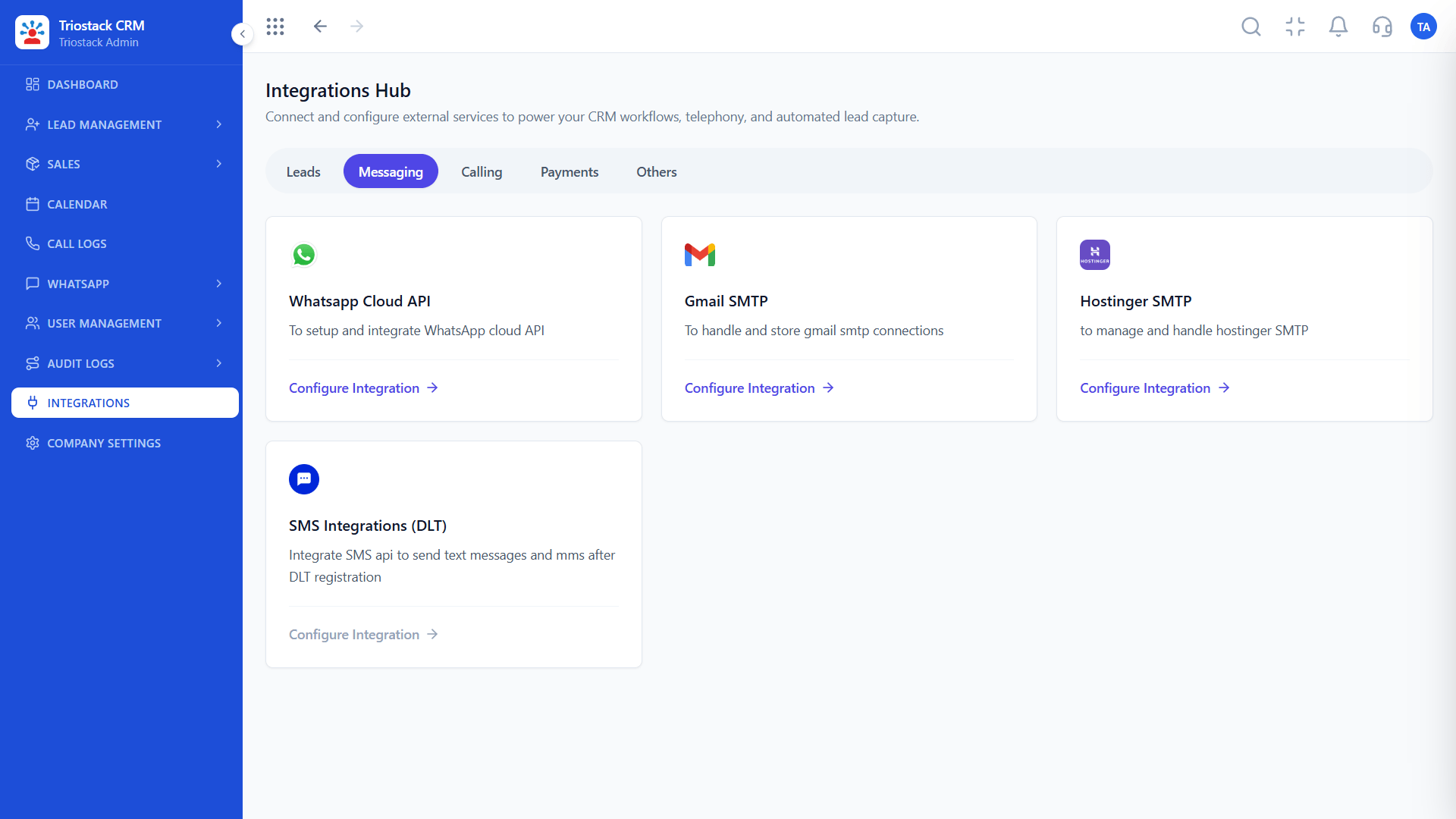
The screens below belong to WhatsApp Cloud API Pricing Guide: Lead Pipeline, Call Logs and Sales Dashboard, all from the product.
Messaging Integrations
WhatsApp Cloud API Pricing Guide: by category, set by Meta
Feature Breakdown
4 screens from the live product that show WhatsApp Cloud API Pricing Guide at work.
WhatsApp Cloud API.
How it fits the plan
Classify. Put each template in the category that matches its purpose.
Reply. Answer customers within their service window where you can.
Practical tip
Review your templates every quarter. A template submitted as marketing that is really an order update costs more than it should.
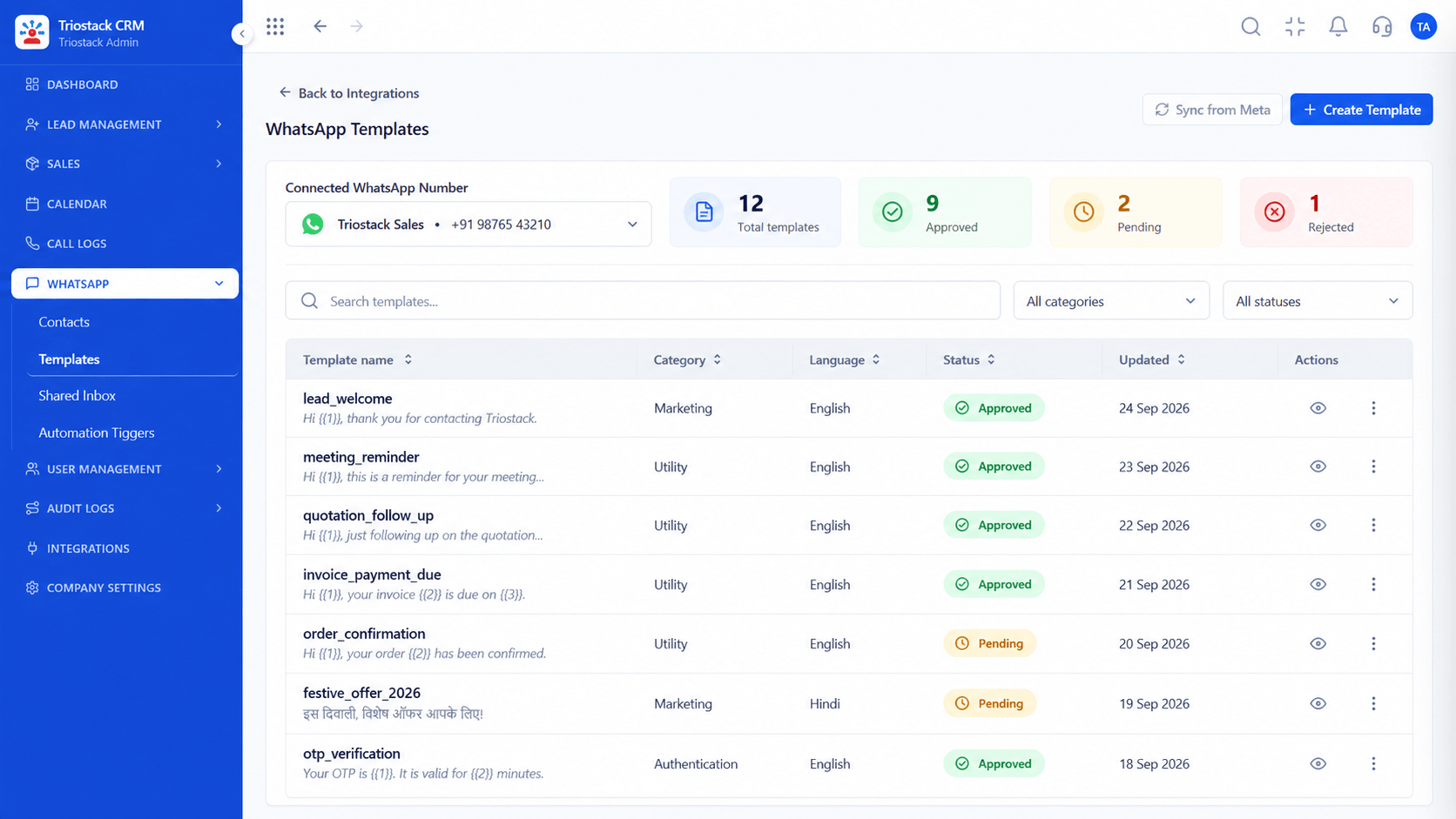
Categories and approval.
How it fits the plan
Reply. Answer customers within their service window where you can.
Target. Send marketing only to consenting, relevant segments.
In real life
Budget planning
You know what drives cost.

Triggers.
How it fits the plan
Target. Send marketing only to consenting, relevant segments.
Check. Compare spend with Meta's current rate card.
Watch out for
Disguising a promotion as a utility message. Meta checks categories, and misuse can get templates rejected.

Service replies.
How it fits the plan
Check. Compare spend with Meta's current rate card.
Classify. Put each template in the category that matches its purpose.
Before you start
Execution Plan
Put each template in the category that matches its purpose.
Answer customers within their service window where you can.
Send marketing only to consenting, relevant segments.
Compare spend with Meta's current rate card.
Practical Guide
Before you start
A tip that helps
Review your templates every quarter. A template submitted as marketing that is really an order update costs more than it should.
A common mistake
Disguising a promotion as a utility message. Meta checks categories, and misuse can get templates rejected.
Availability: What WhatsApp Cloud API Pricing Guide covers can depend on your plan and setup. Please confirm with our team which parts are live for your account, and any prerequisites, before you plan around it.
In Real Life
Scenario 01
You know what drives cost.
Scenario 02
Marketing is saved for real offers.
Scenario 03
Replies stay inside the window.
Straight answers about WhatsApp Cloud API Pricing Guide, from setup to what happens next.
Have a question about WhatsApp Cloud API Pricing Guide?
Book a free callMeta charges for Cloud API messages, separately from your CRM plan.
Utility, marketing, authentication and service.
Rates vary by country and change, so use Meta's current rate card.
Classify templates correctly, reply within the service window and target marketing.
How Meta charges for WhatsApp Cloud API messages: the utility, marketing, authentication and service categories, and practical ways to reduce your costs.
It runs in 4 steps: Classify, Reply, Target and Check. Put each template in the category that matches its purpose.
The real screens on this page include Lead Pipeline, Call Logs, Sales Dashboard and Messaging Integrations, all captured from the product.
Request a demo and ask to see WhatsApp Cloud API Pricing Guide. Our team can also walk you through setup, so your first session ends with something working.
Keep Exploring
We will walk you through WhatsApp Cloud API Pricing Guide, from Utility, Marketing and Authentication, on sample data shaped like yours.
Explore All Support & Enterprise