The best Business Suite software in India, built to help your business grow. Contact us at +91-8882435276.
[ Contact ]
Phone number
Email address
Head office
Noida office
The right team at TriostackOne will get back to you.
Positioning Assessment
Chatbots are good at the repeated parts of a conversation: greeting, asking a few questions, answering common queries and collecting details. They are bad at anything that needs judgement.
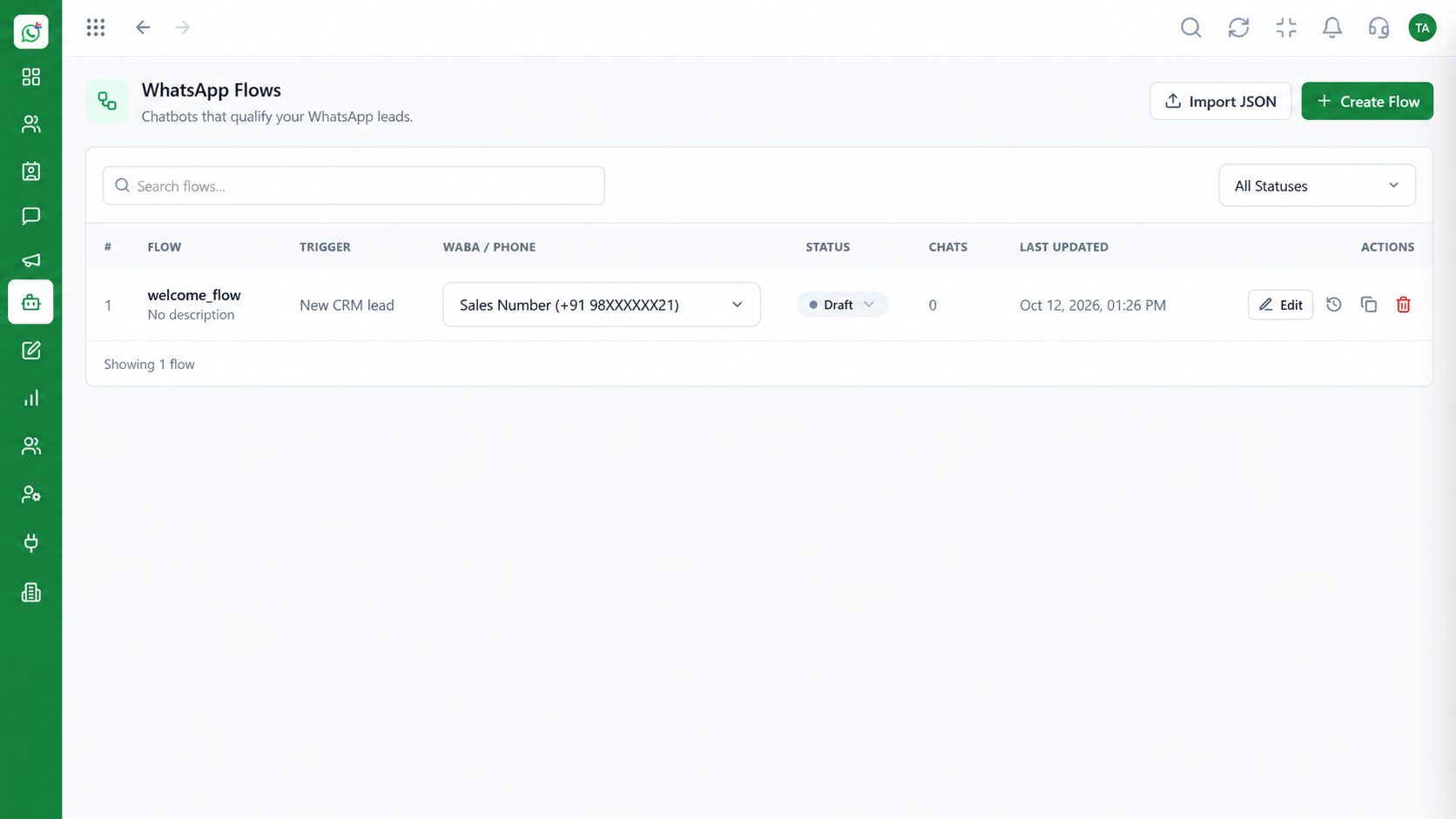
The flow builder is a visual canvas. You drag message, question, button and condition blocks onto it and connect them. A keyword trigger starts a flow when a customer types a word such as price or demo. Question blocks save the answer into a contact or CRM field, so qualification data arrives structured. At any point, a handover block passes the chat to a human agent with the conversation so far, and a fallback sends anyone the bot cannot help to a person instead of a loop. This page is a tour of the builder; the Chatbot Flows page describes what flows can do.
“The bot asked three questions and passed the chat to sales with the answers filled in.”
Sample team scenario
A made-up scenario about No-Code Chatbot Flow Builder, not a customer testimonial
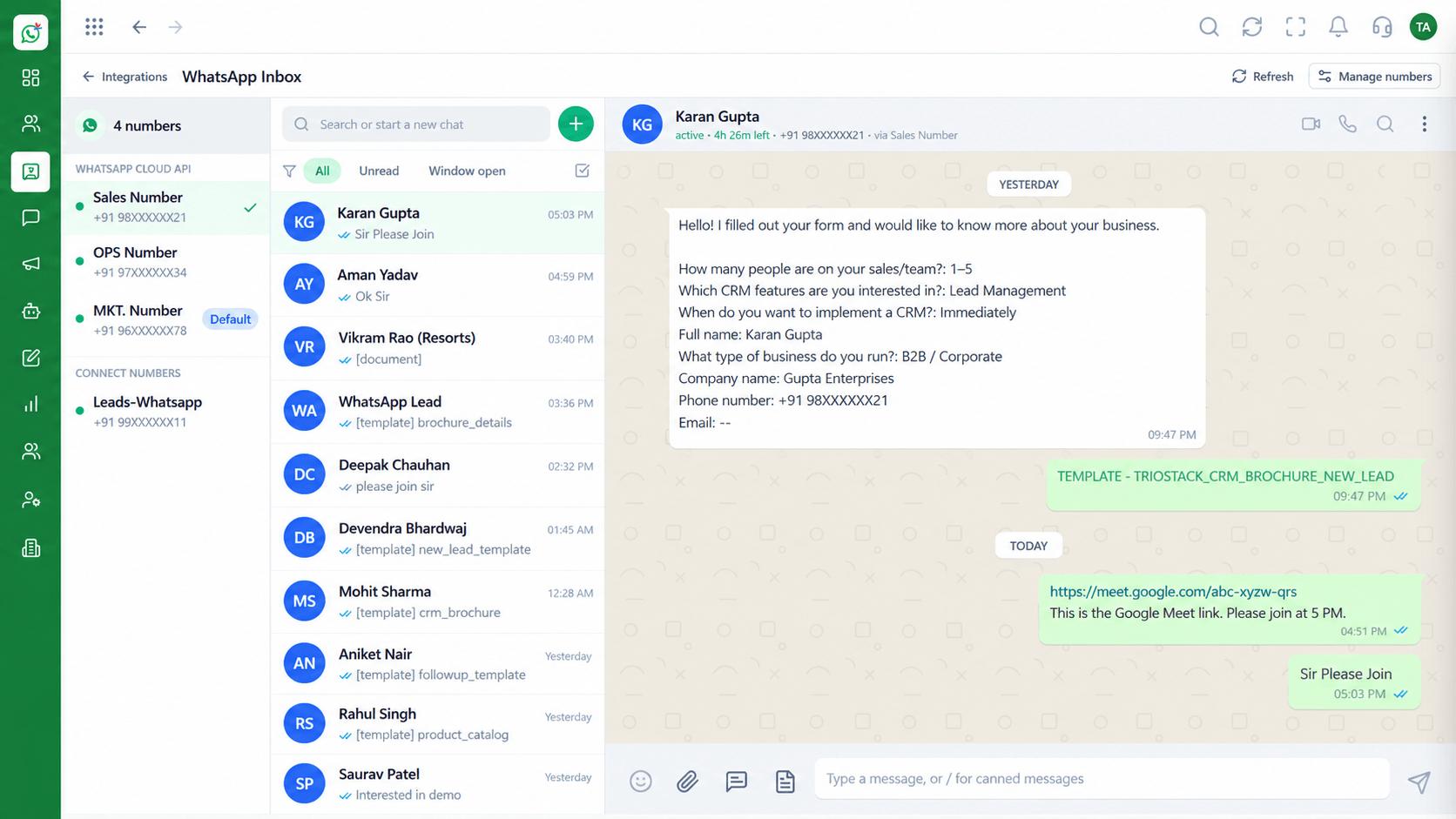
Shared Team Inbox
No-Code Chatbot Flow Builder: every WhatsApp conversation in one team view
In the Product
Drawing the conversation as boxes and arrows makes it easy to see where a customer could get stuck.
Messages, questions and conditions.
Keywords and events start it.
A door to a person.
Platform Integrity
Drag and drop
Start on a word
Answers saved
With context
How It Works
What changes for the team building the bot.
| Dimension | Triostack Wabiz | Scripted Bots |
|---|---|---|
| Building | Drag and connect blocks | Write and deploy code |
| Triggers | Keywords and events | Developer-defined |
| Data | Answers saved to fields | Parsed from text |
| Handover | A block passes the chat to an agent | Often missing |
| Changes | Edited by the team | Needs a developer |
Book a walkthrough of No-Code Chatbot Flow Builder. We set up a sandbox so you can try Drag and drop, Keyword triggers and CRM field capture before you commit.
Live Interface Tour
The screens below belong to No-Code Chatbot Flow Builder: Chatbot Flows, Shared Team Inbox and Contacts, all from the product.
Chatbot Flows
No-Code Chatbot Flow Builder: a bot that knows when to hand over
Feature Breakdown
4 screens from the live product that show No-Code Chatbot Flow Builder at work.
Lay out the journey.
How it fits the plan
Goal. Pick one job: qualify, answer FAQs or book a call.
Draw. Add questions, buttons and branches.
Practical tip
Test the flow with a colleague who has never seen it. Their first wrong turn is your first fix.
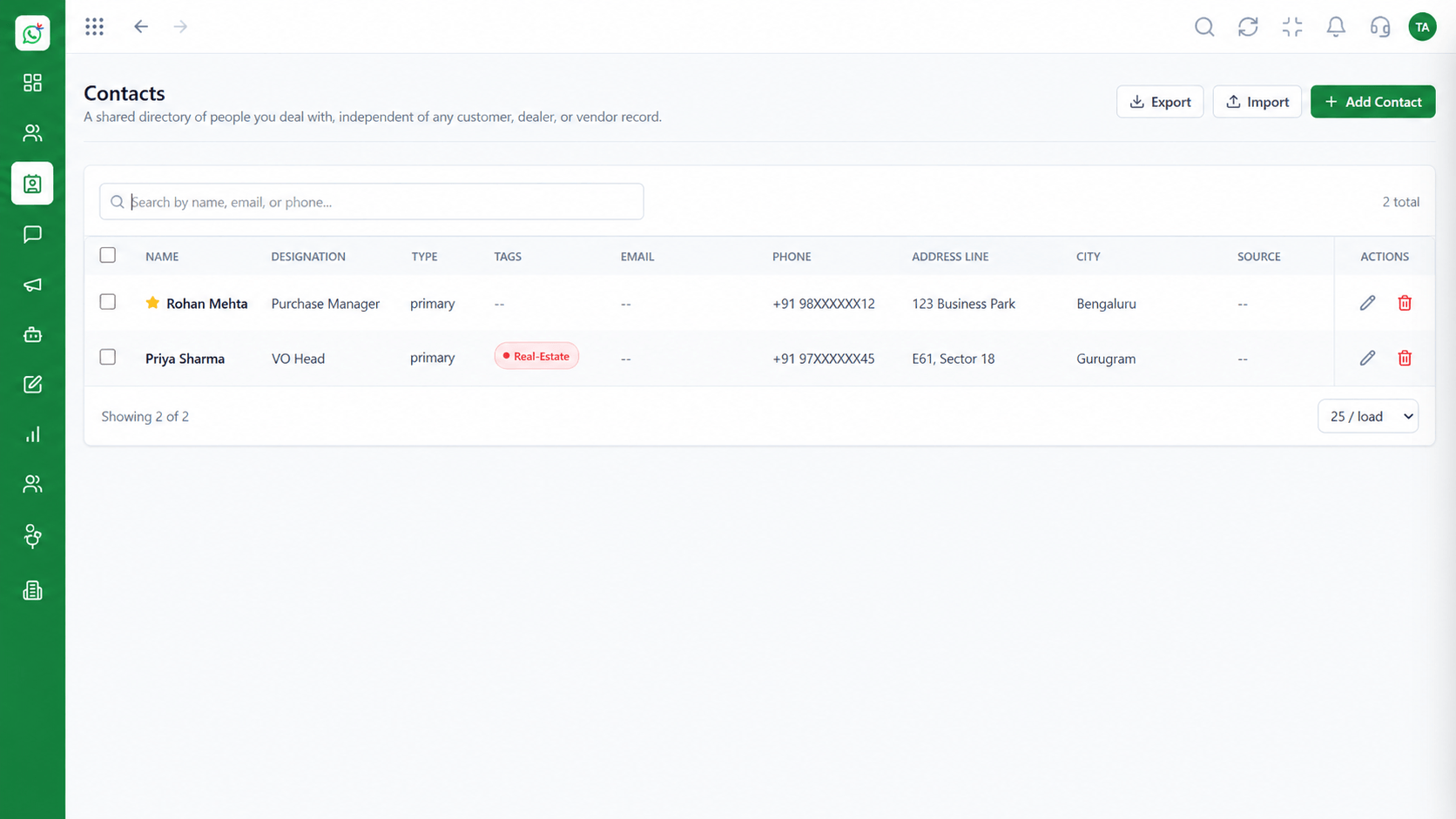
Fields filled by the bot.
How it fits the plan
Draw. Add questions, buttons and branches.
Capture. Choose which fields each answer fills.
In real life
Lead qualification
Questions are asked in order.
Where handover lands.
How it fits the plan
Capture. Choose which fields each answer fills.
Hand over. Add the human handover and a fallback.
Watch out for
Building a bot with no way to reach a person.
Templates inside flows.
How it fits the plan
Hand over. Add the human handover and a fallback.
Goal. Pick one job: qualify, answer FAQs or book a call.
Before you start
Execution Plan
Pick one job: qualify, answer FAQs or book a call.
Add questions, buttons and branches.
Choose which fields each answer fills.
Add the human handover and a fallback.
Practical Guide
Before you start
A tip that helps
Test the flow with a colleague who has never seen it. Their first wrong turn is your first fix.
A common mistake
Building a bot with no way to reach a person.
In Real Life
Scenario 01
Questions are asked in order.
Scenario 02
Common questions are answered at once.
Scenario 03
Slots are offered and saved.
Straight answers about No-Code Chatbot Flow Builder, from setup to what happens next.
Have a question about No-Code Chatbot Flow Builder?
Book a free callNo, flows are built visually.
Yes, keywords can trigger flows.
Yes, answers can be saved to contact or lead fields.
Yes, a handover block passes the chat with its history.
That page explains the capability. This one tours the builder.
A visual drag-and-drop WhatsApp chatbot builder with keyword triggers, CRM field capture and a clean handover to a human agent when the bot should step back.
It runs in 4 steps: Goal, Draw, Capture and Hand over. Pick one job: qualify, answer FAQs or book a call.
The real screens on this page include Chatbot Flows, Shared Team Inbox, Contacts and Flow Canvas, all captured from the product.
Request a demo and ask to see No-Code Chatbot Flow Builder. Our team can also walk you through setup, so your first session ends with something working.
Keep Exploring
We will walk you through No-Code Chatbot Flow Builder, from Drag and drop, Keyword triggers and CRM field capture, on sample data shaped like yours.